
Introduction to TerraformFX
TerraformFX is a procedural terrain and landscape generator for Cinema 4D. Layer generators and filters in a parent/child hierarchy to build anything from alpine mountains and coastal cliffs to desert dunes and volcanic craters, then texture them with dedicated terrain shaders.
What TerraformFX can do
Section titled “What TerraformFX can do”TerraformFX is built around the tfTerrain object. Add generator and filter operators as children to build up and sculpt your heightmap procedurally. Every layer stays live, so you can adjust, reorder or remove operators at any time without starting over.
- Generator operators: create altitude data using noises, gradients, splines, shaders and grids
- Filter operators: adjust the heightmap with clamping, curves, blur and paths; simulate hydraulic, coastal and snow erosion with tfErosion
- Masking: restrict any operator’s effect by altitude, slope, shader or Cinema 4D field
- Preview & export: visualise altitude, slope and difference maps in the preview tab; export as TIFF
- Terrain shaders: texture landscapes with the Terrain Operator Shader and GradientUV Shader
- tfRock: procedural rock generation for populating landscapes
- tfRoad: build procedural roads along any spline with clone support for street furniture
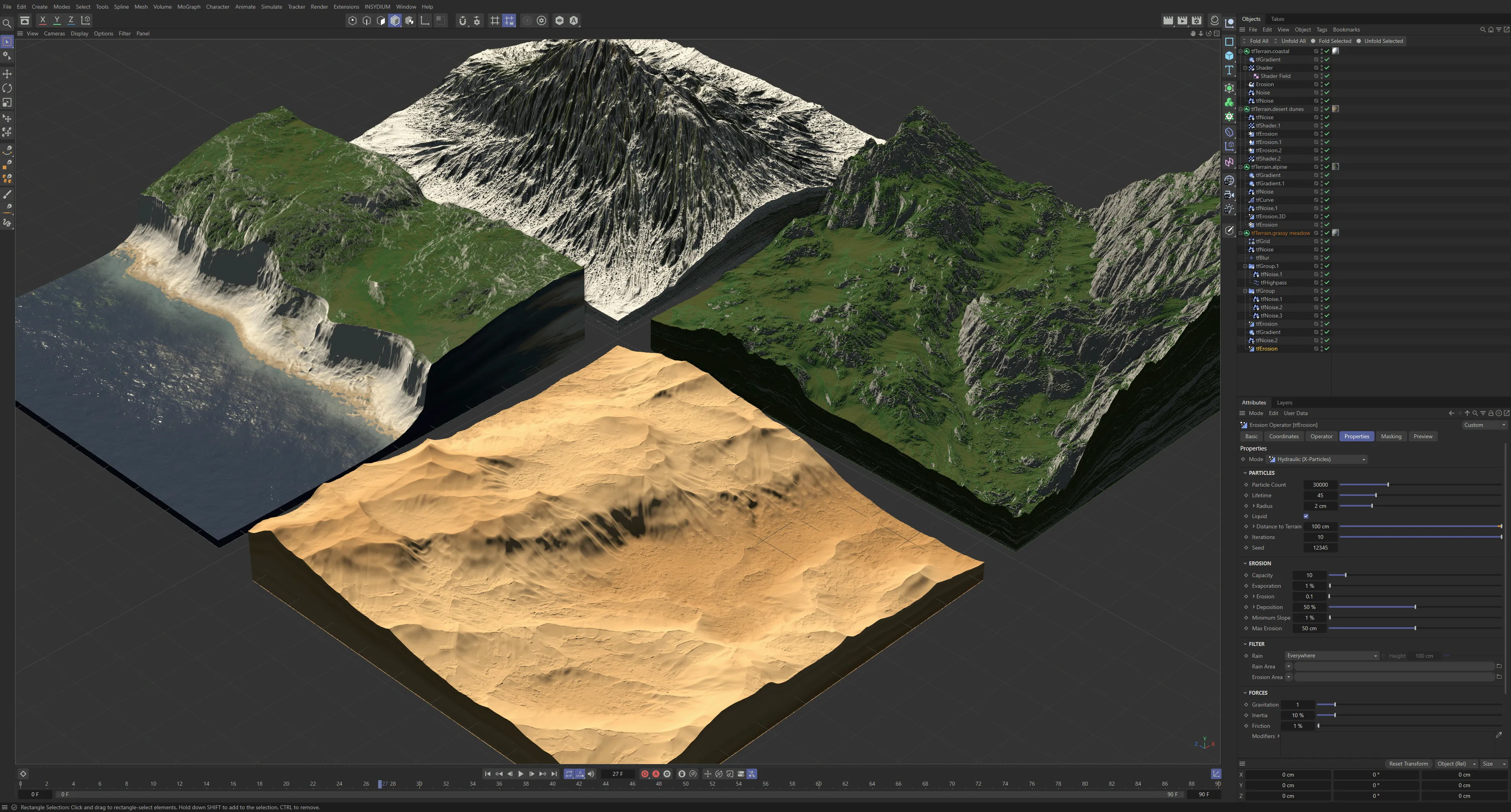
Four custom landscapes, each created through procedurally layering generators and filters.
TerraformFX uses the familiar Cinema 4D parent/child object hierarchy system.
The parent object is a tfTerrain.
Use this to control the landscape’s global settings, such as size, shape and polygon count.
Various operators are then used as child objects to create, build and adjust your terrain.
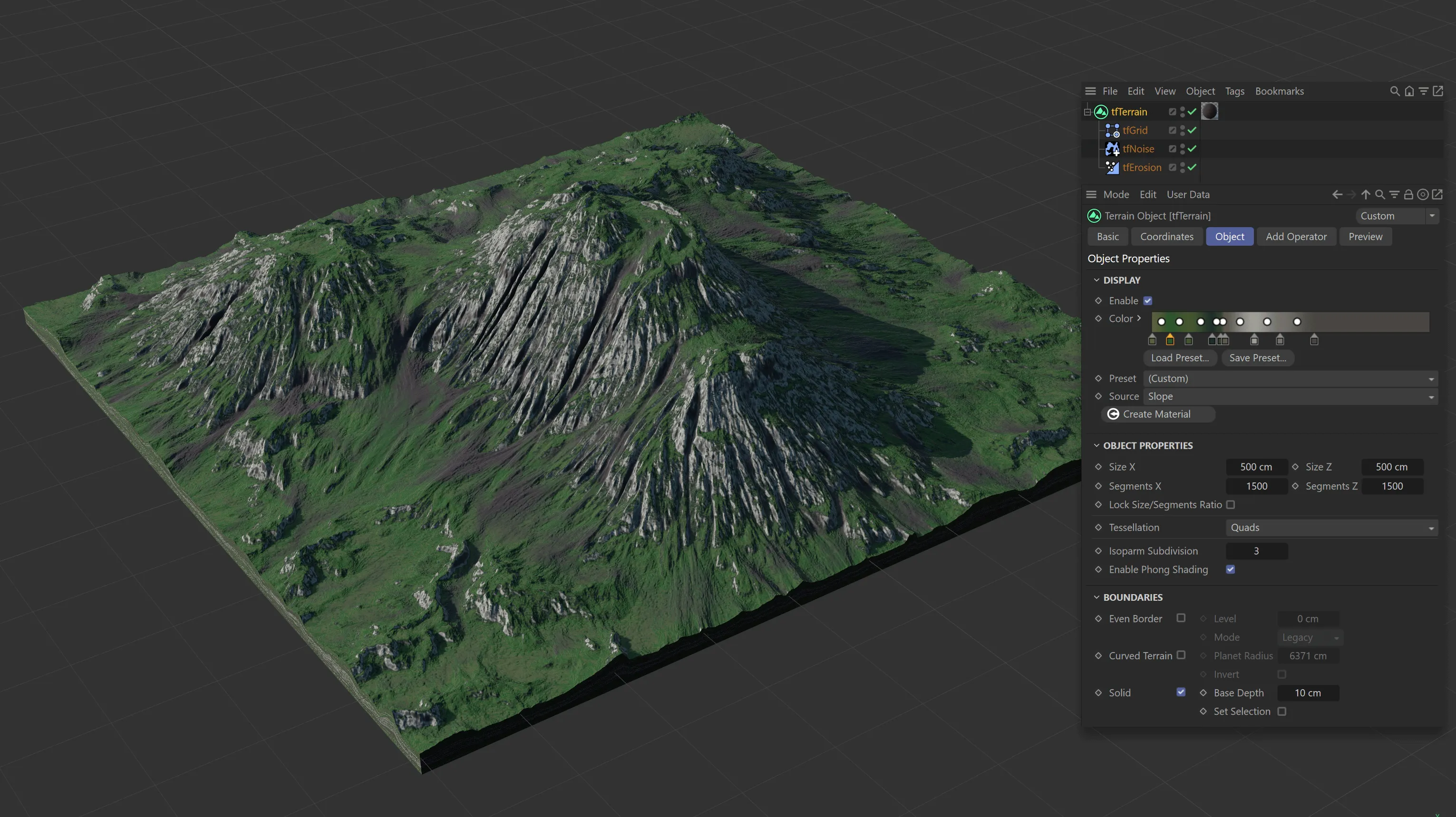
This landscape is made up of a Custom Preset with three operators: tfGrid, tfNoise and tfErosion.
Operators are split into two groups: generators and filters.
Generators use noises, splines, shaders and more to create altitude data, which generates terrain features.
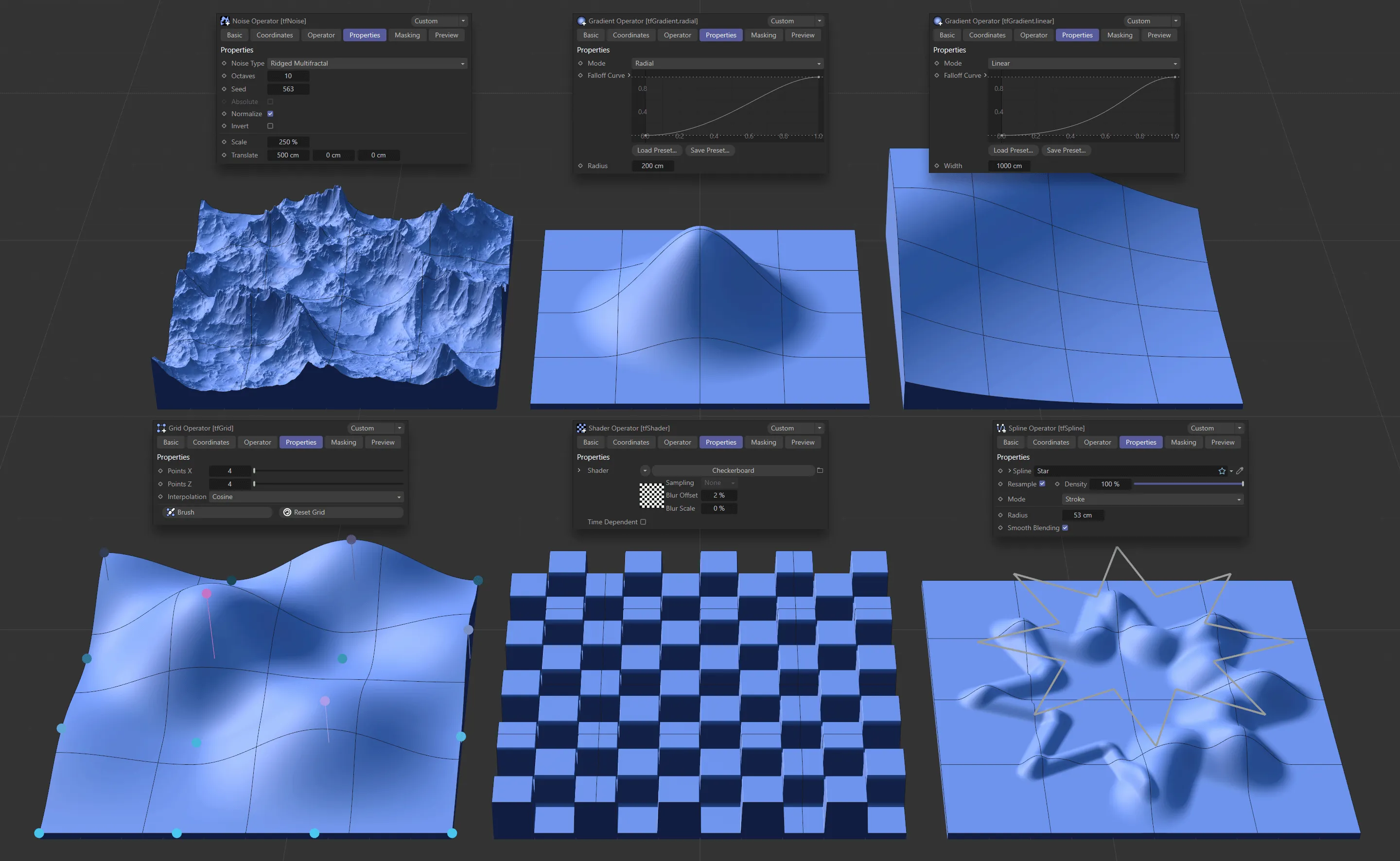
Image to show the effect of the generator operators. Along the top: tfNoise, tfGradient - with a Radial Falloff Curve, tfGradient - with a Linear Falloff Curve. Along the bottom: tfGrid, tfShader and tfSpline.
Generators can be layered infinitely and the effects are mixed using blend modes.
Animation demonstrating the procedural layering and manipulation of operators to create the final terrain.
Filters are then added to the hierarchy to adjust the heightmap.
They can be used to make broad-stroke adjustments, like clamping terrain altitude or offsetting position.
Filters can be used to make precise, artistic adjustments, adding paths, rivers and roads.
They can also simulate realistic effects, including hydraulic (rainfall), coastal and snow erosion.
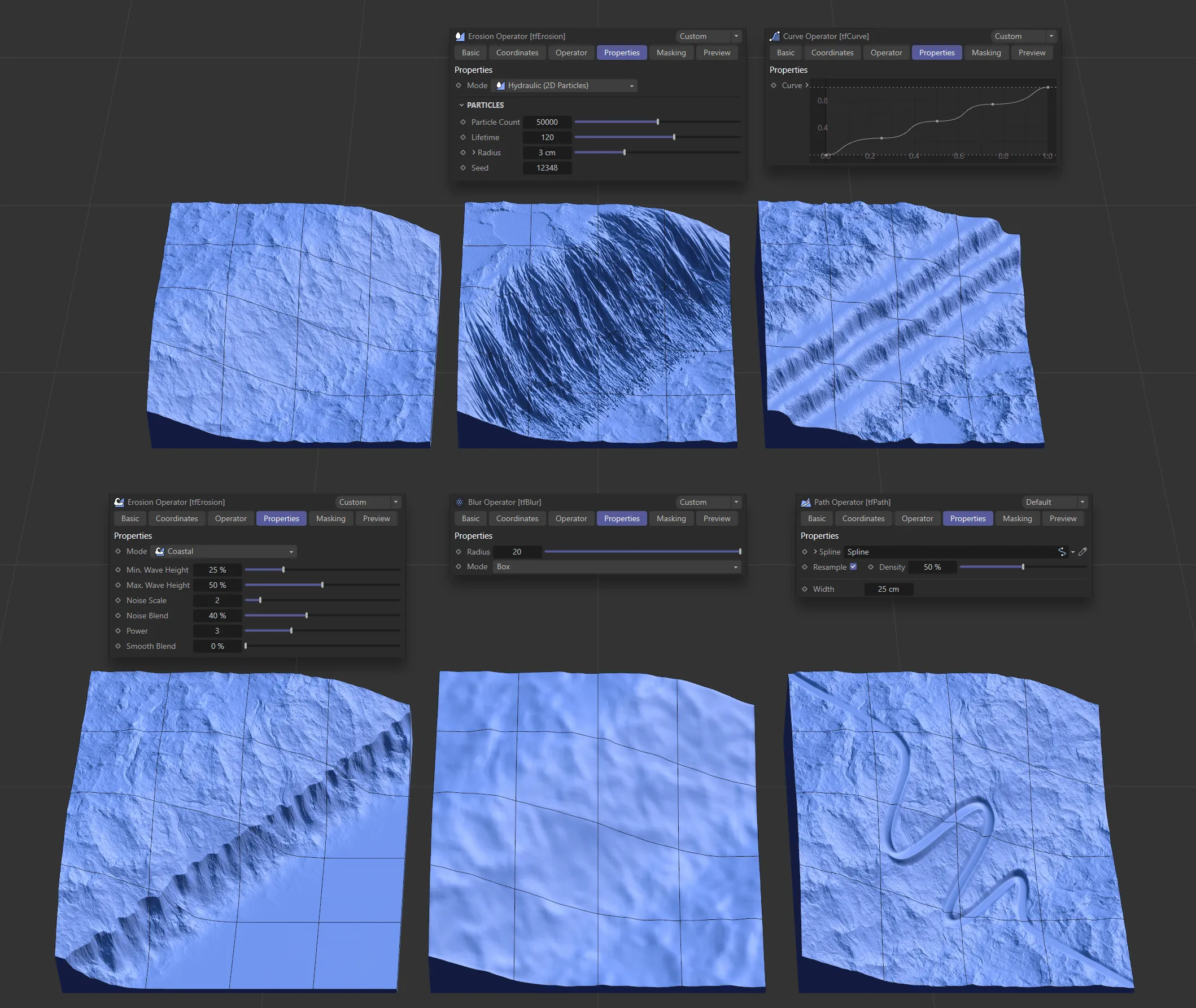
This image demonstrates the effect of five of the filter operators on the top left-hand terrain: tfErosion - Hydraulic (2D Particles) Mode, tfCurve, tfErosion - Coastal Mode - tfBlur and tfPath.
Masking controls enable you to restrict the effects of operators to certain Altitude or Slope values.
You can also mask the effects of operators using shaders and fields.
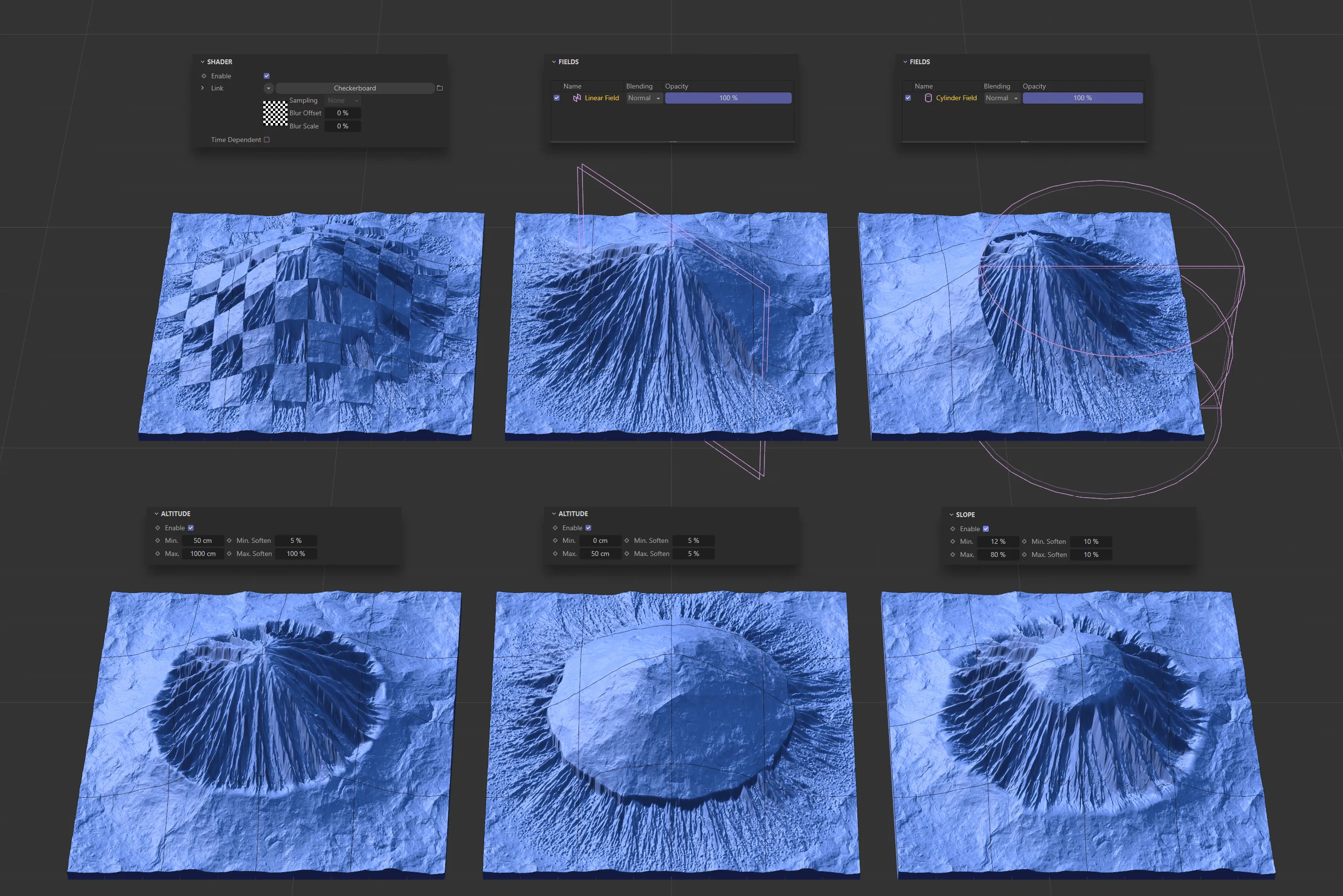
Across the top (from left to right), we have the effects of a Checkerboard shader, a Linear Field and a Cylinder Field. And, across the bottom, two terrains with different Altitude settings enabled and one with Slope enabled.
The generated and filtered altitude data can be visualised via the preview tab, in the form of a 2D black and white map.
You can choose to visualise the global output of the terrain or the output of an individual operator.
Choose from multiple map types, such as Altitude, Slope and Difference.
Maps can also be exported as TIFFs.
Animation demonstrating the different 2D black and white maps that are available and can be seen in the Preview tab or the Grid Monitor.
The TerraformFX shaders enable the sophisticated texturing of landscapes.
Use the Terrain Operator Shader to reference the above-mentioned terrain maps, to mask and isolate specific terrain features within a material.
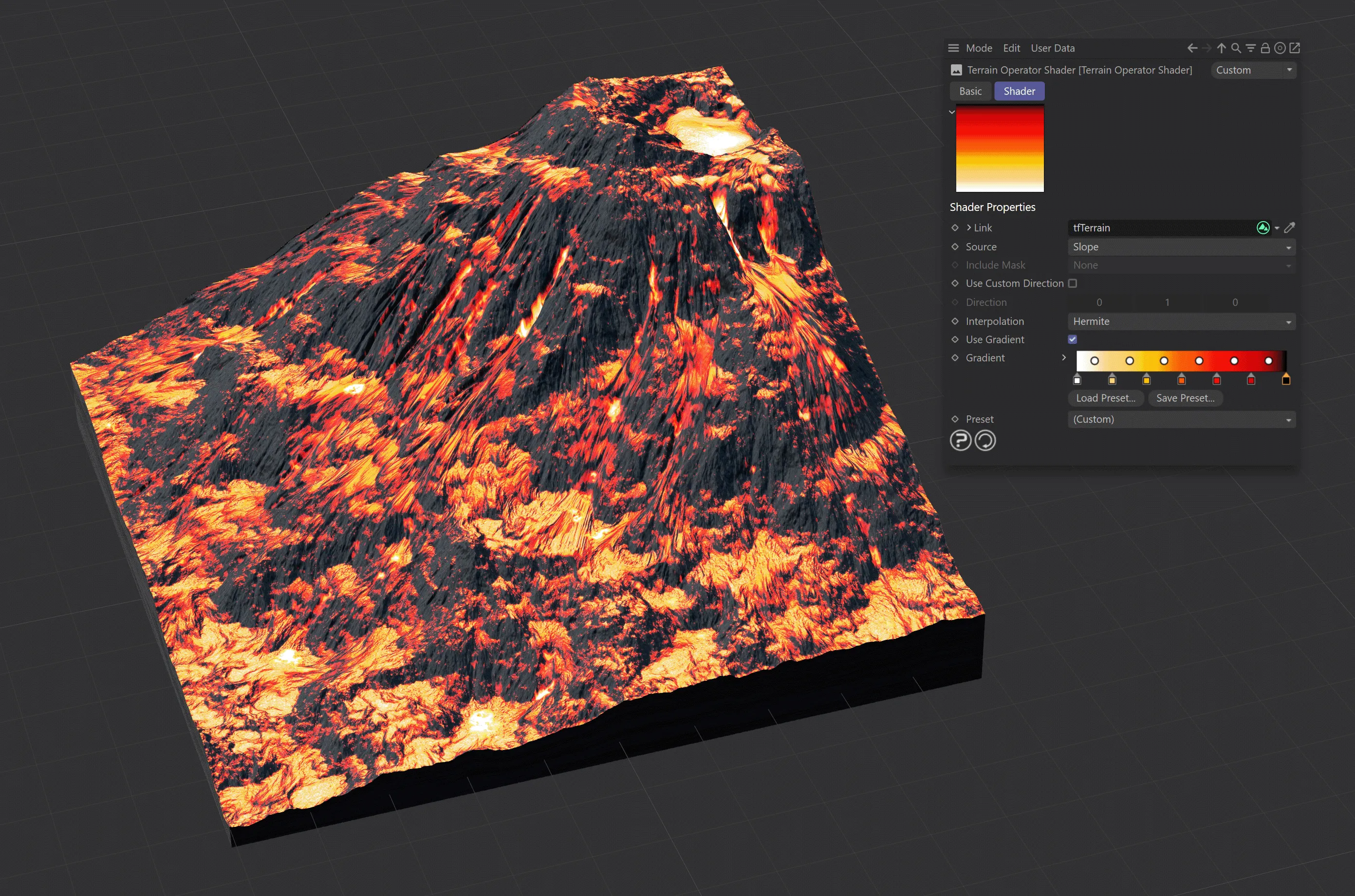
This landscape has a (Custom) Preset, with a Terrain Operator Shader, creating a volcano effect.
The GradientUV Shader allows more complex coloring without having to juggle multiple gradients and masks.
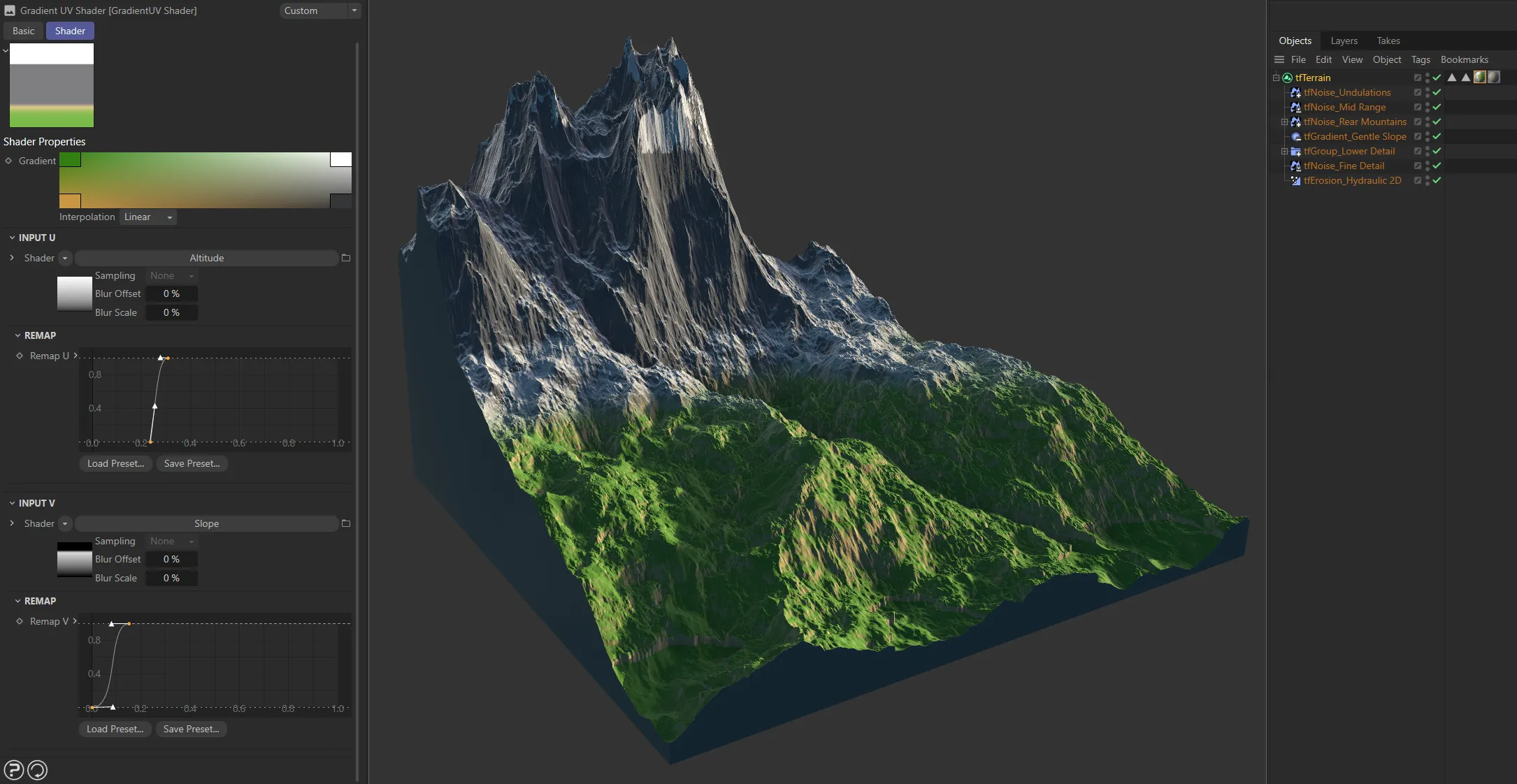
The customized color Gradient settings, together with the Remap U and Remap V curves are coloring this terrain, using the GradientUV Shader.
Generate custom, procedural rocks with tfRock.
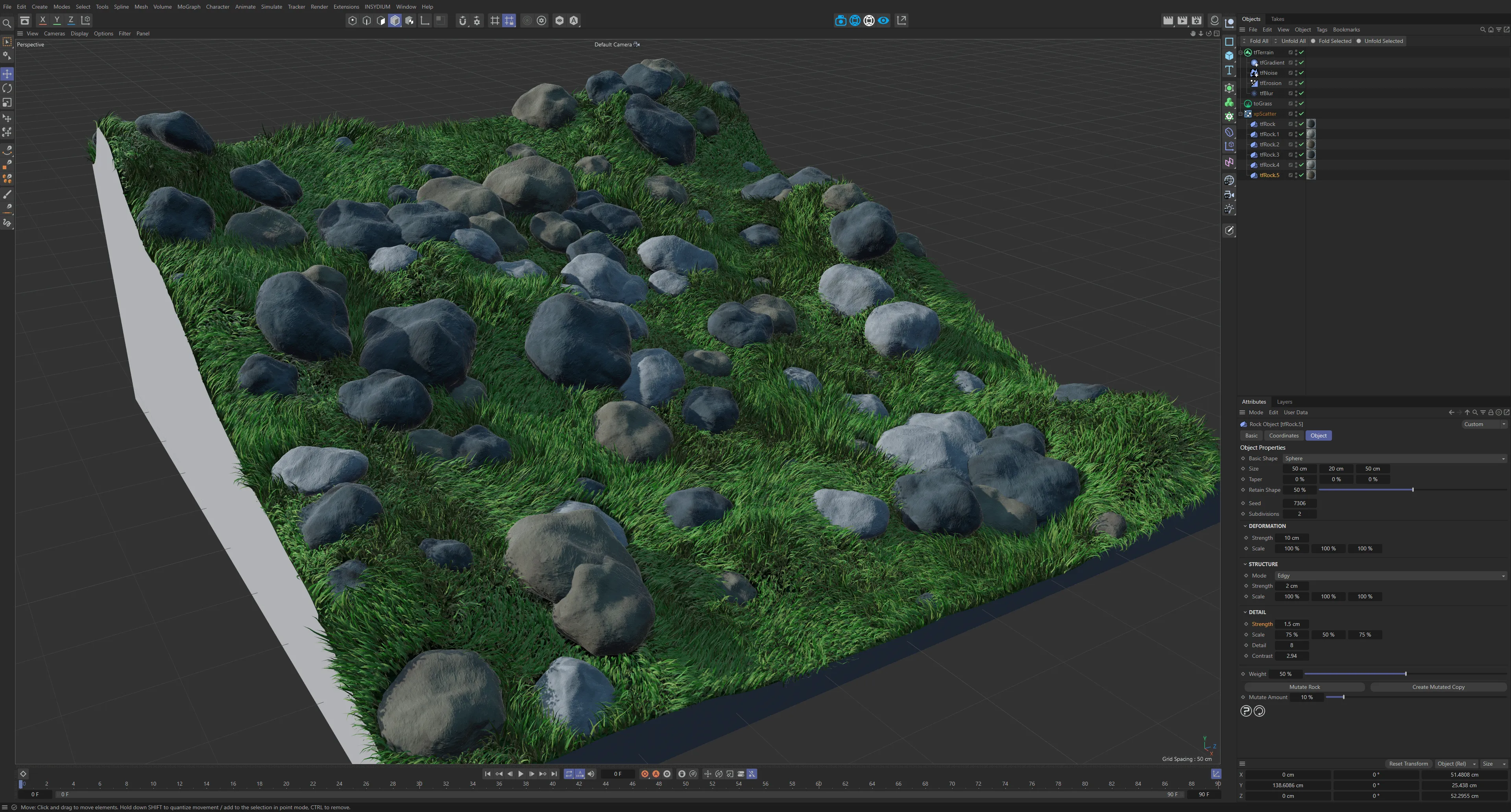
Here, tfRock has been used in an organic creation of a variety of rocks on a tfTerrain.
Use tfRoad to build procedural roads on any spline.
Easily generate clones, including multi-instance support, for adding streetlights, traffic cones and barriers.
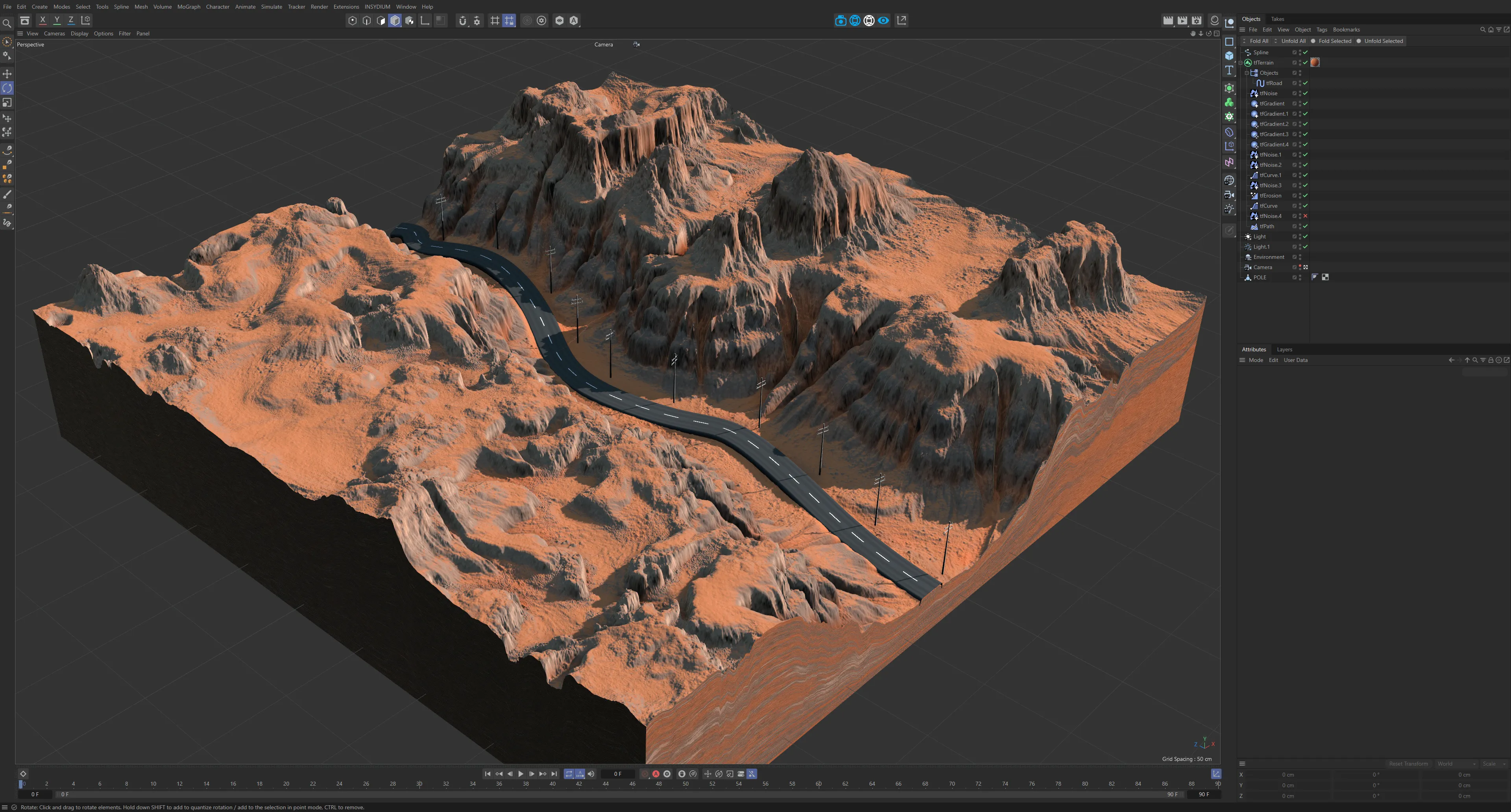
This landscape has a tfRoad generator object, which is following a spline to create a road with electricity poles along the side.
In this documentation
Section titled “In this documentation”| Section | Description |
|---|---|
| tfTerrain | The parent terrain object: size, shape and polygon count |
| Generator Operators | Operator tab shared by all generators: blend modes, gain and offset |
| Masking | Restrict operator effects by altitude, slope, shader or field |
| Preview | Visualise heightmaps and export as TIFF |
| Filter Operators | tfAdjustment, tfBlur, tfCurve, tfErosion, tfPath and more |
| tfRoad | Procedural road generator along any spline, with built-in cloning for roadside objects |
| tfRock | Procedural rock and custom rock-shaped object generator |
| tfRiverExport | Exports river points from tfRiver operators as a segmented spline |
| tfBrush | Brush tool for manipulating tfGrid and tfWarp control grids |
| Commands | Terrain commands: grouping, blend modes, layers and more |
| Presets | Built-in terrain presets and custom preset management |
| GradientUV Shader | Advanced terrain texturing with the GradientUV shader |
| Terrain Operator Shader | Reference terrain maps inside materials |
| Advanced Terrain Shader | Layered terrain shader system |
| Terrain Color Palette | Library of over 1,450 preset colour palettes for terrain texturing |
| 3D Fields Masking | Using Cinema 4D fields to mask operator effects |
| Ambient Occlusion | AO-based terrain shading |
| Curvature | Curvature map for rock and ridge colouring in the Advanced Terrain Shader |
| Grid Monitor | Live heightmap visualisation window |
| New Default Terrain Material | The built-in terrain material system |
| Preferences | TerraformFX performance and display settings |
Copyright © 2026 INSYDIUM LTD. All rights reserved.