

nxSpin
nxSpin spins or rotates particles.
nxSpin uses a layer-based system, allowing multiple operations to be stacked and blended together.
Object Properties
Section titled “Object Properties”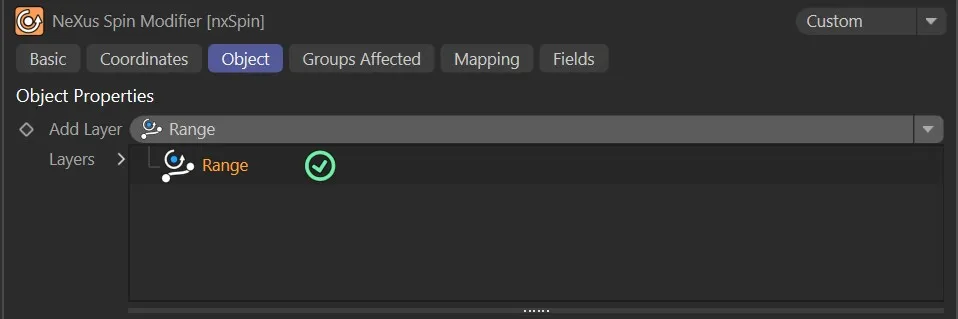
nxSpin Object tab.
Add Layer
Section titled “Add Layer”Adds a new operation layer to the stack.
Each layer can be set to a different operation mode and blended with the layers below it.
Layers
Section titled “Layers”The layer stack.
Layers can be enabled or disabled using the toggle on the left of each entry.
Layers are processed from bottom to top.
Layer Settings
Section titled “Layer Settings”When a layer is selected in the Layers tree, its settings are shown below.
Each layer has a General tab and a Falloff tab.
General tab
Section titled “General tab”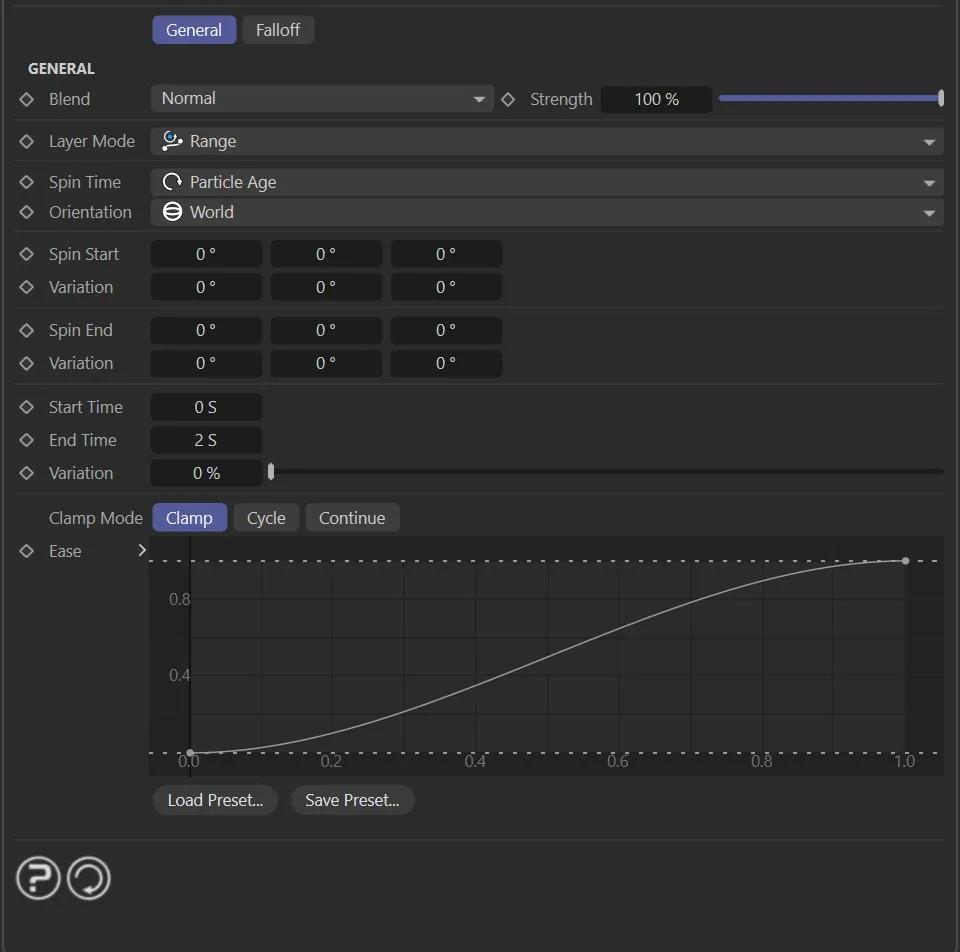
Layer Mode
Section titled “Layer Mode”Sets the operation for this layer.
The available modes are Spin, Incremental Spin, Rotate, Tangential, Facing, Roll and Range.
Sets how this layer is blended with the result of the layers below it.
The available blend modes are Normal, Add, Subtract, Multiply, Difference, Screen, Overlay, Min and Max.
Strength
Section titled “Strength”The blend strength of this layer.
Falloff tab
Section titled “Falloff tab”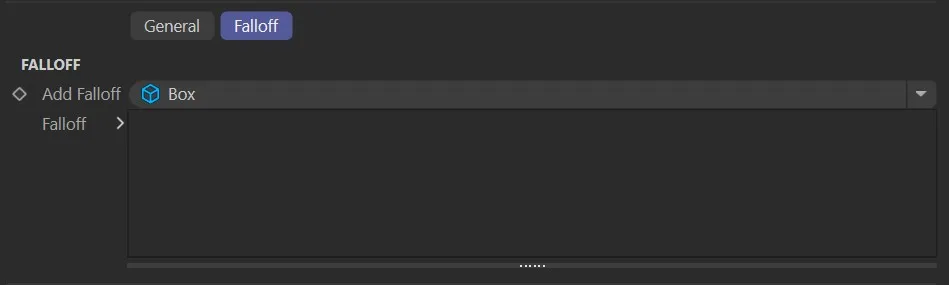
Add Falloff
Section titled “Add Falloff”Adds a falloff to this layer.
The available falloff types are Box, Linear, Sphere and Noise.
Falloff
Section titled “Falloff”The falloff stack for this layer.
Multiple falloffs can be added and combined.
Spin operation settings
Section titled “Spin operation settings”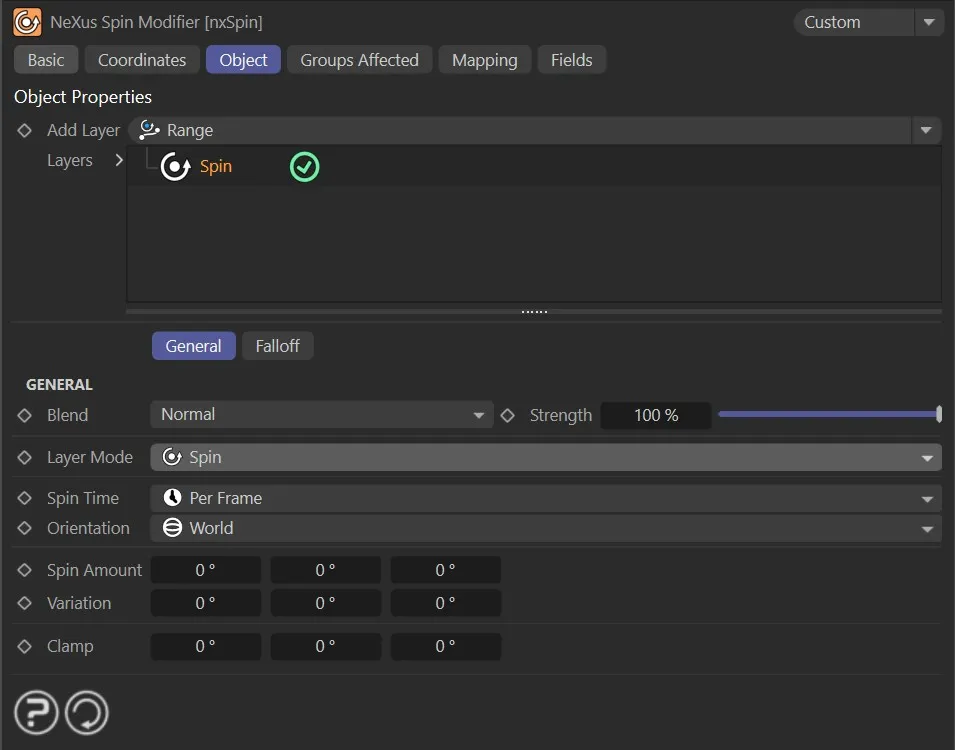
Spin Time
Section titled “Spin Time”Set as Per Frame, by default.
The alternatives are Per Second and On Birth.
Per Frame
Section titled “Per Frame”The values given in Spin Amount are applied to the particle each frame.
Per Second
Section titled “Per Second”The values given in Spin Amount are scaled to apply per second, accounting for the current frame rate.
On Birth
Section titled “On Birth”The spin values are applied once, when the particle is born.
Orientation
Section titled “Orientation”Set as World, by default.
The alternative is Particle.
In World mode, the spin is applied in world space.
In Particle mode, the spin is applied relative to the particle’s own local axes.
Spin Amount
Section titled “Spin Amount”The amount to spin the particle, in degrees, on each axis.
Negative values can be used to spin in the opposite direction.
Variation
Section titled “Variation”Adds a random variation to the Spin Amount on each axis.
Clamps the maximum spin speed on each axis, in degrees.
Incremental Spin operation settings
Section titled “Incremental Spin operation settings”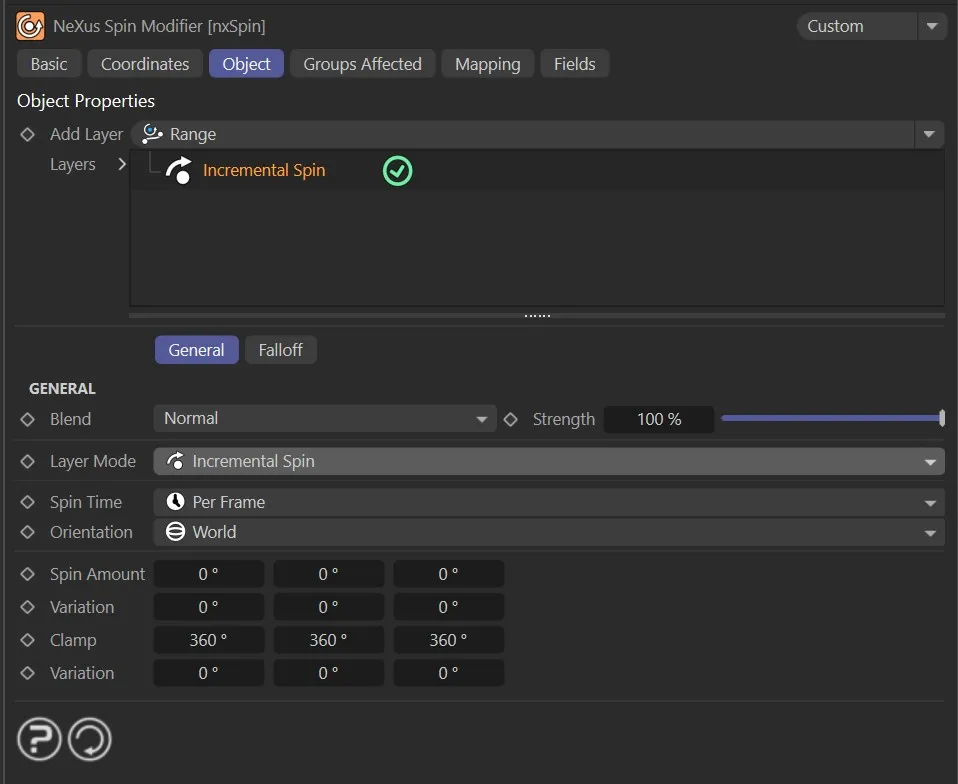
Incremental Spin increases the particle’s spin speed over time, rather than applying a fixed amount per frame.
Spin Time
Section titled “Spin Time”Set as Per Frame, by default.
The alternative is Per Second.
Orientation
Section titled “Orientation”Set as World, by default.
The alternative is Particle.
See the Spin operation settings for a description of these modes.
Spin Amount
Section titled “Spin Amount”The amount added to the particle’s spin speed each frame.
The spin will continue to increase for as long as the particle is within the modifier’s field of effect.
Variation
Section titled “Variation”Adds a random variation to the Spin Amount on each axis.
Clamps the maximum spin speed on each axis, in degrees.
Variation
Section titled “Variation”Adds a random variation to the Clamp value on each axis.
Rotate operation settings
Section titled “Rotate operation settings”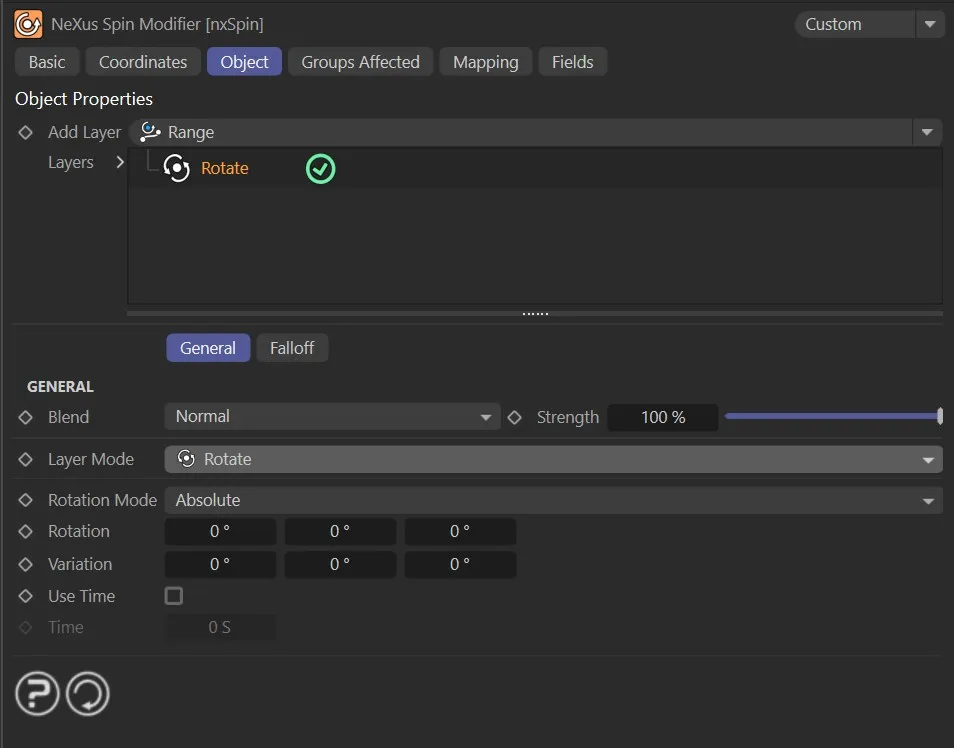
Rotate sets a particle to a specific rotation rather than spinning it continuously.
Rotation Mode
Section titled “Rotation Mode”Set as Absolute, by default.
The alternative is Relative.
Absolute
Section titled “Absolute”The particles are rotated to the value given in the Rotation field.
Relative
Section titled “Relative”The particles are rotated to a value which is their current rotation plus the value from the Rotation field.
Rotation
Section titled “Rotation”The target rotation, in degrees on each axis.
Variation
Section titled “Variation”Adds a random variation to the Rotation value on each axis.
Use Time
Section titled “Use Time”If enabled, the change in rotation takes place over the time given in the Time field rather than immediately.
The amount of time over which the rotation change takes place.
A value of zero causes the change to take place immediately.
Tangential operation settings
Section titled “Tangential operation settings”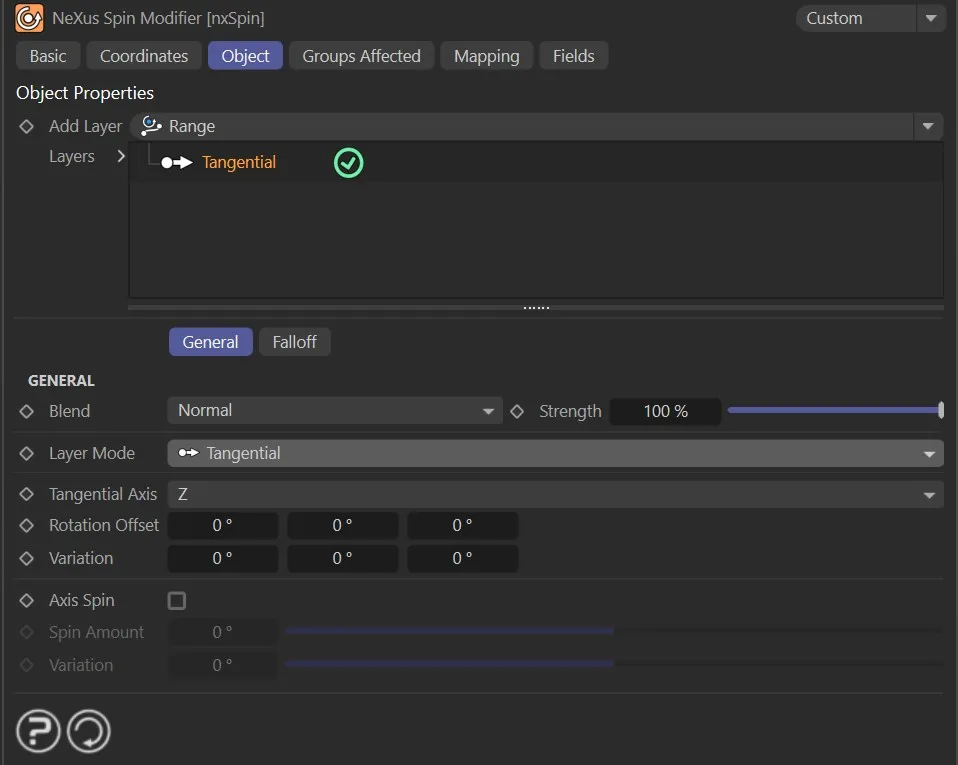
The particle is rotated to point along its direction of movement.
Tangential Axis
Section titled “Tangential Axis”Set as Z, by default.
The alternatives are X and Y.
This sets which axis of the particle points along its direction of movement.
Rotation Offset
Section titled “Rotation Offset”Adds a rotation offset on any axis to a particle that has been rotated to point along its direction of travel.
Variation
Section titled “Variation”Adds a random variation to the Rotation Offset on each axis.
Axis Spin
Section titled “Axis Spin”If enabled, the particle will spin around the tangential axis.
Spin Amount
Section titled “Spin Amount”The number of degrees to spin the particle around the tangential axis each frame.
Variation
Section titled “Variation”Adds a random variation to the Spin Amount.
Facing operation settings
Section titled “Facing operation settings”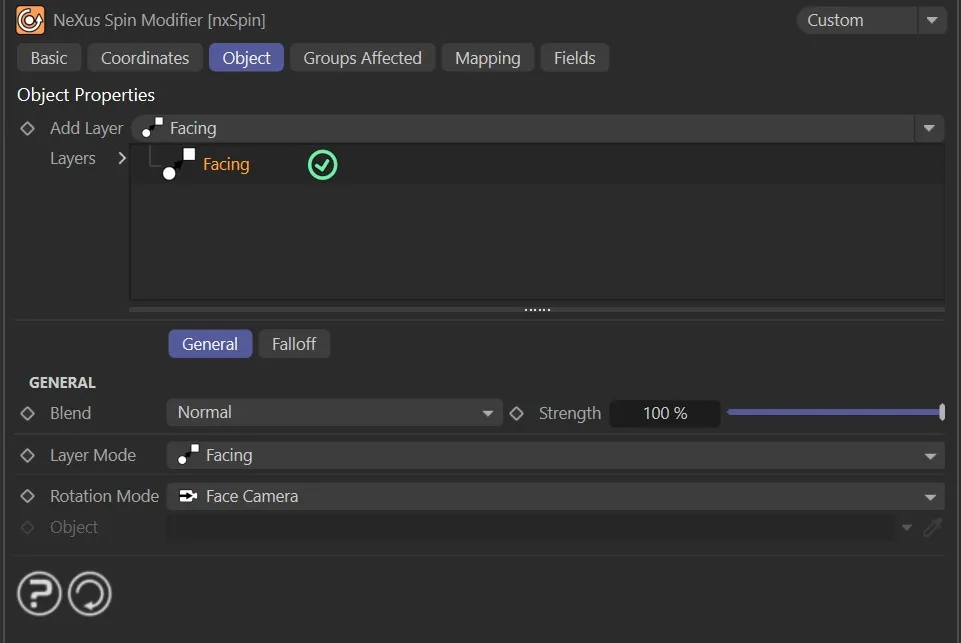
Facing rotates each particle to point towards a target.
Rotation Mode
Section titled “Rotation Mode”Set as Face Camera, by default.
The alternatives are Face Object and Face Screen.
Face Camera
Section titled “Face Camera”The particle is rotated so its Z axis points at the active camera.
The rotation is updated each frame so the particle always faces the camera as it moves.
Face Object
Section titled “Face Object”The particle is rotated so its Z axis points at the object specified in the Object field.
The rotation is updated each frame so the particle always faces the object as it moves.
Face Screen
Section titled “Face Screen”The particle is rotated so that it always faces the screen directly.
This differs from Face Camera as the particles remain face-on to the screen regardless of camera movement or rotation.
Object
Section titled “Object”The object to point at.
Roll operation settings
Section titled “Roll operation settings”Roll automatically rotates particles based on their direction of movement, simulating a rolling effect.
There are no additional parameters for this operation.
Range operation settings
Section titled “Range operation settings”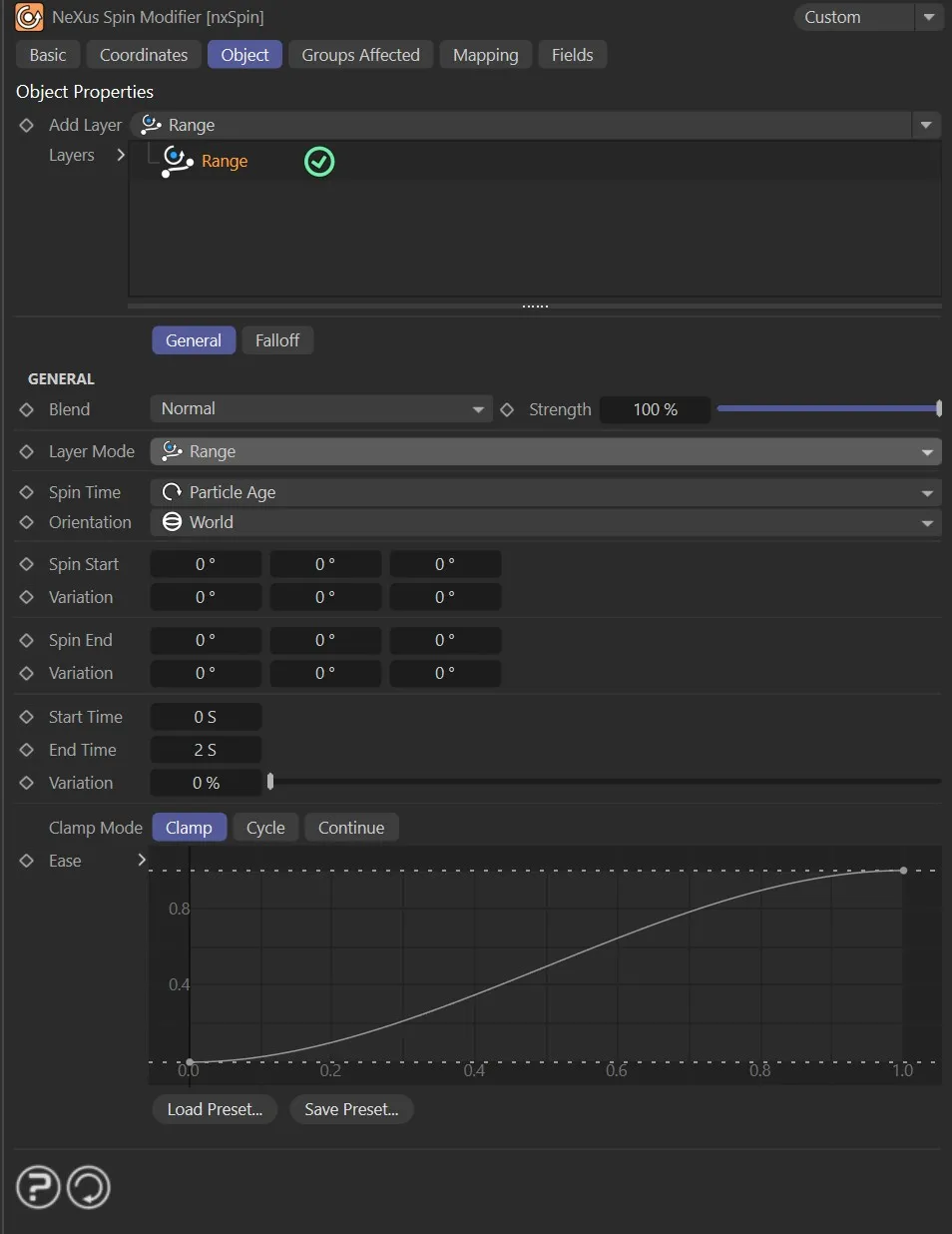
Range interpolates particle rotation between a start and end value over a defined period of time.
Spin Time
Section titled “Spin Time”Set as Particle Age, by default.
The alternatives are On Birth and Frame Time.
On Birth
Section titled “On Birth”The end rotation value is applied once, when the particle is born.
Particle Age
Section titled “Particle Age”The rotation is interpolated based on the age of each particle.
Frame Time
Section titled “Frame Time”The rotation is interpolated based on the current document time.
Orientation
Section titled “Orientation”Set as World, by default.
The alternative is Particle.
See the Spin operation settings for a description of these modes.
Spin Start
Section titled “Spin Start”The starting rotation value, in degrees on each axis.
Variation
Section titled “Variation”Adds a random variation to the Spin Start value on each axis.
Spin End
Section titled “Spin End”The ending rotation value, in degrees on each axis.
Variation
Section titled “Variation”Adds a random variation to the Spin End value on each axis.
Start Time
Section titled “Start Time”The time at which the interpolation begins.
End Time
Section titled “End Time”The time at which the interpolation ends.
Variation
Section titled “Variation”Adds a random variation to the Start Time and End Time values.
Clamp Mode
Section titled “Clamp Mode”Controls what happens when the time falls outside the Start Time to End Time range.
Set as Clamp, by default.
The alternatives are Cycle and Continue.
The rotation holds at the start or end value when outside the time range.
The rotation repeats the range in a continuous loop.
Continue
Section titled “Continue”The rotation continues to extrapolate beyond the end of the range.
A spline curve that controls the interpolation between Spin Start and Spin End over the defined time range.
Groups Affected tab
Section titled “Groups Affected tab”Groups
Section titled “Groups”To specify the group, drag and drop the desired Group object into this field.
This setting is useful if you want to ensure that the spawned particles are, or are not, affected by nxSpin.
Mapping tab
Section titled “Mapping tab”The modifier’s settings can be mapped to particle data.
Use the dedicated manual page, below, for instructions on how this works.
Fields tab
Section titled “Fields tab”You can use the Fields options to control where nxSpin operates.
Copyright © 2026 INSYDIUM LTD. All Rights Reserved.