

xpFreeze
xpFreeze halts particle movement; it does not stop particle generation, or trails, or anything else in the system; it simply stops particles from moving.
Object properties
Section titled “Object properties”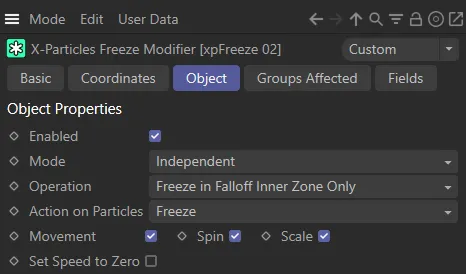
xpFreeze Object tab menu.
Enabled
Section titled “Enabled”Check this box to enable the xpFreeze modifier.
In this animation, xpFreeze is disabled.
xpFreeze is enabled, in this second animation, with particles freezing as soon as they enter the modifier’s field of effect.
Set at Independent, by default.
You can change this to Action-Controlled.
Independent Mode
Section titled “Independent Mode”In this mode, particles will be affected if they come into the field of effect of the modifier.
Action-Controlled Mode
Section titled “Action-Controlled Mode”When in the Action-Controlled setting, the modifier will only act on a particle when told to do so by an action.
Operation
Section titled “Operation”Set as Freeze in Falloff Inner Zone Only, by default.
The Alternative is Freeze Depends on Falloff.
Freeze in Falloff Inner Zone Only
Section titled “Freeze in Falloff Inner Zone Only”If a particle enters the inner offset zone of the field and, if Action on Particles is set to Freeze, it will be halted.
Subsequently, if set to Unfreeze, the particle will start moving again.
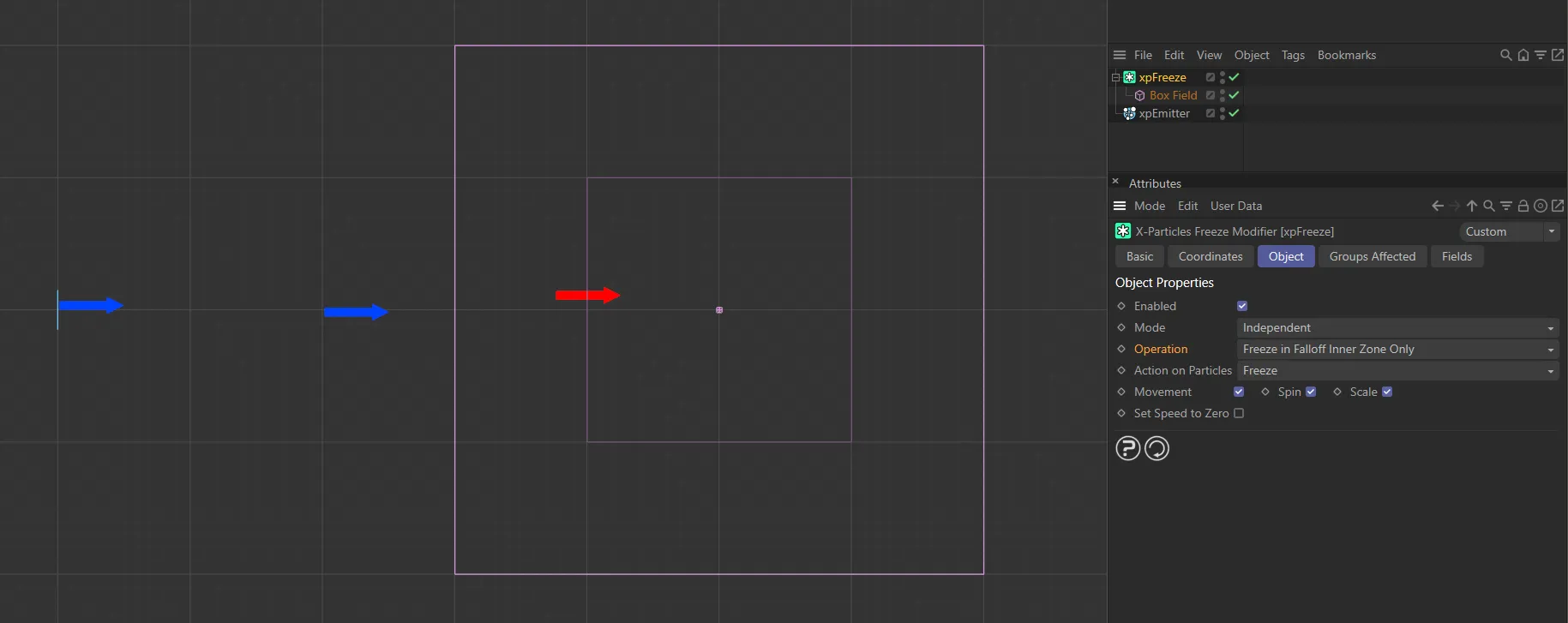
Particle frozen (red arrow), as it comes into contact with the inner offset zone, with Operation set to Freeze in Falloff Inner Zone Only.
Freeze Depends on Falloff
Section titled “Freeze Depends on Falloff”Very similar to the above, but introduces a probability weighting.
A particle in the inner offset zone of the field will always be halted.
Particles outside of the inner zone may or may not be frozen, depending on the strength of the falloff.
This means that some fast-moving particles will make it through the modifier without being frozen at all.
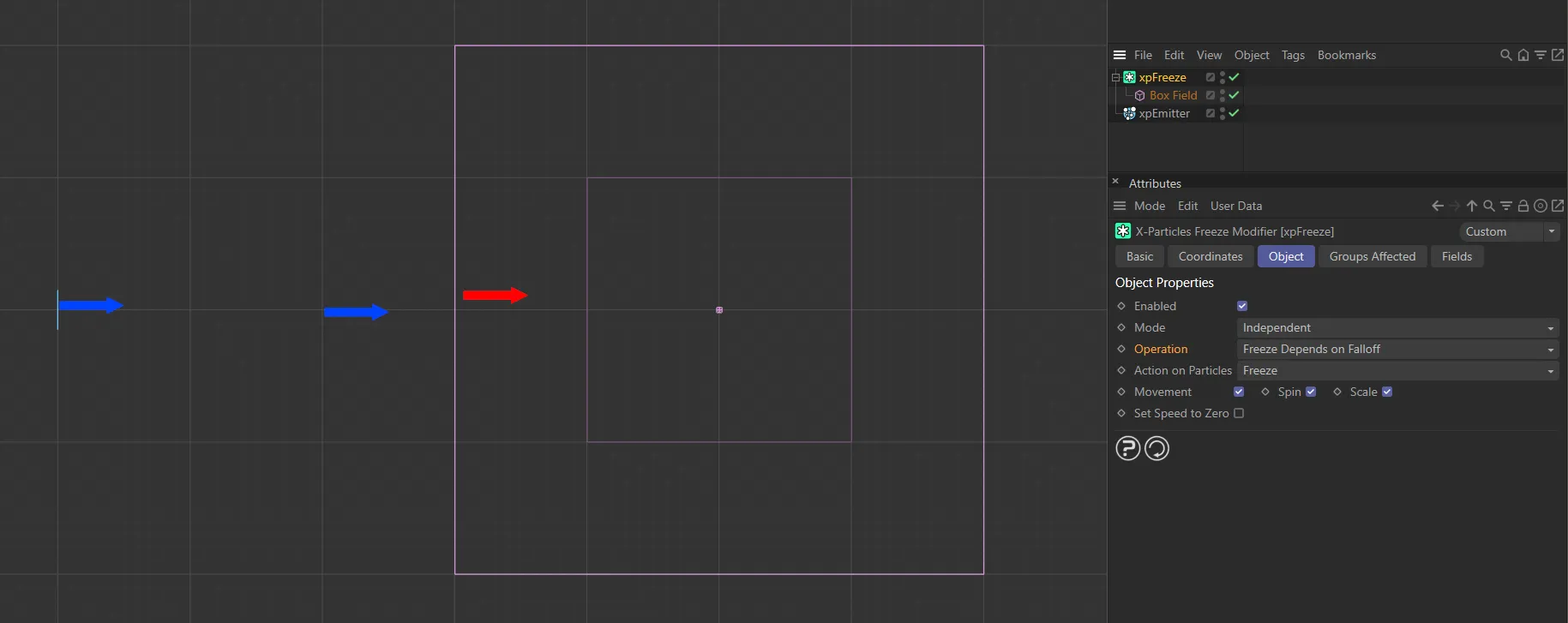
Here, Operation is set to Freeze Depends on Falloff, with the particle becoming frozen as soon as it comes into contact with the field’s inner offset zone.
Action on Particles
Section titled “Action on Particles”Set as Freeze, by default.
The alternative is Unfreeze.
Freeze
Section titled “Freeze”The modifier will freeze the particle (bring it to a stop).
Unfreeze
Section titled “Unfreeze”Frozen particles will start moving again.
If a particle is not frozen then the modifier will have no effect on it.
This animation demonstrates the effect of Action on Particles being set to Unfreeze, with the second xpFreeze modifier negating the particle-freezing effect of the first.
Movement, Spin, Scale
Section titled “Movement, Spin, Scale”Check these options to specify which parameters are frozen.
For example, you can choose to stop a spinning particle from moving, but keep spinning, or halt any change in scale, but keep the particle moving.
If no boxes are checked, the modifier will have no effect.
With Movement and Spin both enabled, their effects are frozen, in this animation whereas, with Scale unticked, particle scaling continues.
Set Speed to Zero
Section titled “Set Speed to Zero”When a particle’s movement is frozen, it keeps its current speed value, although it cannot be moved.
If it is unfrozen again, it will move with the speed and direction it had before it was frozen.
If it is important that any frozen particle also has its speed set to zero, check this box.
Groups Affected tab
Section titled “Groups Affected tab”Groups
Section titled “Groups”To specify the group, drag and drop the desired Group object into this field.
This setting is useful if you want to ensure that the spawned particles are, or are not, affected by xpFreeze.
Fields tab
Section titled “Fields tab”You can use the Fields options to control where xpFreeze operates.
Copyright © 2026 INSYDIUM LTD. All rights reserved.