

nxGravity
Overview Video
Section titled “Overview Video”nxGravity simulates the effect of gravity on particles.
Object tab
Section titled “Object tab”Visible in Editor
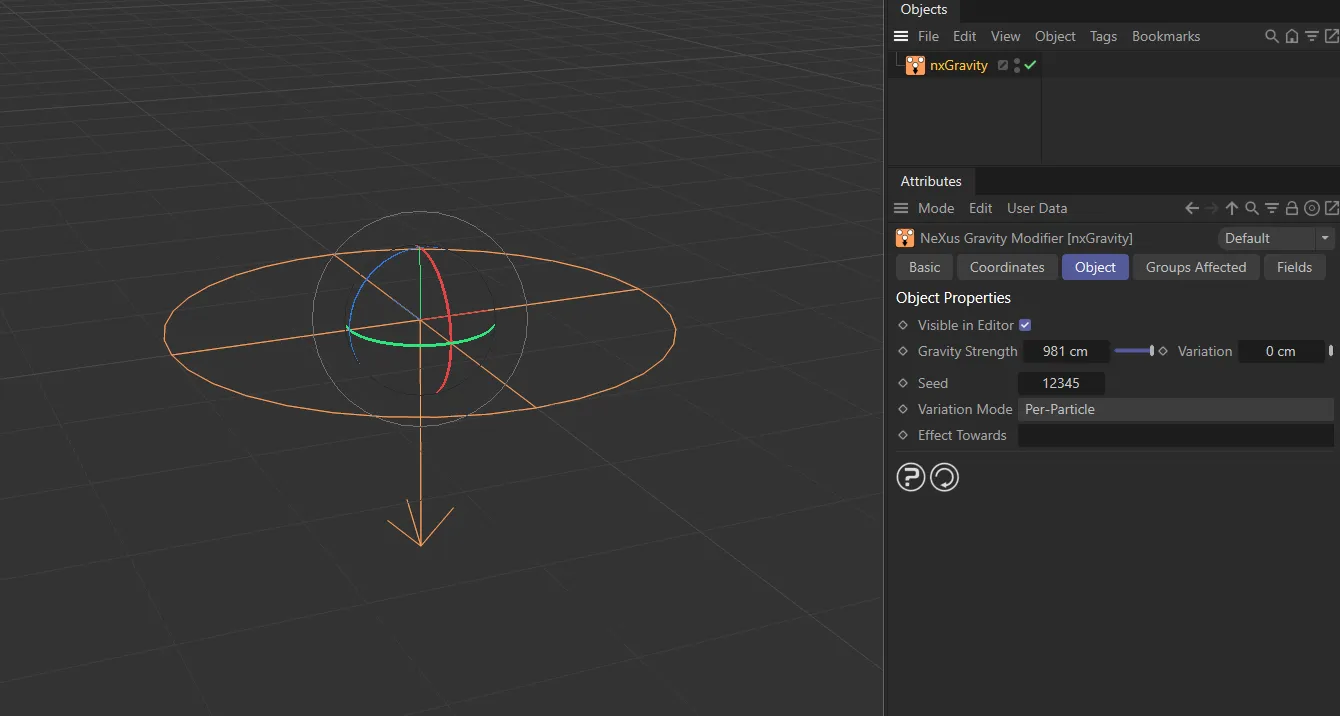
Section titled “Visible in Editor”Enabled by default, the direction for the particles is shown by an arrow representation in the viewport.
This arrow icon can be rotated using the usual Cinema 4D rotation tool.
The nxGravity arrow icon, having been rotated.
Gravity Strength
Section titled “Gravity Strength”The strength of the gravity.
By default, the modifier always moves the particle down in negative Y direction.
However, you can enter negative values here which will move the particle up along the world positive Y-axis.
Animation to demonstrate reduction in the Gravity Strength value, from 981cm to 0 (zero) cm.
Variation
Section titled “Variation”Adds a random gravitational strength to individual particles.
Adds some random variation to the gravitational strength, dependent on the Variation Mode setting.
Variation Mode
Section titled “Variation Mode”Set at Per-Particle by default.
This can be changed to Per-Frame.
Per-Frame
Section titled “Per-Frame”In this mode, the gravitational strength will vary between different particles and that variation will change on a per-frame basis.
In this animation, with Variation Mode set to Per-Frame and a Variation value of 50cm, particles constantly change their vertical movement in the Y-axis direction.
Per-Particle
Section titled “Per-Particle”The alternative mode is that the force acting on each particle is fixed when the particle enters the field of effect, but it will vary between different particles, up to the Gravity Strength setting.
This will result in a spreading out of the particles.
This animation has Gravity Strength set to 100 and Variation at 100cm. Each particle will receive a different gravitational amount, which is fixed throughout the simulation.
Effect Towards
Section titled “Effect Towards”As well as being able to rotate the modifier to point in any direction, if you drop an object into this link field the modifier will always point towards it.
You can then animate the linked object and the modifier will point at it, causing the particle stream to move in that direction.
Animation showing a change in the gravitational direction by assigning an animated Sphere Target as nxGravity Effect Towards object.
Groups Affected tab
Section titled “Groups Affected tab”Groups
Section titled “Groups”To specify the group, drag and drop the desired Group object into this field.
This setting is useful if you want to ensure that the spawned particles are, or are not, affected by nxGravity.
Mapping tab
Section titled “Mapping tab”The modifier’s settings can be mapped to particle data.
Use the dedicated manual page, below, for instructions on how this works.
Fields tab
Section titled “Fields tab”You can use the Fields options to control where nxGravity operates.
Copyright © 2026 INSYDIUM LTD. All Rights Reserved.