

tfCurve
tfCurve remaps the altitude values in your terrain.
Using a spline curve GUI (Graphical User Interface) it ‘canyonizes’, or ‘glaciates’ a height field, making it easy to create plateaus, terraces or dunes.
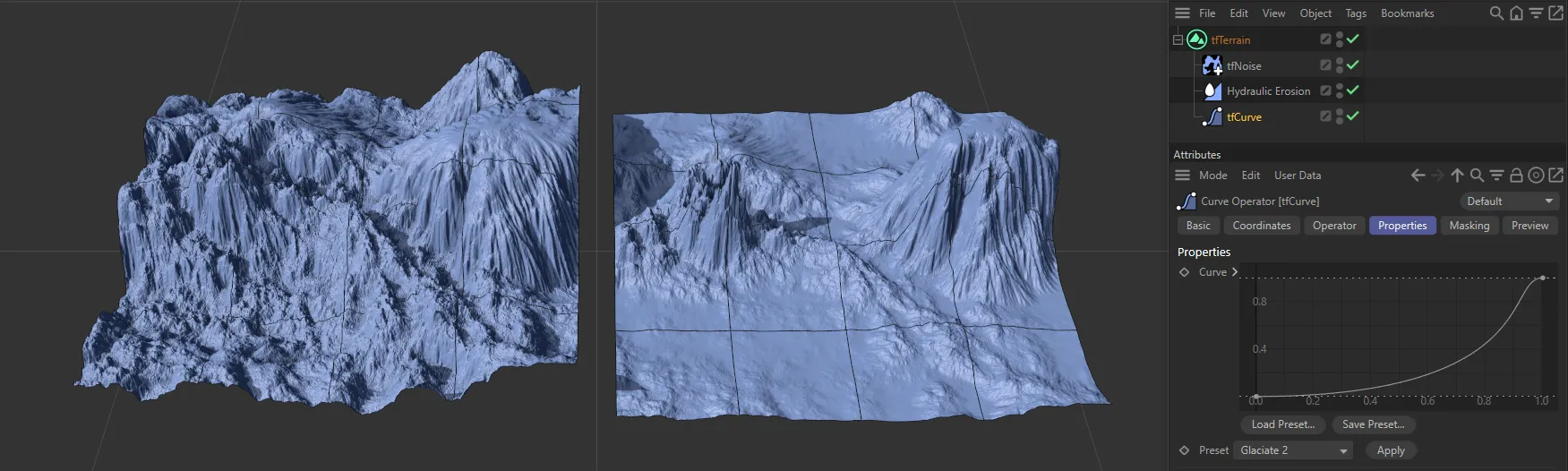
The terrain on the right has tfCurve enabled.
Properties
Section titled “Properties”There is a Curve setting loaded in by default, which can be manipulated to get the scene you require.
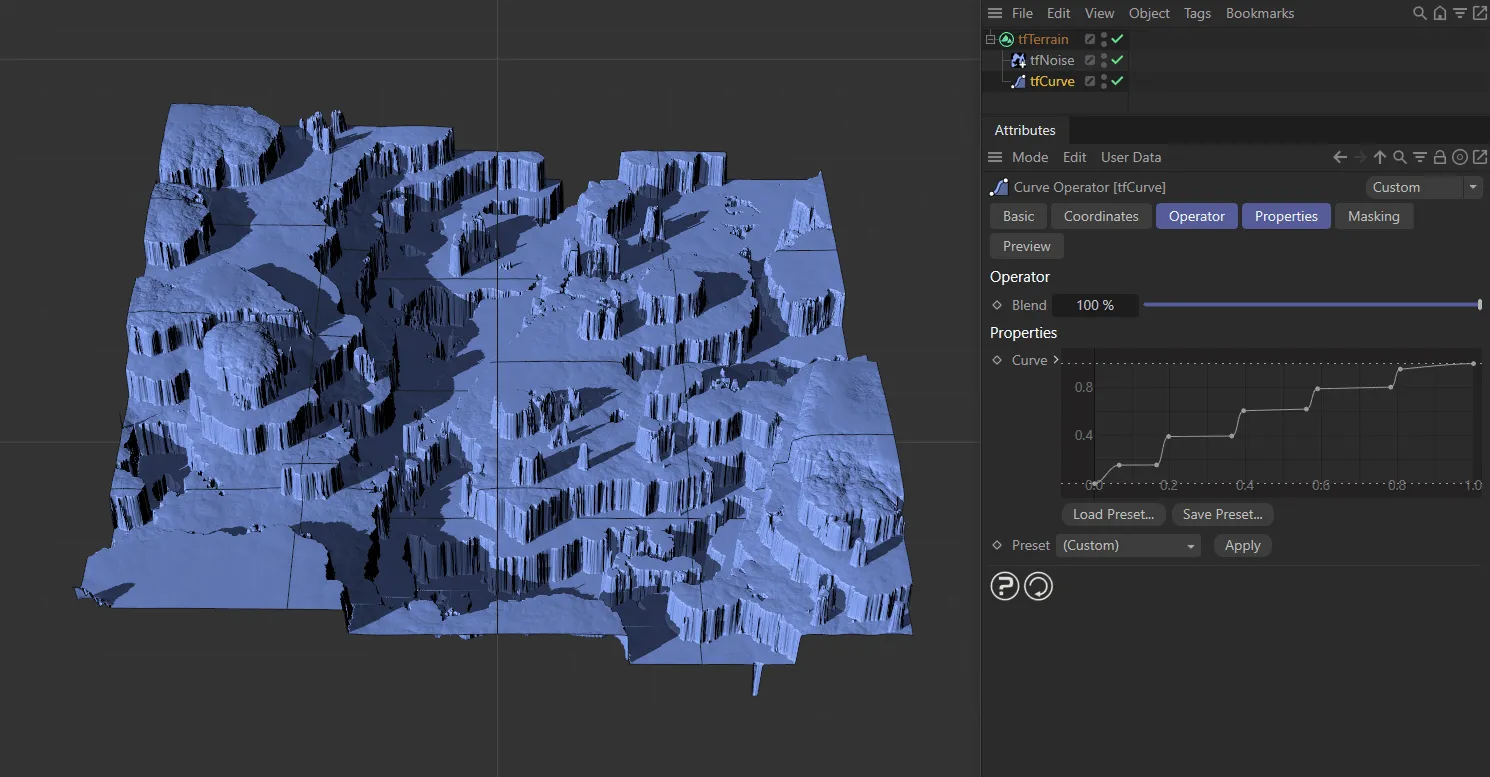
In this image, the custom Curve setting is directing this stepped terrain.
Load Preset
Section titled “Load Preset”There are various preset Curve gradients available to load in from here.
Save Preset
Section titled “Save Preset”It is possible to save your custom Curve gradients for future use.
Preset
Section titled “Preset”By default, this is set at Glaciate 2, but there are many other terrain look settings which you can import into your scene.
You can, of course, make adjustments to your imported Curve gradient and save it in the Save Preset for future use.
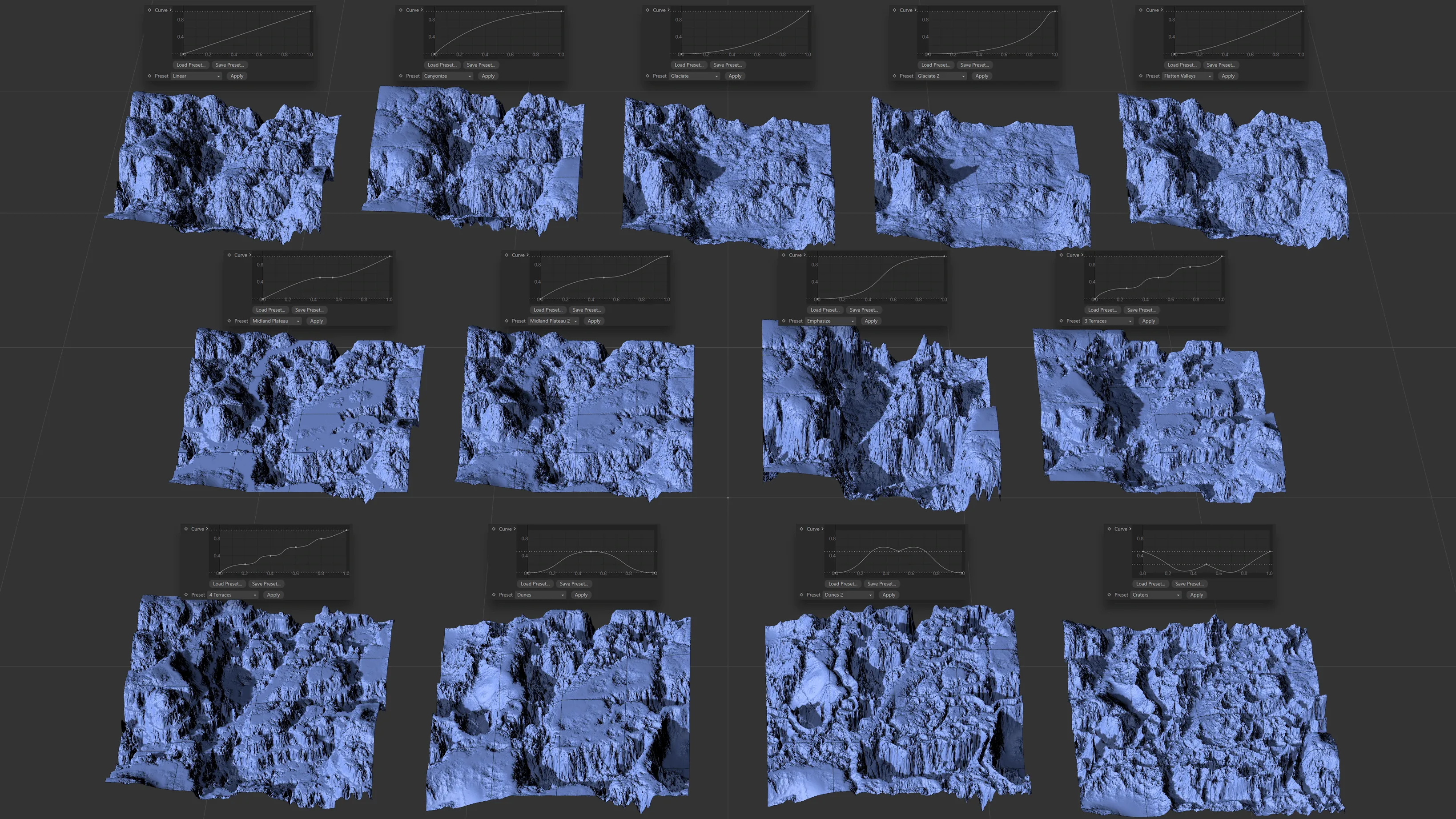
Image to show the 13 Preset settings available.
Click apply to import your chosen Curve selection into the viewport.
Copyright © 2026 INSYDIUM LTD. All rights reserved.