

tfHighpass
tfHighpass gives you the power to isolate and enhance high-frequency details generated by other operators in the TerraformFX workflow.
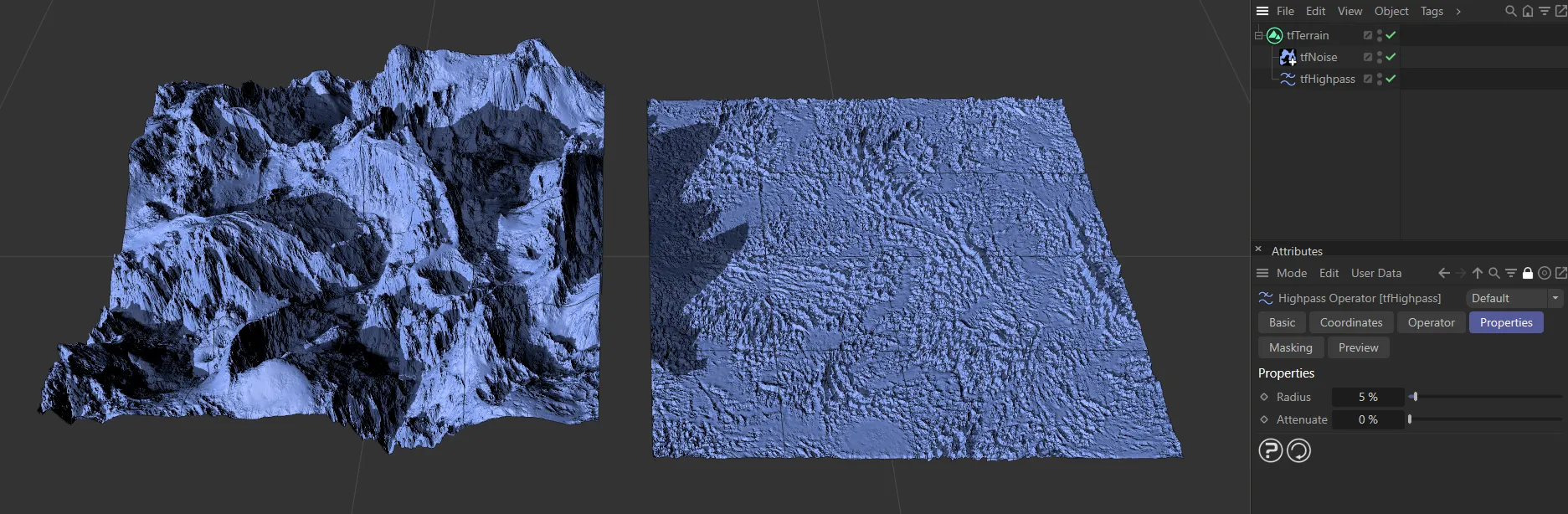
Two terrains with a Noise Type of Wavy Turbulence applied. The terrain on the right has tfHighpass activated, which is filtering out all the low-to-mid frequencies from the Noise Type.
Properties
Section titled “Properties”Radius
Section titled “Radius”Set at 5%, by default.
Reducing the Radius setting increases the limit on the frequencies so that only the very fine details will come through the filter.
Increasing it will allow more details to pass through the tfHighpass filter.
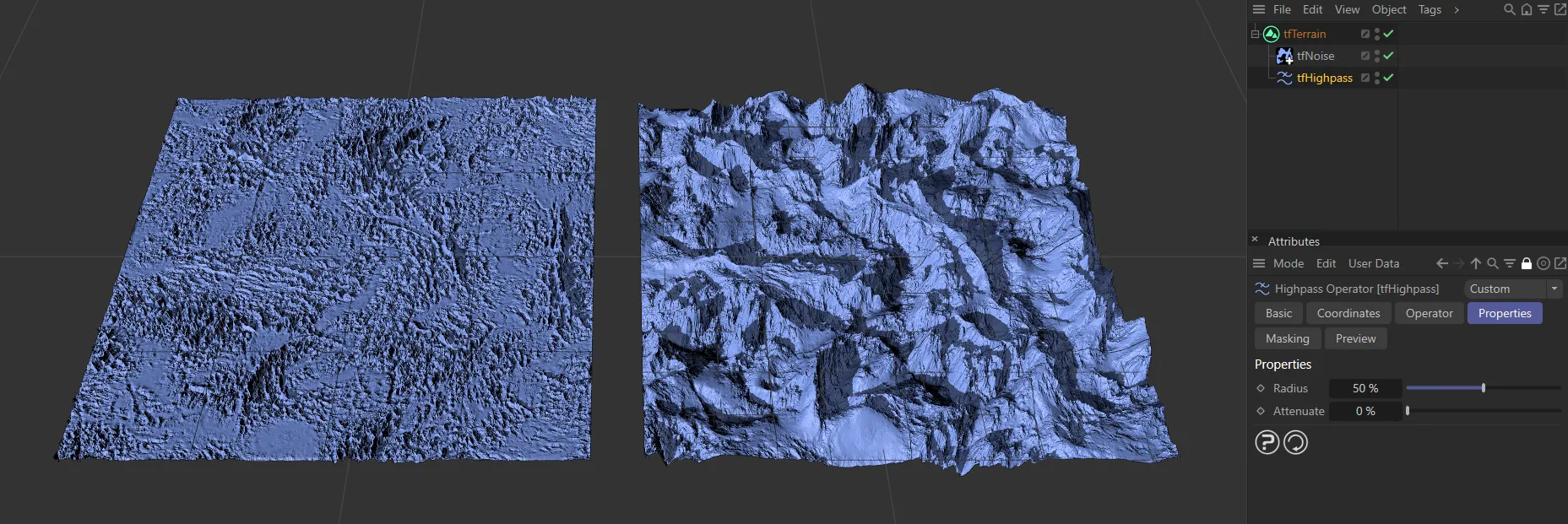
The terrain on the left has a Radius value of 5%, increased to 50% on the right.
Attenuate
Section titled “Attenuate”Increasing the Attenuate value will limit the amplitude that the frequencies can hit, decreasing the deformation in the terrain.
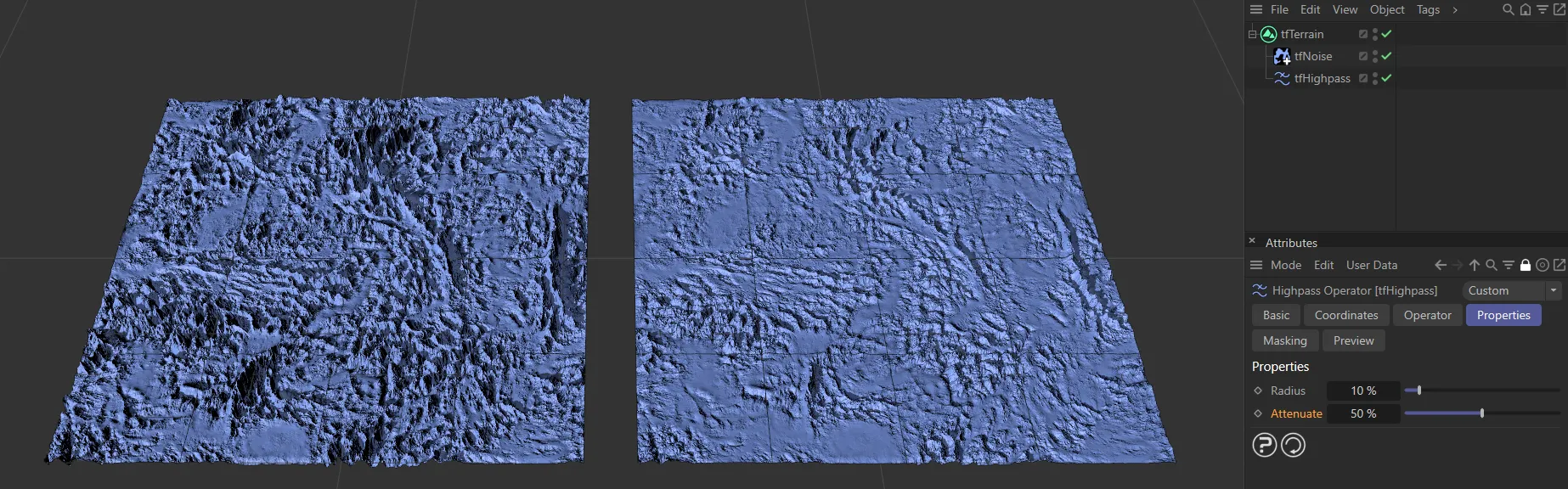
Attenuate is set at 0 (zero) % on the left, raised to 50% on the right.
Copyright © 2026 INSYDIUM LTD. All rights reserved.