

nxFollowGeo
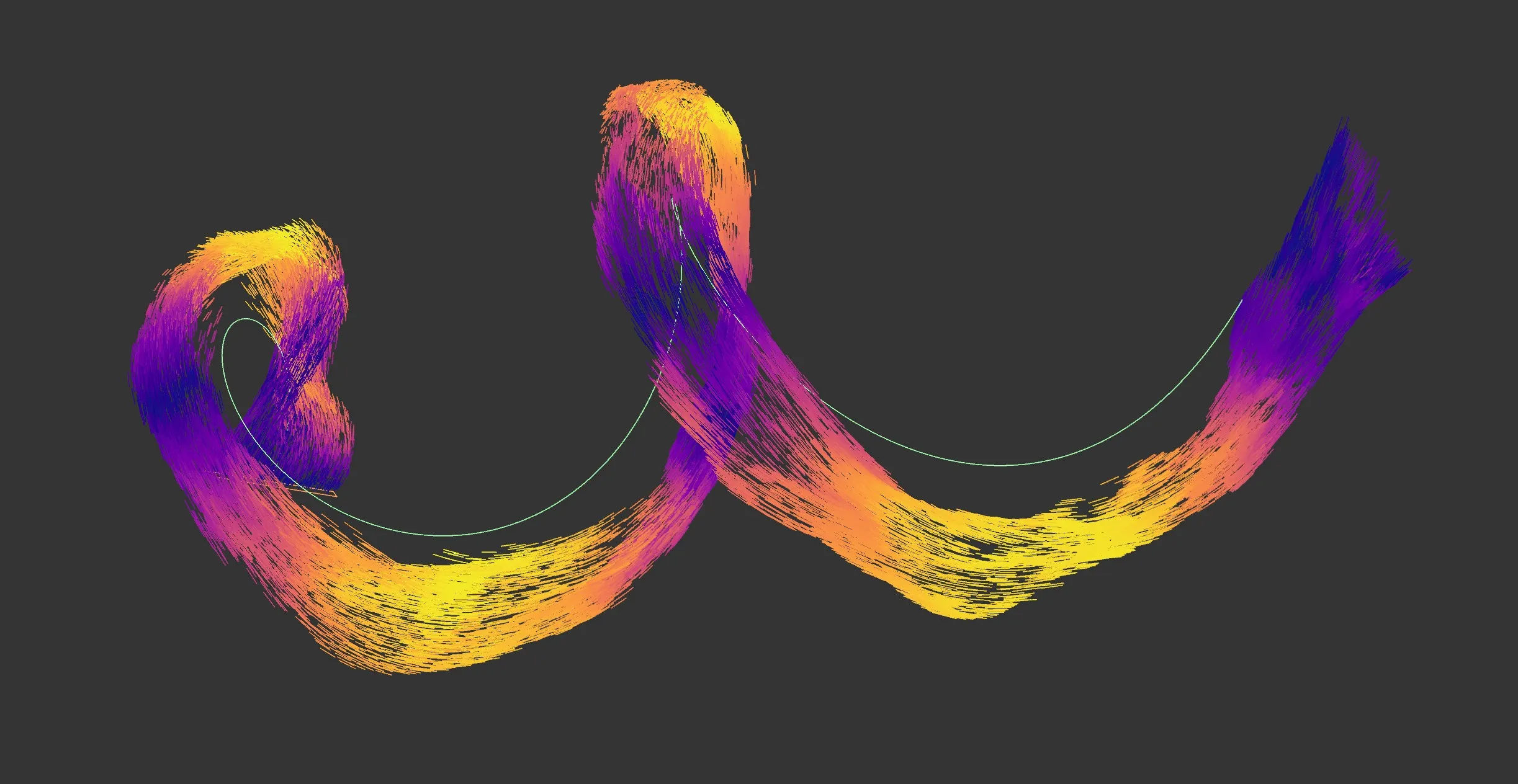
nxFollowGeo allows particles to follow the surface or edges of a mesh, or run along a spline.
Object Properties
Section titled “Object Properties”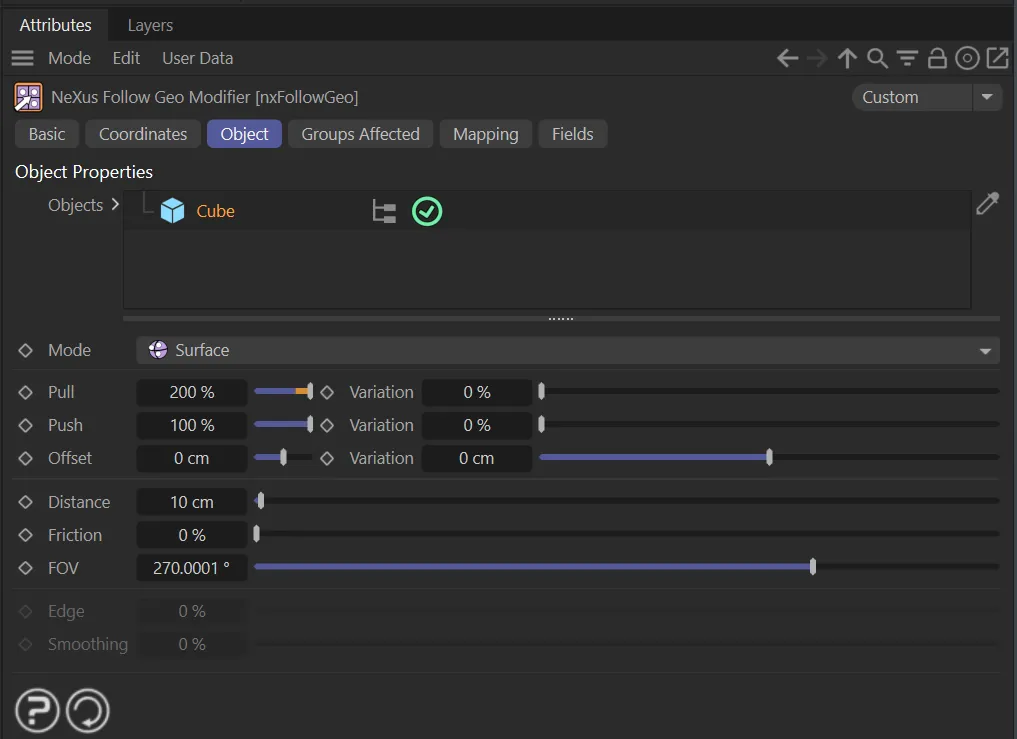
nxFollowGeo, Object tab menu settings.
Animation to show nxFollowGeo, with an Offset of 1cm and a Friction of 1%.
Objects
Section titled “Objects”A list of objects dragged and dropped from the Objects Manager.
When an object is dropped in and pressed, a list of options will show below.
The options depend on the object. A mesh offers Surface and Edge following. A spline switches to a dedicated spline-following mode with its own tabs, covered in Following a spline.
Set as Surface, by default, this dropdown menu allows a choice of movement between Surface and Edge.

Mode dropdown options.
Surface mode
Section titled “Surface mode”Connection settings
Section titled “Connection settings”Pull, Variation
Section titled “Pull, Variation”A force to pull the particle into the surface of the object from a distance to the offset.
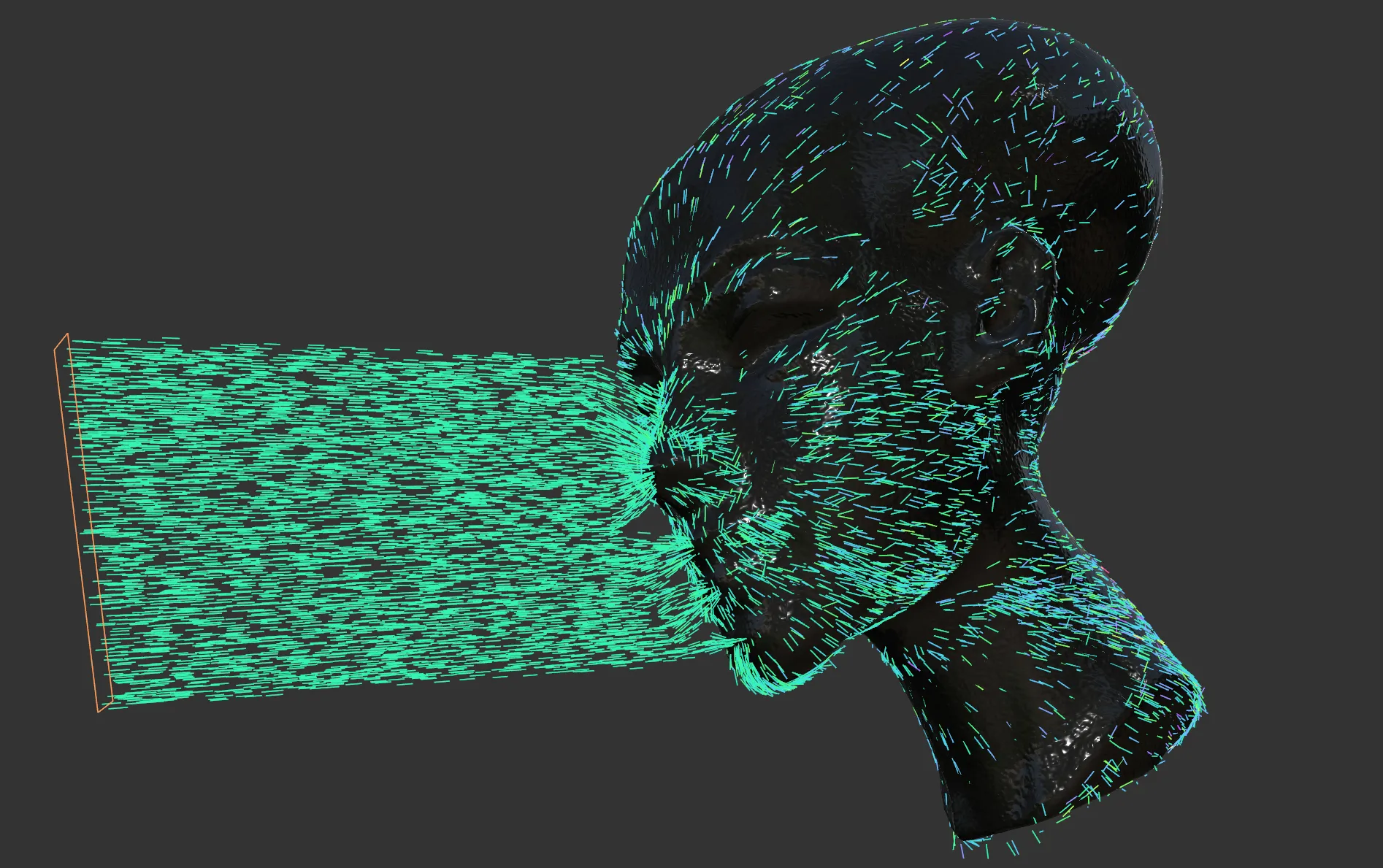
nxFollowGeo, pull Variation set at 100%.
Push, Variation
Section titled “Push, Variation”A force to push the particle away from the surface of the object to the offset.
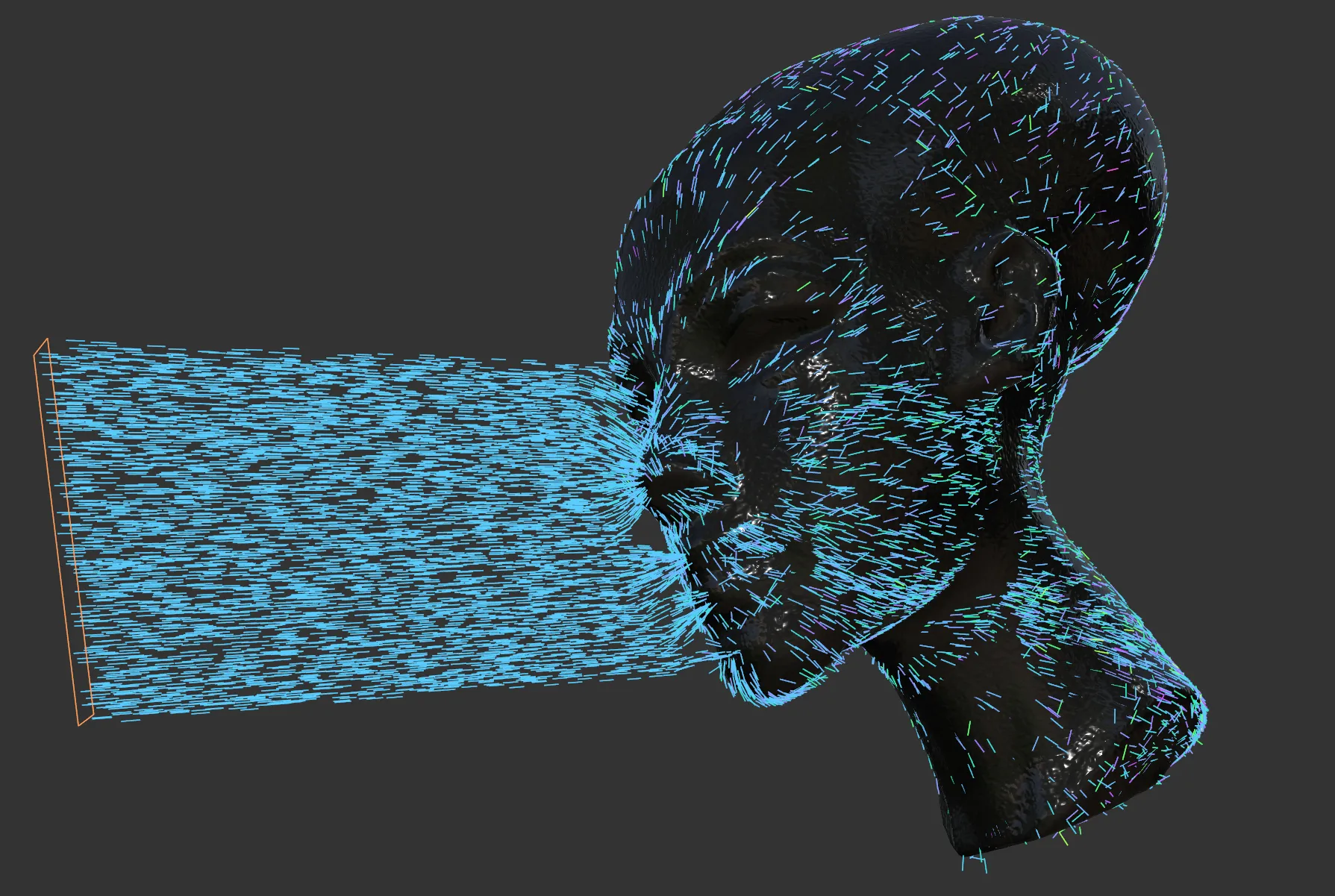
nxFollowGeo, Push set at 300%, with a Variation of 100%
Offset, Variation
Section titled “Offset, Variation”The offset from the surface which the particle aims to move towards.
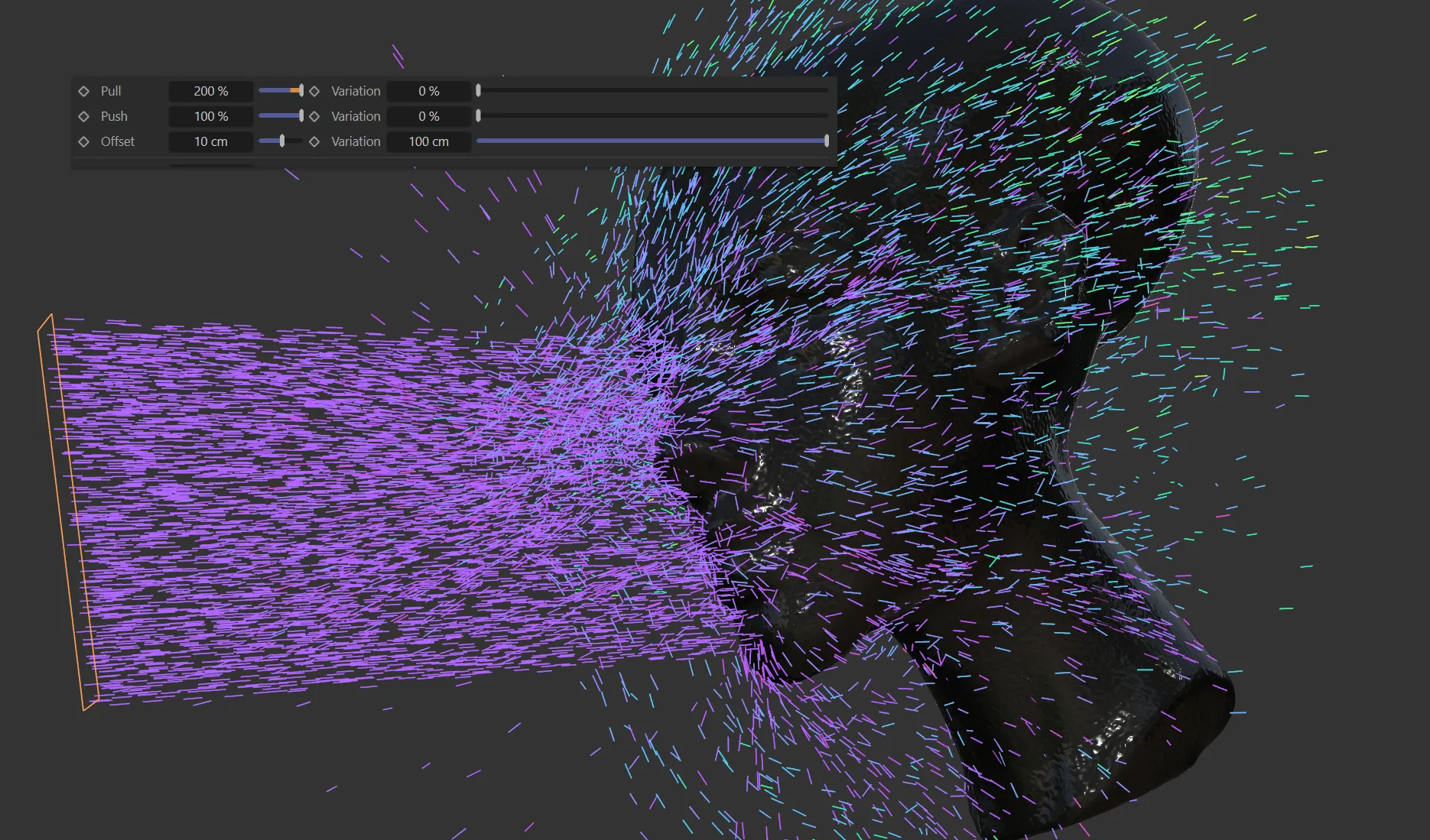
nxFollowGeo, Offset set at 10cm, with 100cm of Variation.
Distance
Section titled “Distance”The distance that the particle will start to be impacted by the ‘pull’ force.
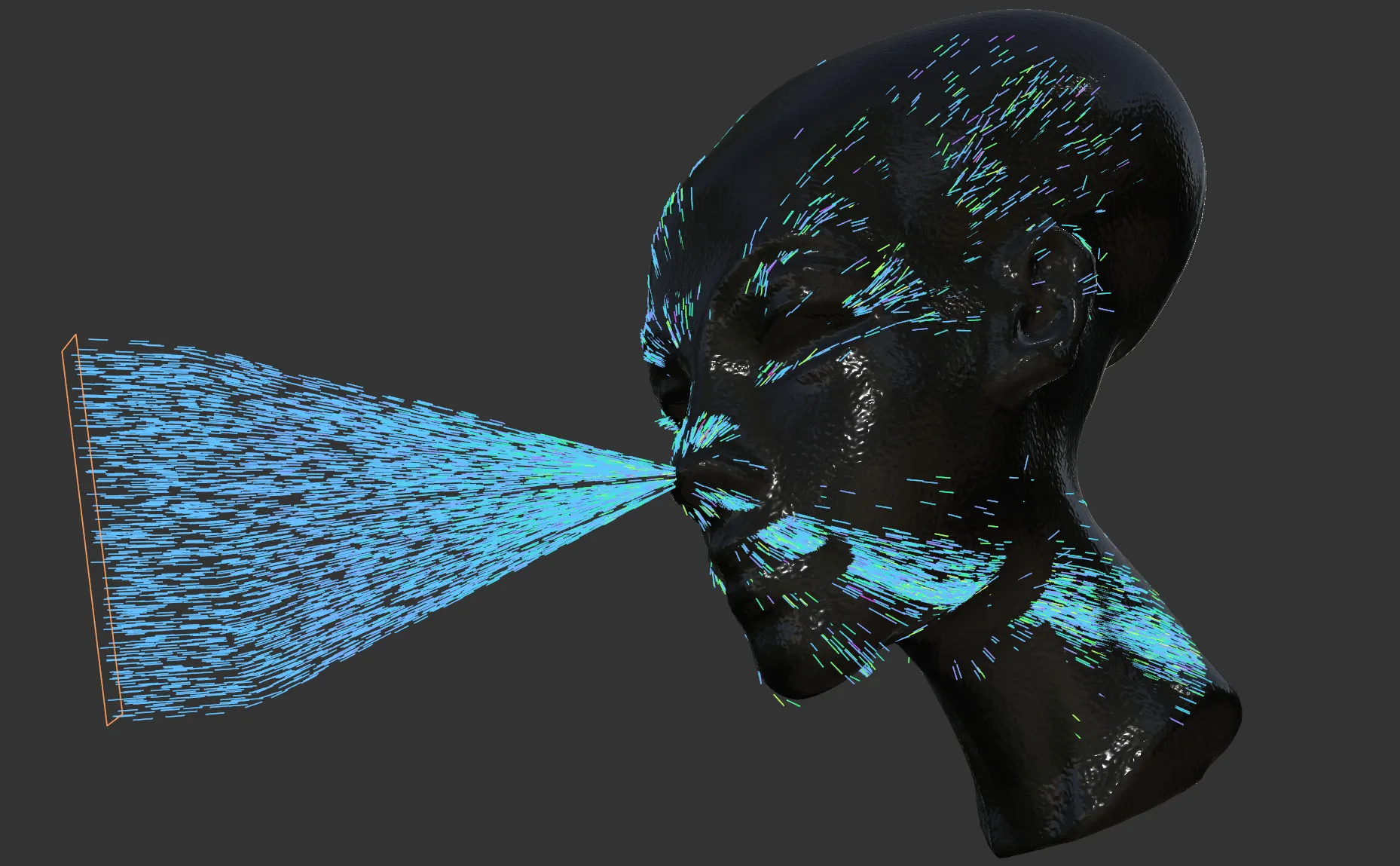
nxFollowGeo, Distance set to 100cm.
Friction
Section titled “Friction”A slowing down force, applied over the surface.
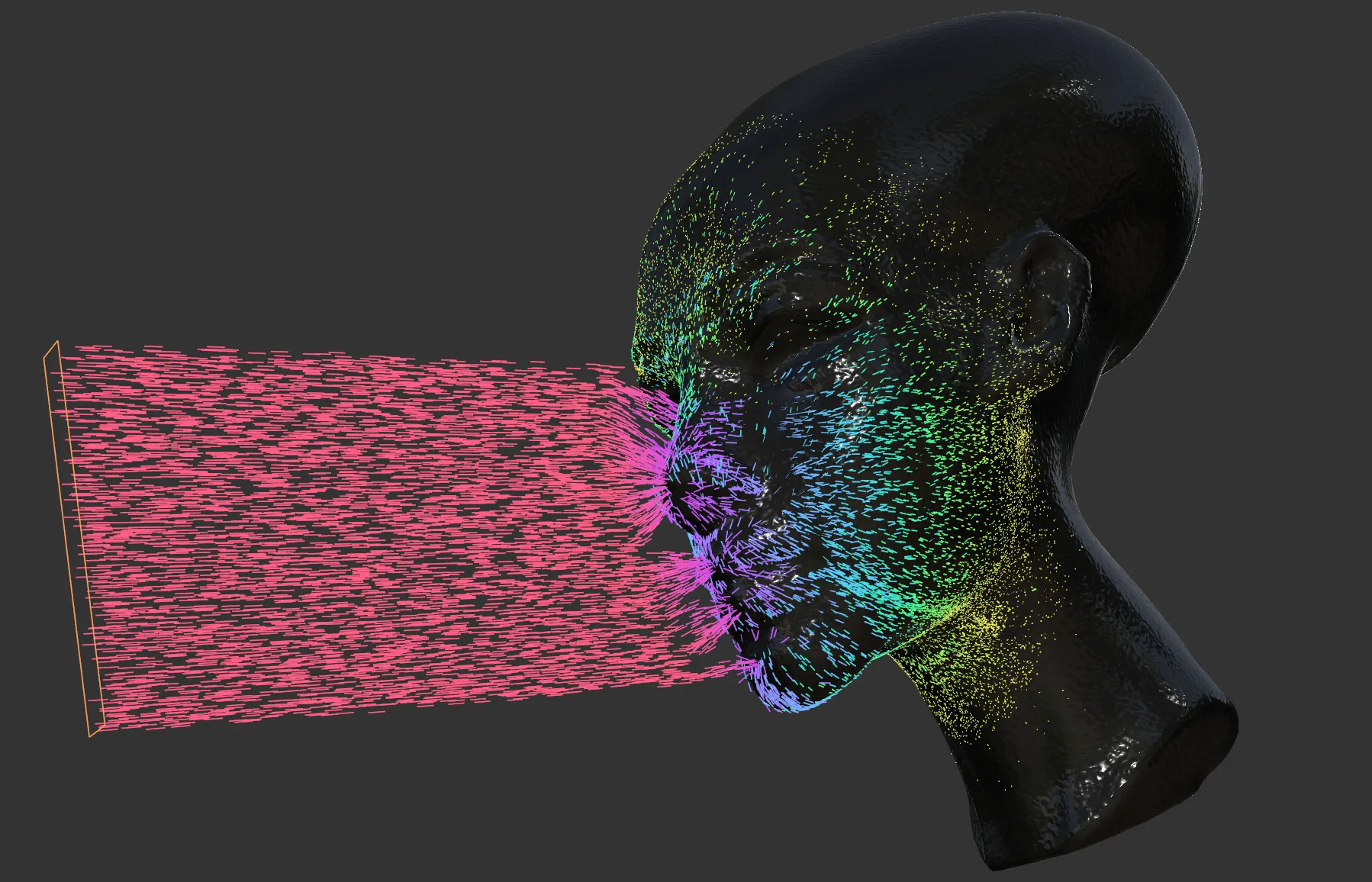
nxFollowGeo, Friction at 3%.
The particle view for finding a polygon.
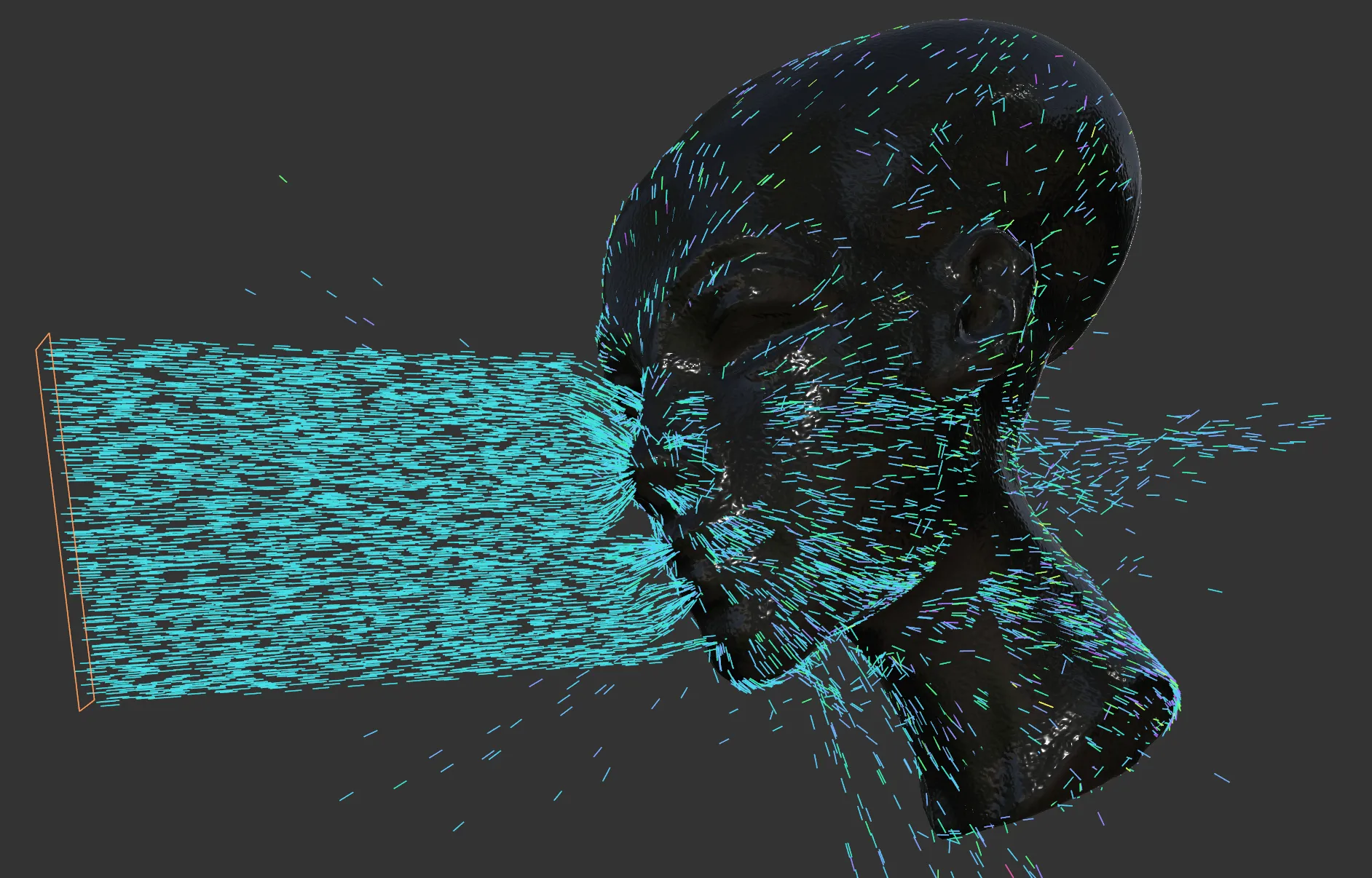
nxFollowGeo, FOV 90°.
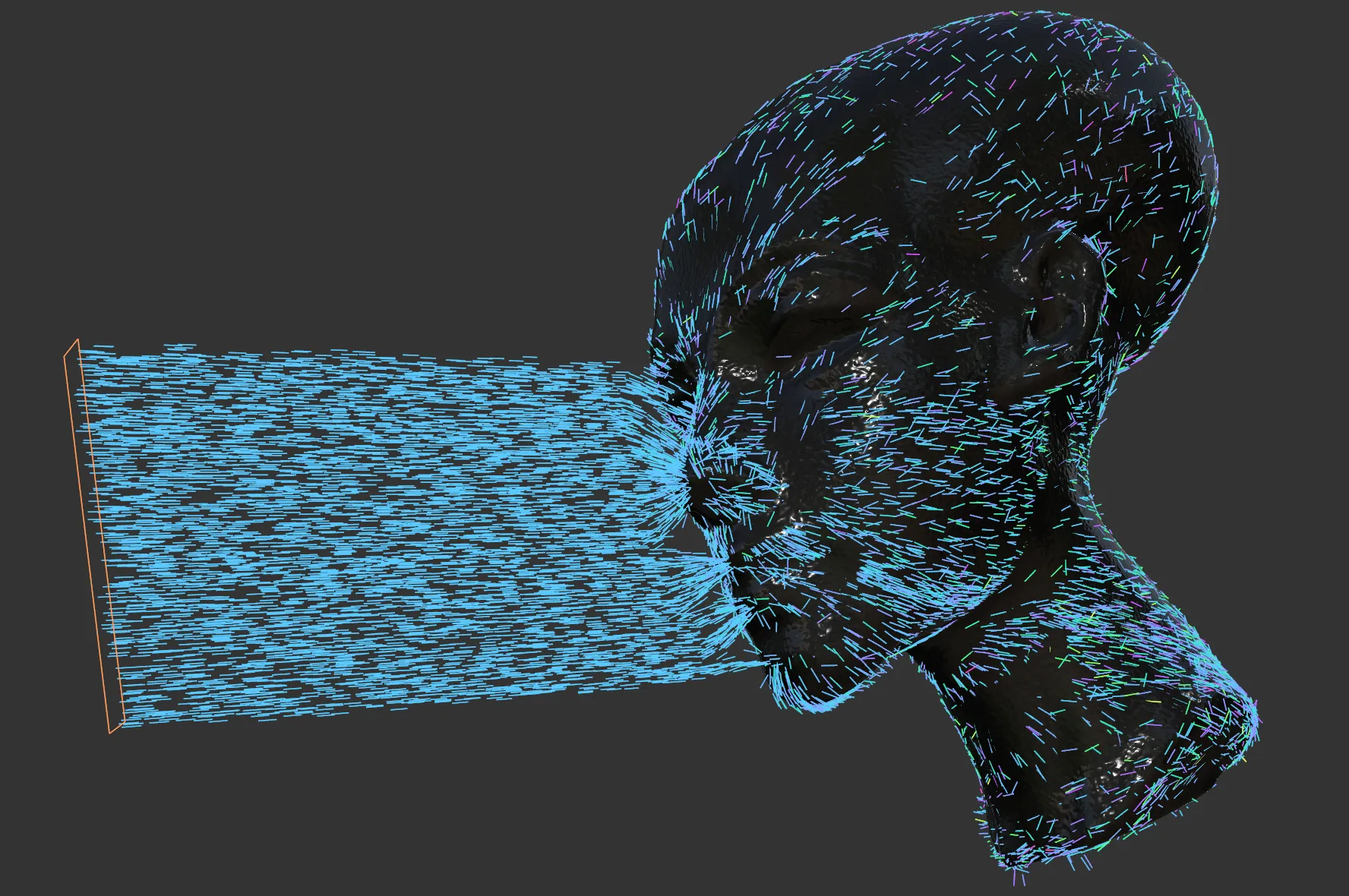
nxFollowGeo, FOV 360°.
Release tab: Surface mode
Section titled “Release tab: Surface mode”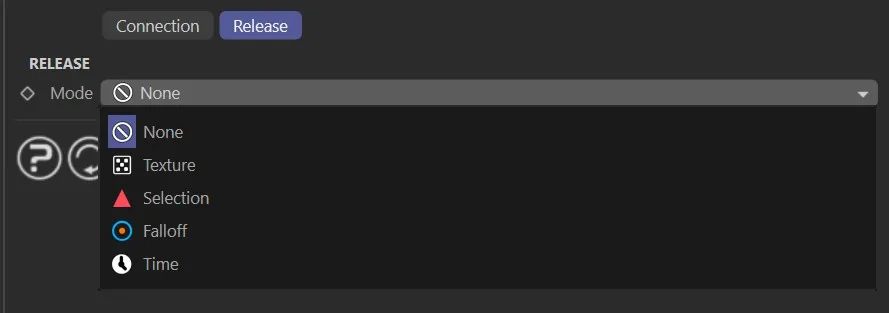
Surface mode Release tab.
Particles following a surface can be released under a set of conditions, selected via the Release Mode dropdown.
Release Mode
Section titled “Release Mode”Set as None, by default.
The other options are: Texture, Selection, Falloff and Time.
Particles remain on the surface indefinitely.
Texture
Section titled “Texture”Particles are released when the surface texture at the particle’s position meets a set threshold.
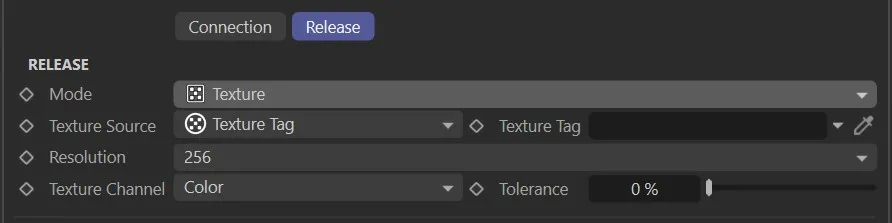
Texture Source
Section titled “Texture Source”Choose either Shader or Texture Tag as the texture source.
Shader / Texture Tag
Section titled “Shader / Texture Tag”Link to the shader or texture tag to sample.
Channel
Section titled “Channel”The channel of the texture to evaluate.
Tolerance
Section titled “Tolerance”The threshold below which particles are released.
Selection
Section titled “Selection”Particles are released when their surface position enters a polygon, point or edge selection, or crosses a vertex map threshold.
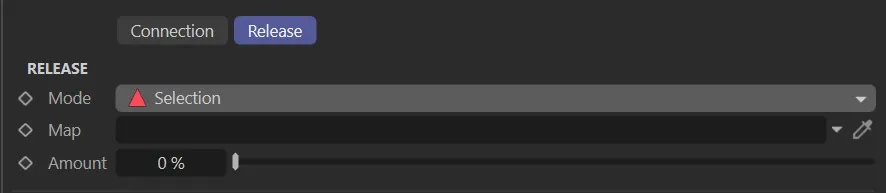
Selection Tag / Vertex Map
Section titled “Selection Tag / Vertex Map”Link to the selection tag or vertex map to use.
Falloff
Section titled “Falloff”Particles are released when they enter an nxFalloff zone.
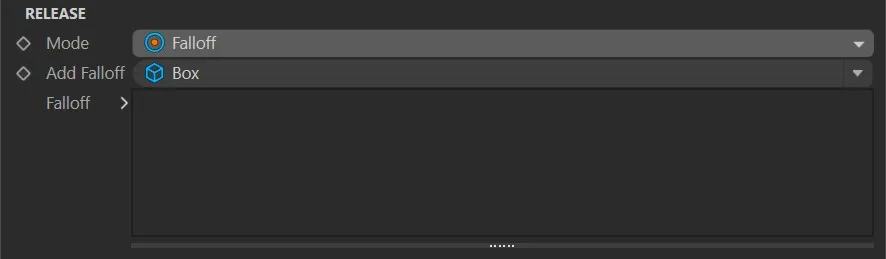
Supports built-in shapes (Box, Linear, Sphere, Noise) and linked nxFalloff objects.
Add Falloff
Section titled “Add Falloff”Adds a falloff zone that triggers release.
Particles are released after a set time, with variation.
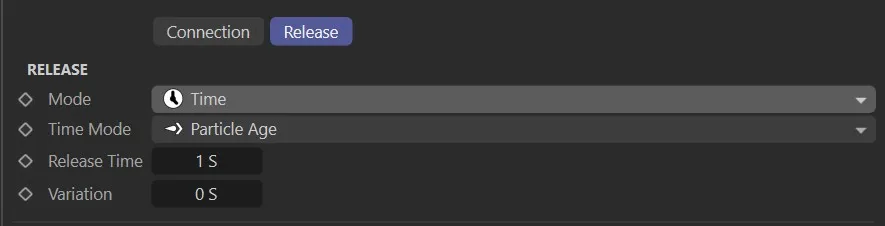
The duration after which particles are released.
Variation
Section titled “Variation”Adds a random variation to the release time per particle.
Time Mode
Section titled “Time Mode”Set as Particle, by default.
The alternative is Frame.
- Particle: time is measured from the particle’s birth
- Frame: time is measured in scene frames
Edge mode
Section titled “Edge mode”This setting makes the particle have a tighter/closer path to the edge.
Smoothing
Section titled “Smoothing”Uses an additional tangential vector for the edge force calculation.
In this animation of nxFollowGeo, there is a Friction value of 1%, with Edge and Smoothing both set at 100%.
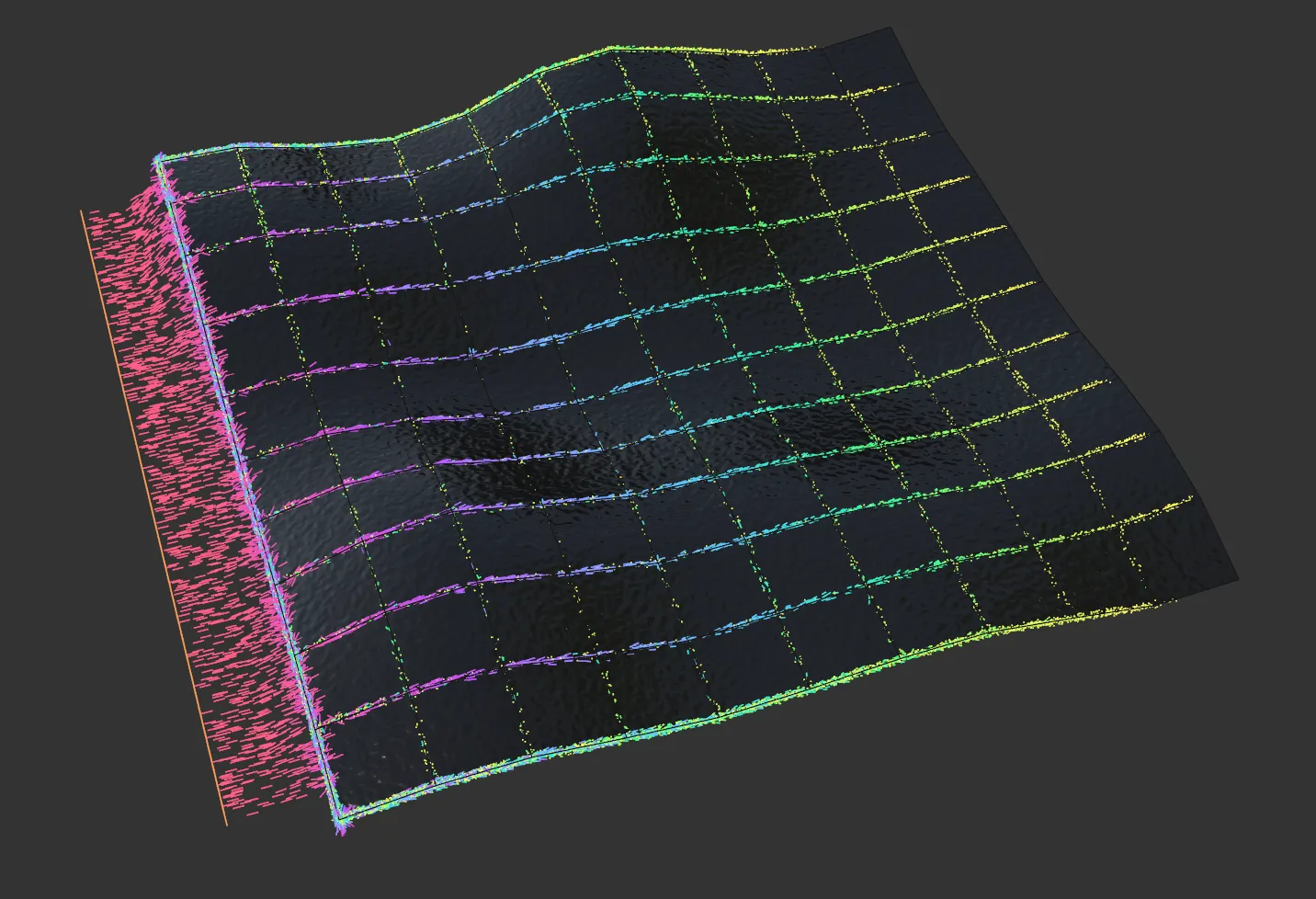
In this image, the settings are identical to the animation, above.
Following a spline
Section titled “Following a spline”When the object you add is a spline, nxFollowGeo follows the spline instead of a surface, and the per-object settings change to four tabs: Connection, Extended Data, Release and Spline Data.
Particles crossing the spline are caught by it and run along it, tracing its path. With Mode set to Guide and a high Attract Strength, particles lock onto the spline as they pass and follow it around.
Spline Connection
Section titled “Spline Connection”Move Direction
Section titled “Move Direction”The direction the particles travel along the spline. Set as Forwards, by default. The alternative is Backwards.
How the spline acts on the particles. Set as Guide, by default. The alternative is Force.
- Guide: the spline steers the particles directly, as percentages of control.
- Force: the spline pulls on the particles as a physical force, set in distance.
Activate Range
Section titled “Activate Range”The distance from the spline at which it starts to affect the particles. Defaults to 2 m.
Strength
Section titled “Strength”The overall influence the spline has on the particles. Defaults to 100%.
Attract Strength, Variation
Section titled “Attract Strength, Variation”How strongly the particles are drawn toward the spline. In Guide mode it is a percentage, defaulting to 10%. In Force mode it is a distance, defaulting to 0.5 m. Variation adds a random amount per particle. Defaults to 0%.
Attract Falloff, Falloff Type
Section titled “Attract Falloff, Falloff Type”Eases the attraction off with distance from the spline. Defaults to 0%. The Falloff Type sets the shape of that easing. Set as Cubic, by default. The other options are Flat, Linear and Quadratic.
Follow Strength, Variation
Section titled “Follow Strength, Variation”How strongly the particles are driven along the spline. In Guide mode it is a percentage, defaulting to 40%. In Force mode it is a distance, defaulting to 1 m. Variation adds a random amount per particle. Defaults to 0%.
Follow Falloff, Falloff Type
Section titled “Follow Falloff, Falloff Type”Eases the following force off with distance. Defaults to 0%. The Falloff Type sets the shape of that easing. Set as Cubic, by default. The other options are Flat, Linear and Quadratic.
Aligns each particle’s direction to the spline’s tangent as it travels. Defaults to 0%.
Extended Data
Section titled “Extended Data”Adds optional Offset and Twist layers that shape the path around the spline. Add a layer with Add Layer and choose its type. A spline gets a default Offset layer added for you.
Offset
Section titled “Offset”Offsets the path sideways from the spline. Offset Value sets the distance, defaulting to 0.2 m, and Offset Blend mixes between the two sideways axes, defaulting to 50%. An Offset Along Length curve shapes the offset over the spline’s length.
Spirals the path around the spline. Twist Direction sets which way it winds, Clockwise by default, with Anti-clockwise the alternative. Twists sets the number of loops, defaulting to 0, and Twist Radius sets how wide the spiral is, defaulting to 0.1 m. A Radius Along Length curve shapes the radius over the spline’s length.
Spline Release
Section titled “Spline Release”Release Mode
Section titled “Release Mode”The condition that releases the particles from the spline. Set as Spline End, by default. The other options are Falloff, Time and Selection.
On Release
Section titled “On Release”What a particle does once it is released. Set as Do Nothing, by default.
- Do Nothing: the particle carries on with its normal motion.
- Loop: the particle jumps back to the start of the spline.
- Reverse: the particle turns around and travels back along the spline.
- Kill: the particle is killed.
- Change Group: the particle moves to a different group, set in the Group field.
Distance
Section titled “Distance”Available when Release Mode is Spline End. How far along the spline, as a percentage of its length, a particle travels before it is released. Defaults to 100%.
Add Falloff
Section titled “Add Falloff”Available when Release Mode is Falloff. Adds a falloff zone that releases the particles once they enter it. Supports the built-in Box, Linear, Sphere and Noise shapes and linked nxFalloff objects.
Time Mode, Release Time, Variation
Section titled “Time Mode, Release Time, Variation”Available when Release Mode is Time. Time Mode sets how the release time is measured, Particle Age by default, with Frame Time the alternative. Release Time sets the duration a particle follows the spline before it is released, and its Variation adds a random amount per particle.
Selection
Section titled “Selection”Available when Release Mode is Selection. Releases the particles at a point selection on the spline, set by the linked selection.
Spline Data
Section titled “Spline Data”Multi-Segment Splines
Section titled “Multi-Segment Splines”How the particles handle a spline with more than one segment. Set as Any Segment, by default. The other options are Specific Segment, Segments In Sequence and Nearest Segment. With Specific Segment, a Segment value picks which one.
Starting Mode
Section titled “Starting Mode”Where a particle joins the spline. Set as Nearest Point, by default. The other options are Nearest Vertex, Specific Vertex and Position Along Spline. Position Along Spline reveals a Position percentage and its Variation, and Specific Vertex reveals an Index value.
Groups Affected tab
Section titled “Groups Affected tab”Groups
Section titled “Groups”To specify the group, drag and drop the desired Group object into this field.
This setting is useful if you want to ensure that the spawned particles are, or are not, affected by nxFollowGeo.
Mapping tab
Section titled “Mapping tab”The modifier’s settings can be mapped to particle data.
Use the dedicated manual page, below, for instructions on how this works.
Fields tab
Section titled “Fields tab”You can use the Fields options to control where nxFollowGeo operates.
Copyright © 2026 INSYDIUM LTD. All Rights Reserved.