

tfErosionSnow
tfErosionSnow adds snowy deposits to your terrain.
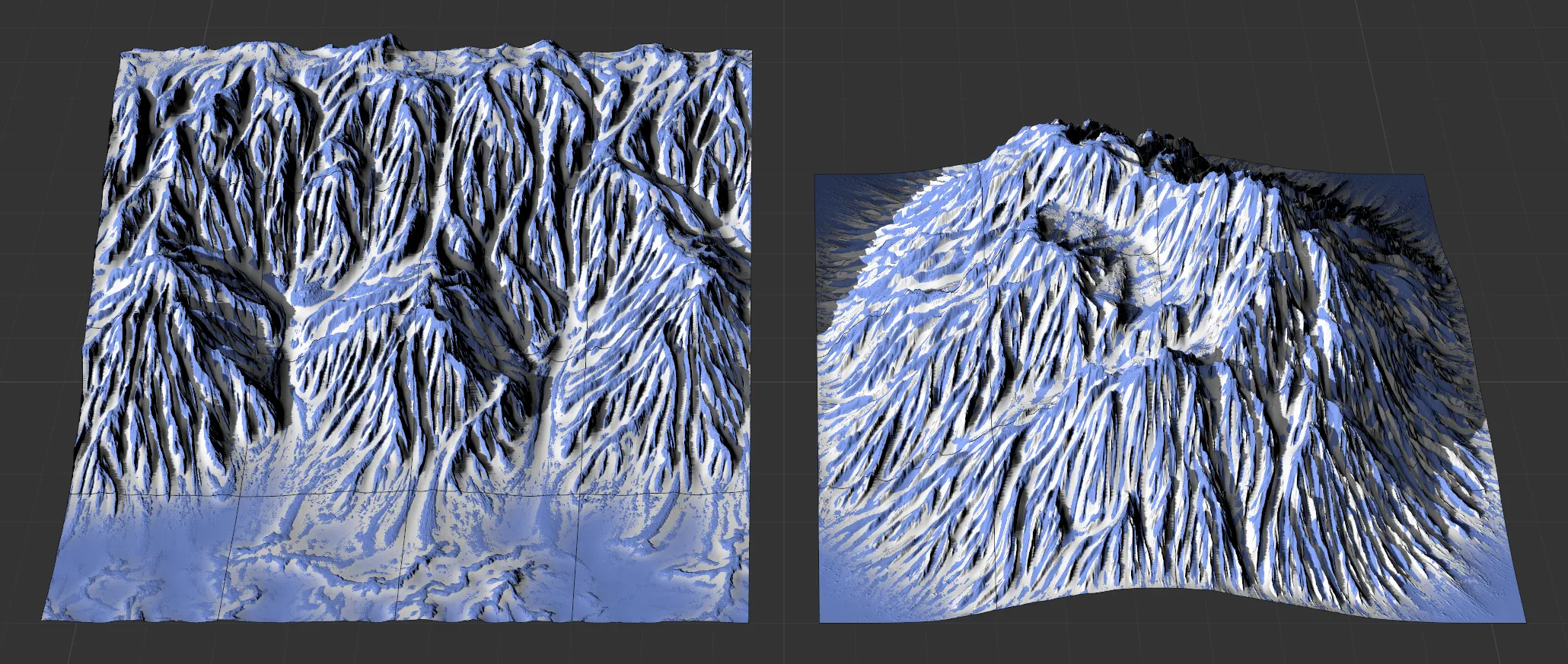
The image on the right shows the effect of tfErosionSnow on the landscape, with a tfNoise filter applied.
Properties
Section titled “Properties”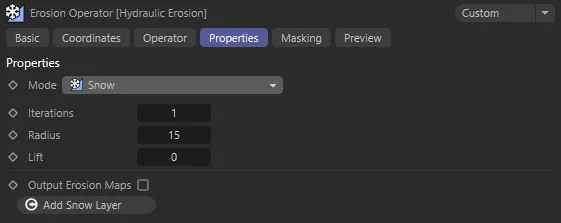
tfErosionSnow, Properties tab menu settings.
This is set to Thermal Weathering Mode, by default.
The other Mode settings are: Hydraulic (2D Particles), Hydraulic (X-Particles), Coastal and Snow.
These other Mode settings are dealt with in more detail in their own dedicated pages.
Eroding a terrain with snow will smooth out the snowy areas while preserving the precise topology of the areas that remain free of snow.
Iterations
Section titled “Iterations”Sometimes the snow effect looks better when using rather subtle values for Radius and Lift than, instead, computing it multiple times.
This parameter controls how often the snow erosion is computed.
The more iterations, the more snow you will have.
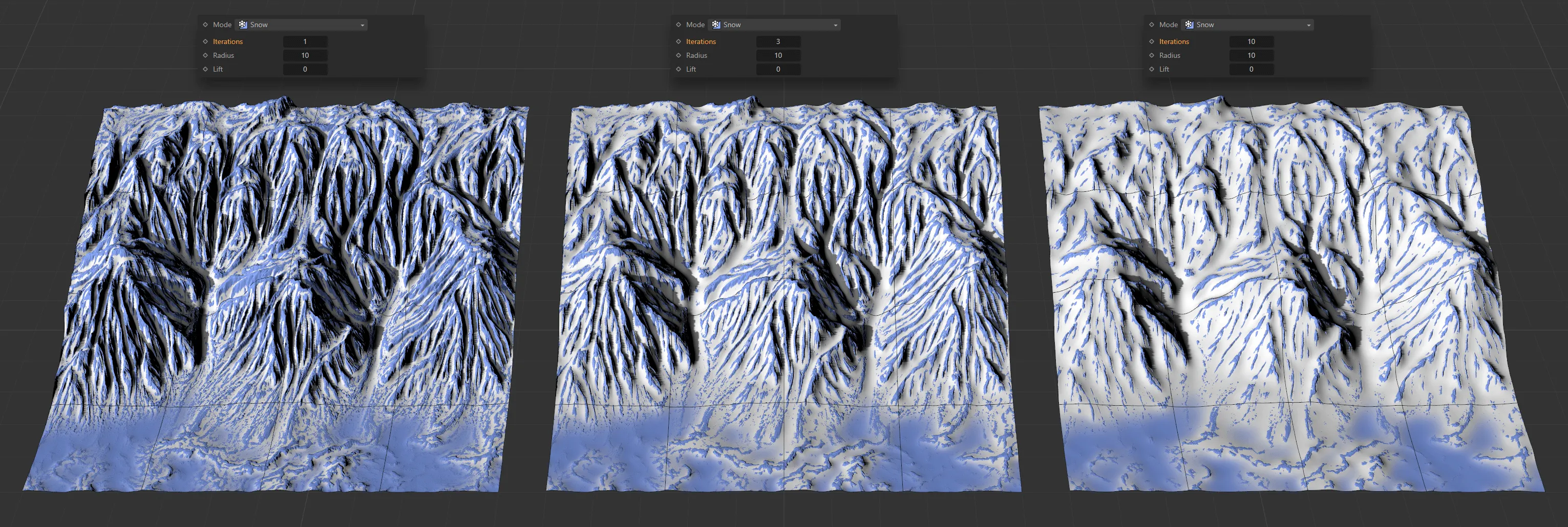
Radius is at the same value of 10 for each of these terrains, with Iterations set as 1 on the left, 3 in the center and 10 on the right.
Radius
Section titled “Radius”The radius controls how much of the terrain’s detail is retained after the snow’s erosion.
The higher the Radius setting, the less detail is retained.
In general, smaller values are better for large-scale terrains (that represent a very large area) and larger values are better suited for terrains that represent only a small area.
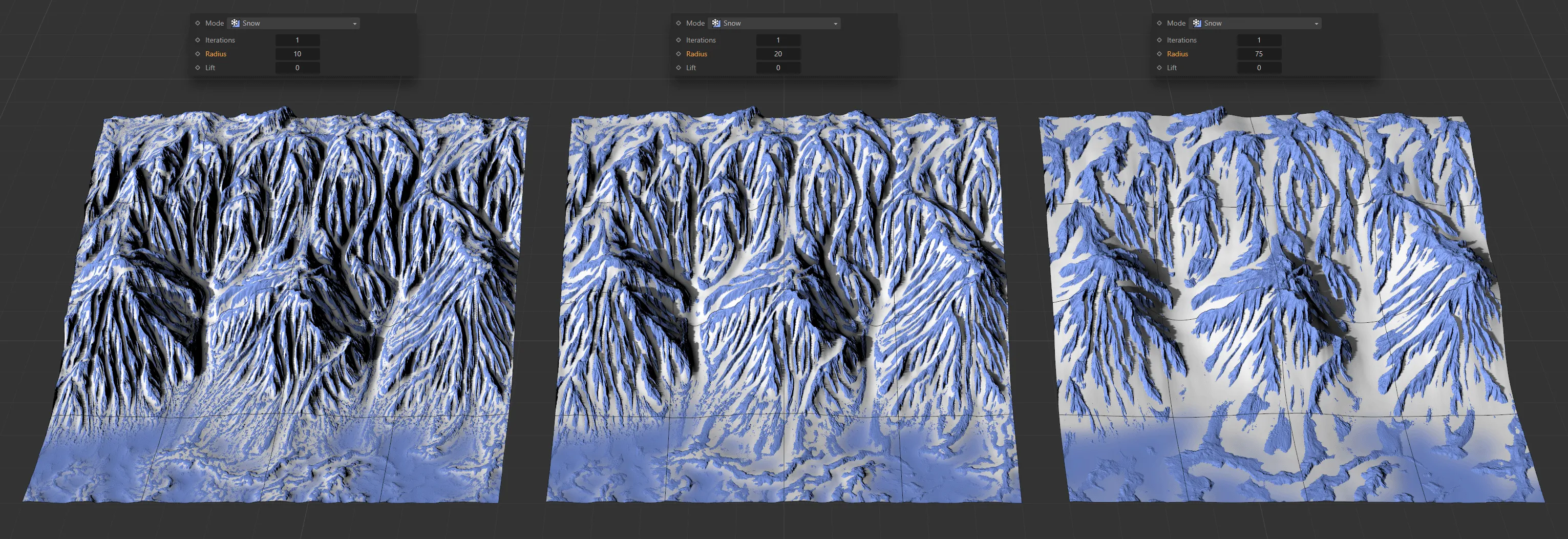
Here, with Iterations at 1 throughout, the Radius setting is 10 on the left, 20 in the center and 75 on the right.
This controls the coverage of the snow by simply offsetting the snow.
Positive values will produce deeper snow, while smaller values make the snow more shallow.
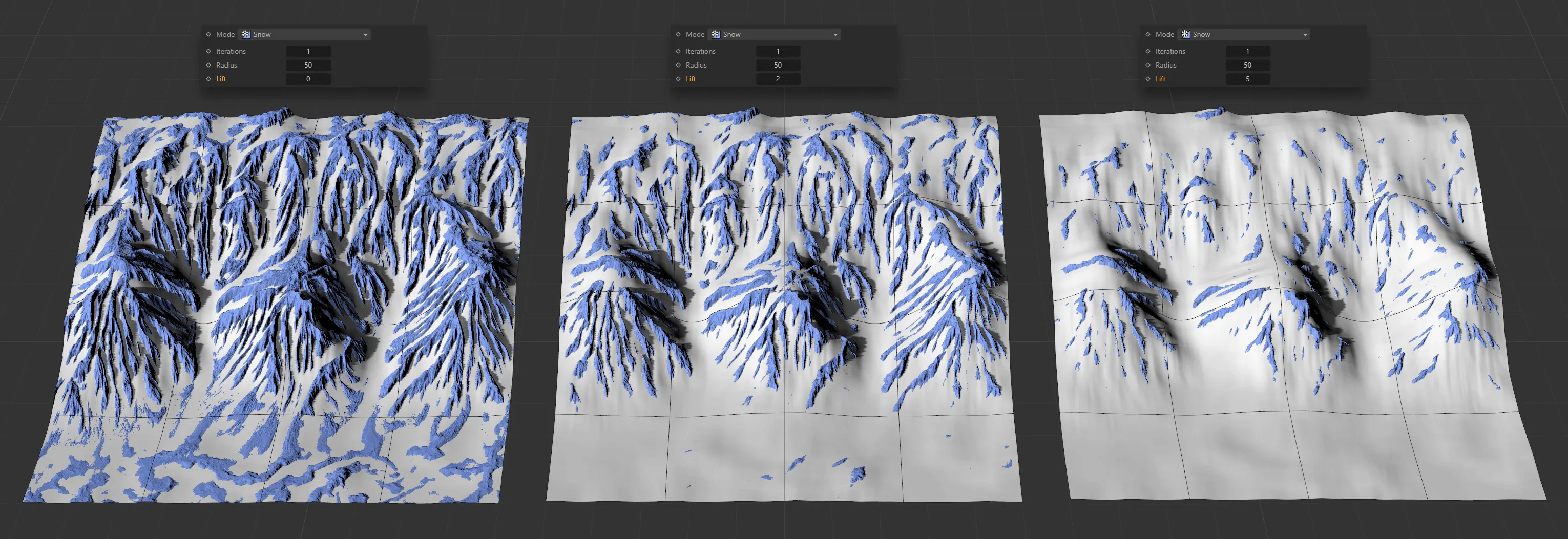
In this image, the Lift setting is 0 (zero), then 2, then 5, respectively, with all other values remaining the same.
Output Erosion Maps
Section titled “Output Erosion Maps”This will create a vertex map of where the snow is being generated, as shown below.
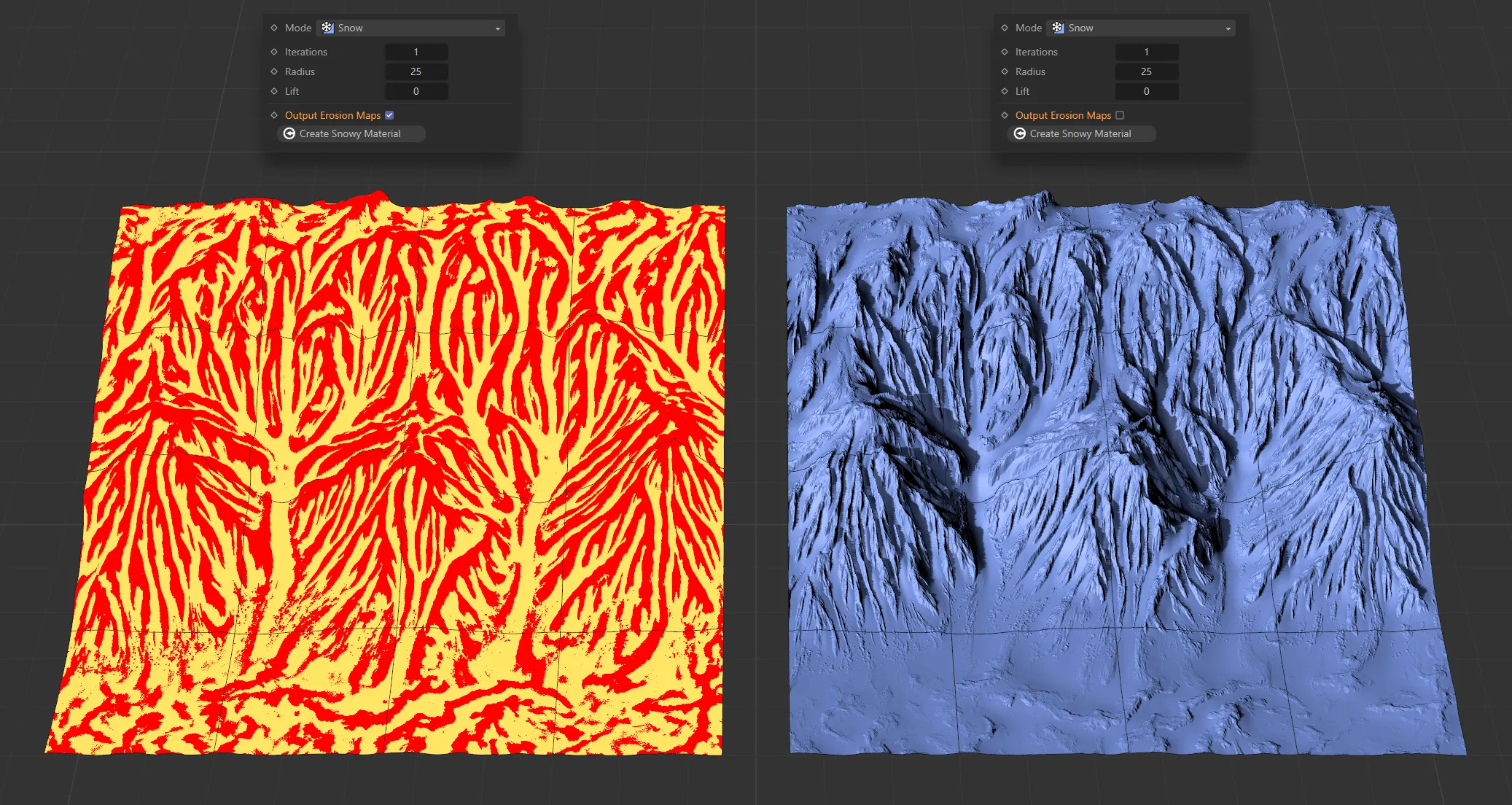
Vertex map of snow generation on a terrain, on the left, with Output Erosion Maps enabled.
Add Snow Layer
Section titled “Add Snow Layer”Clicking this button will create a snow material layer, which will automatically be applied to the terrain.
This material layer will contain an Advanced Terrain Shader with a minimal layer setup.
For further information on detailed customization, see the Advanced Terrain Shader page, at the link below.
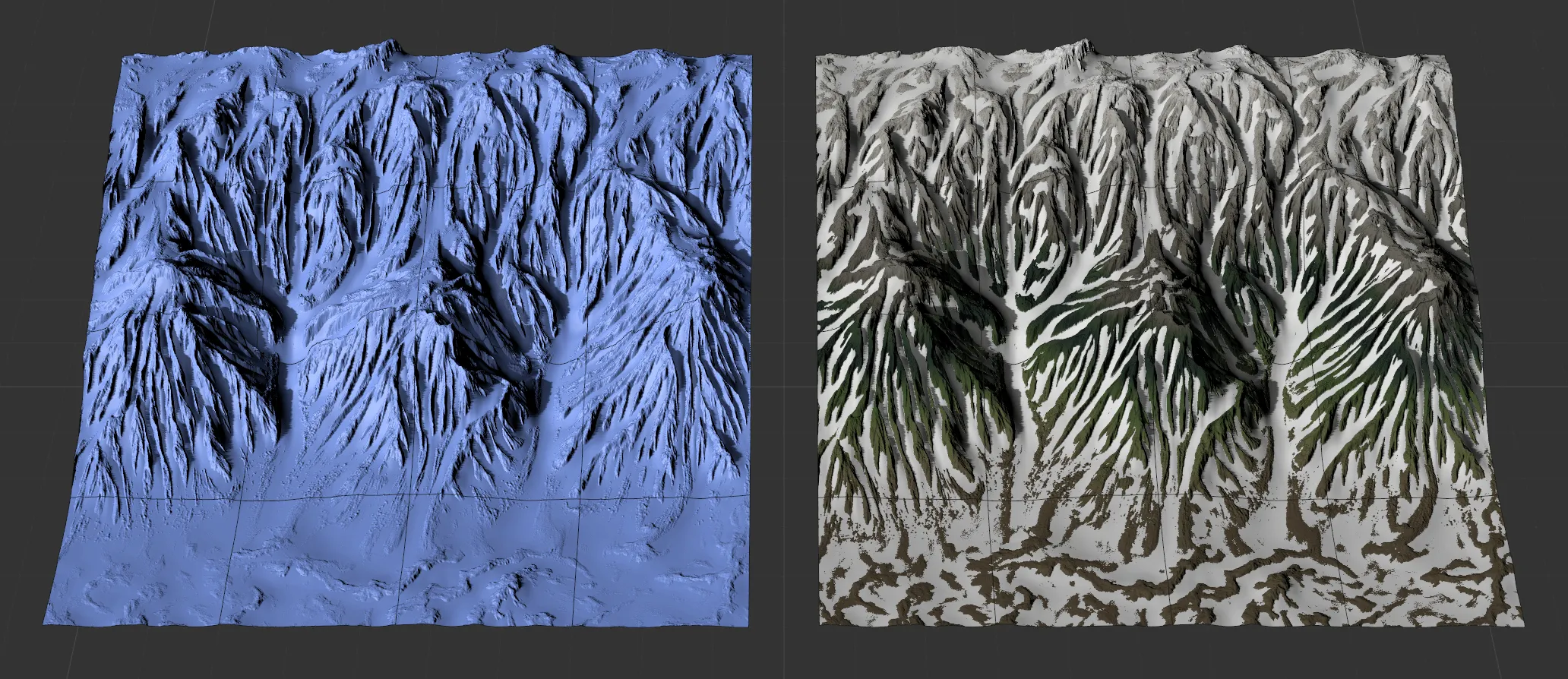
The Add Snow Layer parameter has been enabled in the image on the right.