

nxSticky
nxSticky will stick particles to static and animated objects.
Object tab
Section titled “Object tab”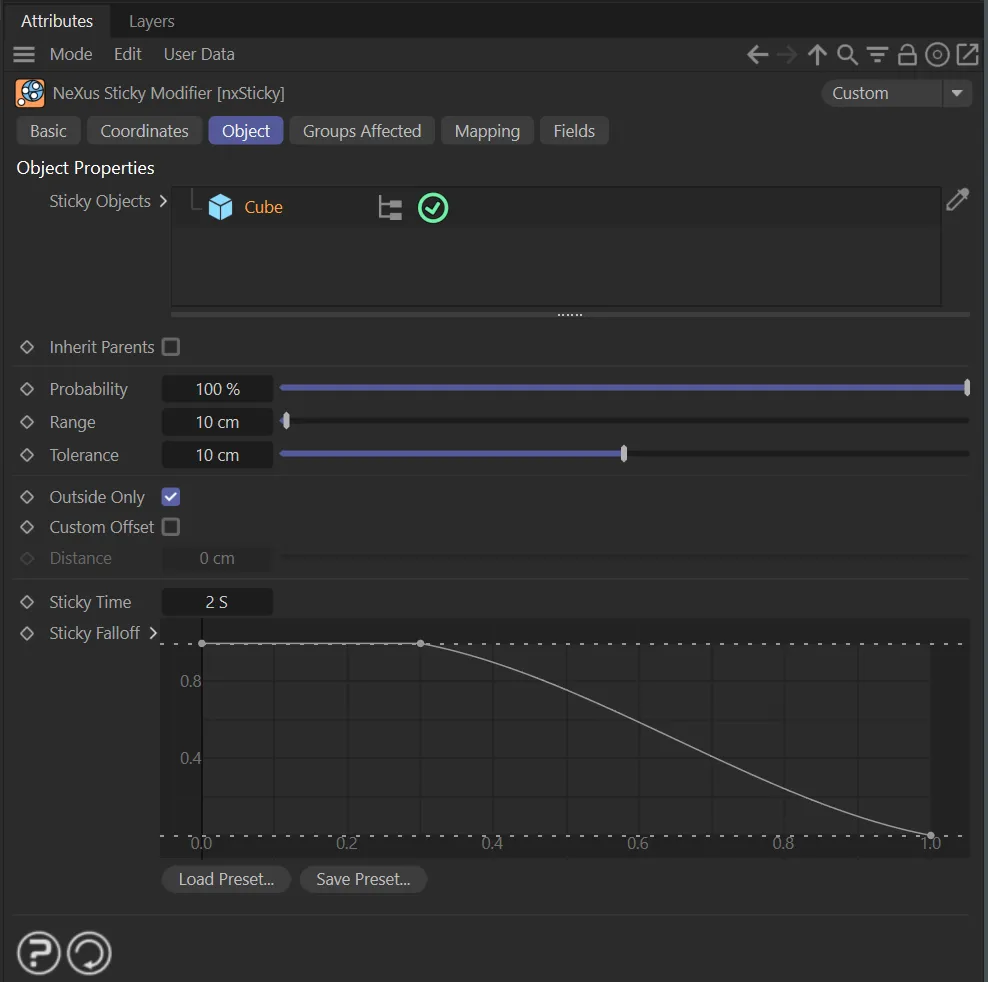
nxSticky, Object tab menu settings.
Sticky Objects
Section titled “Sticky Objects”Drag the objects you want to stick the particles into this list.
They can be polygon objects or parametric objects which would be polygonal if made editable.
When an object is highlighted, a list of options will become available below.
Inherit Parent
Section titled “Inherit Parent”When enabled, all options below this will be inherited from the next up within the node tree which doesn’t have this checked.
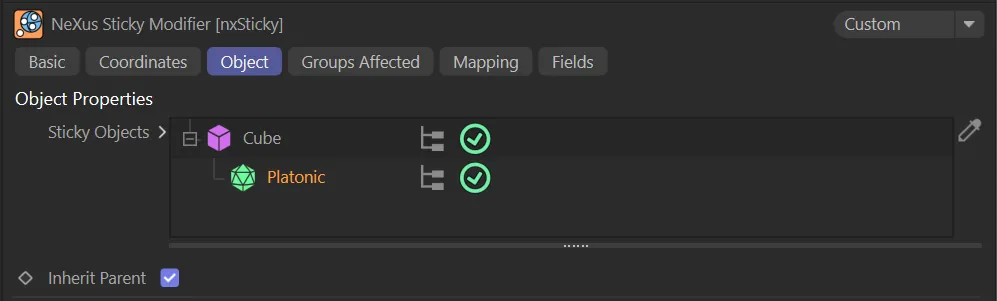
Inherit Parent enabled, so that the Torus inherits all options that are applied to the Cube.
Inherit Speed
Section titled “Inherit Speed”When enabled, particles that stick to an object will inherit that object’s velocity.
Probability
Section titled “Probability”This is the probability that a particle will stick to an object if it comes within range.
If it is set to 100% the particle will always stick; if it is 0 (zero) %, it never will.
Animation to demonstrate the effect of Probability set at 100%.
By comparison, Probability is lowered to 5%, in this animation, with less chance of particles sticking to the scene object.
This setting determines how far away a particle must be from an object to stick to it.
Its purpose is to screen out all particles which are too far away to potentially stick to the object.
If this is set too high, the number of particles which must calculate a sticking point on the object will increase and may slow down the system.
As a general rule, the default value is a good compromise.
If the particles and/or objects are moving very slowly, you can reduce this value but, if they are moving very fast, you may need to increase it, since then there is the possibility that a particle may pass by an object without coming into range.
Tolerance
Section titled “Tolerance”This is the actual distance a particle must be from the object in order to stick to it.
You should keep this as low as possible since, if it is too high, particles at some distance from the object may be ‘dragged in’ to it, which can look unrealistic.
If it is too low, particles which could stick to the object may be missed.
Outside Only
Section titled “Outside Only”If this is enabled, particles will only stick to the outside of the object.
In some cases this may cause some particles to be missed and not stick to the object.
If this happens, try increasing the range and/or tolerance values, but keep the increases to a minimum; if you increase them too much, you may stick particles which are further away from the object than you would like.
Custom Offset
Section titled “Custom Offset”Check this box to offset the sticking point of the particles from the object surface.
The amount of offset can be set in the Distance parameter.
Distance
Section titled “Distance”Only available if Custom Offset is enabled.
It controls the offset distance from the surface.
Rotate With Object
Section titled “Rotate With Object”When enabled, particles that are stuck to an object will rotate alongside it as the object rotates, rather than maintaining a fixed world-space orientation.
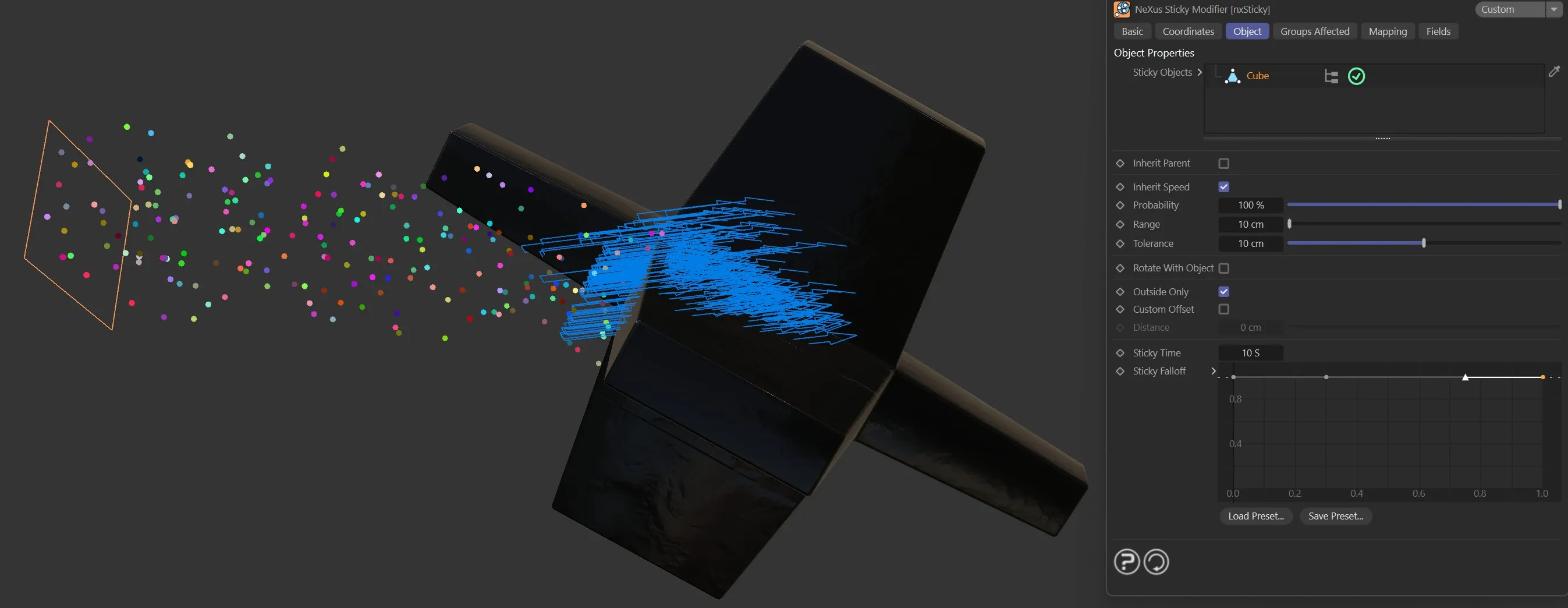
Rotate With Object disabled.
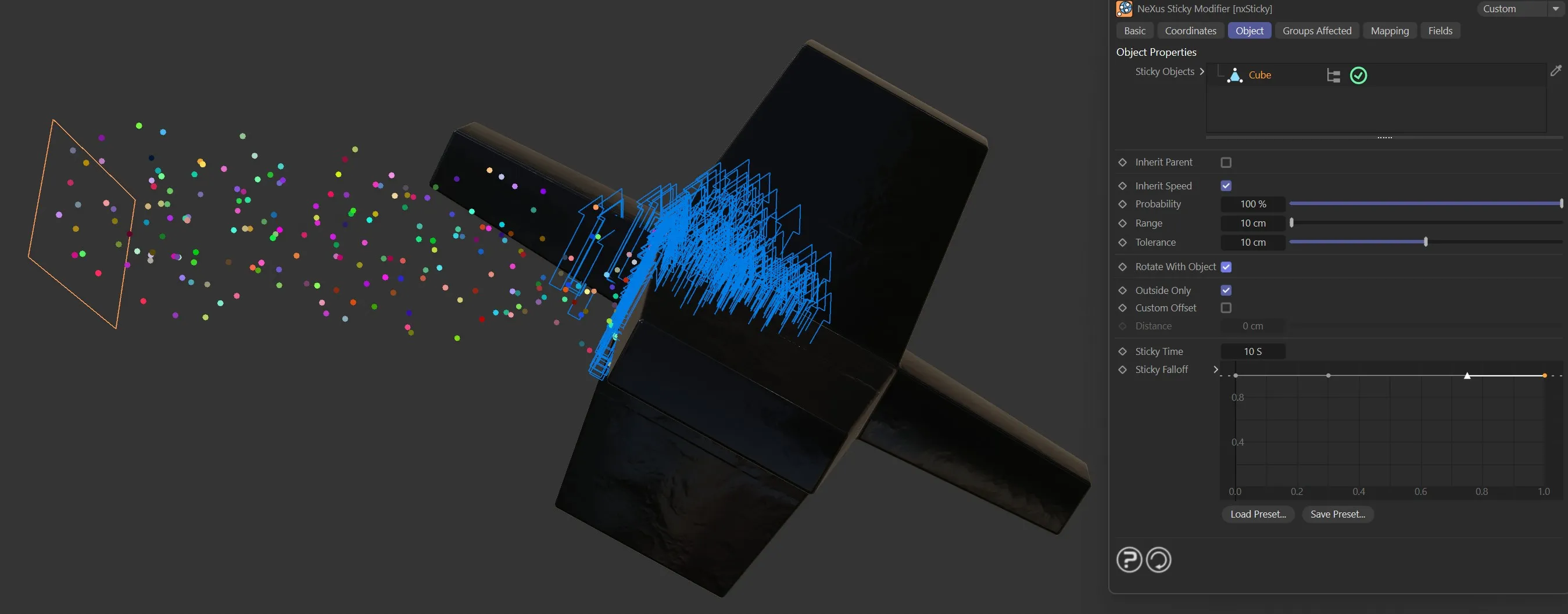
Rotate With Object enabled.
This is useful when attaching particles to spinning or tumbling objects.
Sticky Time
Section titled “Sticky Time”This is the maximum time for which particles will remain stuck to the surface.
At some point after being stuck, they will start to become unstuck again.
When that happens depends on the Sticky Falloff spline setting.
If you don’t want the particles to unstick at all, set this time to a very high value or change the Sticky Falloff to a flat spline.
In this animation, the Sticky Time is set at 25 frames, then the Sticky Falloff curve means particles only stick for a short duration before they fall off.
Sticky Falloff
Section titled “Sticky Falloff”This spline controls when particles may start to become unstuck from the object.
The X axis represents the time and the Y axis, the strength of the stickiness.
Groups Affected tab
Section titled “Groups Affected tab”Groups
Section titled “Groups”To specify the group, drag and drop the desired Group object into this field.
This setting is useful if you want to ensure that the spawned particles are, or are not, affected by nxSticky.
Mapping tab
Section titled “Mapping tab”The modifier’s settings can be mapped to particle data.
Use the dedicated manual page, below, for instructions on how this works.
Fields tab
Section titled “Fields tab”You can use the Fields options to control where nxSticky operates.
Copyright © 2026 INSYDIUM LTD. All Rights Reserved.