

Modifiers
In this tab you can add modifiers, deformers and effectors.
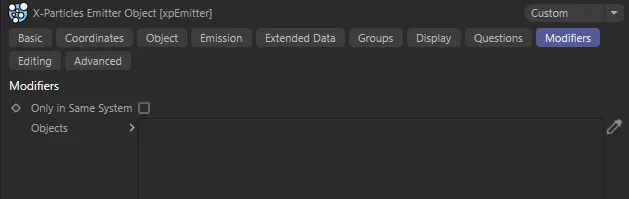
Modifiers tab menu.
Modifiers
Section titled “Modifiers”Only in Same System
Section titled “Only in Same System”If enabled, the emitter will only be affected by modifiers/deformers/effectors which are child objects of the same System object as the emitter.
Objects
Section titled “Objects”By default, any modifier in the scene will act on any emitter and they do not have to be added to this list.
In this animation, xpGravity and xpTurbulence are dropped into the Objects field of the Modifiers tab, in order that they can be enabled/disabled from there.
To prevent a modifier from working on a specific emitter you can drag the modifier into the list and click the icon to change it from a yellow check mark to a blue dash.
Alternatively, you can enable Only in Same System.
This will restrict the modifiers acting on the emitter to those in the same System object hierarchy.
Deformers and effectors are handled differently.
They will only work on an emitter if dragged into this list with a yellow tick icon or if they are made a child of the emitter in the Object Manager.
If desired, you can make all your modifiers the child objects of another object and drop the parent object into the Objects list.
This is convenient if you need to add multiple modifiers to the list.
You can use the yellow tick/blue dash icon to turn all the modifiers, which are child objects of this object, on or off with one click.
Copyright © 2026 INSYDIUM LTD. All rights reserved.