

nxFluids - Emitter tags
Overview Video
Section titled “Overview Video”nxFluids tags enable you to individually set the fluid properties per emitter, to give individual emitters their own liquid settings.
This enables the mixing of different fluid types, like liquid and grains.
Simply right-click on your chosen emitter(s) in the Object Properties window and select the Extensions folder.
The nxFluids tag is available from the INSYDIUM Tags menu.
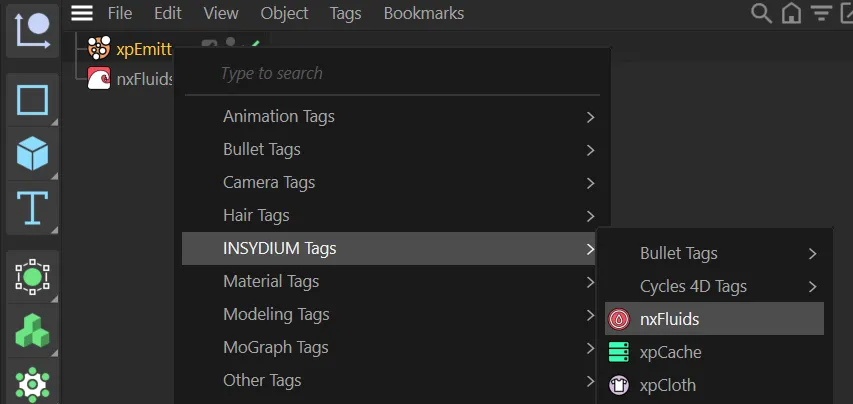
nxFluids tag selection.
This will give you three separate tabs: Basic tab, SPH tab and PBD tab.
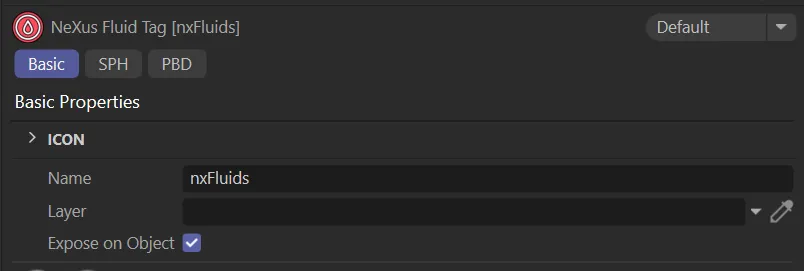
Basic tab menu.
SPH tab
Section titled “SPH tab”By using nxFluids tags, each emitter can have its own unique physical properties, ranging from different Density, Viscosity, Surface Tension and Friction settings.
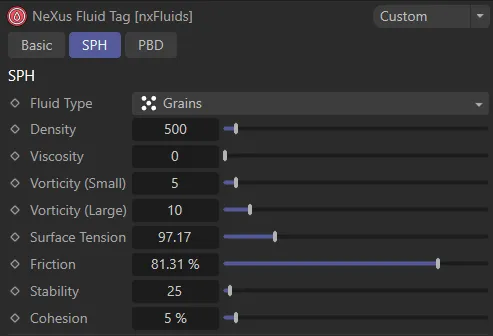
SPH tab menu.
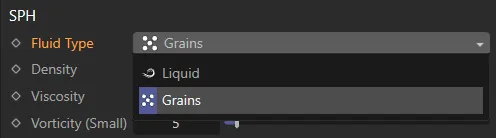
Fluid Type drop-down selection.
Animation illustrating changing the second xpEmitter to use the Fluid Type setting of Grains, to create a sand block.
PBD tab
Section titled “PBD tab”You can create a scene containing liquids of different viscosity, external pressure or vorticity by using different values on each emitter’s NeXus Fluid Tag.
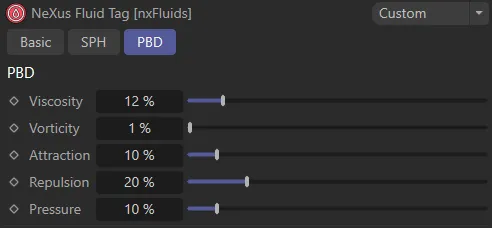
PBD tab menu.
Animation comparing Viscosity settings of 0.01%, on the left, and 12%, on the right.