

xpKill
xpKill controls the removal of unwanted scene particles.
Object properties
Section titled “Object properties”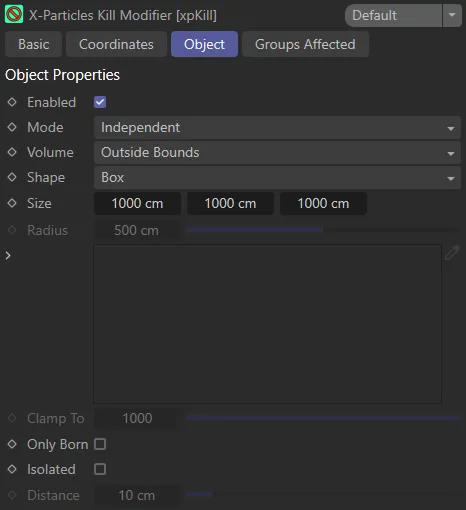
Object tab menu for xpKill.
Enabled
Section titled “Enabled”Checking this box enables the xpKill modifier.
Set at Independent, by default.
You can change this to Action-Controlled.
Independent Mode
Section titled “Independent Mode”In this mode, particles will be affected if they come into the field of effect of the modifier.
Action-Controlled Mode
Section titled “Action-Controlled Mode”When in the Action-Controlled setting, the modifier will only act on a particle when told to do so by an action.
Volume
Section titled “Volume”Set at Outside Bounds, by default, this parameter determines the nature of the bounding volume.
Other settings are: Inside Bounds, Objects, Outside Camera FOV and Clamp to Max Particles.
Inside Bounds
Section titled “Inside Bounds”Particles will be killed if they are inside the modifier’s boundary.
With the Volume setting as Inside Bounds, any particles which stray inside the green boundary box are killed.
Outside Bounds
Section titled “Outside Bounds”Particles will be killed if they are outside the modifier’s boundary.
With Volume set to Outside Bounds, once the particles leave the green box they are killed.
Objects
Section titled “Objects”One or more scene objects can be dragged into the link field.
There will then be additional options available to set.
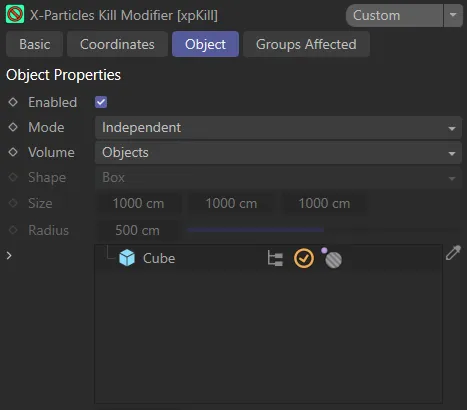
Volume set to Objects, with a Cube primitive dragged and dropped into the Objects link field and the icon (with the small pink circle outside the gray circle) set to kill particles outside the Cube object.
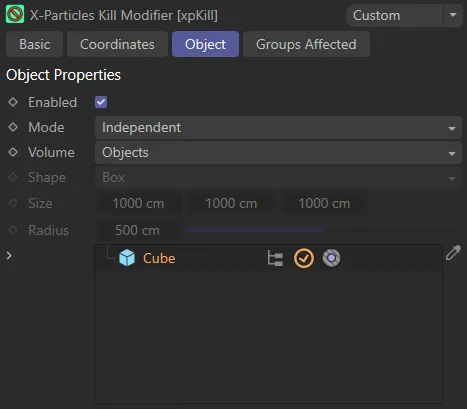
Volume set to Objects, with a Cube primitive dragged and dropped into the Objects link field and the icon (with the small pink circle inside the gray circle) set to kill particles inside the Cube object.
Outside Camera FOV
Section titled “Outside Camera FOV”Particles are killed if they are outside the field of view of the current camera.
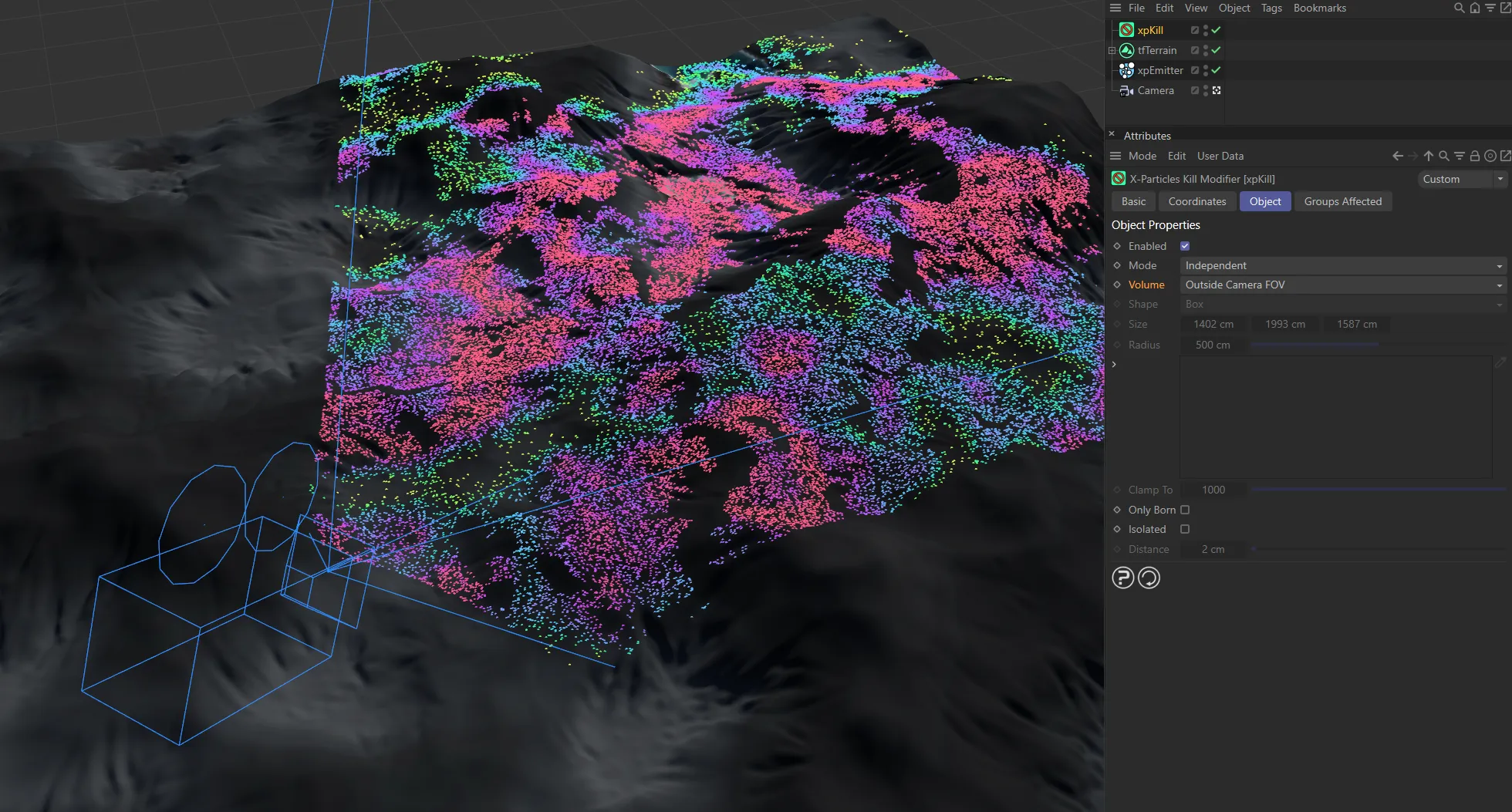
Particles only present within the field of view of the camera with a Volume setting of Outside Camera FOV.
Clamp to Max Particles
Section titled “Clamp to Max Particles”With this option, the modifier will remove any particles exceeding the limit you specify in the Clamp To parameter.
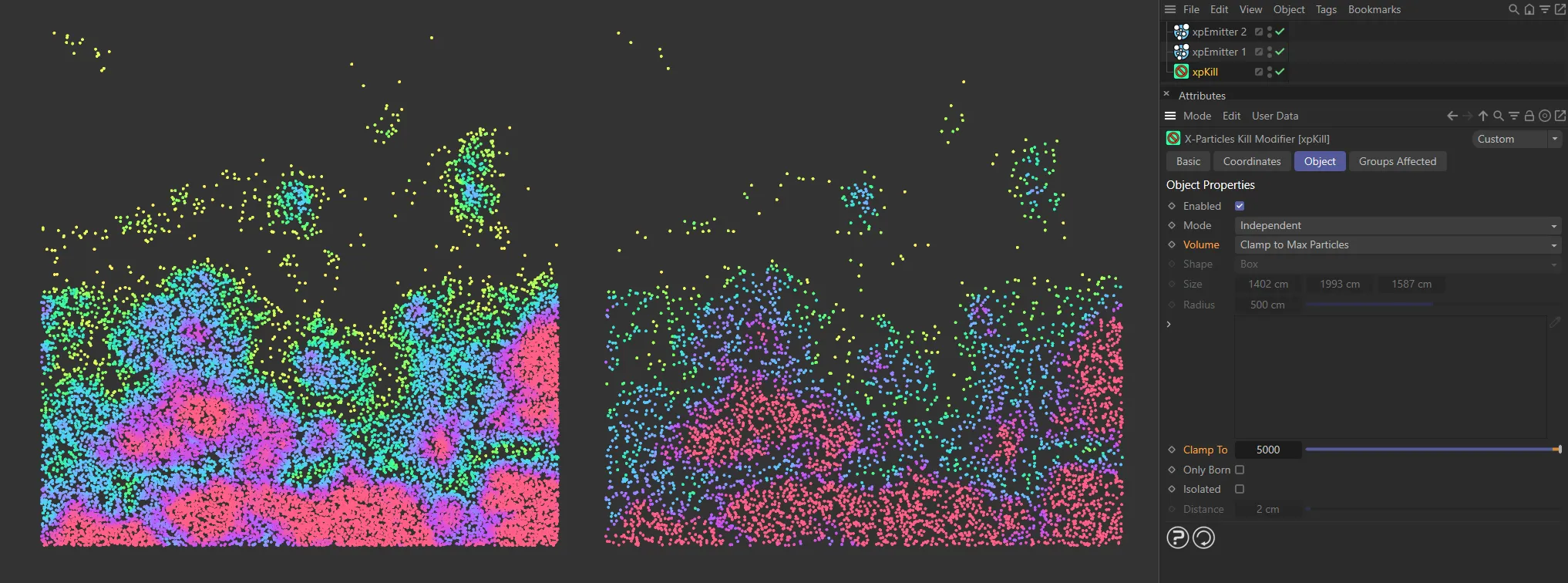
Volume setting of Clamp to Max Particles, removing any particles over the Clamp To value of 5000, on the right.
This setting (the shape of the modifier) is only available when Volume is set to Inside Bounds or Outside Bounds.
The default shape is Box, but this can be changed to Sphere.
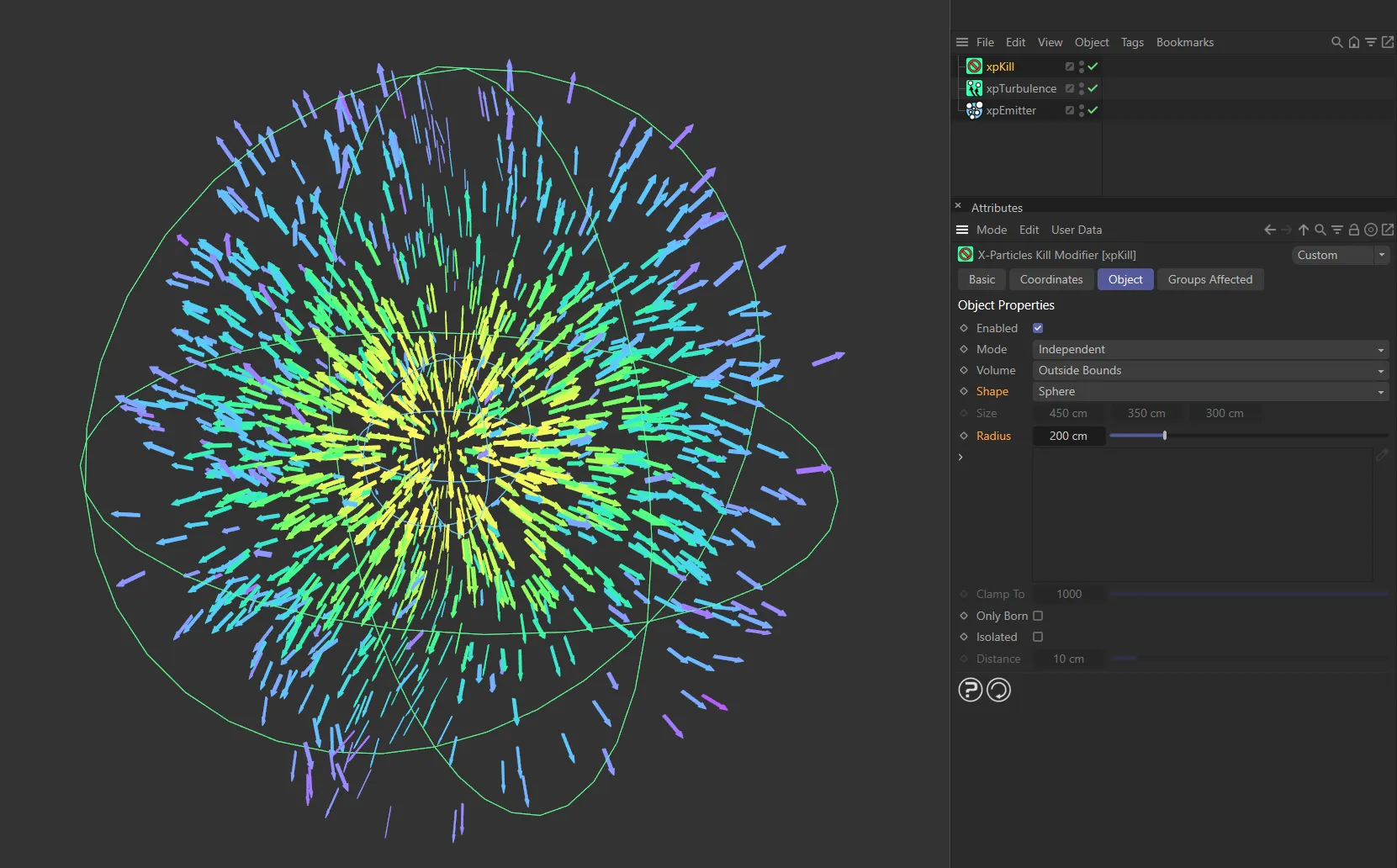
Here the Shape is set as Sphere, with a Radius of 200cm.
Sets the size of the box in the X, Y and Z axes, when Shape is set to Box.
This can also be done manually, using the yellow handles.
Radius
Section titled “Radius”Sets the size of the sphere, when the Shape setting is Sphere.
This can also be done manually, using the yellow handle.
Clamp To
Section titled “Clamp To”Only available if Volume is set as Clamp to Max. Particles, this allows you to set the value for the maximum number of particles you want in the scene.
Anything over the number you set here will be killed.
Only Born
Section titled “Only Born”If this is enabled, only particles born within the modifier’s field of affect will be killed.
Particles that stray into the modifier after birth will stay intact.
Animation to demonstrate the effect of enabling the Only Born parameter, killing newly-created particles.
Isolated
Section titled “Isolated”Enabling this setting will kill particles which are isolated from other particles by a distance which you select in the Distance setting.
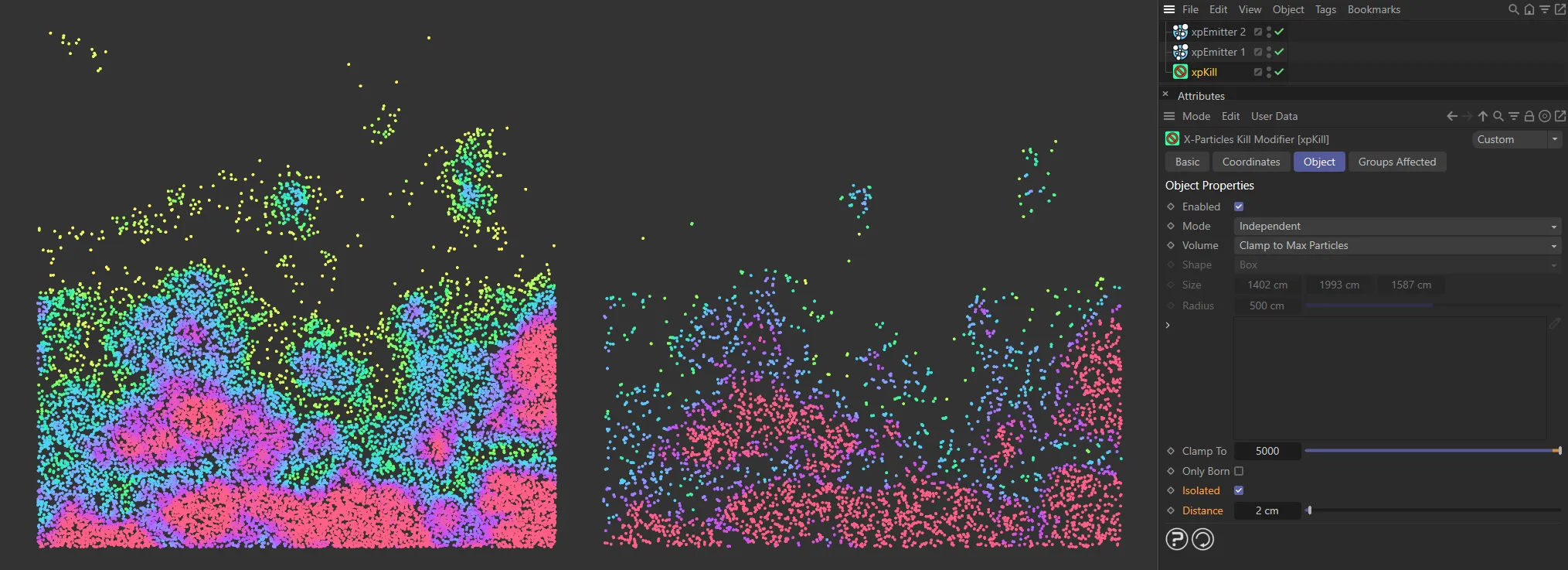
The right side has Isolated enabled, killing the isolated particles that are more then 2cm apart. This is very useful to achieve smoother fluid/foam simulation.
Distance
Section titled “Distance”Only available if Isolated is enabled.
It is the distance from other particles at which a particle is considered to be isolated and will be killed.
Groups Affected tab
Section titled “Groups Affected tab”Groups
Section titled “Groups”To specify the group, drag and drop the desired Group object into this field.
This setting is useful if you want to ensure that the spawned particles are, or are not, affected by xpKill.
Copyright © 2026 INSYDIUM LTD. All rights reserved.