

tfErosionCoastal
tfErosionCoastal simulates the realistic erosion of terrains through the coastal effects of waves.
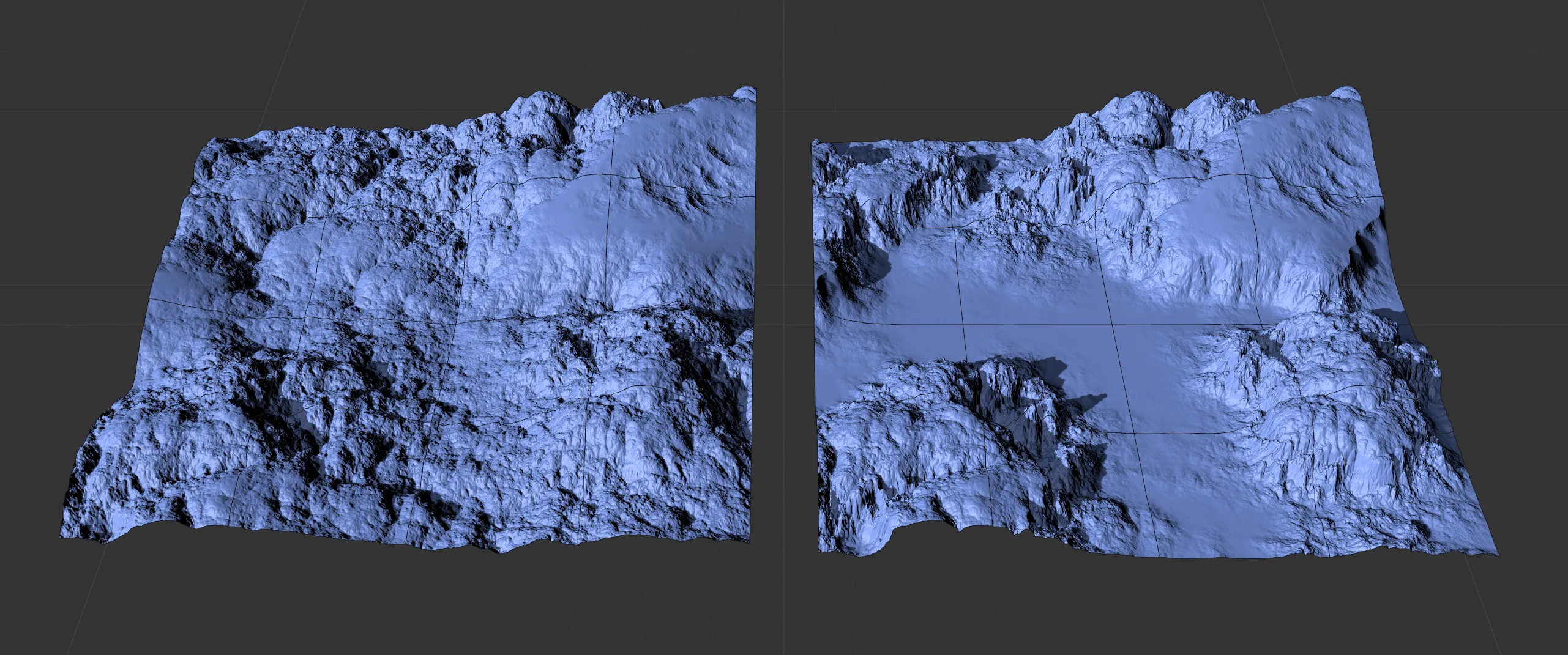
The effects of tfErosion, set in the Coastal mode creating coastal cliff faces in the right-hand image, with the tfNoise operator.
Properties
Section titled “Properties”This is set to Thermal Weathering Mode, by default.
The other Mode settings are: Hydraulic (2D Particles), Hydraulic (X-Particles), Coastal and Snow.
These other Mode settings are dealt with in more detail in their own dedicated pages.
Coastal
Section titled “Coastal”Min Wave Height
Section titled “Min Wave Height”Everything below this value will experience maximum erosion.
Above this value, erosion strength will decrease until the Max Wave Height is reached.
0 (zero) % correlates to the lowest point and 100% to the highest point of the terrain.
The Min Wave Height will only take effect when the Noise Blend setting is higher than 0 (zero) %.
Max Wave Height
Section titled “Max Wave Height”Above this value, the terrain will not experience any erosion.
0 (zero) % correlates to the lowest point and 100% to the highest point of the terrain.
Animation to demonstrate the effects of the Min Wave Height and Max Wave Height sliders.
Noise Scale
Section titled “Noise Scale”A simple noise is used to apply local variation to the erosion effect.
Scale the noise with this value.
This animation shows the effect of the Noise Scale parameter.
Noise Blend
Section titled “Noise Blend”Sets the intensity of the noise variation using the Max Wave Height and Min Wave Height for its calculations.
The closer these values are to each other, the less erosion there will be.
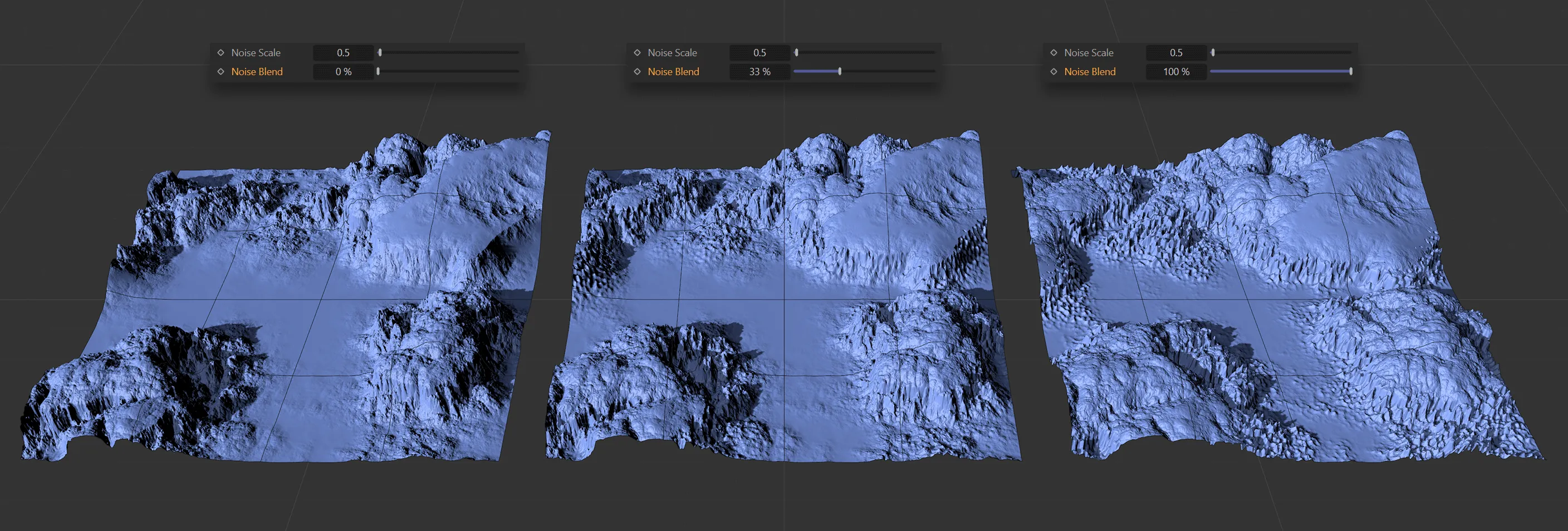
A Noise Scale of 0.5 is applied to all three terrains, with Noise Blend at 0 (zero) % on the left, 33% in the center and 100% on the right.
This is the strength of the coastal erosion.
Lower values create a more subtle effect, while larger values result in a more intense ‘look’.
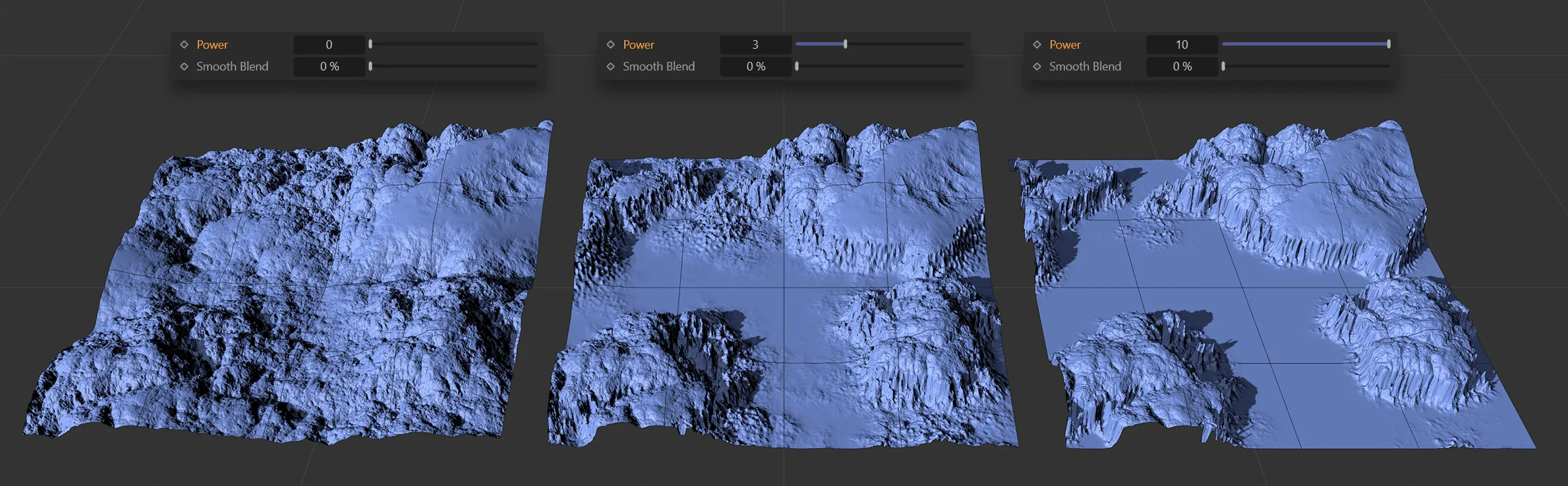
These terrains have the Power set at 0 (zero), 3 and the higher level of 10, from left to right, respectively.
Smooth Blend
Section titled “Smooth Blend”This option smooths off the edges created by the wave height.
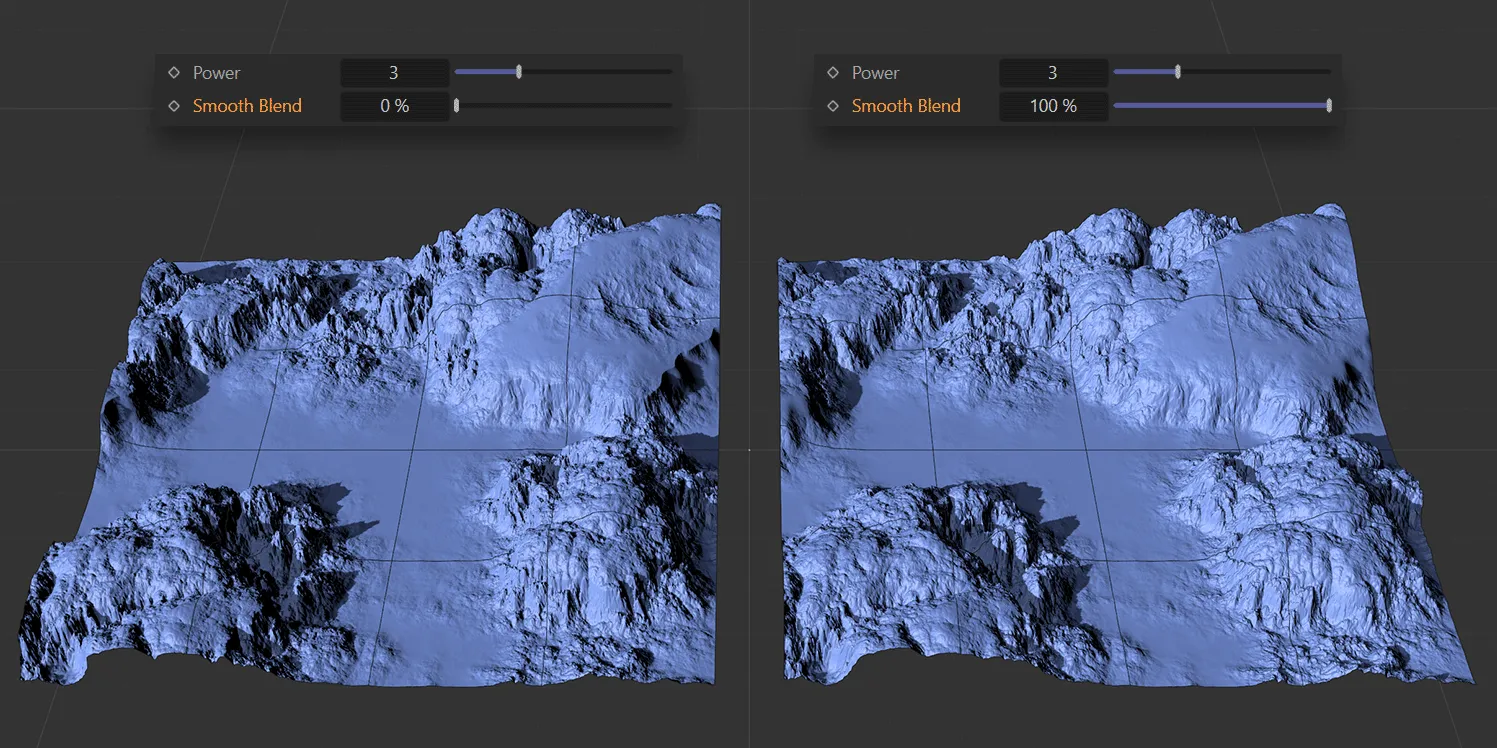
The left-hand terrain has a Smooth Blend value of 0 (zero) %, while it is set at 100% on the right.
Copyright © 2026 INSYDIUM LTD. All rights reserved.