

tfFormula
tfFormula evaluates a formula to generate a height field and is suitable for abstract terrains.
Properties
Section titled “Properties”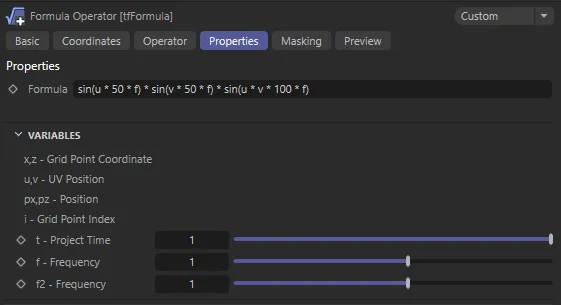
tfFormula User Interface (UI).
Formula
Section titled “Formula”Input your formula into this field.
All standard Cinema 4D formula parser operators, functions and constants are supported.
In case the formula parser encounters an error, the error will be displayed right under the formula text field, giving the user a hint about what went wrong.
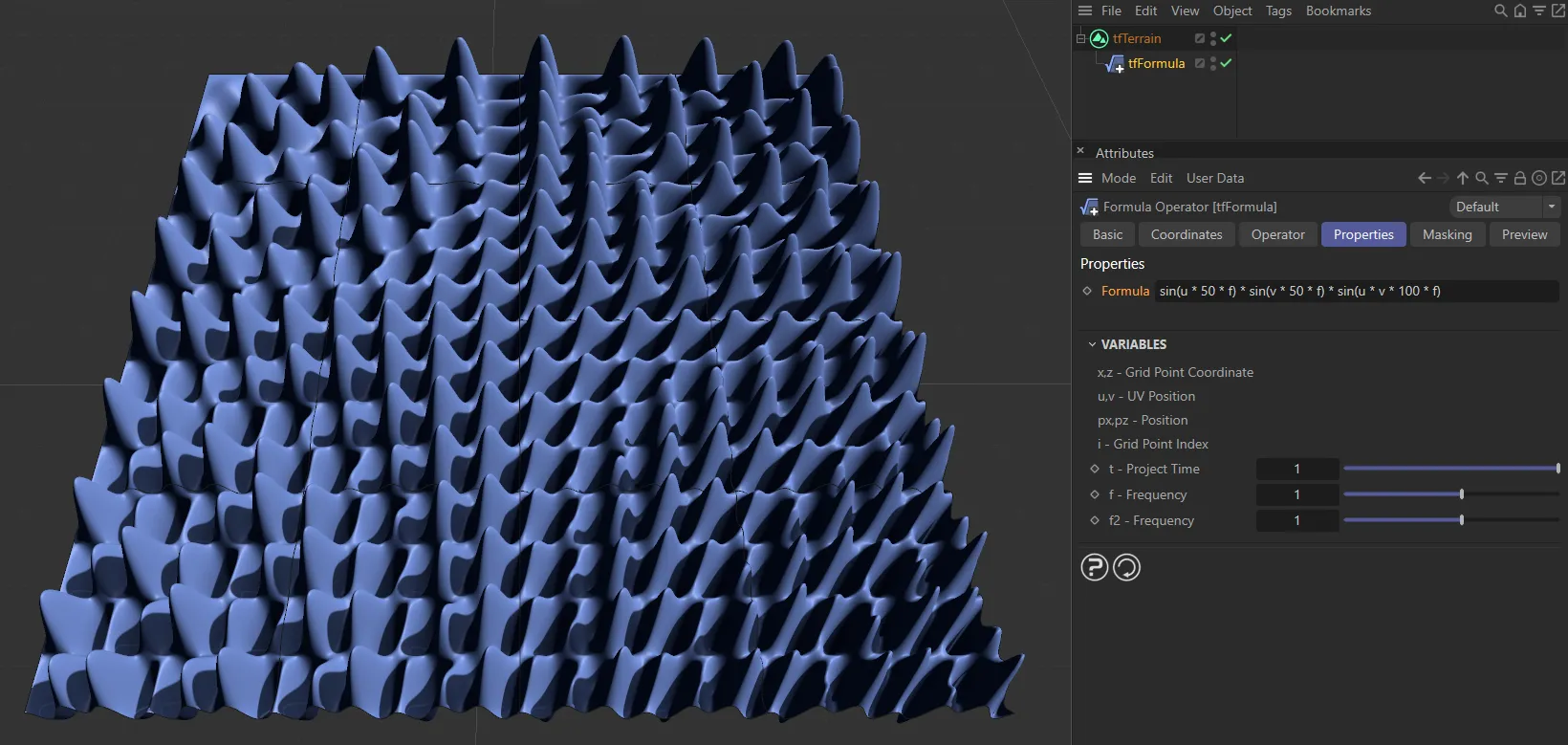
The tfFormula operator generating an abstract landscape using the default Formula.
Preset
Section titled “Preset”The Preset selector can be unfolded from the formula text field.
The usual preset mechanism is also at work here.
Selecting any of the presets will immediately apply the formula, but memorize the previous one.
Selecting Custom from the preset selector will restore the user’s formula.
Similarly, changing the formula will automatically switch to the Custom mode.
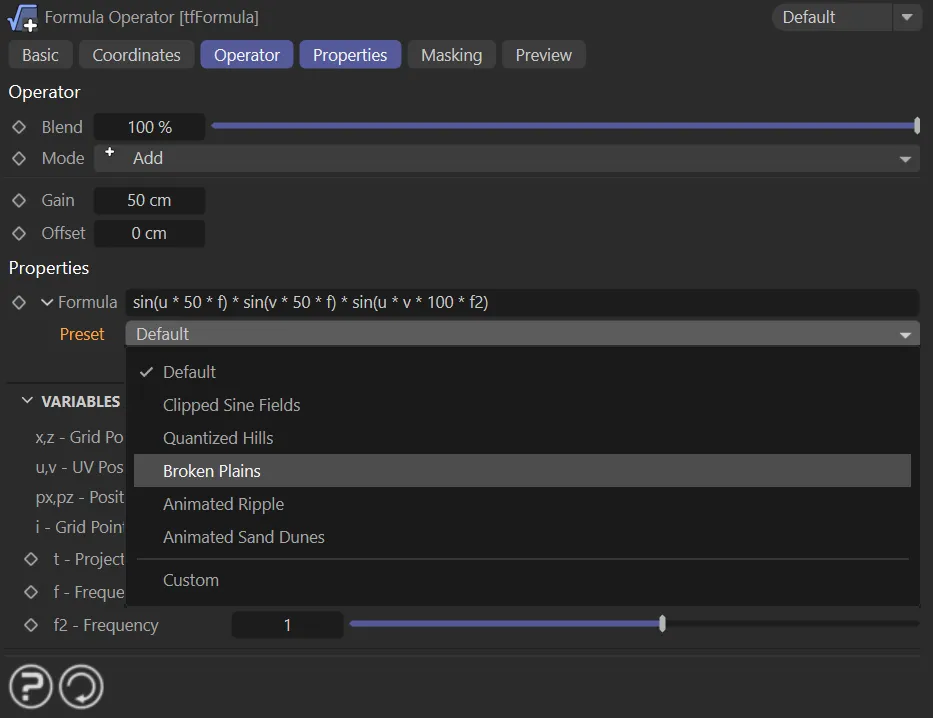
The new tfFormula Preset drop-down selector.
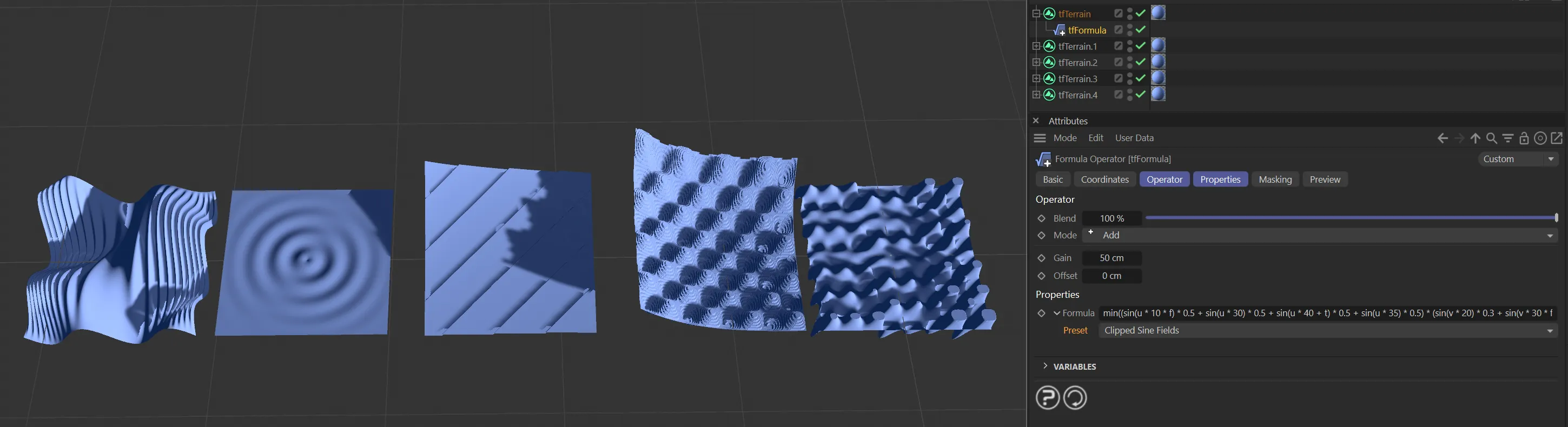
The new tfFormula Preset types.
Variables
Section titled “Variables”tfFormula offers some special variables.
The variables t and f can be controlled using attributes in the Attribute Manager.
t - Project Time
Section titled “t - Project Time”This variable returns the current scene time.
Using the slider, the time can be scaled to slow down, or speed up animation.
The formula in this animation uses the ‘t’ variable. The result is a pulsing of the terrain as the scene is played.
f - Frequency
Section titled “f - Frequency”This ‘f’ variable stands for ‘Frequency’ but can basically be used for anything.
Its value is controlled by the slider.
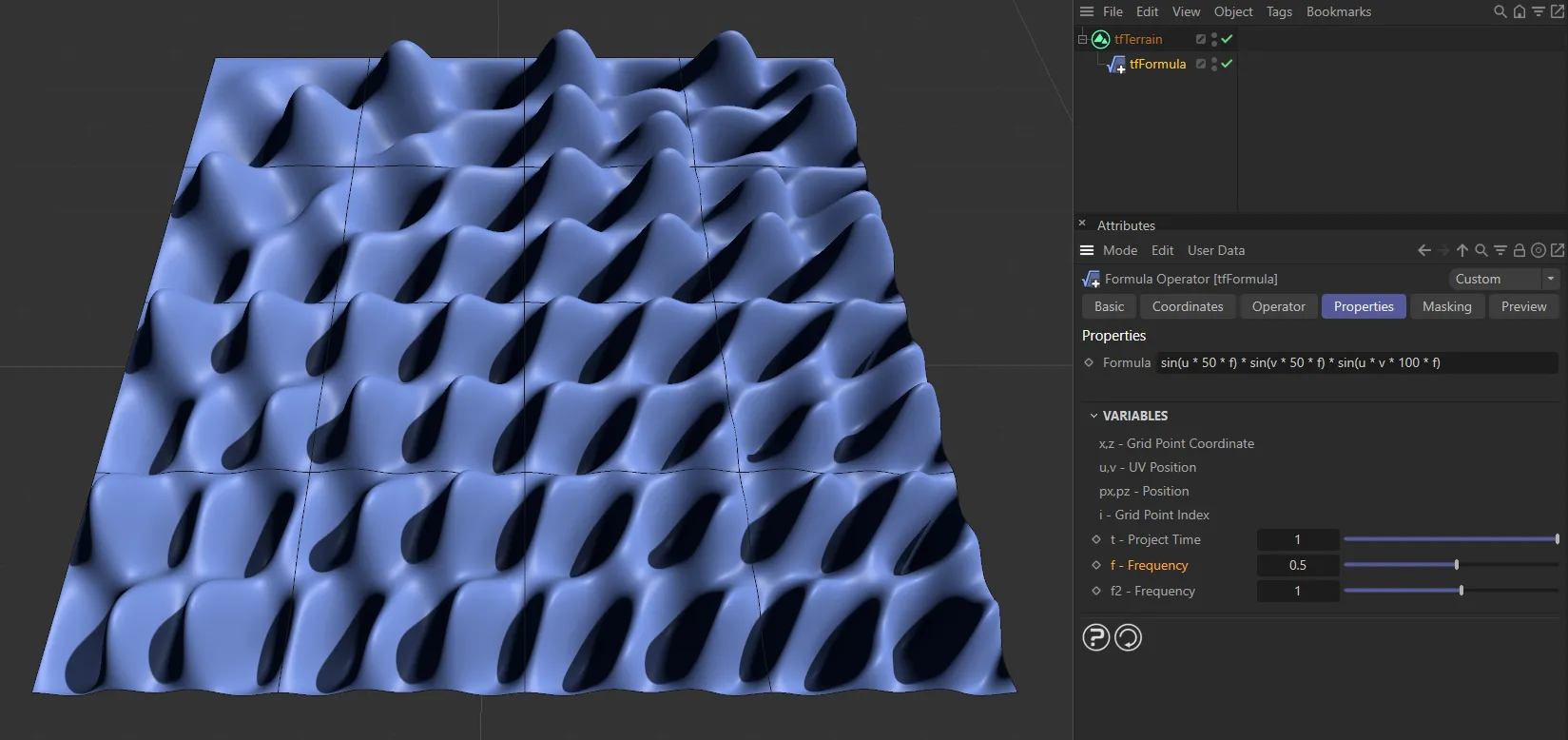
This formula uses the ‘f’ variable, set to 0.5, which is creating the undulations above.
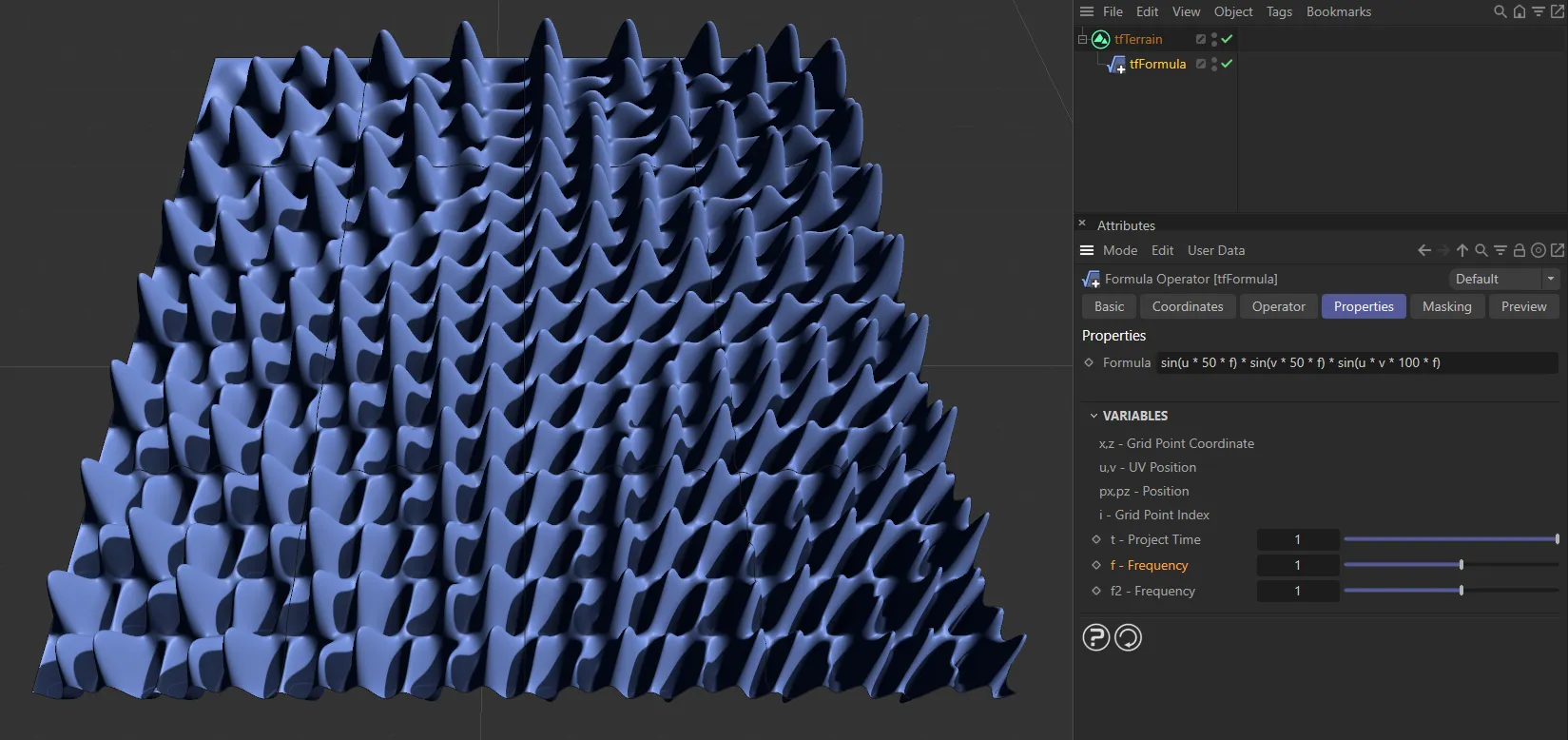
This formula is exactly the same, but the ‘f’ variable has been increased to 1, resulting in smaller undulations.
f2 - Frequency
Section titled “f2 - Frequency”This variable stands for ‘Frequency’ also and, similarly, can be used for anything.
Its value is controlled by the slider.
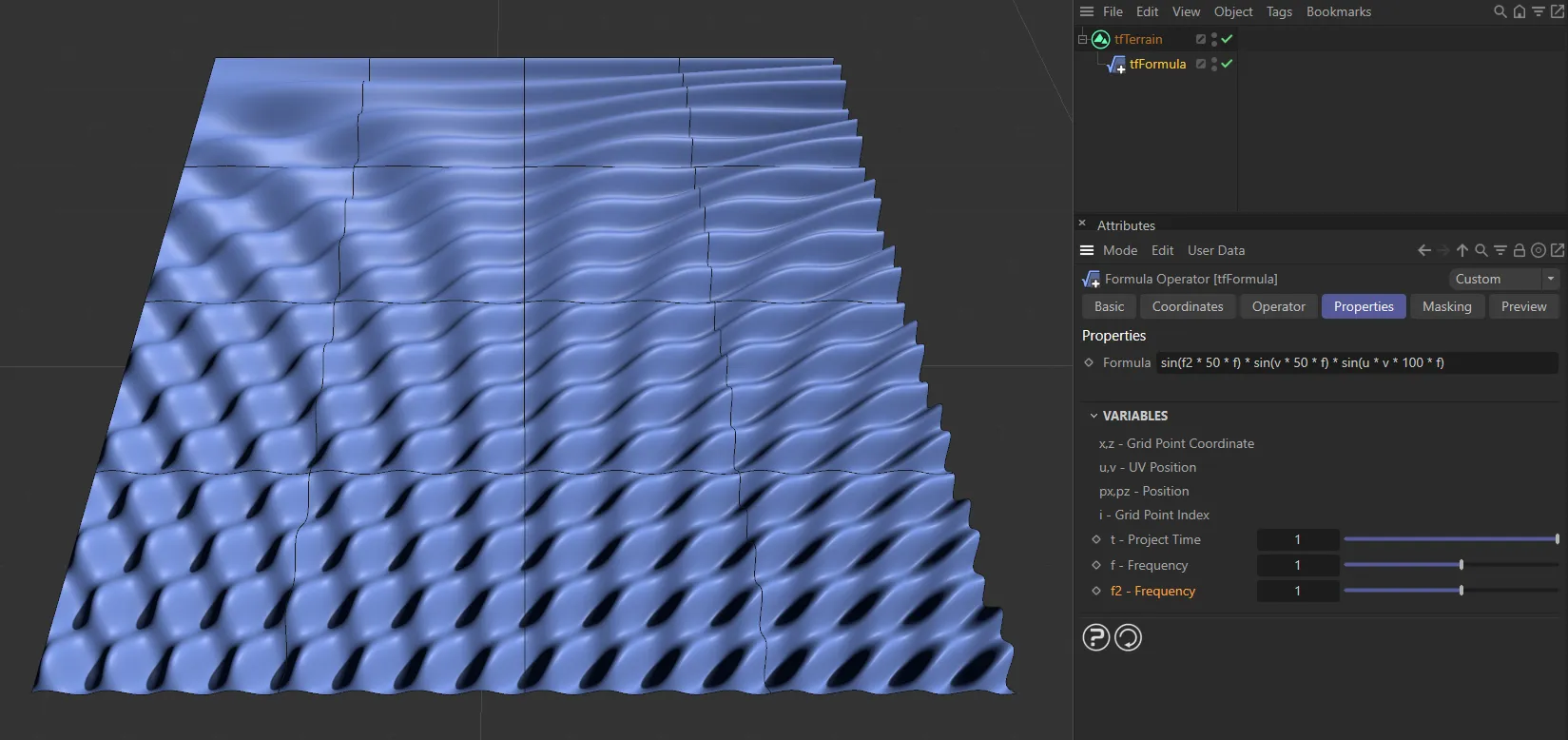
This formula uses the ‘f2’ variable, which is set to 1, generating the terrain above.
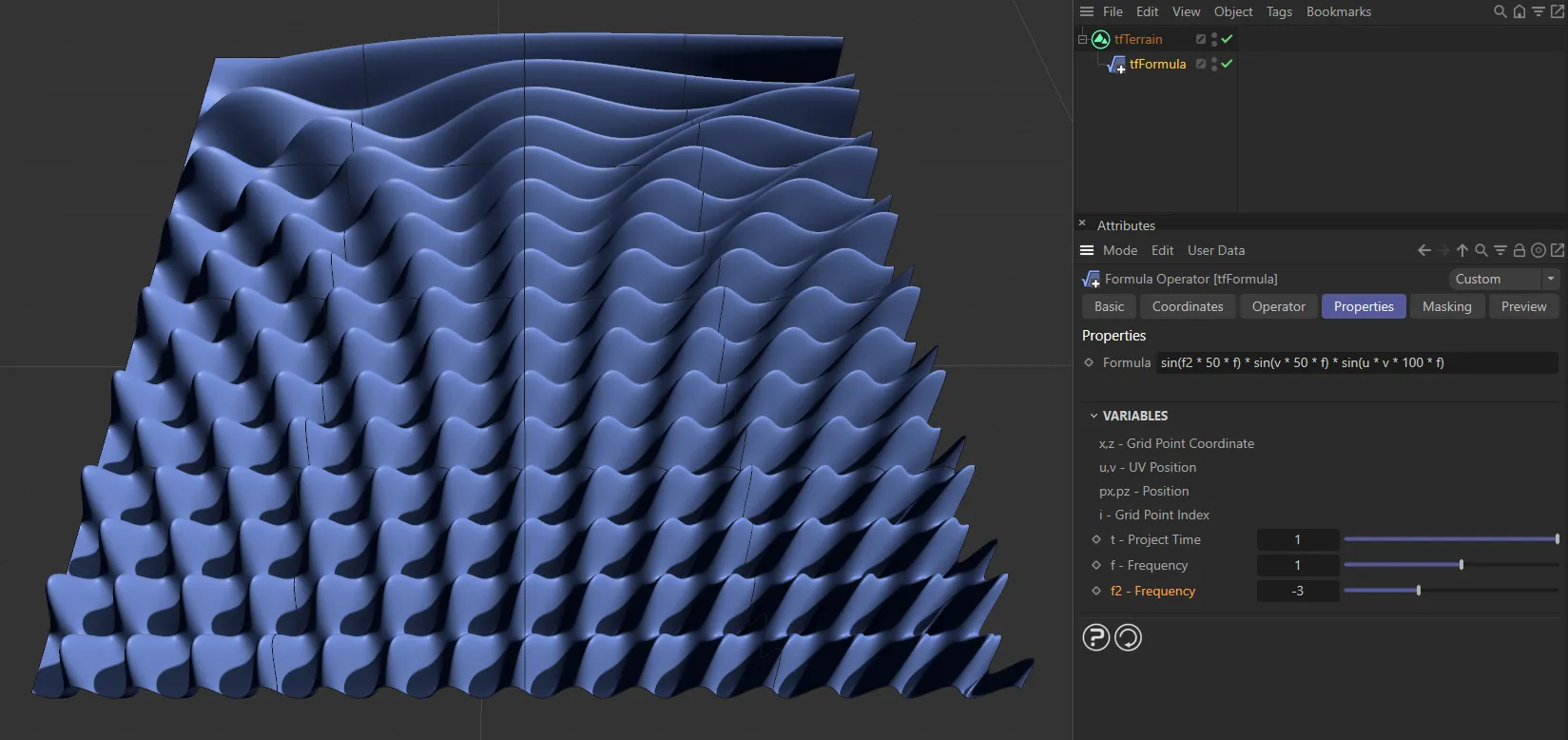
Once again, this second formula is exactly the same, except the ‘f2’ variable has been changed to -3.
Copyright © 2026 INSYDIUM LTD. All rights reserved.