

tfSharpen
tfSharpen emphasizes detail in the terrain without actually adding new features.
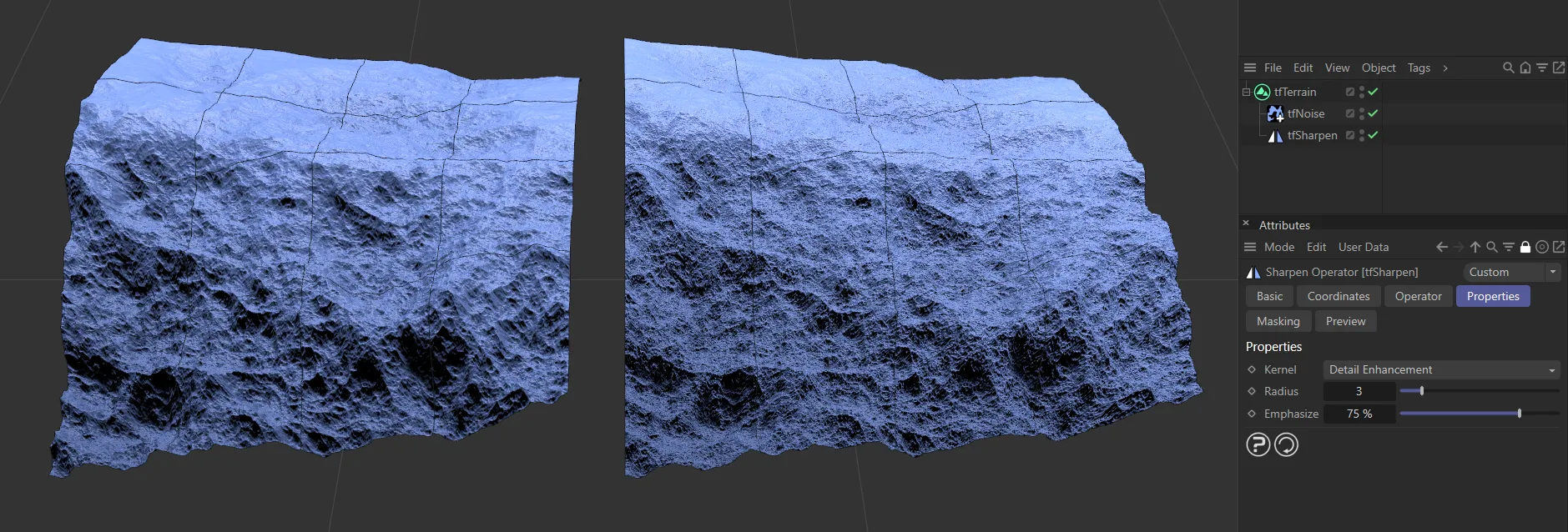
The terrain on the right has the tfSharpen filter added.
Properties
Section titled “Properties”Kernel
Section titled “Kernel”The default is Detail Enhancement, but there are three more settings of tfSharpen kernels that you can select from: Unsharp Masking, Unsharp Masking, fixed 5x5 or Sharpen, fixed 3x3.
Detail Enhancement
Section titled “Detail Enhancement”This mode gives you the most control, using the two additional settings.
Radius
Section titled “Radius”Increases or decreases the radius of the sharpen filter.
At higher Radius values it will emphasize larger details, while at lower Radius values it will bring out smaller details in the terrain.
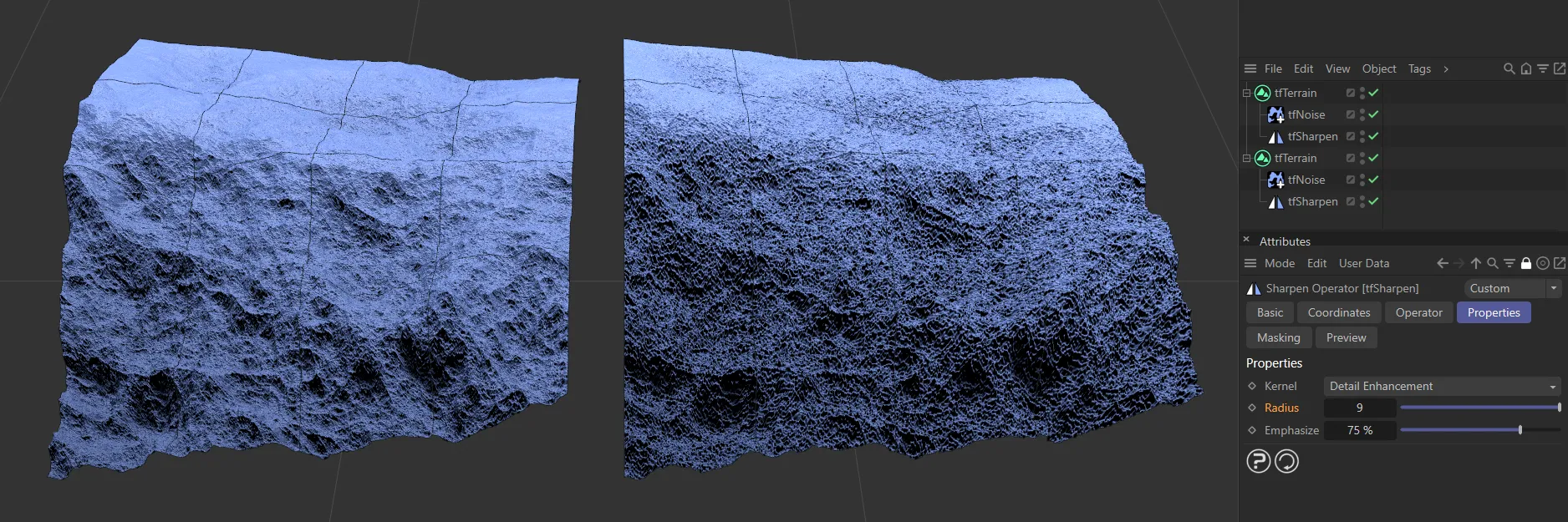
These terrains both have a Kernel setting of Detail Enhancement. The left-hand terrain has a Radius value of 3 and the one on the right is set to 9, resulting in an emphasis on the larger detail.
Emphasize
Section titled “Emphasize”Emphasizes the results of the sharpening, strengthening the impact.
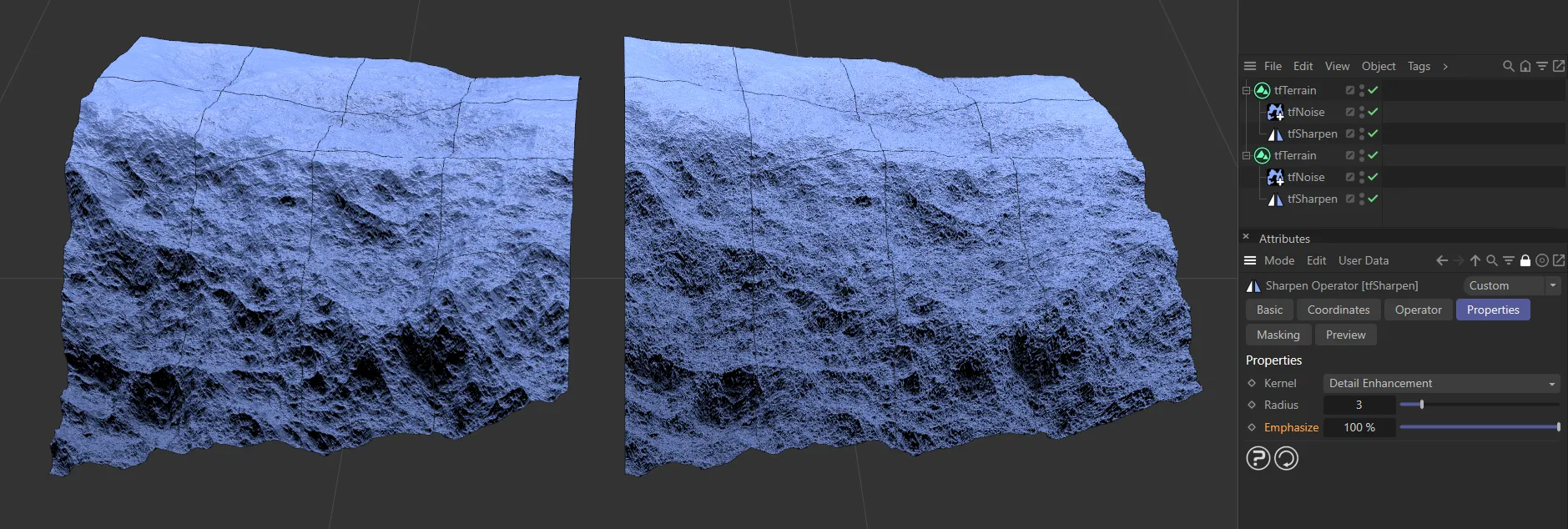
These terrains both have a Kernel setting of Detail Enhancement with a Radius value of 3. The one on the left has a 0 (zero) % Emphasize setting, while the one on the right is set at 100%.
Unsharp Masking
Section titled “Unsharp Masking”This setting is a slower masking kernel, with variable size, working in conjunction with a Radius parameter
Unsharp Masking, fixed 5x5
Section titled “Unsharp Masking, fixed 5x5”Applies the sharpening using 5x5 pixels, to emphasize smaller, to medium-sized details.
Sharpen, fixed 3x3
Section titled “Sharpen, fixed 3x3”This setting gives even smaller, crisp details, using 3x3 pixels.
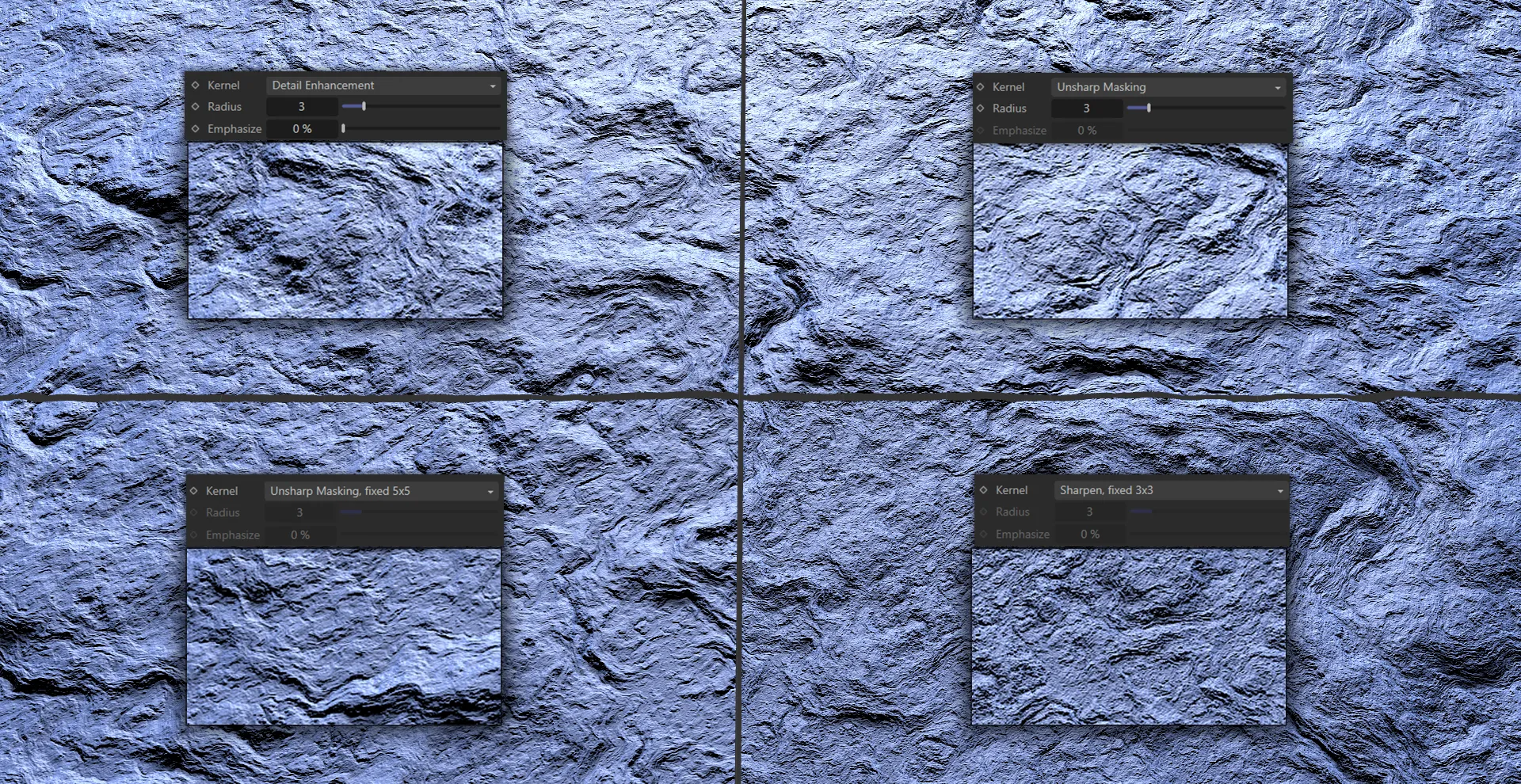
The four option settings of the tfSharpen Kernel parameter: Detail Enhancement, Unsharp Masking, Unsharp Masking, fixed 5x5 and Sharpen, fixed 3x3.
Copyright © 2026 INSYDIUM LTD. All rights reserved.