

tfBlur
tfBlur smoothens a height field using fast, high-quality blur kernels.
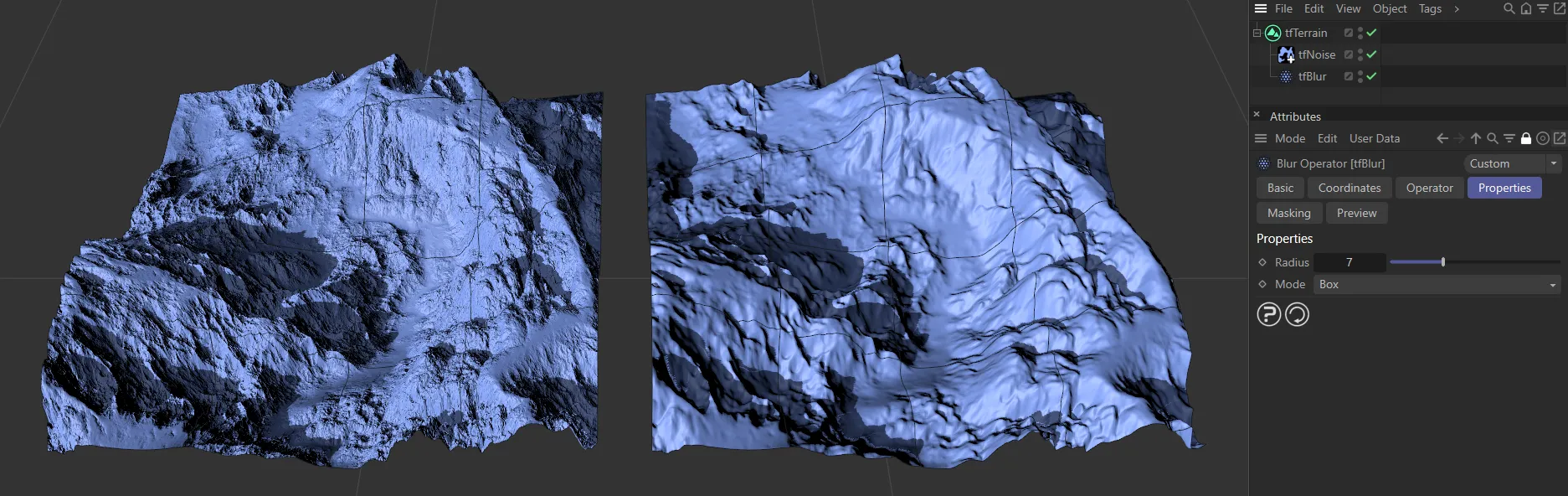
This image shows tfBlur activated on the right-hand terrain.
Properties
Section titled “Properties”Radius
Section titled “Radius”This increases the radius of the strength of the Blur filter, smoothening out transitions in the terrain.
Larger values will take longer to calculate.
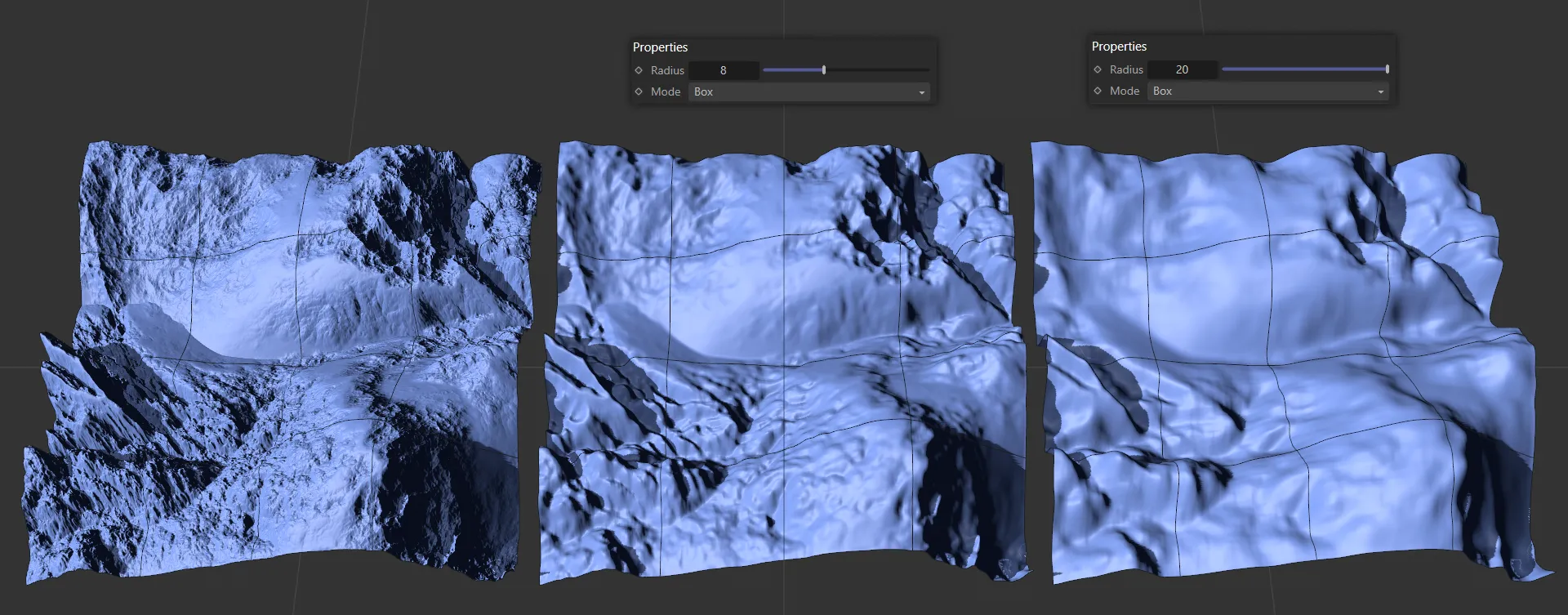
These three terrains have Mode set to Box, with an increasing Radius value, driving an increasing amount of blurring.
There are five different Mode settings of tfBlur: Box (the default), Gauss, Median, Gauss, fixed 3x3 and Gauss, fixed 5x5.
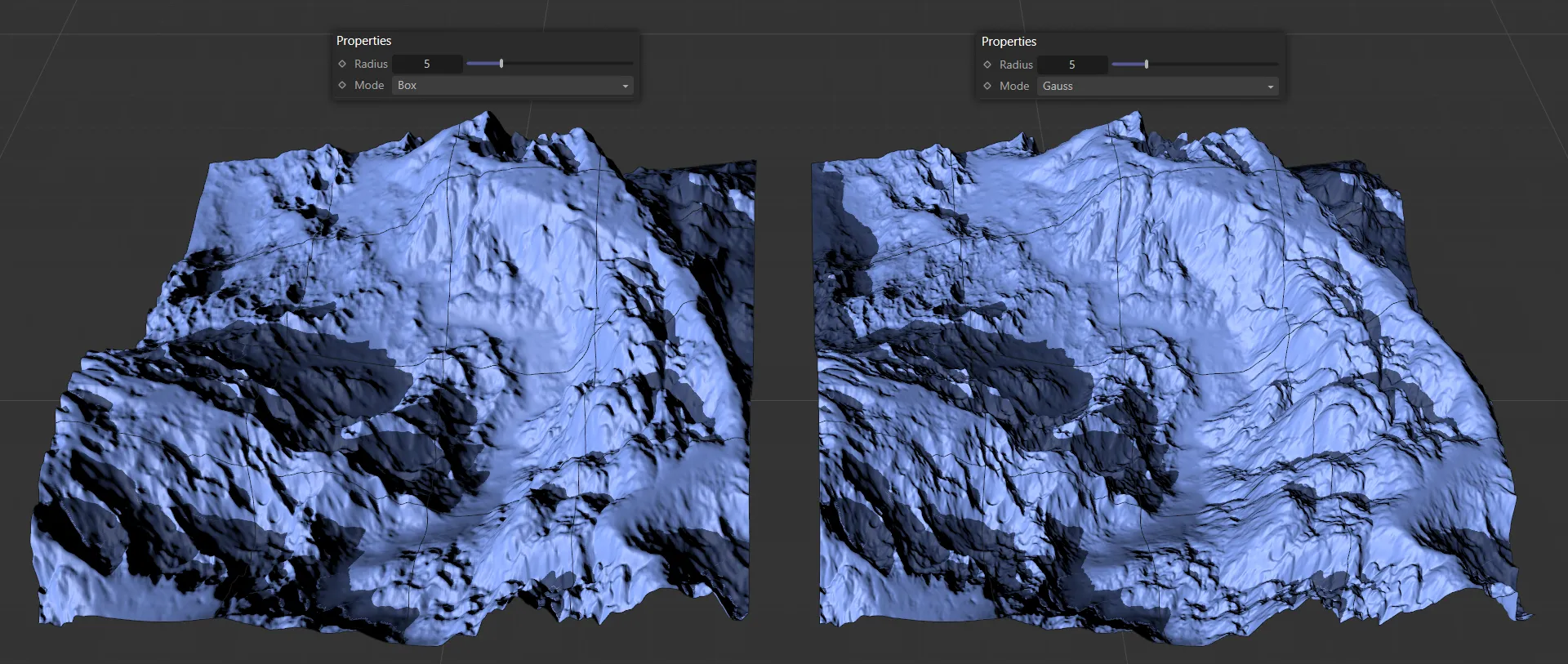
Both terrains in this image have a Radius of 3. The left-hand terrain has a Mode setting of Box, whereas the Gauss setting on the right gives an increase in blur quality, while preserving finer details.
This is the default; the fastest Mode setting.
A slower Mode setting, but Gauss is much better quality and will give smoother results.
Median
Section titled “Median”Smooths off spiky deposits and erratic deformations in the scene.
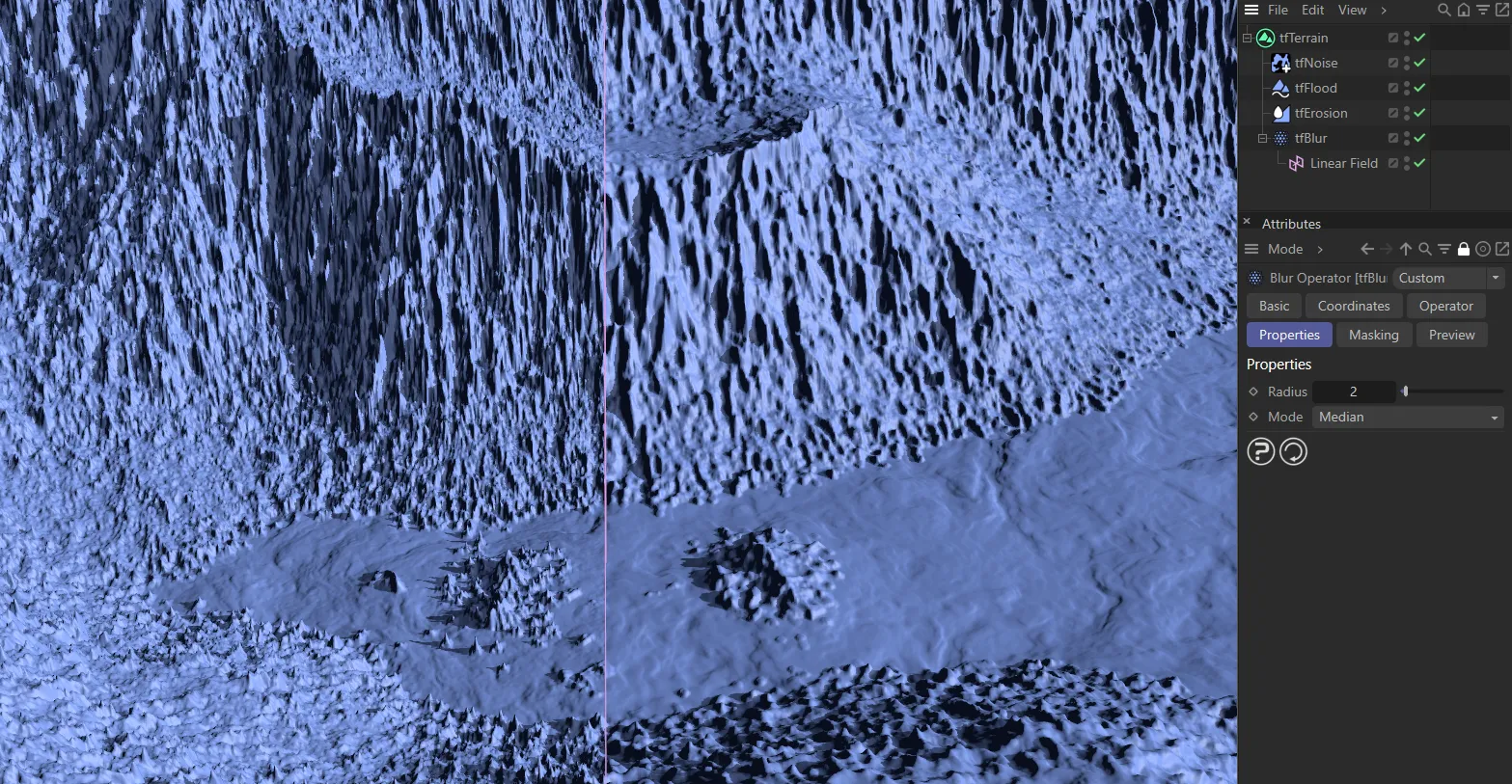
In this image, there are lots of spikey deposits as a result of the tfErosion operator. The tfBlur operator, set to Median, is masked with a Linear field, with the blurred result on the right of the viewport.
Gauss, fixed 3x3, Gauss, fixed 5x5
Section titled “Gauss, fixed 3x3, Gauss, fixed 5x5”Both of these Mode settings are fixed, which means they have no Radius option.
They are both fast and high-quality filters and can be used to smooth small artifacts.
Copyright © 2026 INSYDIUM LTD. All rights reserved.