
xpObjectShader
The xpObjectShader is intended for use with the Generator and Sprite objects.
It enables you to take the color of the generated object and feed it into a shader tree.
Shader Properties
Section titled “Shader Properties”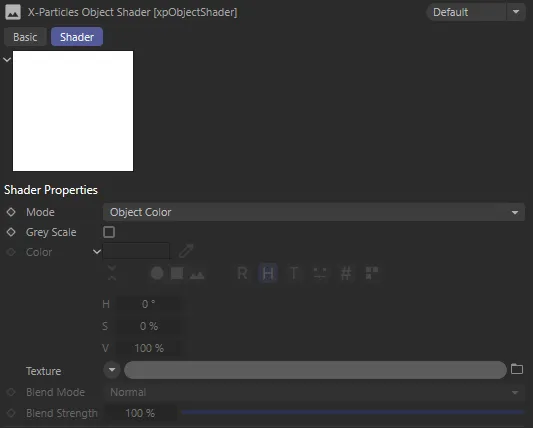
xpObjectShader menu settings.
Set as Object Color, by default, the alternative is Set Color.
Object Color
Section titled “Object Color”With this option, the shader will take the object’s color and return that.
If the object is a Generator or Sprite object, this would normally be the color of the underlying particle used to generate the object.
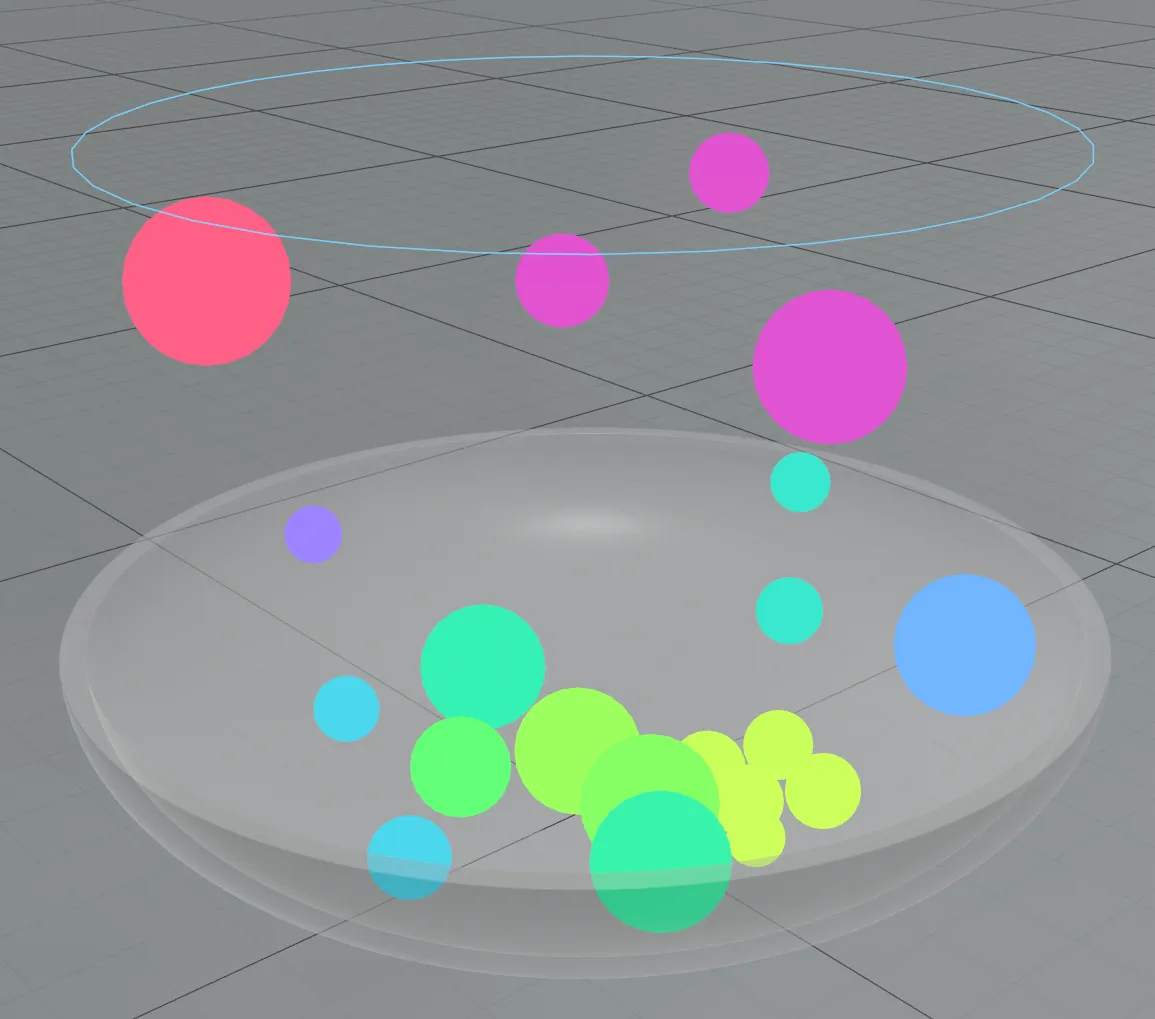
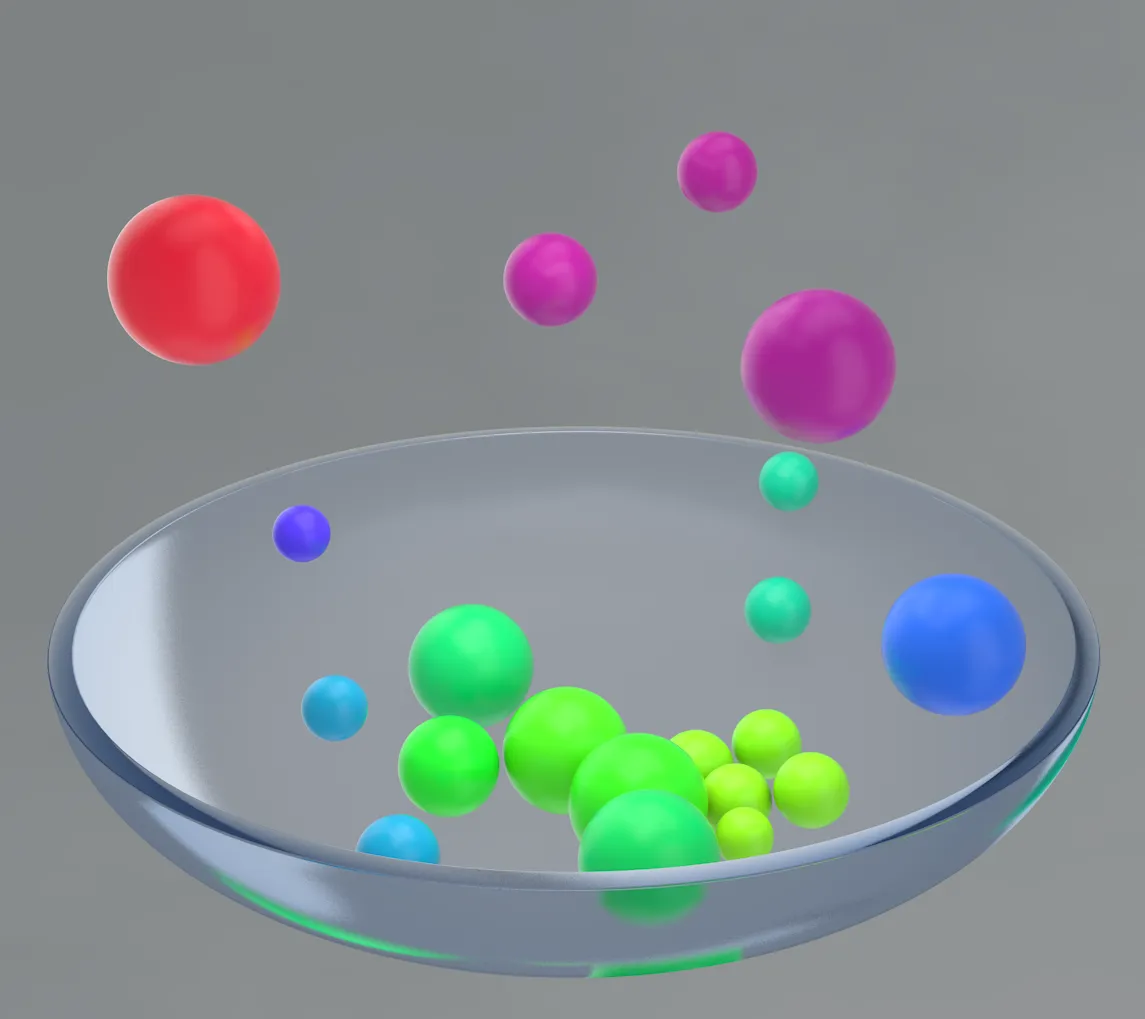
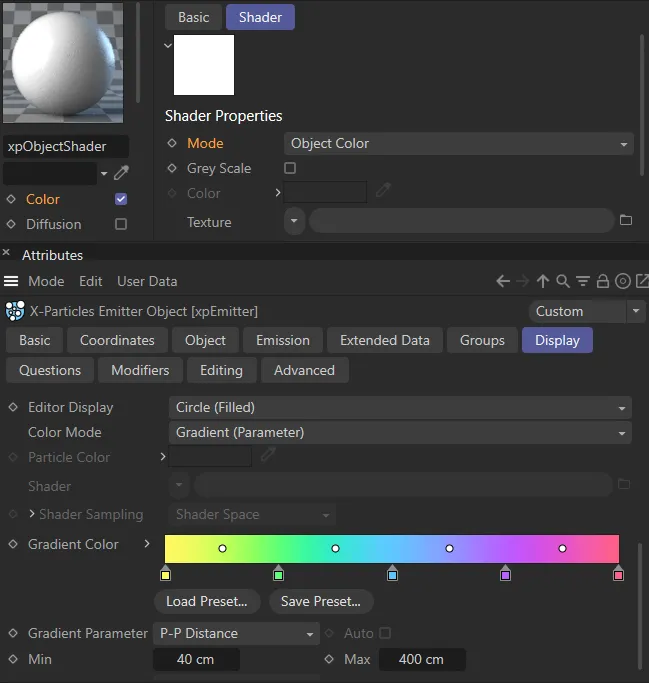
In these images, the render-view (central) shows the xpGenerator generated objects receiving shading from the xpEmitter, which is set up to color the particles with a gradient, based on particle-to-particle distance. The closer the particles are to each other, they are shaded with colors found furthest to the left of the Gradient Color gradient (in the UI, on the right-hand image).
Set Color
Section titled “Set Color”Alternatively, you can specify the color to return, which could be keyframed for example.
Grey Scale
Section titled “Grey Scale”If this box is checked, all colors (including those from the Color field or the Texture link) will be converted into a grey scale color ranging from black to white.
For example, you can then use this in the alpha channel of a material.
Only available if Mode is set to Set Color.
It is then the color that the shader will return, rather than the object’s color.
Texture
Section titled “Texture”You can add any shader or bitmap to this link.
The object color (or the color from the Color field) will then be blended with the texture color using the settings in the Blend Mode and Blend Strength parameters.
Blend Mode
Section titled “Blend Mode”Only available if there is a shader or bitmap in the Texture field.
It is a drop-down menu with four options; these are the standard four Mix Mode options that are found in Cinema 4D materials (Normal, Add, Subtract, and Multiply) and work in exactly the same way.
Blend Strength
Section titled “Blend Strength”Only available if there is a shader or bitmap in the Texture field.
This is the same as the Mix Strength parameter found in Cinema 4D materials and works in identical fashion.
Copyright © 2026 INSYDIUM LTD. All rights reserved.