
xpOpenVDBImporter
The xpOpenVDBImporter enables the use and animation of open VDB files and file sequences in Cinema 4D.
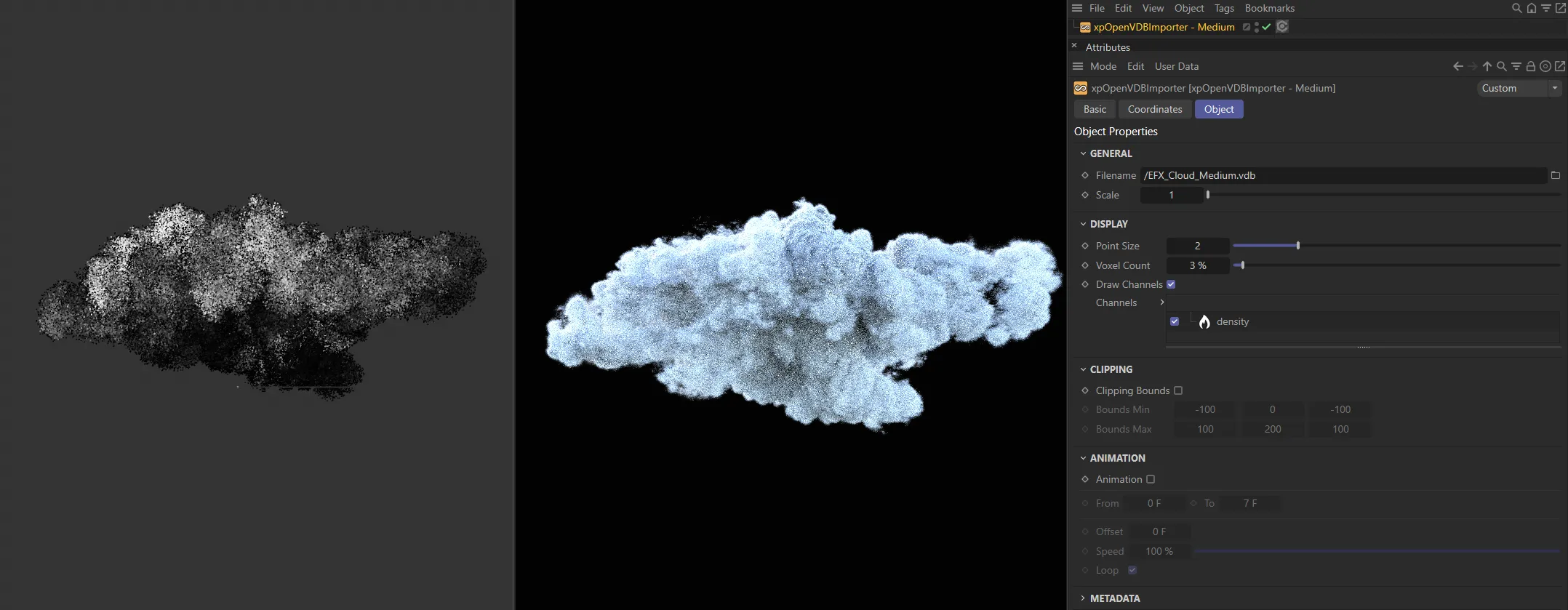
This image shows the Viewport (left) and Cycles 4D (center), with the xpOpenVDBIMporter settings on the right.
Object Properties
Section titled “Object Properties”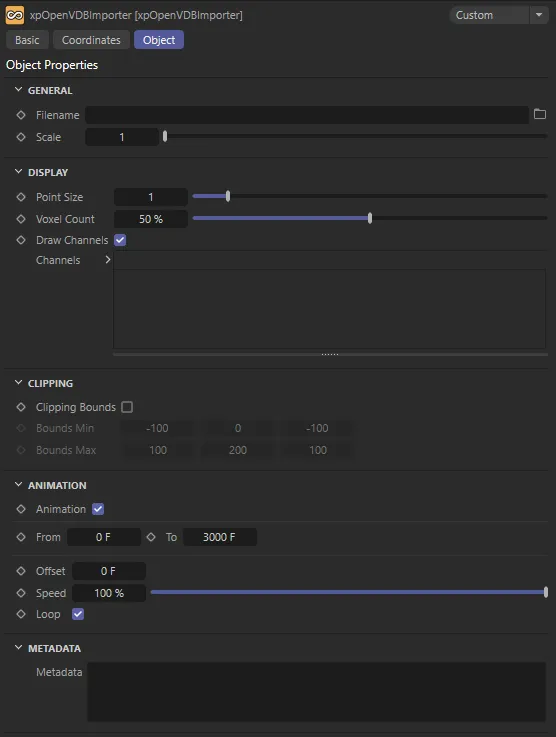
xpOpenVDBImporter menu settings.
Filename
Section titled “Filename”Select the VDB filename in this field.
Scale of the VDB volume.
Display
Section titled “Display”These settings allow you to customize viewport performance.
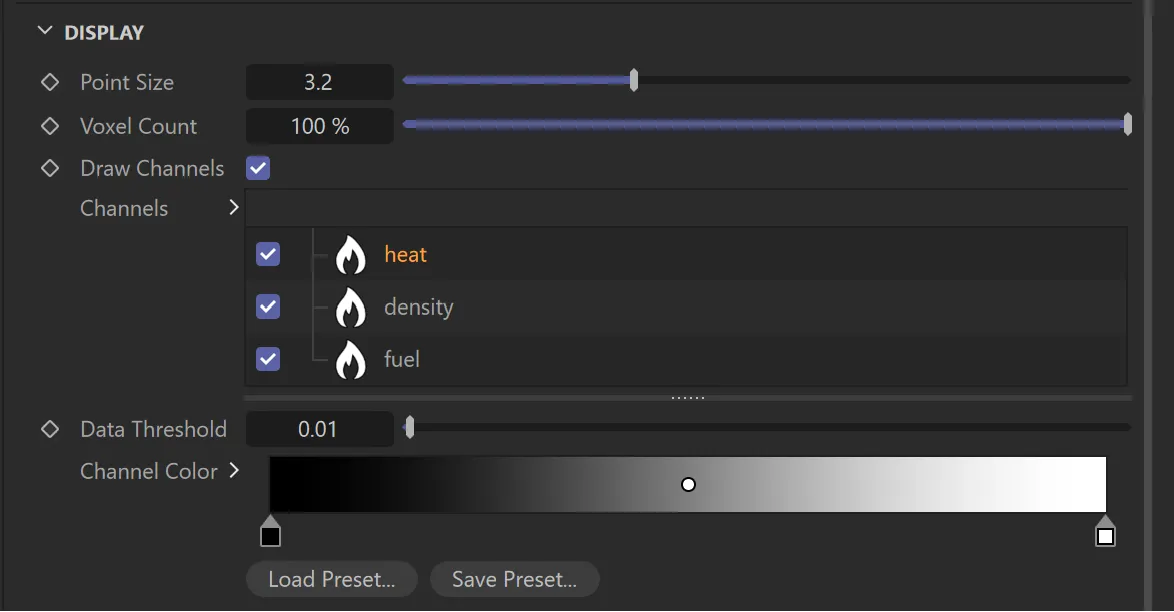
xpOpenVDBImporter, Display settings.
Point Size
Section titled “Point Size”Size of each point drawn in the viewport.
Voxel Count
Section titled “Voxel Count”Percentage of voxels drawn in the viewport.
Draw Channels
Section titled “Draw Channels”When enabled, all imported channels will be drawn.
Channels
Section titled “Channels”The channels that are exported from the simulation data.
Each channel is dynamic; when selected, the data threshold and color gradients will be shown.
Data Threshold
Section titled “Data Threshold”Defines how much of the voxel data is drawn for for the selected channel.
Channel Color
Section titled “Channel Color”Sets the color of the channels.
Clipping
Section titled “Clipping”Clipping Bounds
Section titled “Clipping Bounds”When enabled, this will add a clipping mask, in the form of a 3D box, around the VDB data.
Any data outside of the bounds will be removed.
Bounds Min, Bounds Max
Section titled “Bounds Min, Bounds Max”Settings for the size of the boundary box
Animation
Section titled “Animation”Animation
Section titled “Animation”Enabling this, means the imported animation data will play when you play the timeline.
From, To
Section titled “From, To”Lets you set when the data starts and ends.
The default is the complete data set.
Offset
Section titled “Offset”This allows you to offset the animation.
Speed up or slow down the animation with this setting.
Enabled, by default, this will loop your animation once it reaches the end.
Metadata
Section titled “Metadata”Metadata
Section titled “Metadata”Shows exactly what grid data has been imported
Copyright © 2026 INSYDIUM LTD. All rights reserved.