
xpDeformer
The xpDeformer links each vertex of an object to a particle.
When the particles move, the vertices move with them, deforming the object.
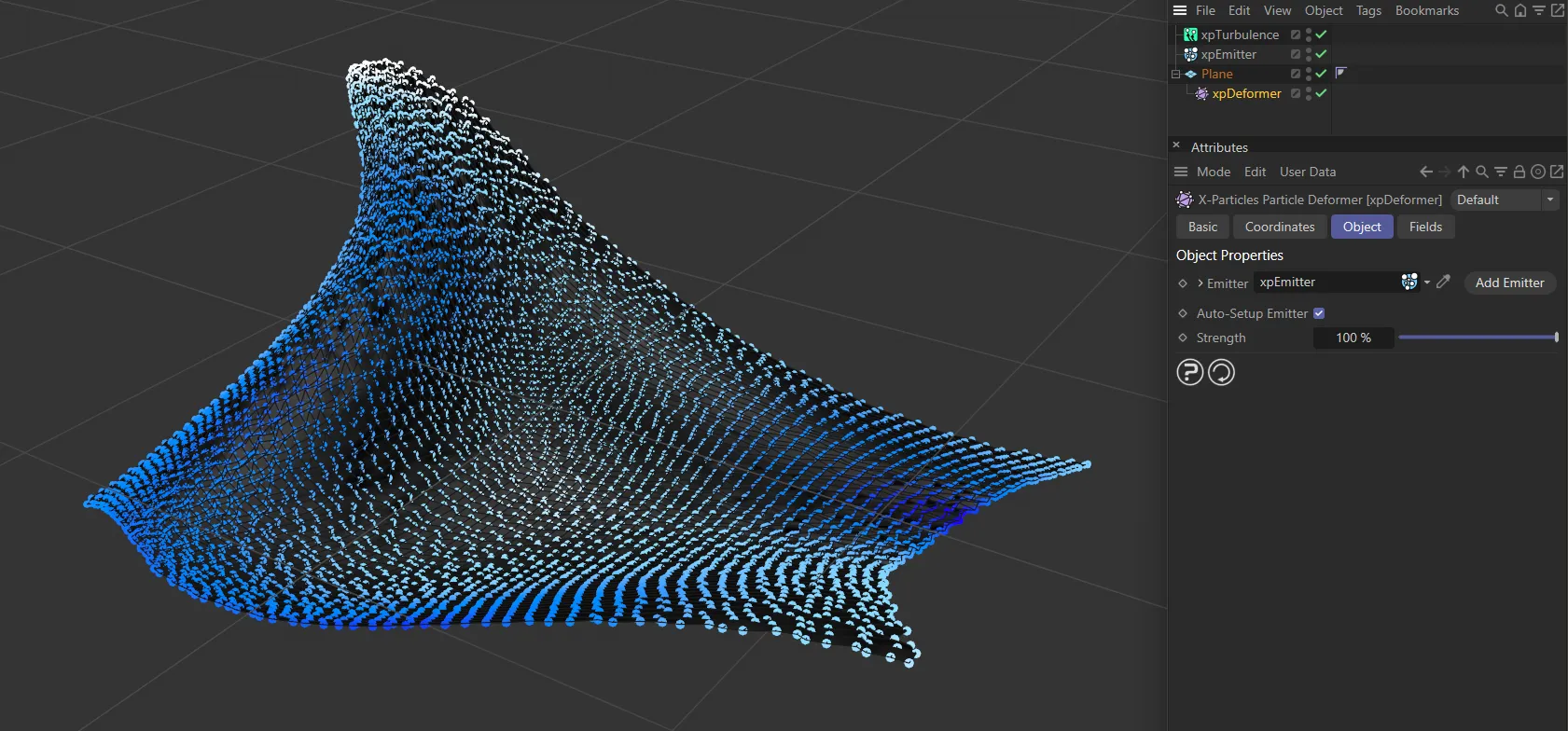
In this image, an xpDeformer has been made the ‘child’ of a Plane and the particles, with their velocity dictated by the xpTurbulence modifier, are deforming the parametric Plane object as they move throughout the animation.
As with any other deformer, the xpDeformer must be a child of the object to be deformed, then an emitter must be present in the Emitter link field.
Once you have done that, there are a number of steps to set up in the xpEmitter.
You must:
Set the Emitter Shape, preferably to Object, and drag the source object into the emitter’s Object field; ideally this should be the object to be deformed, but it doesn’t have to be.
Set Emit From to Points, to generate particles from the object’s vertices.
Check the setting, One Particle Per Source Element, in the xpEmitter - this guarantees that one, and only one, particle will be emitted from each vertex in the object each frame.
In the Emission tab, turn off Emit all Frames and set the emitter to emit particles in just one frame.
You don’t have to do this - it won’t affect the deformer - but if you don’t you will generate far more particles than you actually need, which may slow down playback.
Now, set any other emitter parameters, such as Speed, Initial Direction, and so on.
Remember that Birthrate value is ignored if you turned on Emit One Particle Per Point.
One other thing you can do is add a vertex map to the object to be deformed, then drag it into the Selection field, in the emitter’s Object tab.
The deformer will use the vertex weights in the map to determine the strength to apply to the deformation for each point.
Setup is now complete and you can play the animation.
The effect will depend on particle speed, direction, the effect of modifiers, etc.
There can be quite a lot of steps to go through so you can avoid most of them by leaving the parameter, Auto-Setup Emitter turned on.
If this is on, most of the steps above are carried out for you when you drag an emitter into the Emitter link field.
Object Properties
Section titled “Object Properties”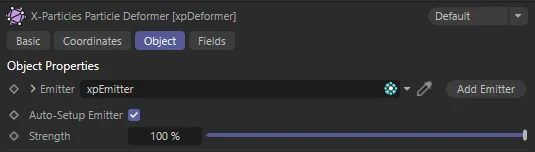
xpDeformer menu settings.
Emitter
Section titled “Emitter”The vertices of the object will be linked to particles generated by the emitter in this link field.
The particles themselves can, in theory, be emitted from any emitter type, however, the best results are obtained if they are emitted from the object which is going to be deformed.
Add Emitter
Section titled “Add Emitter”Click this button to create an emitter and add it to the Emitter field.
Auto-Setup Emitter
Section titled “Auto-Setup Emitter”If this box is checked, which it is by default, then, when an emitter is dragged into the Emitter link field, it will automatically be set up to work with the deformer.
Strength
Section titled “Strength”The strength of the deformation is given in this parameter.
A strength of 0 (zero) % will result in no deformation.
The maximum is 100%, which is full deformation.
Copyright © 2026 INSYDIUM LTD. All rights reserved.