
xpSplash
xpSplash is used along with a fluid solver, such as xpFluidFX or xpFluidPBD, to produce splash effects.
Adjusting the various radius values and handles enables the precise art-direction of splash effects.
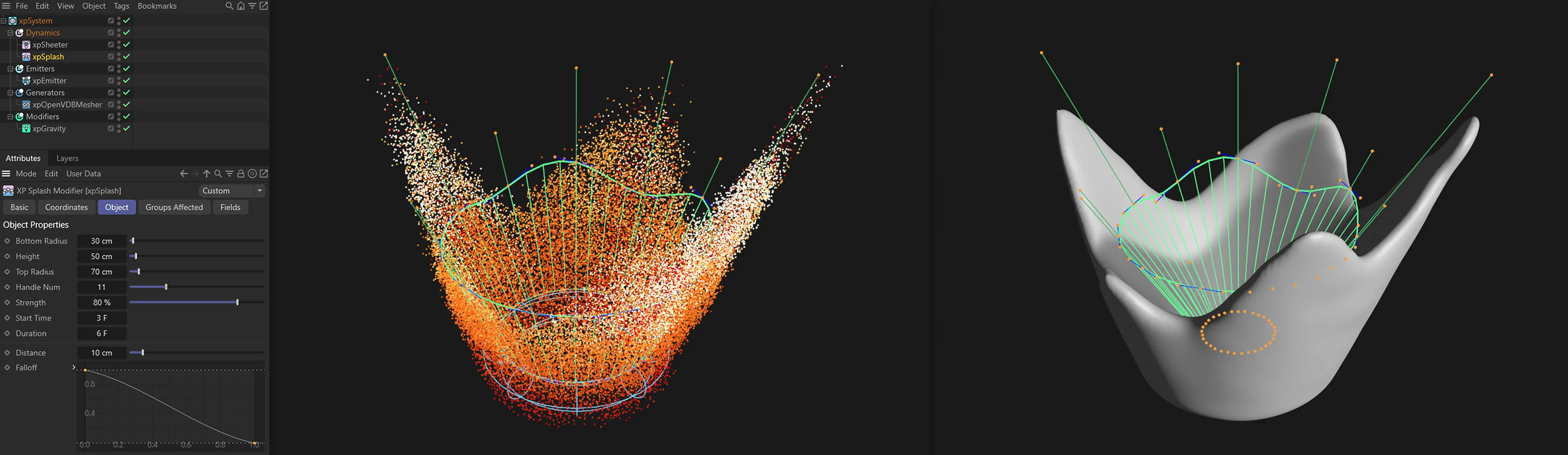
From the settings displayed above, xpSplash produces the particle sim, on the left. xpOpenVDBMesher has then been used to give the results shown on the right.
The desired splash can be adjusted by clicking and dragging the yellow handles.
The result significantly alters the resulting simulation.
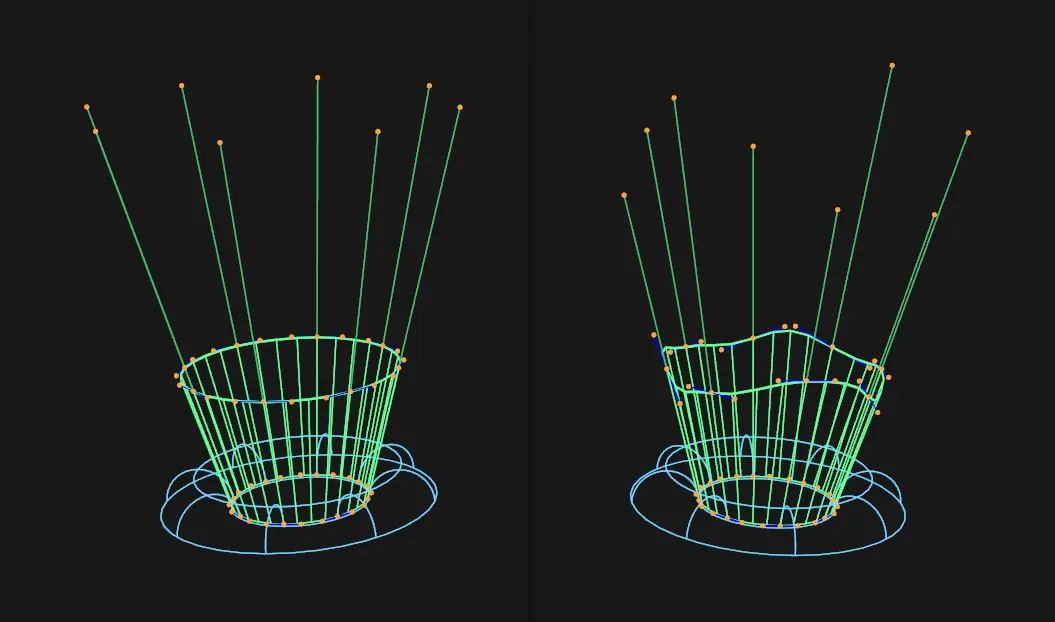
On the left, there are the default handle settings while, on the right, user-adjusted handles craft the crown shape.
This animation shows the resulting splash simulation from the two settings, with the adjusted handles on the right.
Object Properties
Section titled “Object Properties”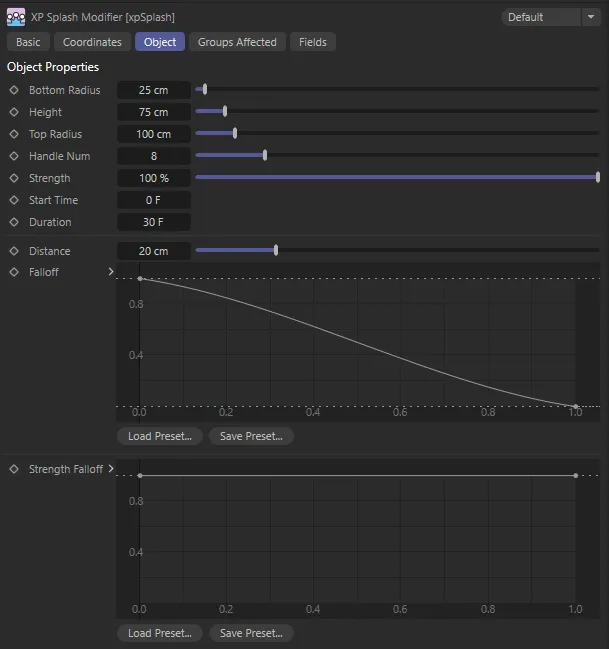
xpSplash Object tab menu settings.
Bottom Radius
Section titled “Bottom Radius”The radius of the bottom circle in the object.
Particles to be included in the splash will be those within the distance given in the Distance parameter from this circle, so the bottom circle should be within the Distance value of the particles or nothing will happen.
The Bottom Radius parameter is demonstrated here, with a value of 25cm on the left, raised to 70cm on the right.
Height
Section titled “Height”The height of the xpSplash object.
The taller the object, the higher the splash.
In this animation, the Height setting of 50cm, on the left, is contrasted with 100cm, on the right.
Top Radius
Section titled “Top Radius”The radius of the top circle.
This and the bottom circle radius together determine the angle at which the particles will move from the fluid surface.
On the left, the Top Radius is 50cm. It has been widened to 120cm on the right, with very different results.
Handle Num
Section titled “Handle Num”The number of handles.
The force to move particles is directed along these handles.
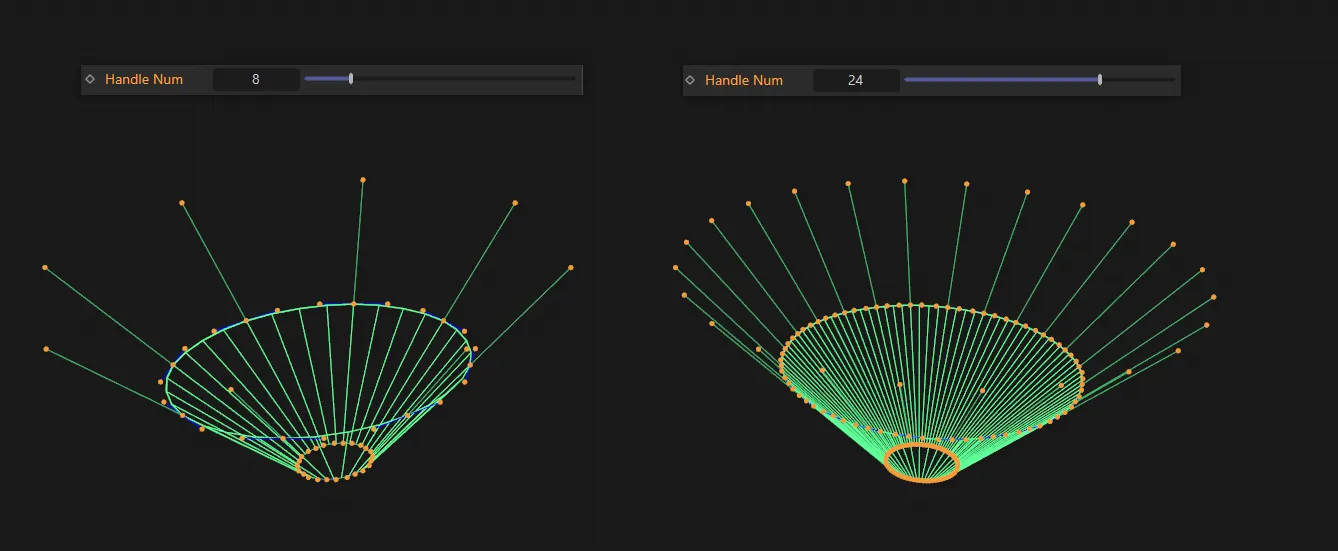
The Handle Num parameter is demonstrated here, with 8 handles on the left, increased to 24 handles on the right.
Strength
Section titled “Strength”The strength of the effect.
Values higher than 100% are possible.
There are contrasting Strength settings, in this animation. Strength is set at 60% (left-hand) and then raised to 150% (right-hand).
Start Time
Section titled “Start Time”This is the time at which the splash commences.
You can set this so that the splash starts when an object falls into the fluid, for example.
Duration
Section titled “Duration”The duration of the splash.
Distance
Section titled “Distance”This value determines how far from the bottom circle particles will be included in the splash.
Increasing this value can increase the number of particles in the splash.
Falloff
Section titled “Falloff”This is a falloff curve for the splash distance for all particles in the fluid simulation.
If the right-hand point of the spline is greater than zero on the Y-axis, you will start to see effects on particles outside the Distance setting, which would otherwise not be affected.
Strength Falloff
Section titled “Strength Falloff”This is a falloff curve for the strength of the effect.
Groups Affected tab
Section titled “Groups Affected tab”Groups
Section titled “Groups”To specify the group, drag and drop the desired Group object into this field.
This setting is useful if you want to ensure that the spawned particles are, or are not, affected by xpSplash.
Fields tab
Section titled “Fields tab”You can use the Fields options to control where xpSplash operates.
Copyright © 2026 INSYDIUM LTD. All rights reserved.