
Surface Tension
Surface tension happens when water comes into contact with the air.
The water particles are drawn together and the resulting fluid surface acts like a thin elastic sheet.
This is why water droplets bead and this is also what allows insects to balance on its surface.
The Surface Tension constraints layer simulates this phenomenon and is particularly useful when used in conjunction with an xpFluidPBD dynamic modifier.
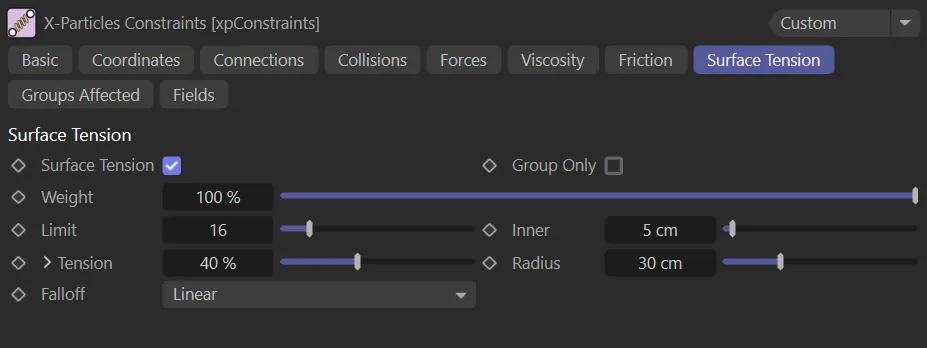
The Surface Tension tab menu.
Surface Tension
Section titled “Surface Tension”Check this box to enable surface tension.
Surface tension is similar to the attraction force in the Forces tab.
It is an attractive force between the particles, except it only happens at the ‘surface’.
This is an SPH surface, so it is determined by a radius around each particle that contributes to an overall surface.
This is best used with another constraint (Forces or Collision) to keep the particles apart and create an inner force to give volume.
Group Only
Section titled “Group Only”If enabled, connections will only be made between particles in the same group.
Weight
Section titled “Weight”This setting alters the influence each constraint type provides to the overall solution.
How many surrounding particles are included in the solution.
This doesn’t need to be very high.
If it is too high you will need lots more iterations/subframes.
Animation showing a decrease and then an increase in the Limit amount to demonstrate the effect.
As with the attraction force, this is the closest distance the force is allowed to prevent collapse.
Tension
Section titled “Tension”The strength of surface tension is given in this setting.
The Tension setting can be expanded by clicking the down arrow to show a control spline and additional settings.
This spline acts to control surface tension in exactly the same way as the Stiffness parameter in the Connections tab.
Radius
Section titled “Radius”This is the surface and force radius; increasing this creates bigger blobs of particles.
In this animation the Radius value is raised from 0 (zero) to 30cm.
Falloff
Section titled “Falloff”Set at Linear, by default, this controls the falloff of the surface tension effect over the Radius distance.
The alternative settings are: Flat, Quadratic and Cubic.
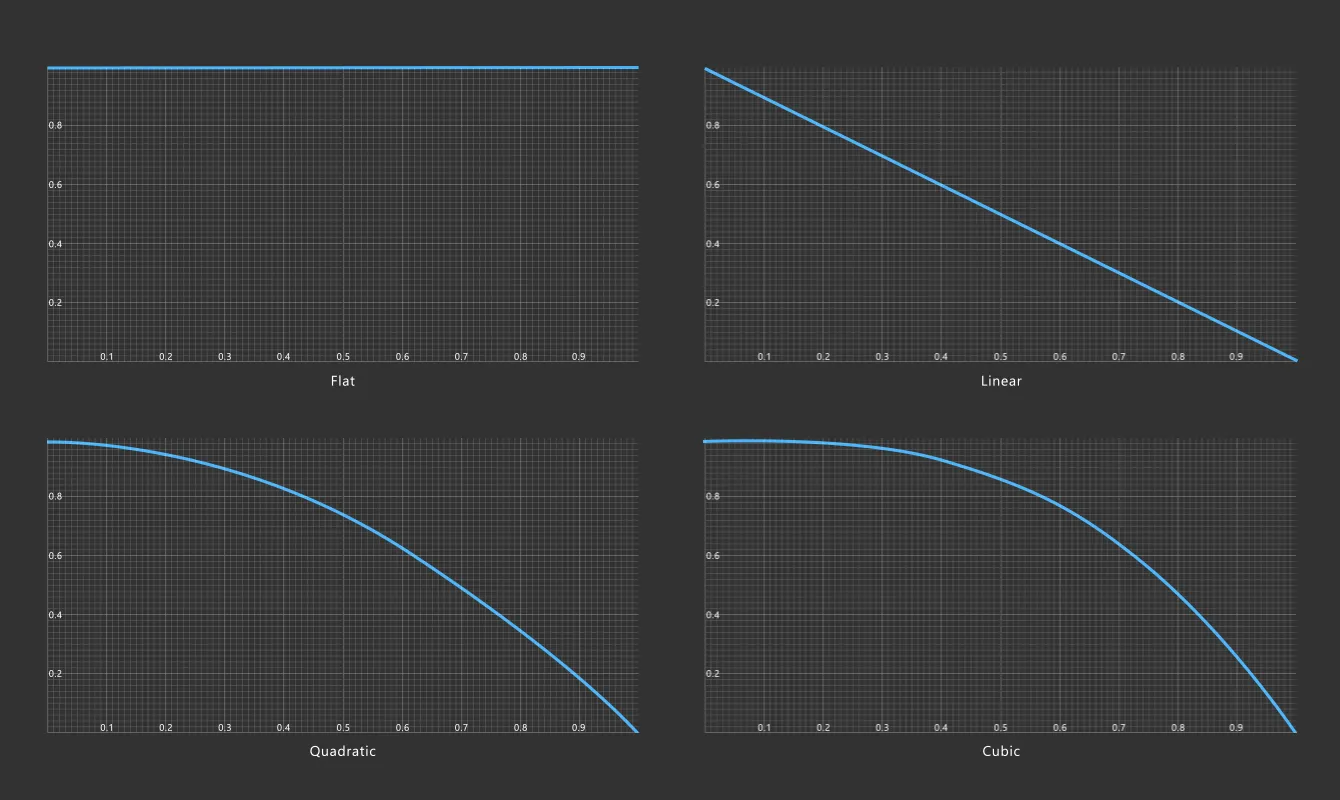
Graphical representation of the four friction Falloff types: Flat, Linear, Quadratic and Cubic.
Copyright © 2026 INSYDIUM LTD. All rights reserved.