
Connections Distance
These connections are calculated dynamically, throughout the scene.
If two particles come within the Radius setting, at any time, a connection will be made.
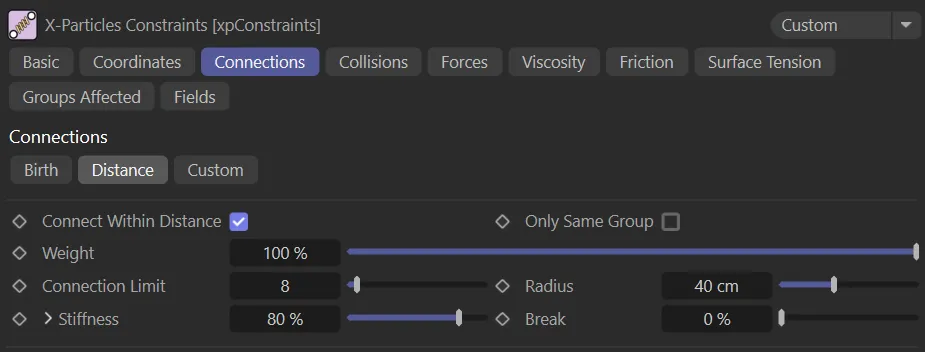
Distance tab menu.
Connect Within Distance
Section titled “Connect Within Distance”If this is enabled, connections will be made between particles within the distance specified in the Radius setting.
This animation demonstrates the effect of enabling the Connect Within Distance parameter, with particles connecting when they are within the 12cm Radius value.
Only Same Group
Section titled “Only Same Group”Connections will only be made between particles in the same group.
Weight
Section titled “Weight”As with the Birth tab, this setting alters the influence each constraint type provides to the overall solution.
Connection Limit
Section titled “Connection Limit”This is a limit on the number of connections each particle can make.
Keep this as low as possible, as too many connections can dramatically slowdown playback in the scene.
Radius
Section titled “Radius”The distance between particles must be less than this value for a connection to be made.
Stiffness
Section titled “Stiffness”This parameter is a measure of how rigid the connection is.
These settings can be expanded by clicking the down arrow, to give additional options, which are explained in the Birth tab page.
In this animation, a Stiffness setting of 0.15% is driving the connection strength.
This is a measure of how much the connection can stretch before it breaks.
0 (zero) % means that the connection will never break.
50% means that it will break when it has stretched by 50% of its original length.
Animation to demonstrate the effect of a Break value of 150%.
Copyright © 2026 INSYDIUM LTD. All rights reserved.