
Connections Custom
These settings work in a similar way to the Distance mode, but with added features to control the compression and expansion of the springs.
In addition, you are able to make the spring plastic.
This means if it stretches or contracts past a certain point, it is no longer able to spring back to its original length.
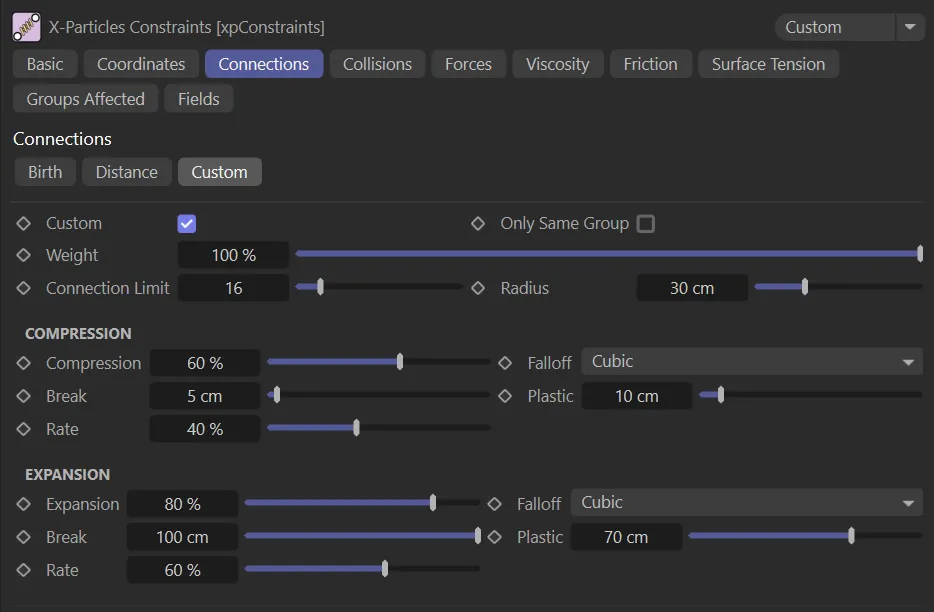
Custom tab menu.
Custom
Section titled “Custom”With this enabled, you can set the parameters manually to connect and disconnect particles dynamically.
Only Same Group
Section titled “Only Same Group”Connections will only be made between particles in the same group.
Weight
Section titled “Weight”This setting alters the influence each constraint type provides to the overall solution.
Connection Limit
Section titled “Connection Limit”This is a limit on the number of connections each particle can make.
Radius
Section titled “Radius”The distance between particles must be less than this value for a connection to be made.
Compression
Section titled “Compression”This setting relates to the stiffness, when the link (the spring) is compressed.
This animation contrasts a Compression setting of 3%, on the left, with 98%, on the right.
Falloff
Section titled “Falloff”Set to Cubic, by default, this controls how the stiffness falls off over the Radius value.
The alternatives are: Flat, Linear and Quadratic.
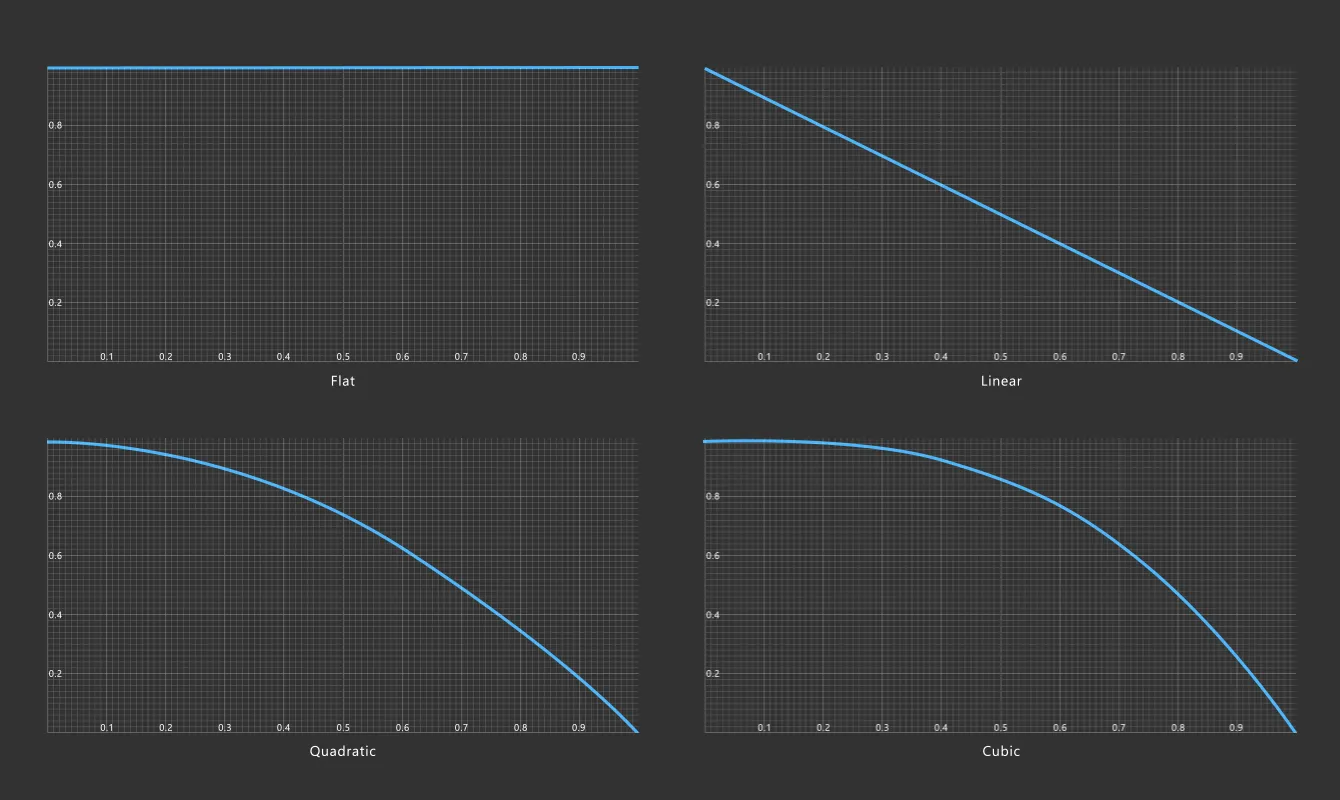
Graphical representations of the four Falloff settings of Flat, Linear, Quadratic and Cubic.
An absolute distance, this represents the distance below which the connection will break.
Animation contrasting the Break settings of 0 (zero) cm, on the left, allowing no breaking, and 17cm, on the right, where the constraints will break as soon as their length is compressed to be lower than this 17cm setting.
Plastic
Section titled “Plastic”Below this distance, mentioned above, the connection becomes ‘plastic’, it will no longer try to spring back to its original length; it has been deformed too much.
In this animation, the Plastic parameter is demonstrated. The setting is 14cm on the left, bending, not breaking the constraints. The increase to 40cm on the right, makes the connection even stronger and less pliable.
The rate at which the link becomes plastic (fixes to the new distance between the particles as they move in the scene).
Expansion
Section titled “Expansion”The stiffness of the link can be altered here, if the distance between the connected particles is greater than its connection distance (how far apart they were when linked).
Falloff/Break/Plastic/Rate
Section titled “Falloff/Break/Plastic/Rate”As above.
Copyright © 2026 INSYDIUM LTD. All rights reserved.