
Intro to Taiao

Taiao is a nature and ecosystem simulation toolkit for Cinema 4D. It provides a suite of procedural generators for creating botanically accurate trees, plants, grass, flowers and leaves, each with full parameter control, field-driven scattering and wind dynamics.
toPlant
Section titled “toPlant”Use toPlant to design and build highly-detailed hero plants, from tiny flowers to towering trees. You can also convert hero plants to create low-poly background elements. Trunks, branches, leaves and custom objects like toFlowers are layered in a procedural hierarchy, which is easy to build and manage. Plant layer attributes can be keyframed, with specific controls for animating growth effects. You can generate X-Particles to simulate falling leaves and, using the Forces parameters, create realistic wind motion. If you don’t have the time to model your own plants, you can access a library of real-world plant types via the Preset Browser.
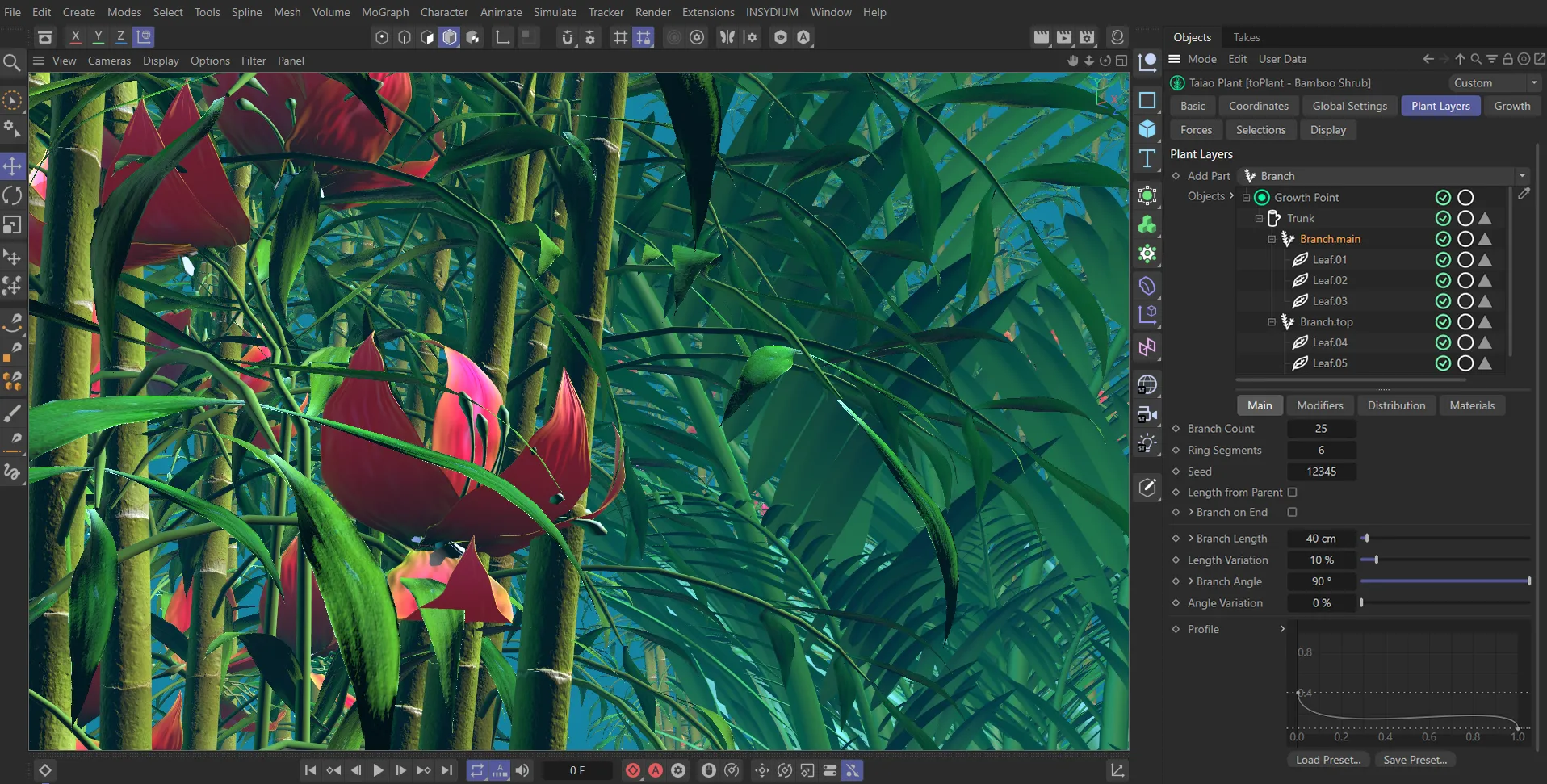
Custom plants, trees and flowers have been built in this scene using toPlant’s procedural layering system.
toTree
Section titled “toTree”toTree is the ideal choice for stylized motion graphics shots. It uses a simulation algorithm to generate points within a scene object of your choice. These points attract branches, which compete for the viable space, without intersecting. This can be used to create trees from text, logos and even characters. There are animation controls for growth, particle and wind effects.
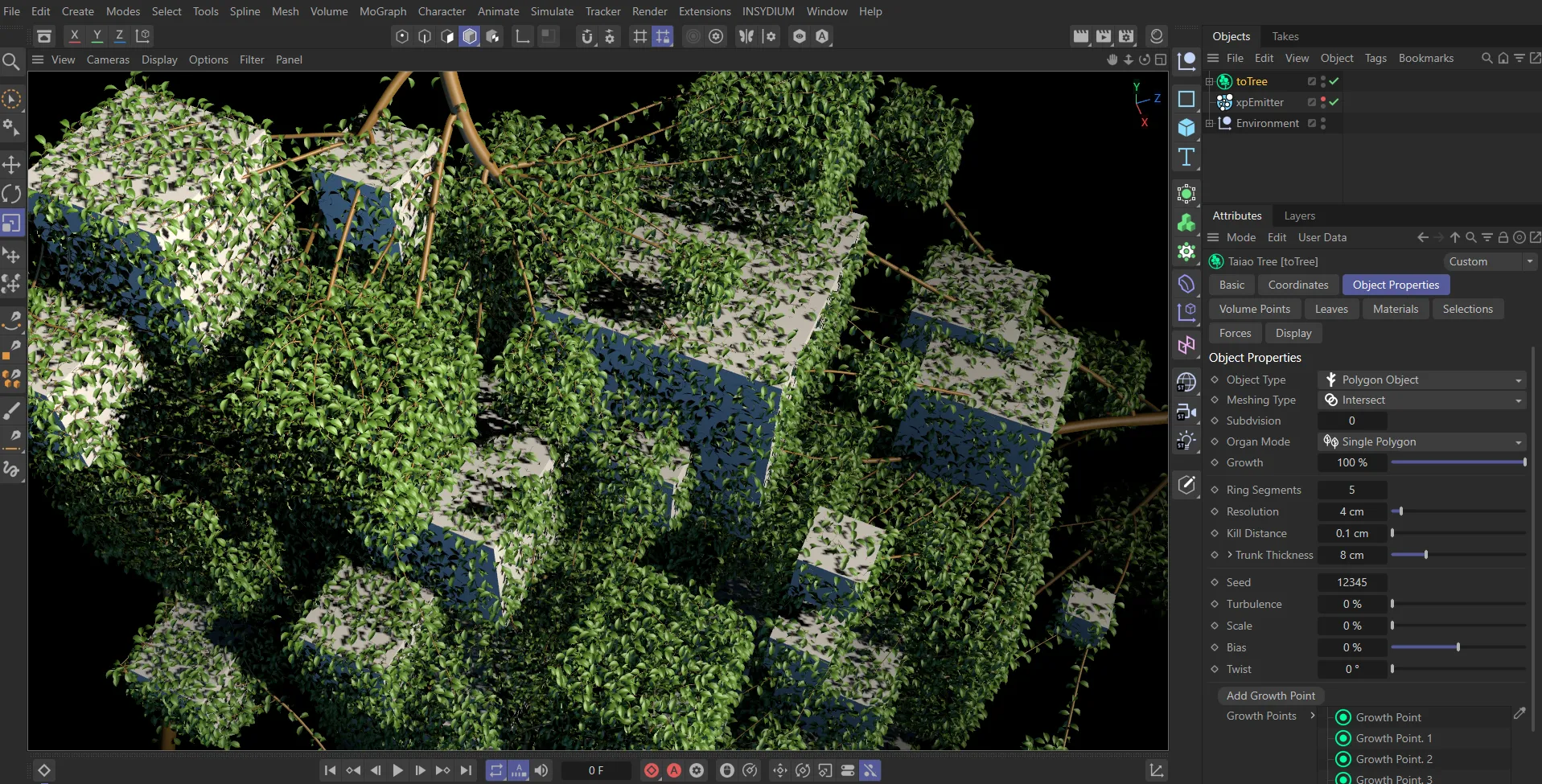
Scene geometry is being used in conjunction with growth points and an xpEmitter to create trees and control the branching.
toGrass
Section titled “toGrass”Use toGrass to design custom grass geometry and scatter it on any scene object. Scattering can be driven by textures, shaders and even the object’s height and slope values. It’s not only custom grass layers that can be generated; toGrass can be used to scatter any scene object, with the choice of generating Multi-Instances for improved performance. Set up Avoid Objects to cull or repel grass growth and optimize scenes using the Field of View controls.
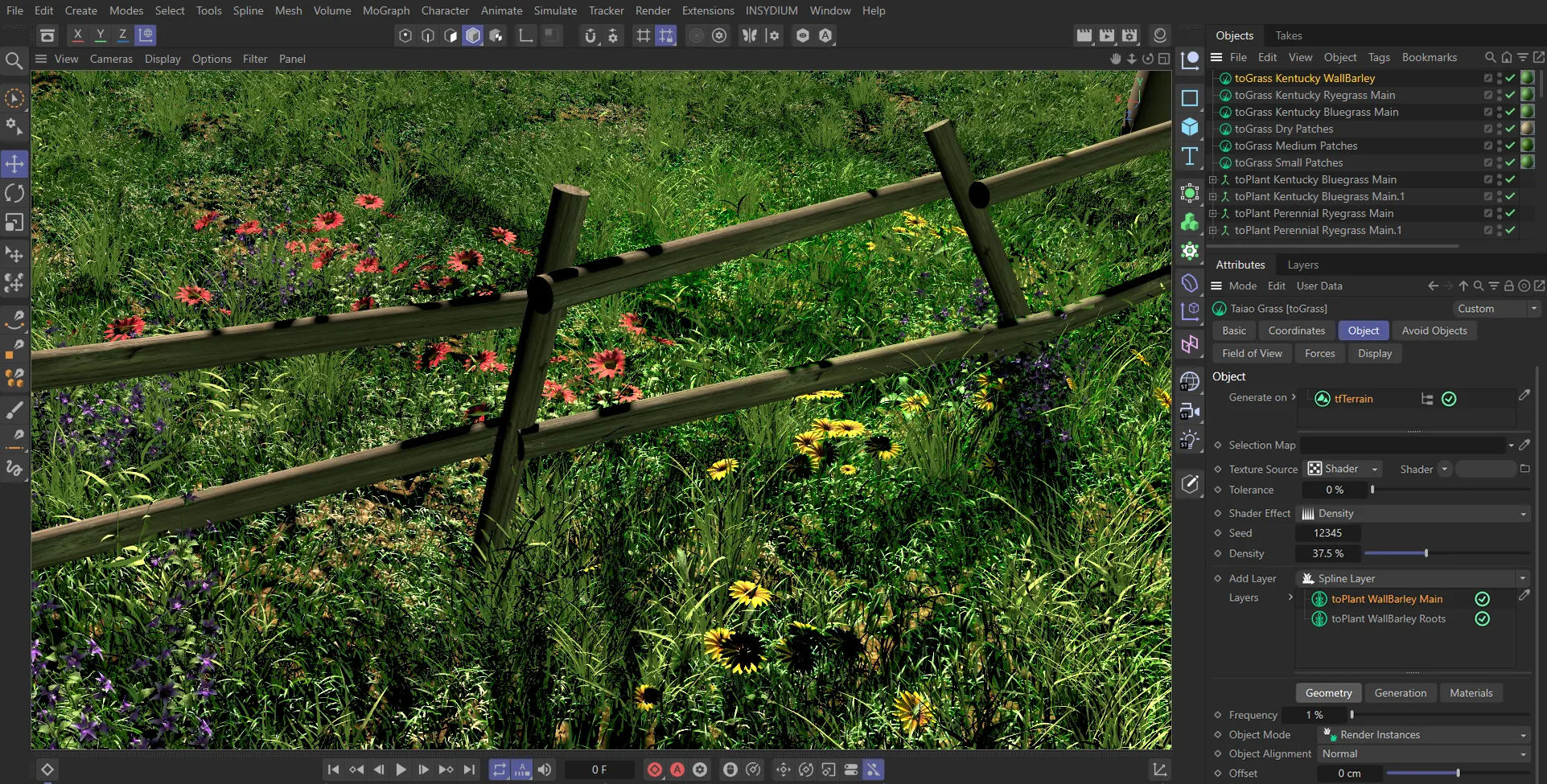
Grass and plant layers are scattered to create wide grass fields; wind turbulence forces and avoid objects are added to make the scene more organic.
toLeaf
Section titled “toLeaf”Design and animate intricate custom leaves, with options for Standard and Lobed leaf layouts and modelled vein structures. Stack modifiers, such as Fold, Furling and Turbulence, together with Edge Noise to create intricate, bespoke assets. Use in conjunction with toPlant to recreate any real-world plant or tree.
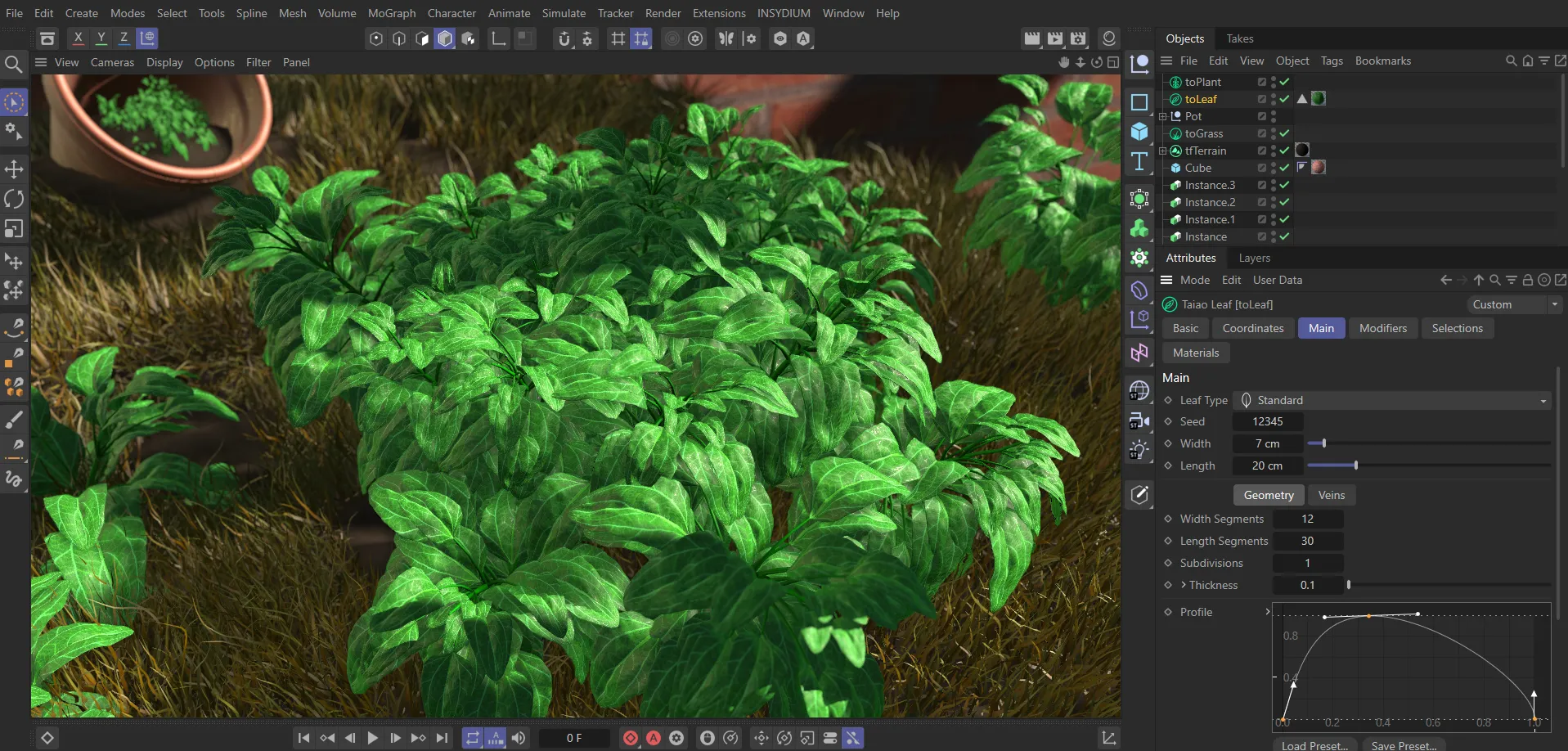
Realistically modelled toLeaf assets are used within this toPlant object to generate a physically accurate plant.
toFlower
Section titled “toFlower”Generate custom flowers by layering up procedurally-generated plant parts, like petals, pistils and stamen. Per-layer modifier stacks enable the fine tuning of effects, like fold, furling and turbulence. Use custom objects within flower structures for truly bespoke flower effects. Use within toPlant to generate fully customizable flowering plants.
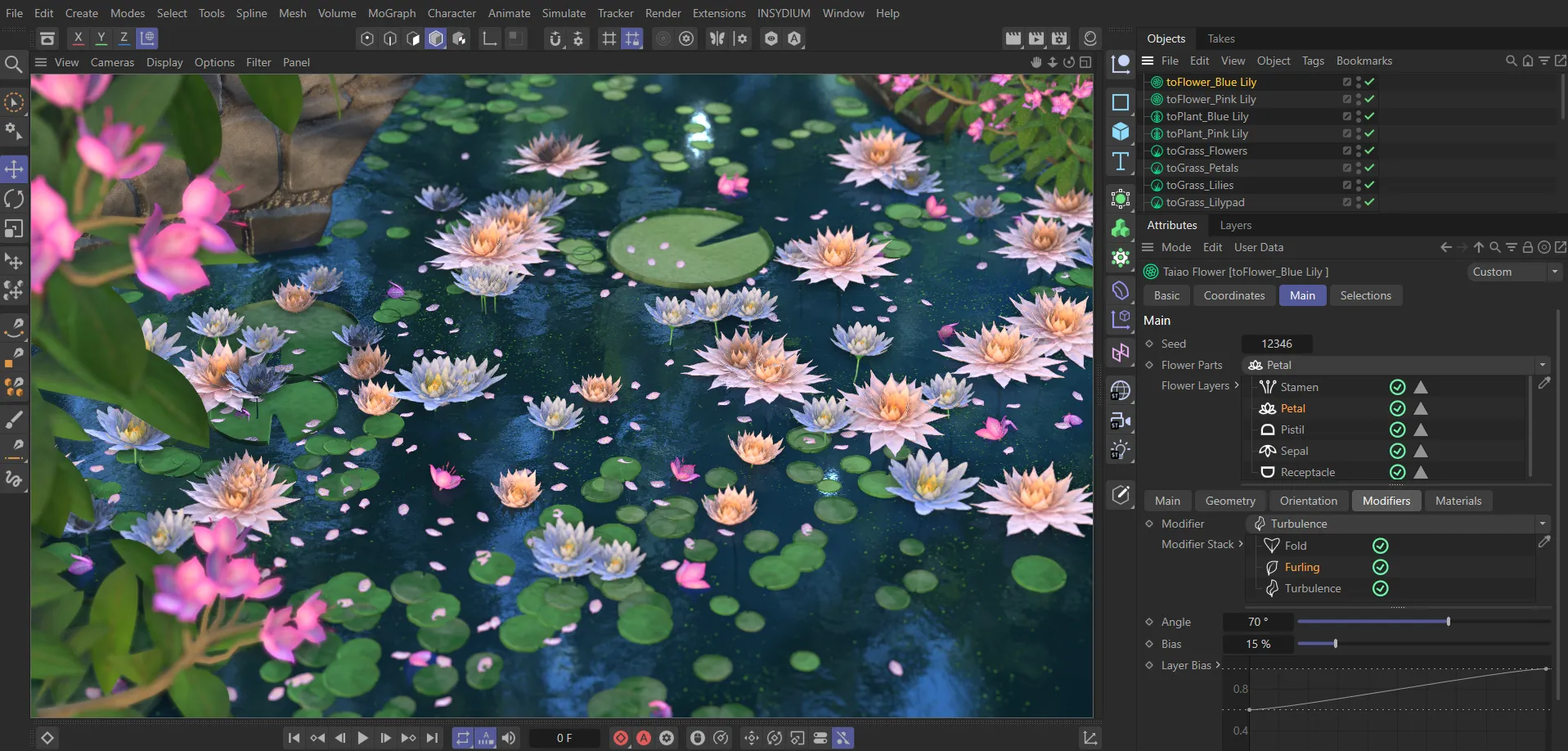
The blue and pink lilies here have been created in toFlower, with Fold, Furling and Turbulence modifier settings, then used within toPlant as Custom Object layers.
In this documentation
Section titled “In this documentation”| Section | Description |
|---|---|
| Preset Browser | Using the built-in preset library |
| toTree | Full procedural tree generator |
| toPlant | Layered plant and shrub generator |
| toGrass | Dense grass simulation with dynamics |
| toFlower | Botanical flower generator |
| toLeaf | Standalone procedural leaf object |
Copyright © 2026 INSYDIUM LTD. All rights reserved.