
nxQuestion
nxQuestion enables the design and production of sophisticated particle effects and behaviours using a layering system of questions, actions, variables, loops and scripts.
The way in which nxQuestion is utilized will depend upon your level of knowledge or area of expertise.
At its simplest, nxQuestion enables the intuitive triggering of actions based on particle questions; for example, ‘If a particle’s radius is greater than 3cm, then turn it blue.’
At its most complex, custom GLSL scripts can be written and used within nxQuestion to create bespoke effects.
Object Tab
Section titled “Object Tab”Iterations
Section titled “Iterations”How many times the full Question list is executed per frame.
Weight
Section titled “Weight”The overall weight given to changes made by all the Action layers (excluding Script changes).
The list of possible layers you can work with.
These are: Question, Action, Folder, Loop, Variable and Script.
Once you have selected a layer, it will be added to the list.
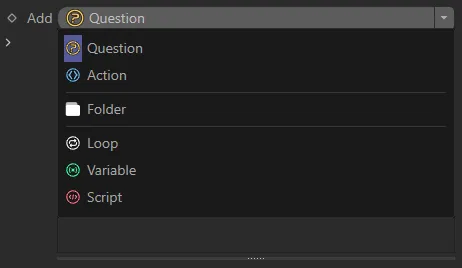
The drop-down question menu.
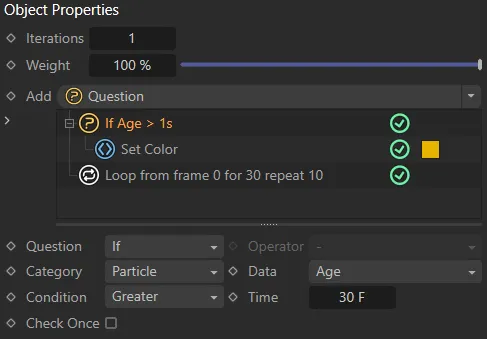
This image shows a simple Question, with an Action and a Loop.
Each layer has a dedicated manual page below, which explains its parameters in full.
Groups Affected tab
Section titled “Groups Affected tab”Groups
Section titled “Groups”To specify the group, drag and drop the desired Group object into this field.
This setting is useful if you want to ensure that the particles are, or are not, affected by nxQuestion.
Fields tab
Section titled “Fields tab”Fields can be used to trigger actions.
This is a two-step process.
Firstly, the field must be active within the Field list.
Secondly, a Question layer set to the Particle category must use a Field data question.
Copyright © 2026 INSYDIUM LTD. All Rights Reserved.