
nxKill
nxKill controls the removal of unwanted scene particles.
Object tab
Section titled “Object tab”Volume
Section titled “Volume”Set at Outside Bounds, by default, this parameter determines the nature of the bounding volume.
The other settings are Inside Bounds , Objects, Outside Camera FOV and Clamp to Max Particles.
Inside Bounds
Section titled “Inside Bounds”Particles will be killed if they are inside the modifier’s boundary.
With the Volume setting as Inside Bounds, any particles which stray inside the green boundary box are killed.
Outside Bounds
Section titled “Outside Bounds”Particles will be killed if they are outside the modifier’s boundary.
Volume set to Outside Bounds; once the particles leave the green box, they are killed.
Objects
Section titled “Objects”Objects
Section titled “Objects”One or more scene objects can be dragged into the node tree.
Particles will be killed when either inside or outside the object volume.
This is chosen using the appropriate inside/outside flag icon.
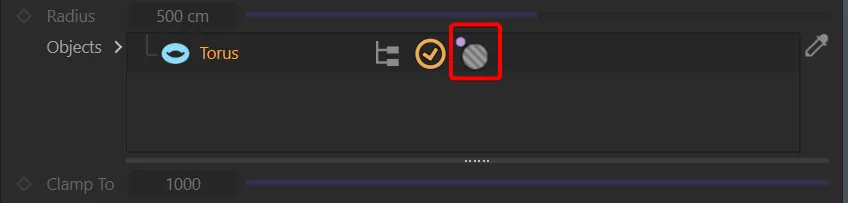
Objects list, showing the inside outside volume icon.
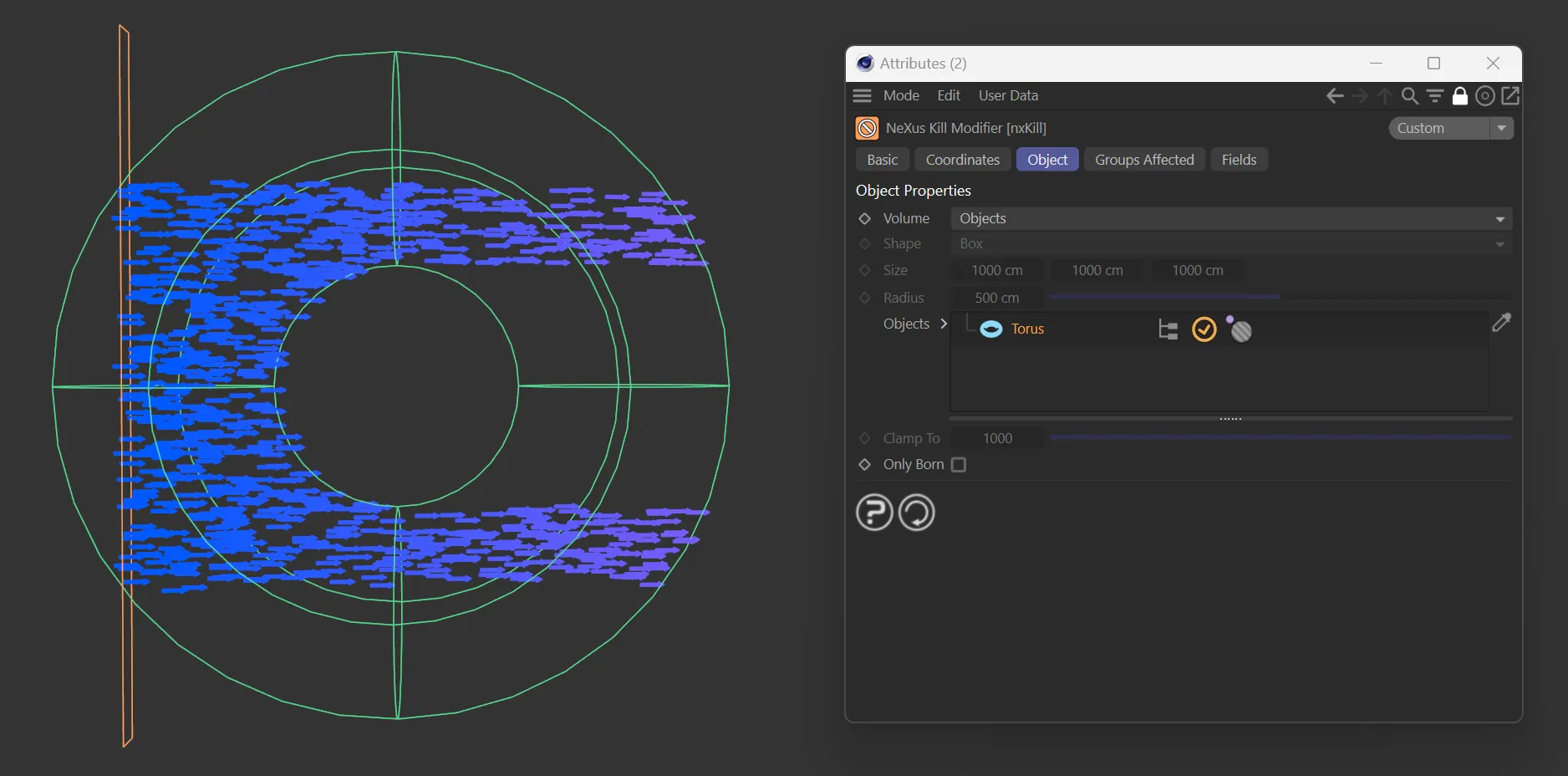
Inside volume.
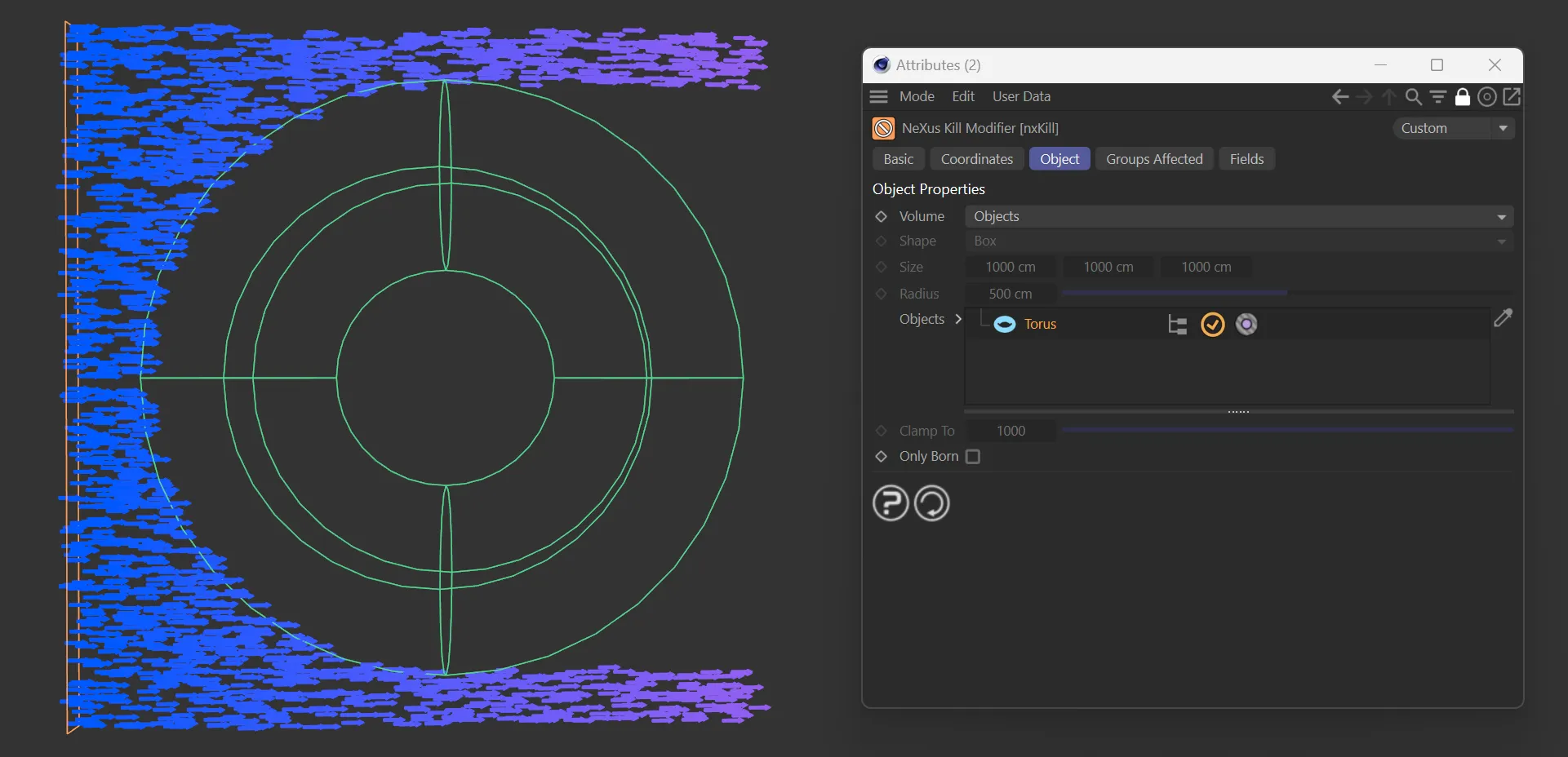
Outside volume.
Outside Camera FOV
Section titled “Outside Camera FOV”Particles are killed if they are outside the field of view of the current camera.
With this option, two additional parameters become available.
Camera
Section titled “Camera”The camera being used is dropped into this field.
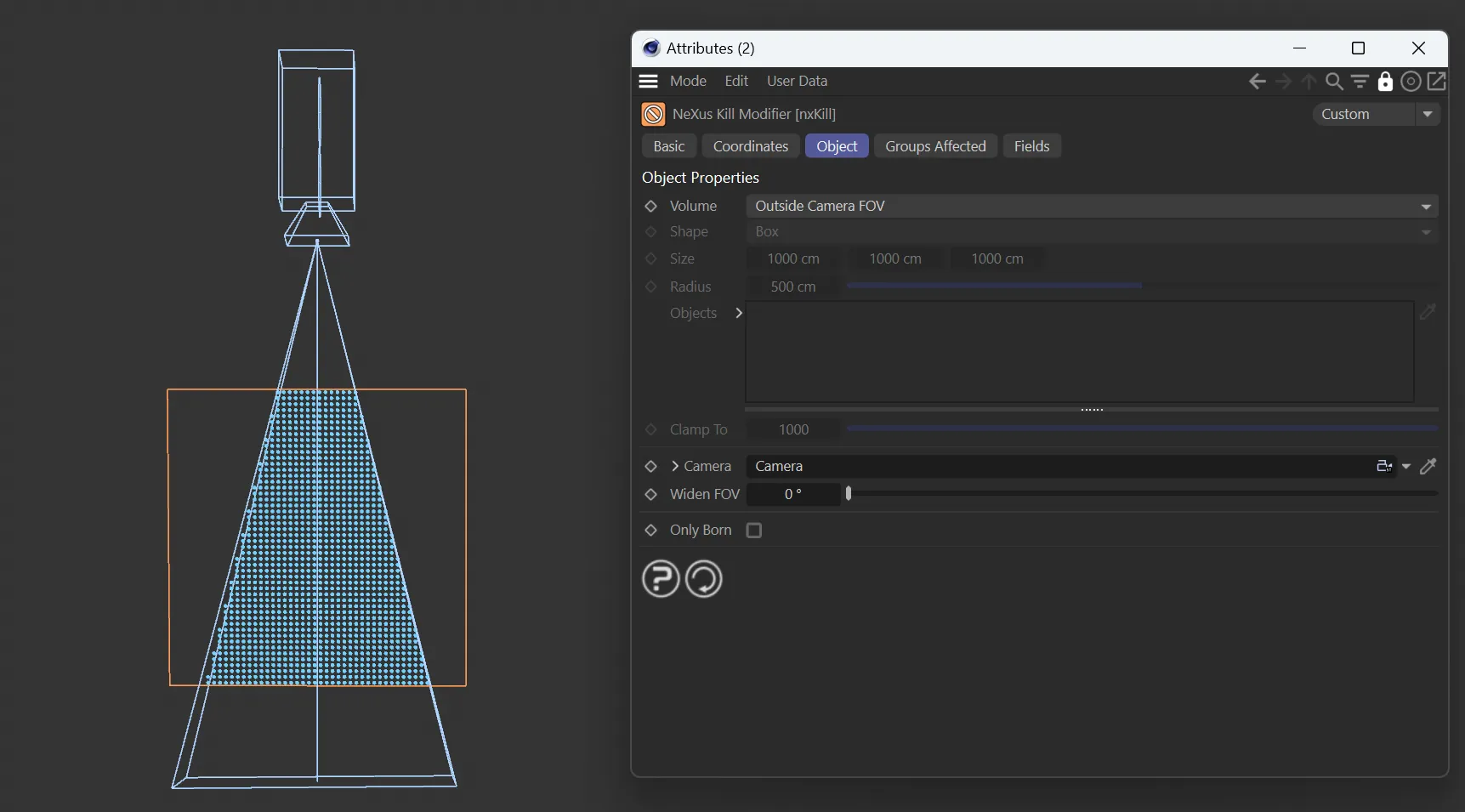
Particles killed outside the Cameras FOV
Widen FOV
Section titled “Widen FOV”Allows you to enlarge the field of view by degrees.
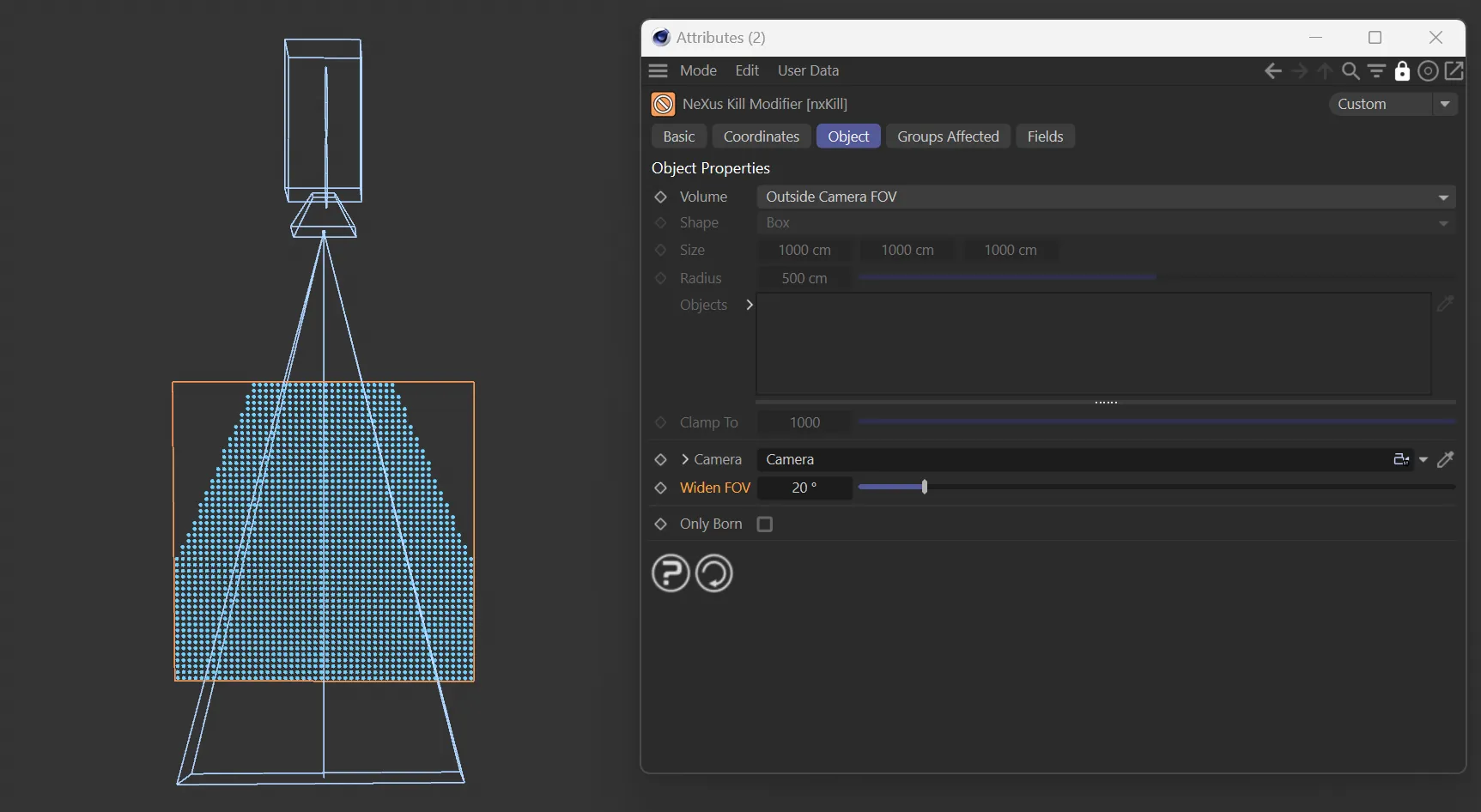
Widen FOV set to 20%
Clamp to Max Particles
Section titled “Clamp to Max Particles”With this option, the modifier will remove any particles exceeding the limit you specify in the Clamp To parameter.
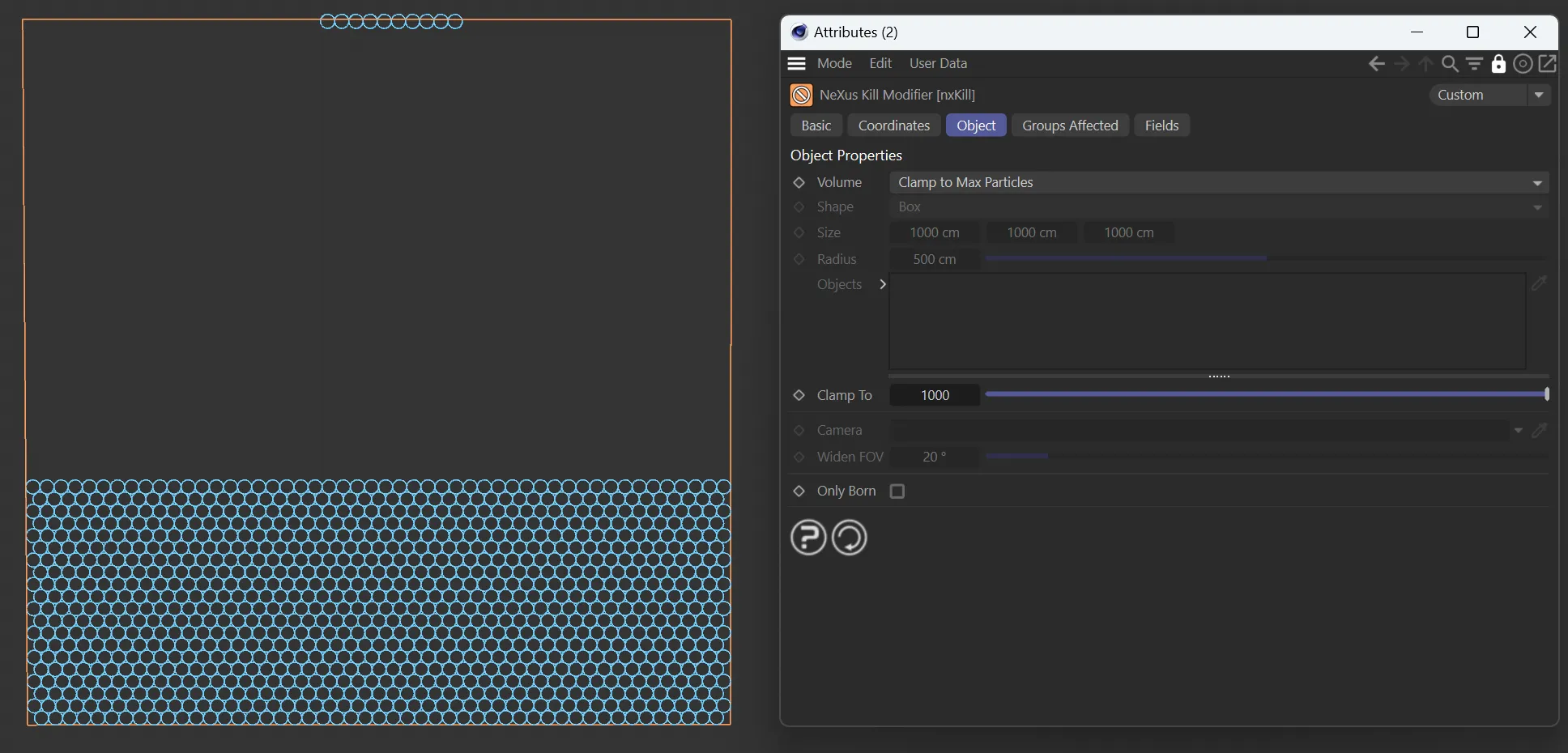
Emitter set to emit 2671 particles in shot mode Hexagon, Kill set to 1000.
The default shape is Box, but this can be changed to Sphere.
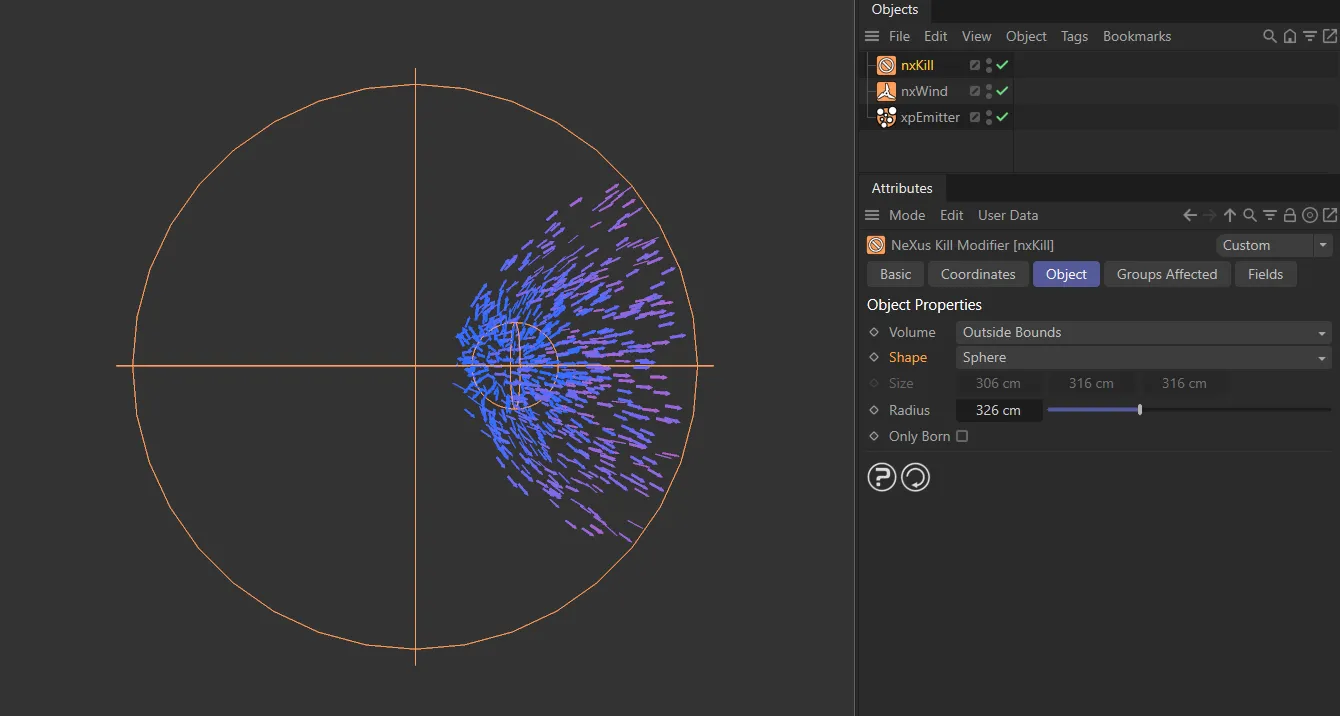
nxKill Shape set to Sphere.
Sets the size of the box in the X, Y and Z-axes, when Volume is set to Box.
This can also be done manually, using the yellow handles.
Radius
Section titled “Radius”Sets the size of the Sphere, when the Volume setting is Sphere.
This can also be done manually, using the yellow handle.
Only Born
Section titled “Only Born”If this box is checked, particles will only be killed if they are born within the modifier’s field of effect.
If they are born outside this field and subsequently stray inside, they will not be killed.
In this animation, a cut-out effect is created with nxKill, by enabling the Only Born checkbox. This can be very useful with unwanted particle emissions from certain object surfaces.
Groups Affected tab
Section titled “Groups Affected tab”Groups
Section titled “Groups”To specify the group, drag and drop the desired Group object into this field.
This setting is useful if you want to ensure that the spawned particles are, or are not, affected by nxKill.
Mapping tab
Section titled “Mapping tab”The modifier’s settings can be mapped to particle data.
Use the dedicated manual page, below, for instructions on how this works.
Fields tab
Section titled “Fields tab”You can use the Fields options to control where nxKill operates.
Copyright © 2026 INSYDIUM LTD. All Rights Reserved.