
Time driver
This adjusts the driven parameter from an initial value to a final value, utilizing the spline to dictate the rate of change.
Users have the flexibility to further tailor this process by modifying the speed of the transition and defining the specific range over which it occurs.
Object Properties
Section titled “Object Properties”
In this animation, the Time driver is dictating the translation of the scene objects, modifying the speed and range over the timeline.
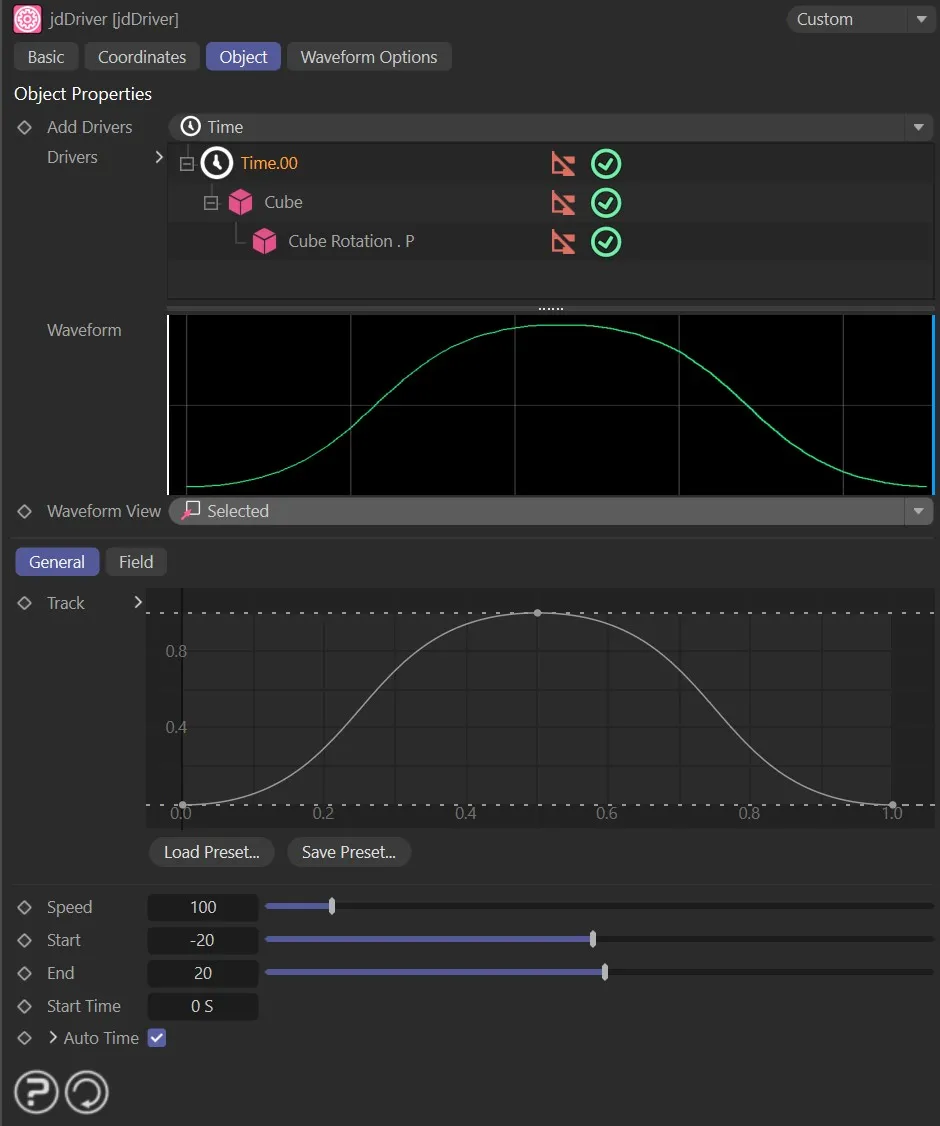
The Time driver settings.
Speed of the animation timing.
When set to 100%, the animation will run the length of the timeline.
Animation to demonstrate the effect of the Speed parameter on the timeline in the Waveform graph.
Start, End
Section titled “Start, End”Start and end values for the driven data (where or what a driven object is, or does, from that start time to the end of the time).
Start Time
Section titled “Start Time”Which frame the animation starts on.
Auto Time
Section titled “Auto Time”When enabled, the end frame and loop time will automatically match the length of the timeline.
By clicking on the small black arrow, two further parameters will appear.
End Time
Section titled “End Time”The frame when the animation stops.
Loop Time
Section titled “Loop Time”The frame set when the animation will loop back to the start frame.
Copyright © 2026 INSYDIUM LTD. All rights reserved.