

nxWind
nxWind pushes your NeXus particles along a direction, like a wind blowing through the scene, with optional turbulence for a gusty, natural flow.
Add it from Add ▸ INSYDIUM NeXus ▸ Modifiers ▸ nxWind. It arrives as an empty with an arrow gizmo that shows the wind direction. Rotate the empty to aim the wind. All of its settings live in Properties ▸ Physics.
A stream of particles caught by the wind and carried across Suzanne, breaking up over her surface.
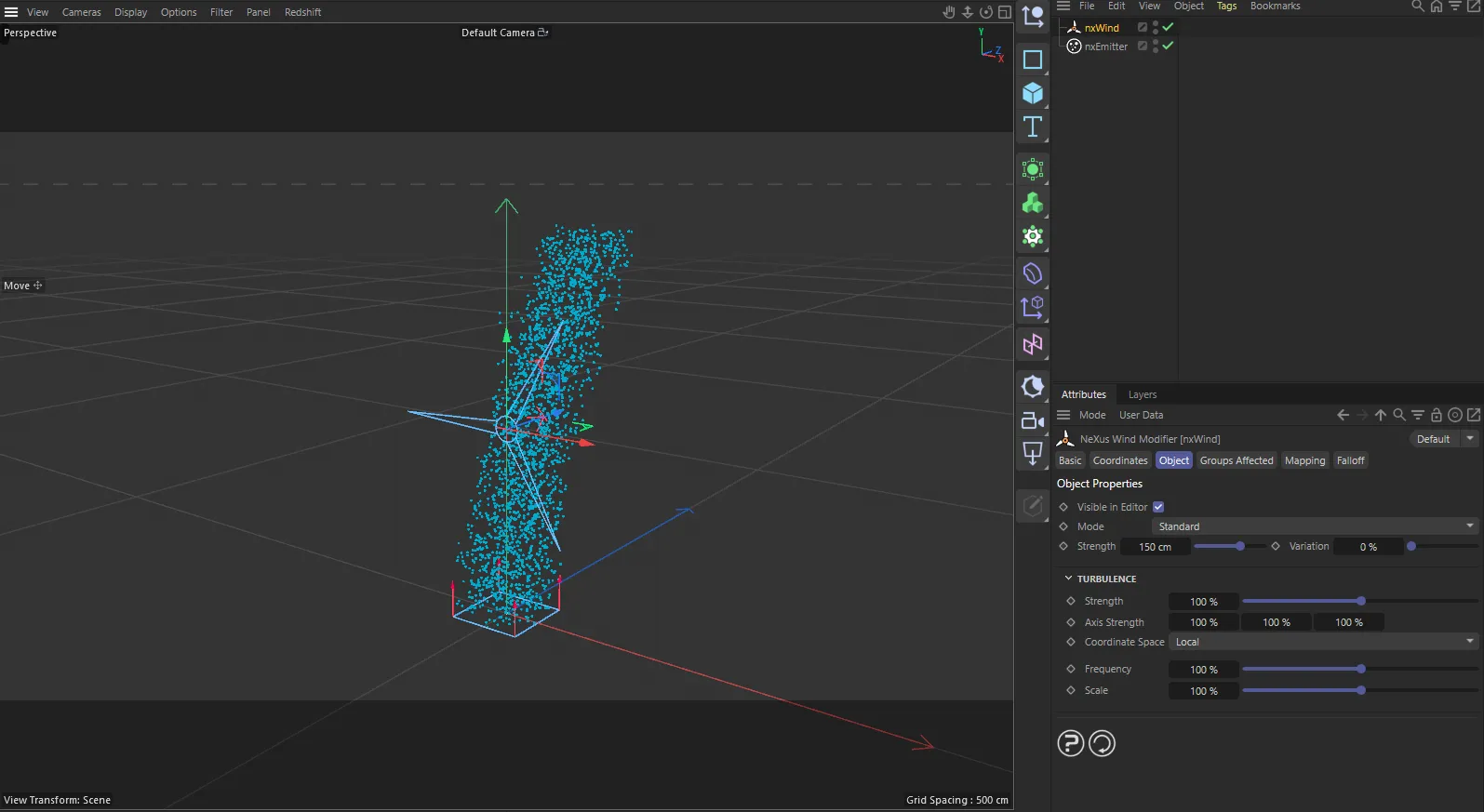
nxWind in Cinema 4D. Its settings sit in the Attribute Manager.
Object Properties
Section titled “Object Properties”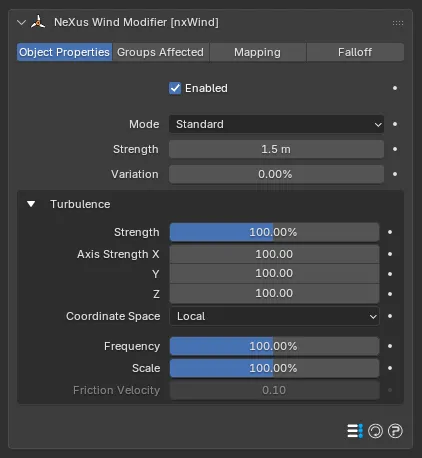
The nxWind panel in Properties ▸ Physics, on the Object Properties tab, with the Turbulence group open.
Enabled
Section titled “Enabled”Turns nxWind on or off. Disable it to switch off its force without deleting it.
Sets the wind model. Set as Standard, by default. The alternative is Von Kármán.
- Standard: a general-purpose wind, good for most flowing and drifting effects.
- Von Kármán: a more physically accurate atmospheric model that gives gustier results. It also enables the Friction Velocity control and treats Scale as a length.
Standard
Von Kármán
The same wind in each mode, with matching strength and turbulence. Standard keeps a tighter, more uniform flow. Von Kármán treats Scale as a length, enables Friction Velocity and gives a gustier, more dispersed result.
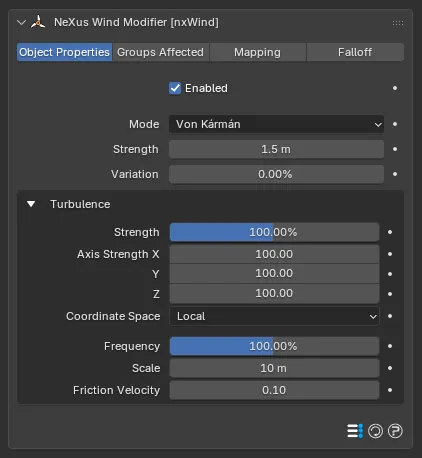
The panel in Von Kármán mode. Compared with the Standard panel above, Scale becomes a length in meters and the Friction Velocity control becomes active.
Strength
Section titled “Strength”The speed of the wind. Defaults to 1.5. Higher values push the particles harder along the wind direction. Negative values reverse the direction.
0.5 m
5 m
At a low Strength the particles fall almost straight down. At a high value the wind sweeps them hard across the scene.
Variation
Section titled “Variation”Adds a random amount to the wind Strength, so the particles do not all travel at the same speed. This breaks up the flow for a more organic, less uniform look. Defaults to 0%.
0%
100%
At 0% the particles move as one even stream. At 100% each particle gets its own wind speed, scattering the flow.
Turbulence
Section titled “Turbulence”The Turbulence group adds swirling, chaotic motion on top of the steady wind, for a natural gusting flow. Open it from its header in the panel.
Strength
Section titled “Strength”Controls how strong the turbulence is. Defaults to 100%.
0%
200%
At 0% the wind blows in a smooth, steady flow. At 200% it breaks into swirling gusts.
Axis Strength
Section titled “Axis Strength”Limits or boosts the turbulence separately on the X, Y and Z axes. Each defaults to 100%. Lower an axis to flatten the turbulence in that direction or push above 100% to exaggerate it.
Coordinate Space
Section titled “Coordinate Space”Sets which space the turbulence is calculated in. Set as Local, by default. The alternative is World.
- Local: the turbulence follows the nxWind object’s own orientation.
- World: the turbulence is fixed to the world axes.
Frequency
Section titled “Frequency”Sets how fast the turbulence animates, changing how quickly the gusts shift over time. Defaults to 100%. Lower it for slow, rolling gusts.
Sets the size of the turbulence noise. Defaults to 100%. Smaller values give fine, choppy detail. Larger values give broad, sweeping gusts.
In Von Kármán mode this becomes a length scale (defaulting to 10), describing the characteristic size of the gusts rather than a percentage.
Friction Velocity
Section titled “Friction Velocity”Active only in Von Kármán mode, grayed out otherwise. It sets the intensity of the atmospheric turbulence: the higher the value, the more intense the gusts. Defaults to 0.1.
Groups Affected
Section titled “Groups Affected”Use the Groups Affected tab to restrict nxWind to particles in specific nxGroup groups, rather than affecting every particle.
Mapping
Section titled “Mapping”Use the Mapping tab to drive nxWind’s settings from particle data instead of fixed values, so a particle’s own attributes can change the wind it feels. See Mapping for how this works.
Falloff
Section titled “Falloff”Use the Falloff tab to limit where nxWind acts. Add one or more nxFalloff objects to the list and blend them, so the wind only affects particles inside the falloff region.
Copyright © 2026 INSYDIUM LTD. All Rights Reserved.