

nxConstraints - Forces
A layer that creates forces of attraction and repulsion between nearby particles.
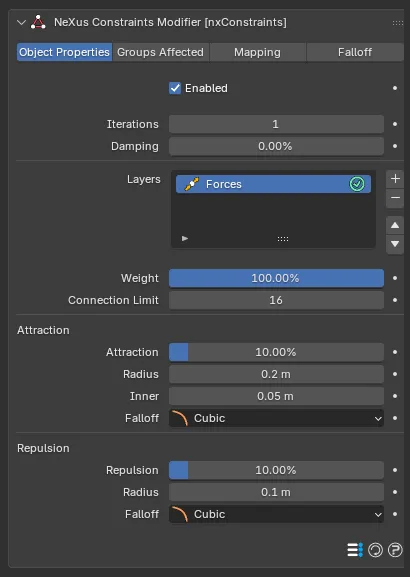
Each particle pulls in (or pushes away) the particles around it within a radius. Add it from the + menu in the nxConstraints Layers list, then select the layer to show these settings.
Weight
Section titled “Weight”Sets how much this layer contributes to the overall constraint solution. With a single layer this can be left at its default, 100%. When you combine several layers, lower it to blend the forces in more gently or raise it above 100% to give them more influence.
Connection Limit
Section titled “Connection Limit”The maximum number of other particles each particle can act on. Defaults to 16, up to a maximum of 64.
Attraction
Section titled “Attraction”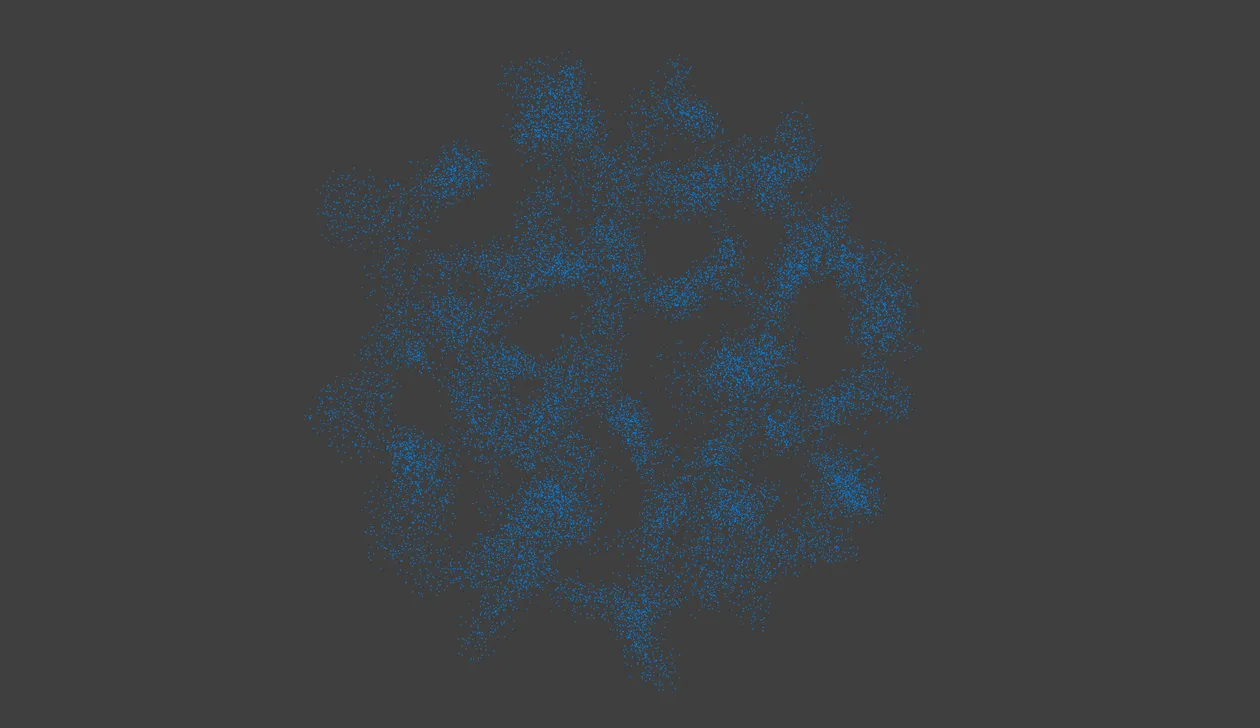
Attraction pulls a loose cloud of particles into clumps and strands.
Attraction
Section titled “Attraction”The strength with which particles pull toward one another, if the distance between them is less than the Radius. Defaults to 10%.
Radius
Section titled “Radius”For attraction to take place, the distance between two particles must be less than this value. Defaults to 0.2m.
Limits the attraction so it only applies when particles are farther apart than this distance. This stops them from collapsing completely into one another. Defaults to 0.05m.
Falloff
Section titled “Falloff”Sets how the attraction strength falls off from the Radius in toward the Inner distance. Set as Cubic, by default. The other options are Flat, Linear and Quadratic.
- Flat: no falloff, a constant force across the range.
- Linear: the force fades evenly with distance.
- Quadratic: the force fades with the square of the distance.
- Cubic: the force fades with the cube of the distance.
Repulsion
Section titled “Repulsion”Repulsion
Section titled “Repulsion”The strength with which particles push away from one another, if the distance between them is less than the Radius. Defaults to 10%.
Radius
Section titled “Radius”For repulsion to take place, the distance between two particles must be less than this value. Defaults to 0.1m.
Falloff
Section titled “Falloff”Sets how the repulsion strength falls off over the Radius. Set as Cubic, by default. The other options are Flat, Linear and Quadratic.
Copyright © 2026 INSYDIUM LTD. All Rights Reserved.