

nxExplode
nxExplode blasts your NeXus particles outward from a point, driving them apart in a burst you can trigger at a set time.
Add it from Add ▸ INSYDIUM NeXus ▸ Modifiers ▸ nxExplode. It arrives as an empty, with a burst icon drawn in the viewport to show its position. All of its settings live in Properties ▸ Physics.
A dense cluster of particles blown apart in a single burst, its expanding shell washing over Suzanne. The particles fly outward from the cluster’s center and scatter off her surface.
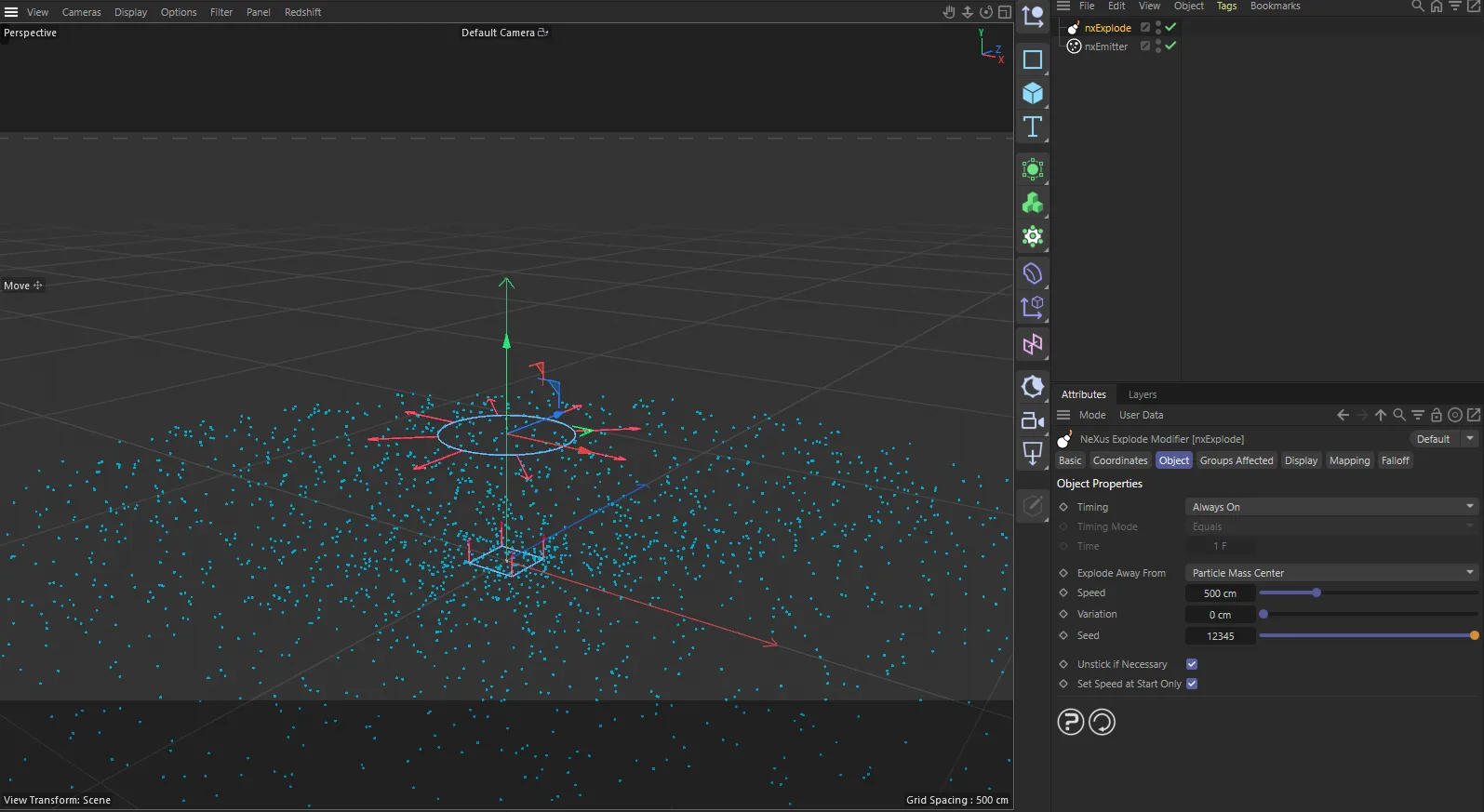
nxExplode in Cinema 4D. Its settings sit in the Attribute Manager.
Object Properties
Section titled “Object Properties”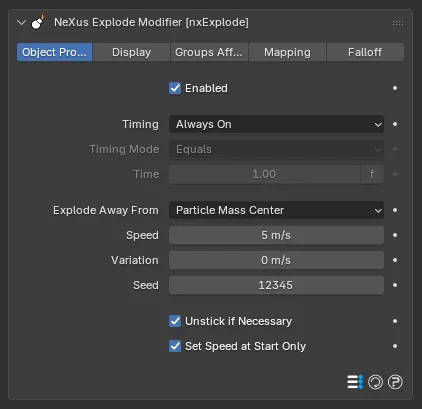
The nxExplode panel in Properties ▸ Physics, on the Object Properties tab.
Enabled
Section titled “Enabled”Turns nxExplode on or off. Disable it to switch off its burst without deleting the modifier.
Timing
Section titled “Timing”Sets when the explosion triggers. Set as Always On, by default. The other options are Trigger at Scene Time and Trigger at Particle Age.
- Always On: the effect is active the whole time, so particles explode as soon as they are born.
- Trigger at Scene Time: the explosion fires relative to the scene time, compared against the Time below.
- Trigger at Particle Age: the explosion fires when each particle’s age reaches the Time below.
Timing Mode
Section titled “Timing Mode”Available when Timing is not Always On. Sets how the scene time or particle age is compared to the Time. Set as Equals, by default. The other options are Equals or Greater Than and Equals or Less Than.
- Equals: the particles explode once, on the exact frame the time is reached.
- Equals or Greater Than: the effect switches on at the Time and stays on for the rest of the scene.
- Equals or Less Than: the effect is on from the start and switches off once the Time is passed.
Available when Timing is not Always On. The frame (or particle age) the Timing Mode works from. Defaults to 1 frame. You can click the f label beside the value to switch it between frames and seconds.
Explode Away From
Section titled “Explode Away From”Sets the point the particles blast away from. Set as Particle Mass Center, by default. The alternative is This Modifier.
- Particle Mass Center: the particles explode away from their collective center of mass, for an even burst in every direction.
- This Modifier: the particles explode away from the nxExplode empty’s position, so off-center particles blast to one side.
Particle Mass Center
This Modifier
The same off-center cluster in each mode. With Particle Mass Center it bursts evenly outward from its own middle. With This Modifier every particle is driven away from the empty at the origin, so the whole cluster blasts off to one side.
Sets how fast the particles move when they explode. Defaults to 5 m/s.
2 m/s
12 m/s
At a low Speed the particles drift apart gently. At a high one they are flung out fast and travel far in the same time.
Variation
Section titled “Variation”Adds a random amount to the Speed, so the particles do not all explode at the same speed. Defaults to 0 m/s. Lowering the Speed below the Variation pulls the Variation down to match.
Sets the seed for the random Variation, so you can shuffle which particles get which speed. Defaults to 12345.
Unstick if Necessary
Section titled “Unstick if Necessary”Frees any particle that is stuck to a surface, for example by nxCover or nxSticky, so the explosion can blast it away. On by default.
Set Speed at Start Only
Section titled “Set Speed at Start Only”Sets each particle’s speed once, when it explodes, then leaves it to coast. On by default. Turn it off to reapply the speed every frame, which is useful when you want to keyframe the explosion Speed.
Display
Section titled “Display”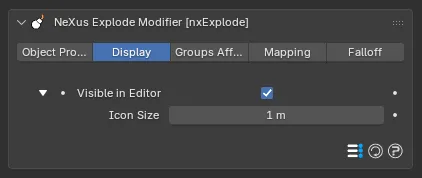
The nxExplode panel in Properties ▸ Physics, on the Display tab.
Controls the viewport icon that marks the nxExplode position.
Visible in Editor
Section titled “Visible in Editor”Shows the burst icon in the viewport, giving you visual feedback on the modifier’s position. On by default. Click the arrow beside it to reveal the Icon Size control.
Icon Size
Section titled “Icon Size”Sets the size of the viewport icon. Defaults to 1 m. It does not affect the explosion, only the icon.
Groups Affected
Section titled “Groups Affected”Use the Groups Affected tab to restrict nxExplode to particles in specific nxGroup groups, rather than affecting every particle.
Mapping
Section titled “Mapping”Use the Mapping tab to drive nxExplode’s settings from particle data instead of fixed values, so a particle’s own attributes can change how it explodes. See Mapping for how this works.
Falloff
Section titled “Falloff”Use the Falloff tab to limit where nxExplode acts. Add one or more nxFalloff objects to the list and blend them, so only particles inside the falloff region explode.
Copyright © 2026 INSYDIUM LTD. All Rights Reserved.