

nxDirection
nxDirection steers your NeXus particles, changing the direction they travel in. It works as a stack of layers, so you can combine several steering effects and blend them together.
Add it from Add ▸ INSYDIUM NeXus ▸ Modifiers ▸ nxDirection. It arrives as an empty. Add one or more direction layers, set each to an operation, then blend them. All of its settings live in Properties ▸ Physics.
A stream of particles steered by a Direction Force layer, pushed up and wound around by the Twist as it breaks over Suzanne.
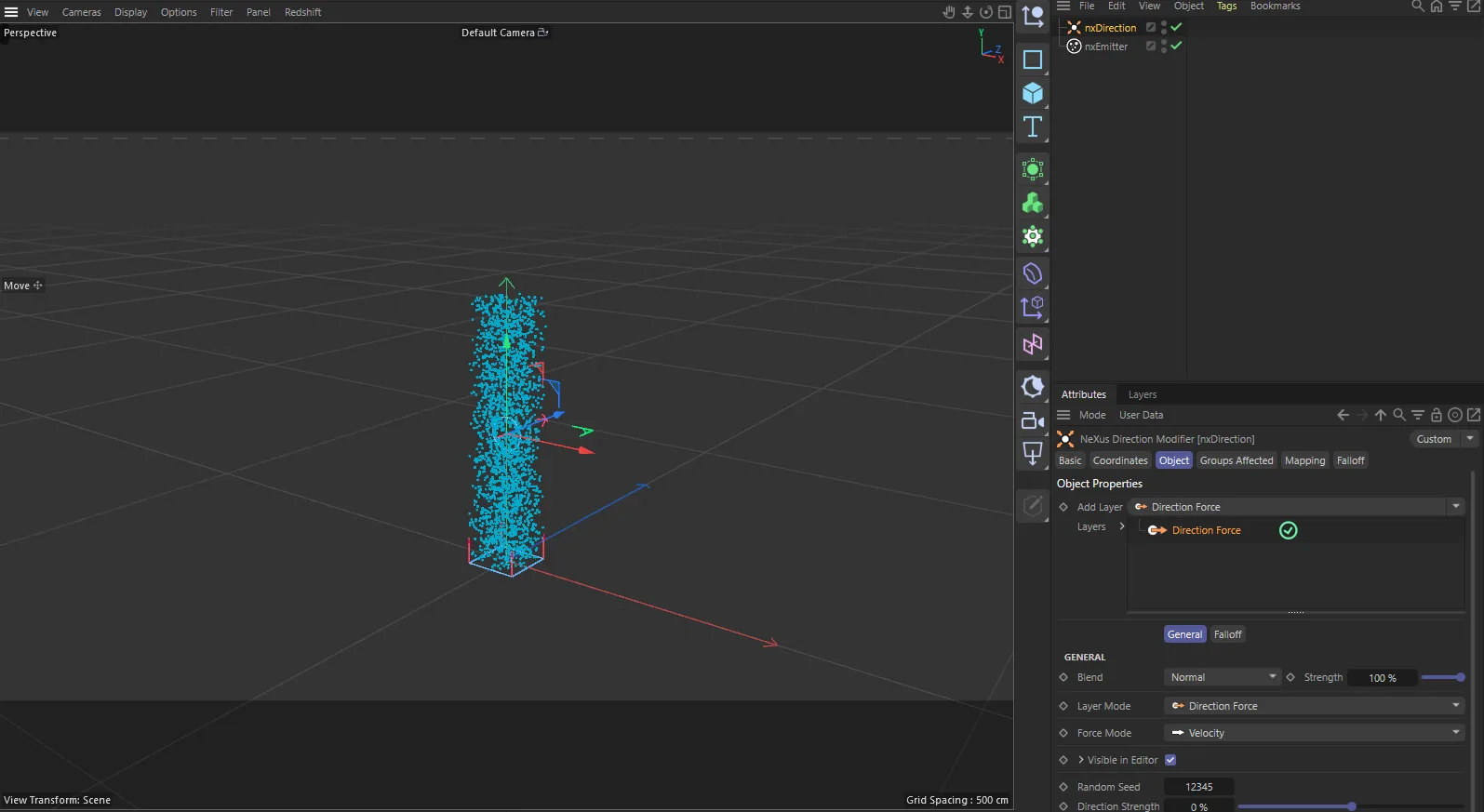
nxDirection in Cinema 4D. Its settings sit in the Attribute Manager.
Object Properties
Section titled “Object Properties”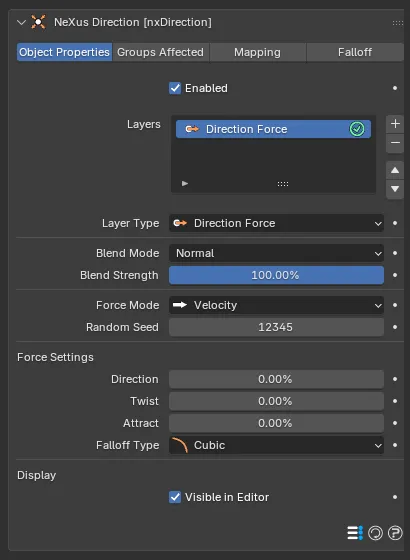
The nxDirection panel in Properties ▸ Physics, on the Object Properties tab, showing a Direction Force layer.
Enabled
Section titled “Enabled”Turns nxDirection on or off. Disable it to switch off its steering without deleting it.
Layers
Section titled “Layers”The stack of direction layers. Use the + button to add a layer and choose its operation from the menu that appears. Use the - button to remove the selected one. Each layer has an enable toggle on the right of its row, so you can switch a layer on or off without removing it.
Layers are processed from the top of the stack down, each blending with the result of the layers above it. Select a layer to show its settings underneath.
Layer Settings
Section titled “Layer Settings”These settings apply to the layer selected in the Layers list. The top block is shared by every layer. The controls below it change with the Layer Type.
Layer Type
Section titled “Layer Type”Sets the operation this layer performs. Set as Direction Force, by default. The other options are Relative, Absolute, Circular, Ring and Use Modifier Rotation. Each is described below.
Blend Mode
Section titled “Blend Mode”Sets how this layer combines with the layers above it. Set as Normal, by default. The other options are Min, Subtract, Multiply, Overlay, Max, Add, Screen and Difference.
Blend Strength
Section titled “Blend Strength”Sets how strongly this layer contributes to the blend. Defaults to 100%.
Force Mode
Section titled “Force Mode”Sets how the layer’s steering is applied. Set as Velocity, by default. The alternative is Acceleration.
- Velocity: applies the change directly to the particle’s velocity.
- Acceleration: applies it as an acceleration, so a particle’s mass affects how quickly it turns.
Random Seed
Section titled “Random Seed”Sets the seed used by any variation in the layer’s settings, so a different seed gives a different random spread. Defaults to 12345.
Visible in Editor
Section titled “Visible in Editor”Shows this layer’s direction gizmo in the viewport. On by default.
Direction Force
Section titled “Direction Force”The default operation. It blends three independent forces for more sculpted control over the flow than a single direction.
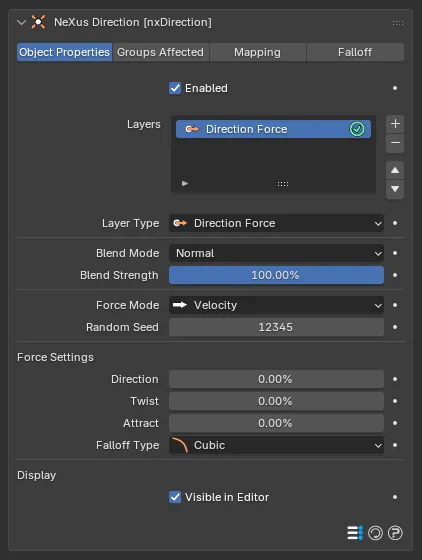
A Direction Force layer, with its Force Settings block of Direction, Twist, Attract and Falloff Type.
Direction
Section titled “Direction”Pushes the particles along the object’s forward axis. Ranges from -100% to 100%. Positive values push along the axis, negative values against it. Defaults to 0%.
Spirals the particles around the direction axis. Ranges from -100% to 100%, with positive and negative values spiraling opposite ways. Defaults to 0%.
0%
95%
A stream pushed up the direction axis by the same Direction. At 0% Twist, on the left, it rises in a straight column. At 95%, on the right, it spirals around the axis and winds outward.
Attract
Section titled “Attract”Pulls the particles in toward the object’s center or pushes them away. Ranges from -100% to 100%. Positive values attract and negative values repel. Defaults to 0%.
Falloff Type
Section titled “Falloff Type”Sets how the force fades with distance from the object. Set as Cubic, by default. The other options are Flat, Linear and Quadratic.
- Flat: a constant force, with no falloff.
- Linear: the force fades evenly with distance.
- Quadratic: the force fades with the square of the distance.
- Cubic: the force fades with the cube of the distance.
Relative
Section titled “Relative”Steers the particles by Heading and Pitch angles measured from their current direction, rather than a fixed world direction. Because it is recalculated every frame, the particles turn continuously.
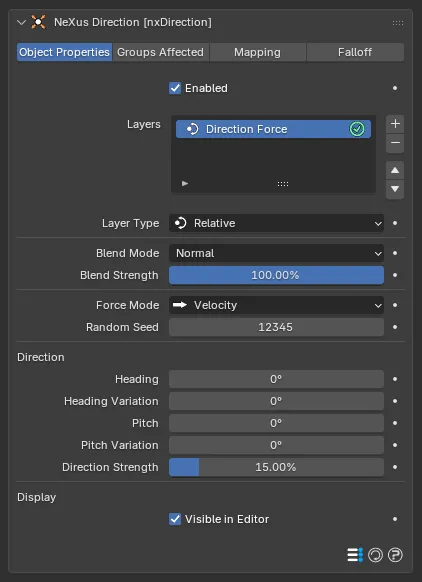
A Relative layer, with its Heading, Pitch and Direction Strength settings.
Heading
Section titled “Heading”Turns the particles left or right, around the vertical axis.
Heading Variation
Section titled “Heading Variation”Adds a random spread to the Heading, so the particles do not all turn by the same amount.
Turns the particles up or down, around the horizontal axis.
Pitch Variation
Section titled “Pitch Variation”Adds a random spread to the Pitch.
Direction Strength
Section titled “Direction Strength”Sets how strongly the operation steers the particles. Defaults to 15%.
Absolute
Section titled “Absolute”Steers the particles to a fixed direction set by the Heading and Pitch angles, in world space, regardless of the way they were heading. It uses the same Heading, Heading Variation, Pitch, Pitch Variation and Direction Strength controls as Relative, so its layer panel is identical to the one shown above.
Circular
Section titled “Circular”Bends the particles into circular motion. With each frame it turns them by the Heading amount, so over time they sweep around a circle. Add a Y-Axis Kick to lift them as they turn, for a spiral.
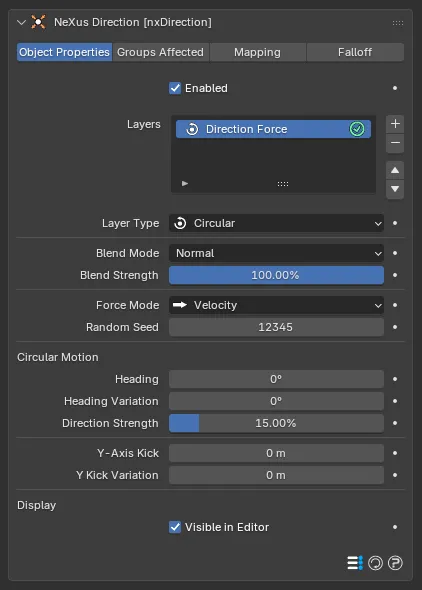
A Circular layer, with its Circular Motion block and the Y-Axis Kick settings.
Heading
Section titled “Heading”Sets how sharply the particles turn each frame. Larger values close the circle faster.
Heading Variation
Section titled “Heading Variation”Adds a random spread to the turn.
Direction Strength
Section titled “Direction Strength”Sets how strongly the operation steers the particles. Defaults to 15%.
Y-Axis Kick
Section titled “Y-Axis Kick”Pushes the particles along the axis as they turn. With the circular motion this winds them into a spiral. Defaults to 0.
Y Kick Variation
Section titled “Y Kick Variation”Adds a random spread to the Y-Axis Kick.
Turns the particles onto a flat ring or disc. Each particle deviates from its path by up to the Angle Limit, at a rate set by Step Per Frame.
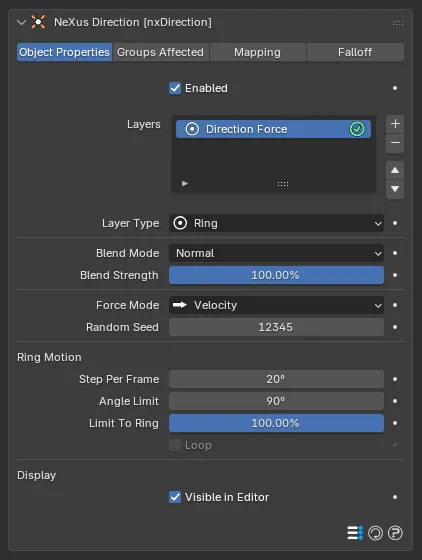
A Ring layer, with its Step Per Frame, Angle Limit and Limit to Ring settings. Loop stays grayed until Angle Limit reaches 360°.
Step Per Frame
Section titled “Step Per Frame”Sets how fast the particles turn toward the ring each frame. Larger values snap them around quickly and smaller values ease them in. Defaults to 20°.
Angle Limit
Section titled “Angle Limit”Sets the maximum angle a particle turns from its original path. Defaults to 90°. It can be set beyond 90°. At 360° the Loop option becomes available.
Limit to Ring
Section titled “Limit to Ring”Sets how tightly the particles are held to the ring path, from 0% to 100%. Higher values pull them onto the ring more strongly. Defaults to 100%.
Available only when Angle Limit is set to 360°. When on, particles that complete a full turn keep looping around the ring path. Off by default.
Use Modifier Rotation
Section titled “Use Modifier Rotation”The particles travel in the direction the nxDirection empty is pointing. Rotate the empty to aim them, with no need to set a heading and pitch by hand.
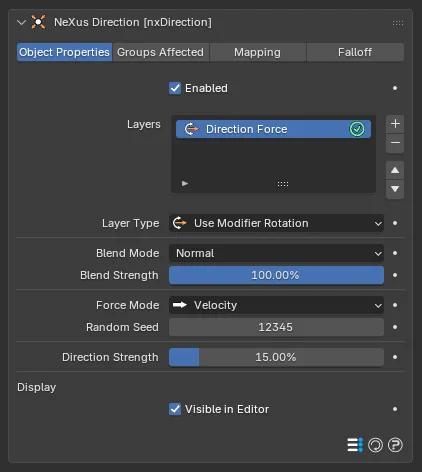
A Use Modifier Rotation layer, with just its Direction Strength setting.
Direction Strength
Section titled “Direction Strength”Sets how strongly this operation steers the particles, against the direction they were born with. Defaults to 15%. At low values the particles hold their original heading longer before turning. At high values they turn to the new direction almost at once.
Groups Affected
Section titled “Groups Affected”Use the Groups Affected tab to restrict nxDirection to particles in specific nxGroup groups, rather than affecting every particle.
Mapping
Section titled “Mapping”Use the Mapping tab to drive nxDirection’s settings from particle data instead of fixed values, so a particle’s own attributes can change the steering it feels. See Mapping for how this works.
Falloff
Section titled “Falloff”Use the Falloff tab to limit where nxDirection acts. Add one or more nxFalloff objects to the list and blend them, so the steering only affects particles inside the falloff region.
Copyright © 2026 INSYDIUM LTD. All Rights Reserved.