

nxAvoid
nxAvoid makes your NeXus particles steer around objects in your scene by changing direction to flow past them or by freezing or dying as they approach.
Add it from Add ▸ INSYDIUM NeXus ▸ Modifiers ▸ nxAvoid. It arrives as an empty. Build a list of objects for the particles to avoid in the Objects list, then set how the particles react to each one. All of its settings live in Properties ▸ Physics.
A stream of particles parting around Suzanne, added to the Objects list. The particles detect her ahead of time and change direction, streaming past on either side instead of hitting her.
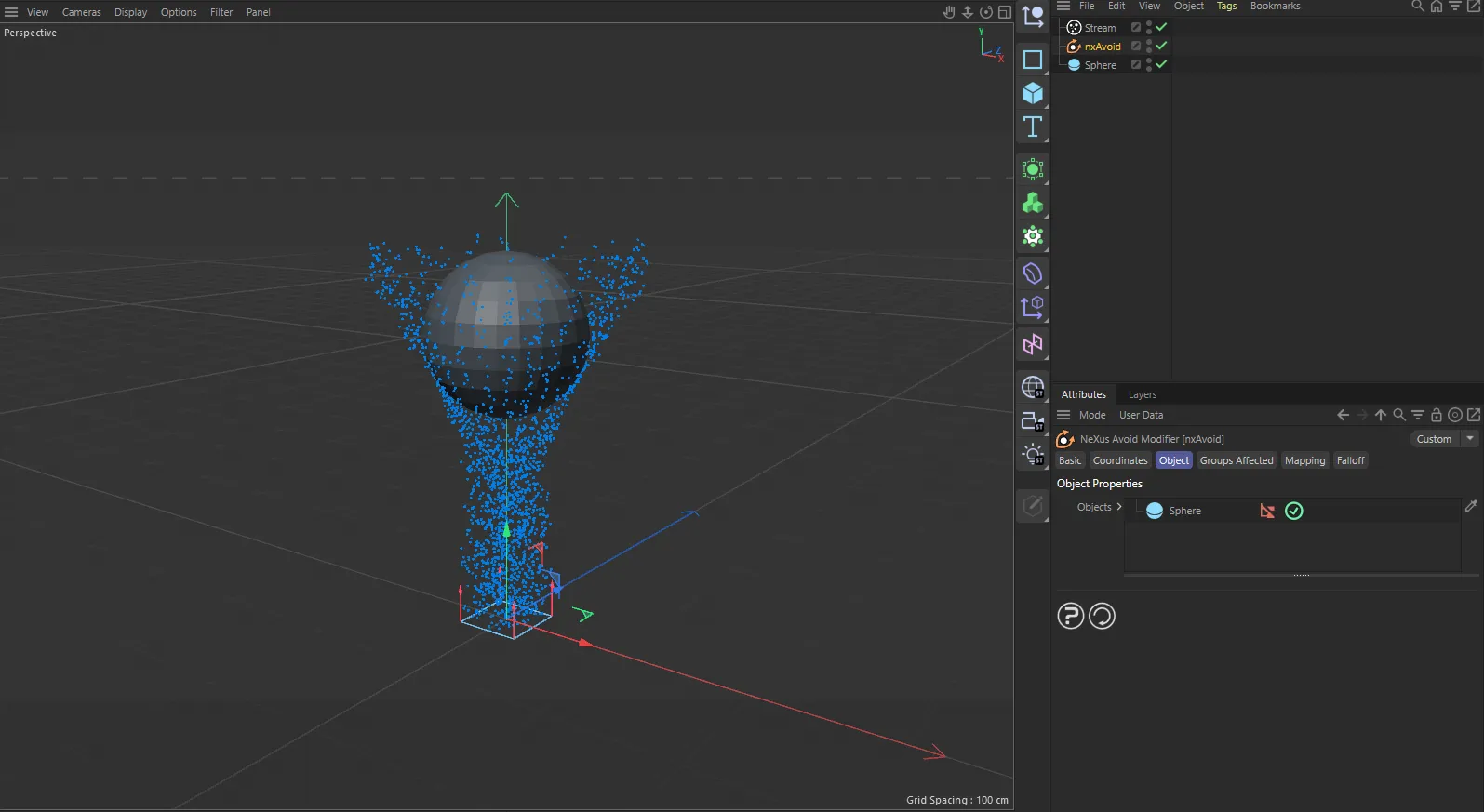
nxAvoid in Cinema 4D. Its settings sit in the Attribute Manager.
Object Properties
Section titled “Object Properties”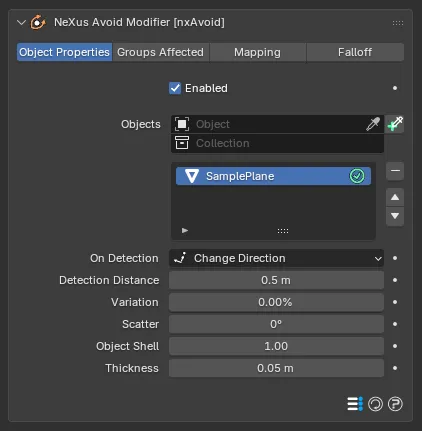
The nxAvoid panel in Properties ▸ Physics, with an object added to the list.
Enabled
Section titled “Enabled”Turns the whole nxAvoid on or off. Disable it to switch off all of its objects at once without deleting them.
Objects
Section titled “Objects”The list of objects the particles will avoid.
Add objects to the list, then select an entry to reveal its settings below. Each entry has an enable toggle on the right of its row, so you can switch individual objects on or off without removing them from the list.
You can add Mesh, Curve and Curves objects.
Object settings
Section titled “Object settings”These settings apply to the currently selected object in the list.
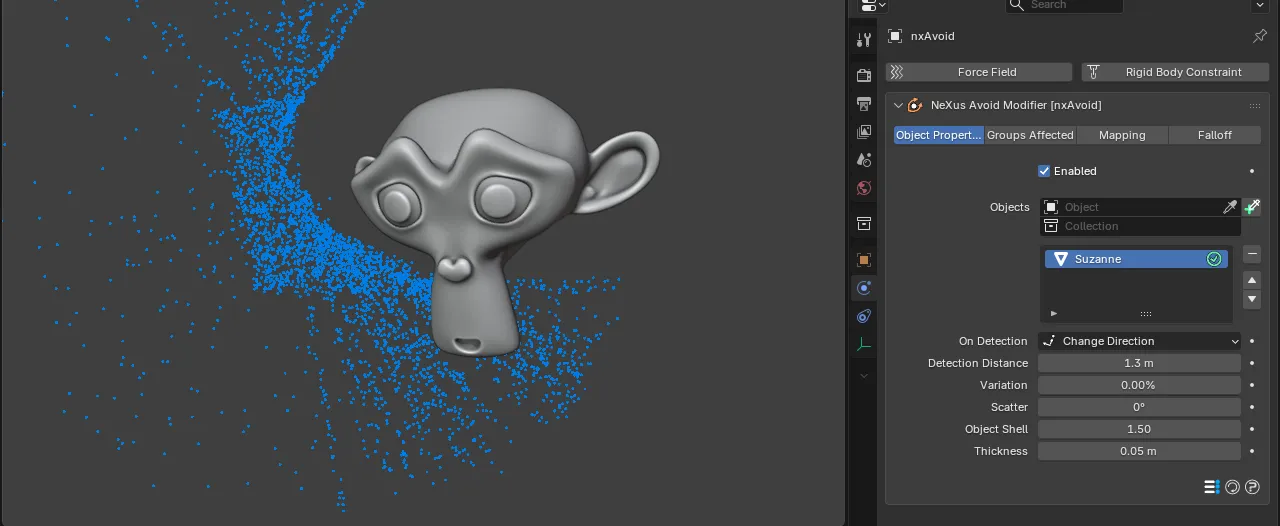
The per-object settings shown below the Objects list, with Suzanne selected. Each object in the list keeps its own copy of these controls, so you can set a different reaction for each one.
On Detection
Section titled “On Detection”Sets what a particle does when it detects one of the listed objects, within the Detection Distance. Set as Change Direction, by default. The other options are Freeze and Die.
- Change Direction: the particle steers away and flows around the object.
- Freeze: the particle stops dead as it reaches the object. Unlike Die, this is not permanent, so the particle can be released again later.
- Die: the particle is killed as it reaches the object. This cannot be reversed.
Freeze
Die
With Freeze the particles halt and bank up at the detection boundary. With Die they vanish as they reach it, so the stream is cut off short of the object. The hero above shows the third mode, Change Direction.
Detection Distance
Section titled “Detection Distance”The distance at which a particle detects the object and starts to react to it. Defaults to 0.5 m. The shorter the distance, the closer a particle gets before it turns away.
Set it too low (less than the distance a particle travels in one frame) and the particle can pass through the object before it has a chance to react.
0.4 m
2.2 m
At a short Detection Distance the particles turn late and skim past close to the object. At a long one they turn early and swing wide around it.
Variation
Section titled “Variation”Adds a random amount to the Detection Distance, so the particles do not all start to react at the same moment. Defaults to 0%. Raising it gives a more natural, staggered flow.
Scatter
Section titled “Scatter”Adds an angular spread to the change of direction, so the particles do not all turn the same way. Defaults to 0°. It reads best at low values. You may need to raise the Detection Distance for a clean result.
Object Shell
Section titled “Object Shell”Scales an invisible shell of padding around the object. It is this shell the particles actually avoid. Defaults to 1.0, which matches the object’s own size, so the particles just skim it. Raise it to make the particles keep a wider margin.
Thickness
Section titled “Thickness”Sets the thickness of the avoidance zone around the object. Defaults to 0.05 m.
Groups Affected
Section titled “Groups Affected”Use the Groups Affected tab to restrict nxAvoid to particles in specific nxGroup groups, rather than affecting every particle.
Mapping
Section titled “Mapping”Use the Mapping tab to drive nxAvoid’s settings from particle data instead of fixed values, so a particle’s own attributes can change the avoidance it feels. See Mapping for how this works.
Falloff
Section titled “Falloff”Use the Falloff tab to limit where nxAvoid acts. Add one or more nxFalloff objects to the list and blend them, so avoidance only affects particles inside the falloff region.
Copyright © 2026 INSYDIUM LTD. All Rights Reserved.