

nxQuestion
nxQuestion builds per-particle logic from a layered stack of questions, actions, variables, loops and scripts, so particles can react to their own state and to the scene.
At its simplest, nxQuestion triggers actions from particle questions: “if a particle’s radius is greater than 3cm, then turn it blue”. At its most complex, you can write custom GLSL scripts that run per particle on the GPU to create bespoke effects.
Add it from Add ▸ INSYDIUM NeXus ▸ nxQuestion. It arrives as an empty. All of its settings live in Properties ▸ Physics. Build the logic by adding items to the Questions list on the Object Properties tab.
A single Question driving a color change on a shower of particles. The question tests each particle’s Age. Its child Set Color action turns any particle older than the threshold orange. Freshly born particles stay blue at the top, so a color front sweeps down the stream as the particles age and break over Suzanne.
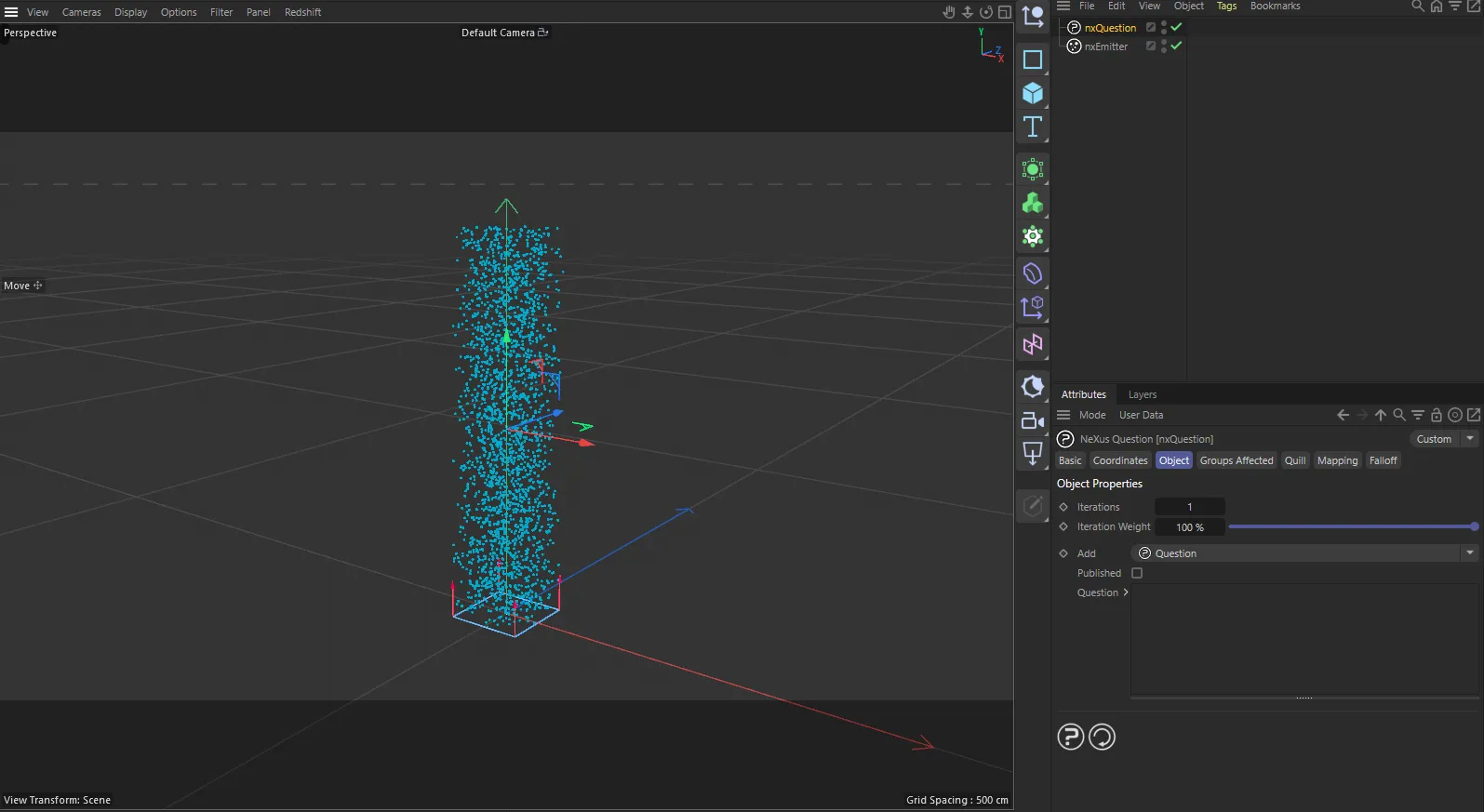
nxQuestion in Cinema 4D. Its settings sit in the Attribute Manager.
Object Properties
Section titled “Object Properties”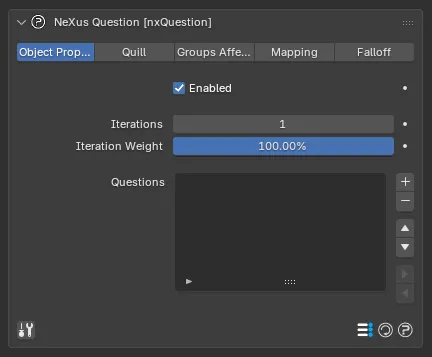
The nxQuestion panel in Properties ▸ Physics, on the Object Properties tab.
Enabled
Section titled “Enabled”Turns nxQuestion on or off. Disable it to switch off all of its logic without deleting it.
Iterations
Section titled “Iterations”How many times the full Questions list is executed per frame. Defaults to 1. Raise it when an effect needs the list to run several passes in a single frame, for example when one action feeds a later question. The maximum is 50.
Iteration Weight
Section titled “Iteration Weight”The weight applied on each iteration. Defaults to 100%. Lower it to soften the cumulative effect of the actions when Iterations is above 1.
Questions
Section titled “Questions”The list where you build the logic. Use the + button to add an item and the - button to remove one. The arrow buttons move the selected item up or down and reorder its place in the logic.
The + button opens a menu of the six item types you can add:
- Question: a condition (If / Else If / Else) that gates the items nested under it.
- Action: what to do when the parent question passes, for example set a property, spawn or kill.
- Folder: an organizational container for grouping items.
- Loop: repeats its child items over time, an index range or a particle’s neighbors.
- Variable: a named value you can test against and write to.
- Script: a custom GLSL script run per particle on the GPU.
Items are hierarchical. An item nested under a Question, Loop or Folder becomes its child. Question, Loop and Folder items can be expanded or collapsed to show or hide their children. Each item can be renamed. Its name updates automatically to summarize its current settings until you rename it yourself.
The Enabled checkbox on each item toggles that single item without removing it from the list.
Each item type has a dedicated page below, which explains its settings in full.
The Quill tab is nxQuestion’s built-in AI author. You pick a model, describe the behavior you want in plain language and press Build. Quill constructs the nxQuestion items for you. It needs a model configured under Preferences ▸ Add-ons ▸ NeXus ▸ Quill.
See the dedicated Quill page for the tab, the larger Quill window and worked examples.
Published
Section titled “Published”The toggle at the bottom left of the panel switches nxQuestion into Published mode. This hides the node tree and shows only the parameters you have chosen to expose: any Variable with Show in Published enabled and any Script parameters. Use it to hand a finished setup to someone else as a small set of knobs, without exposing the underlying logic. Turn the toggle off again to edit the items.
Groups Affected
Section titled “Groups Affected”Use the Groups Affected tab to restrict nxQuestion to particles in specific nxGroup groups, rather than affecting every particle. Add the nxGroup objects to the list.
Mapping
Section titled “Mapping”Use the Mapping tab to drive nxQuestion’s settings from particle data instead of fixed values. See Mapping for how this works.
Falloff
Section titled “Falloff”Use the Falloff tab to limit where nxQuestion acts. Add one or more nxFalloff objects to the list and blend them, so the logic only affects particles inside the falloff region.
A falloff added here can also be read inside the logic itself: a Question set to the Particle category with the Field data tests each particle’s current falloff value, so contact with a falloff region can trigger an action.
Copyright © 2026 INSYDIUM LTD. All Rights Reserved.