

nxSticky
nxSticky sticks your NeXus particles to objects in your scene, so they attach to a surface on contact and hold there, on static or animated objects.
Add it from Add ▸ INSYDIUM NeXus ▸ Modifiers ▸ nxSticky. It arrives as an empty. Build a list of objects for the particles to stick to in the Objects list, then set how they stick and how long they hold. All of its settings live in Properties ▸ Physics.
A shower of particles rained down onto Suzanne, added to the Objects list. The particles stick where they land on her surface and hold there, building up like settling snow instead of sliding off.
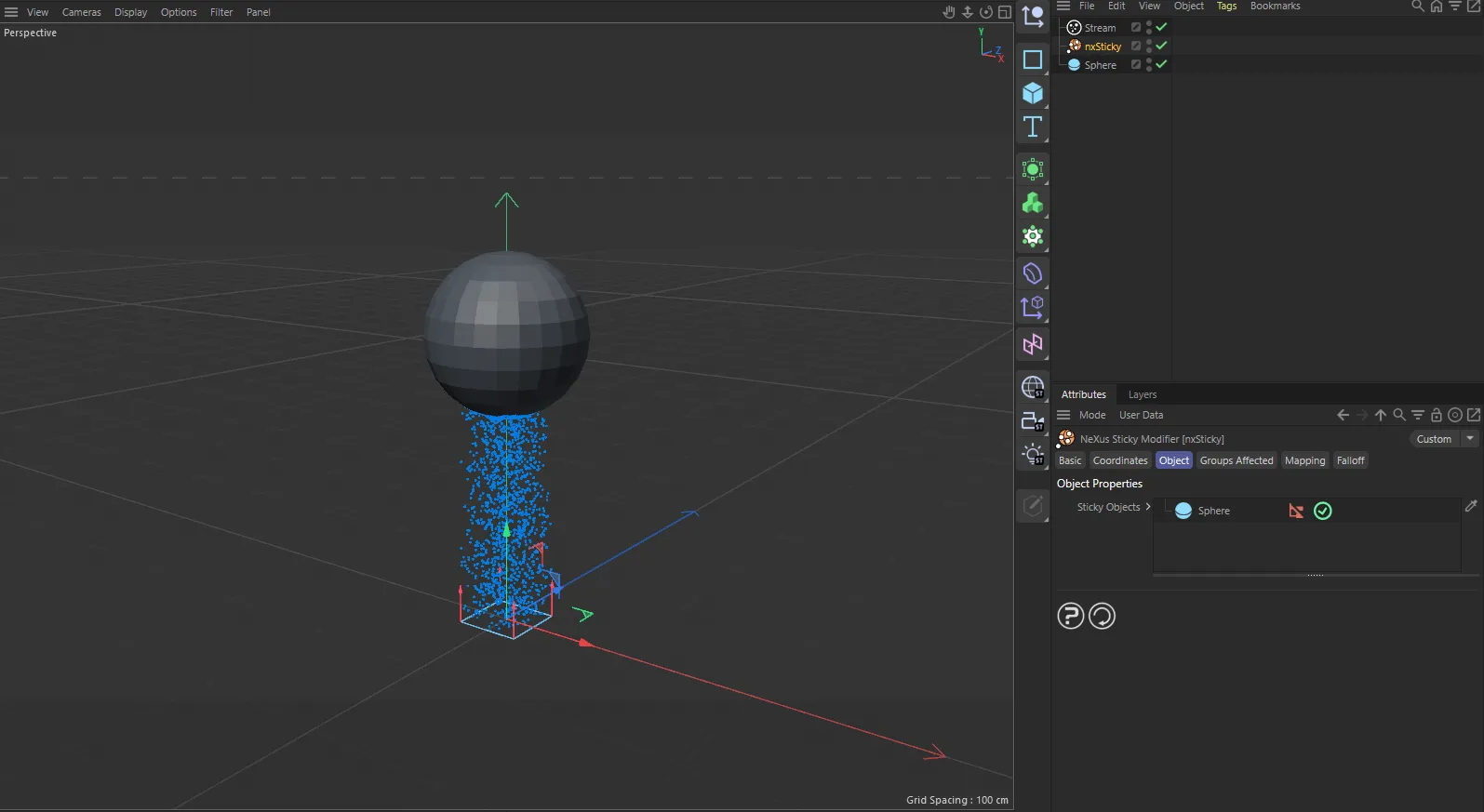
nxSticky in Cinema 4D. Its settings sit in the Attribute Manager.
Object Properties
Section titled “Object Properties”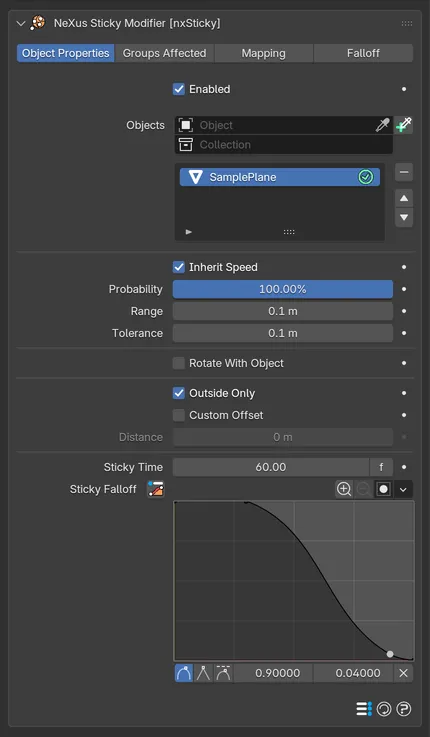
The nxSticky panel in Properties ▸ Physics, with an object added to the list.
Enabled
Section titled “Enabled”Turns the whole nxSticky on or off. Disable it to release its particles without deleting the modifier.
Objects
Section titled “Objects”The list of objects the particles stick to.
Add objects to the list, then select an entry to reveal its settings below. Each entry has an enable toggle on the right of its row, so you can switch individual objects on or off without removing them from the list.
You can add Mesh, Curve and Curves objects.
Object settings
Section titled “Object settings”These settings apply to the currently selected object in the list.
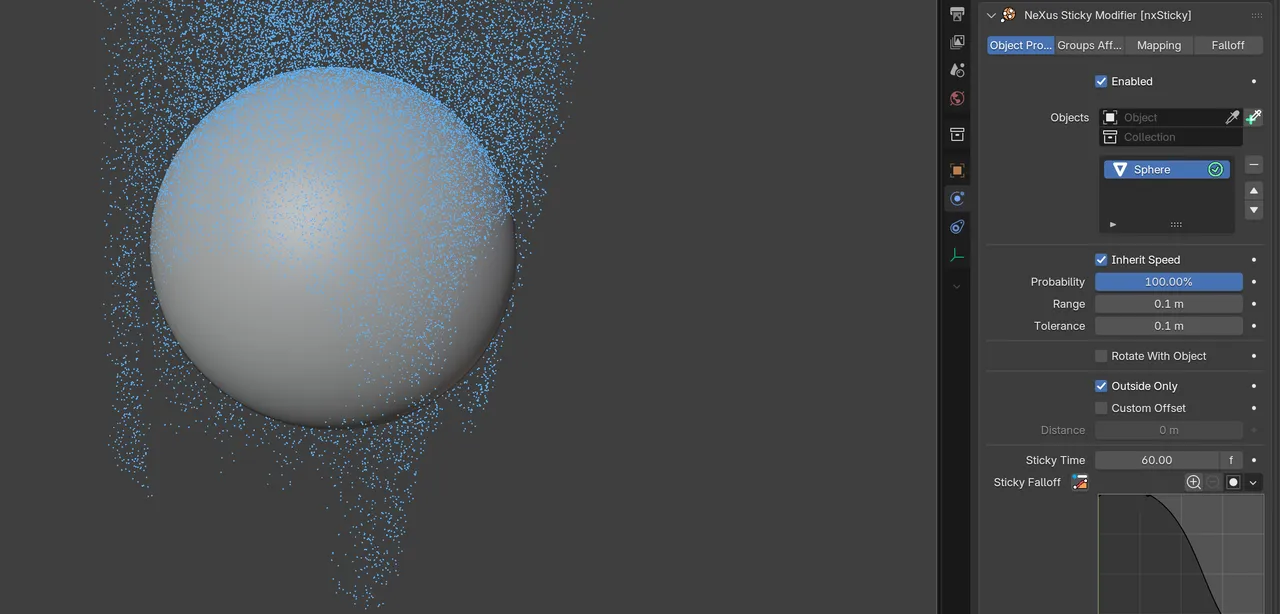
The object settings for Suzanne, selected in the Objects list and shown at their defaults, while a shower of particles sticks across her surface.
Inherit Speed
Section titled “Inherit Speed”Makes a particle take on the object’s velocity as it sticks, so it travels along with an animated object rather than being left behind. On by default.
Probability
Section titled “Probability”Sets the chance that a particle sticks when it comes within range of the object. Defaults to 100%, so every particle sticks. At 0% none of them stick. Values in between let only some stick, for a more scattered result.
100%
15%
At 100% every particle that reaches Suzanne sticks, so she coats over quickly. At 15% only a few stick and the rest carry on past her, so the surface fills in slowly and sparsely.
Sets how far from the object a particle must be before it can stick. Defaults to 0.1 m. It screens out particles too far away to reach the surface.
Keep it low for a natural result. If the particles or objects move very fast, raise it so a particle cannot pass an object within a single frame without ever coming into range. Setting it too high makes more particles test for a sticking point, which can slow the simulation.
Tolerance
Section titled “Tolerance”Sets the actual distance a particle must be from the surface to stick to it. Defaults to 0.1 m.
Keep it as low as you can. Too high and distant particles get dragged into the surface, which looks unnatural. Too low and nxSticky can miss particles that should stick.
Rotate With Object
Section titled “Rotate With Object”Makes a stuck particle rotate along with the object as it turns, rather than holding a fixed world orientation. Off by default. It is useful for attaching particles to spinning or tumbling objects.
Outside Only
Section titled “Outside Only”Restricts sticking to the outside of the object’s surface. On by default. If some particles that should stick are missed, raise the Range or Tolerance a little.
Custom Offset
Section titled “Custom Offset”Offsets the sticking point away from the object’s surface, by the Distance below, rather than sticking right on it. Off by default.
Distance
Section titled “Distance”Available when Custom Offset is on. Sets how far from the surface the particles stick. Defaults to 0 m.
Sticky Time
Section titled “Sticky Time”Sets how long a particle stays stuck before it begins to come loose. Defaults to 60 frames. You can click the f label beside the value to switch it between frames and seconds. Set it to 0 to keep the particles stuck indefinitely. The Sticky Falloff curve below shapes exactly when, within this time, a particle lets go.
20 frames
600 frames
At a short Sticky Time the particles hold only briefly, then come loose and fall away, so the coat never builds up. At a long one they stay stuck, so the coat accumulates and holds on her surface.
Sticky Falloff
Section titled “Sticky Falloff”A curve that shapes the stickiness across the Sticky Time. The horizontal axis is time and the vertical axis is how strongly a particle holds, so you can control when within the time the particles start to let go.
Groups Affected
Section titled “Groups Affected”Use the Groups Affected tab to restrict nxSticky to particles in specific nxGroup groups, rather than affecting every particle.
Mapping
Section titled “Mapping”Use the Mapping tab to drive nxSticky’s settings from particle data instead of fixed values, so a particle’s own attributes can change how it sticks. See Mapping for how this works.
Falloff
Section titled “Falloff”Use the Falloff tab to limit where nxSticky acts. Add one or more nxFalloff objects to the list and blend them, so only particles inside the falloff region stick.
Copyright © 2026 INSYDIUM LTD. All Rights Reserved.