

nxDrag
nxDrag slows your NeXus particles with a physically based drag force, as if they were moving through a medium such as air, water or mercury.
It works out the drag from the medium’s Density and the particle’s Drag Coefficient, then applies it against each particle’s motion. The result also depends on the particle’s own speed, radius and mass: drag slows faster, larger and lighter particles more than slower, smaller and heavier ones. You set those on the nxEmitter.
Add it from Add ▸ INSYDIUM NeXus ▸ Modifiers ▸ nxDrag. It arrives as an empty. Drag has no direction of its own. It always acts against each particle’s motion, so you do not need to aim the empty. All of its settings live in Properties ▸ Physics.
A fast stream of particles caught by drag as it flows past Suzanne. The drag bleeds off their speed while her surface breaks up the flow, so the stream thins and scatters instead of sailing straight through.
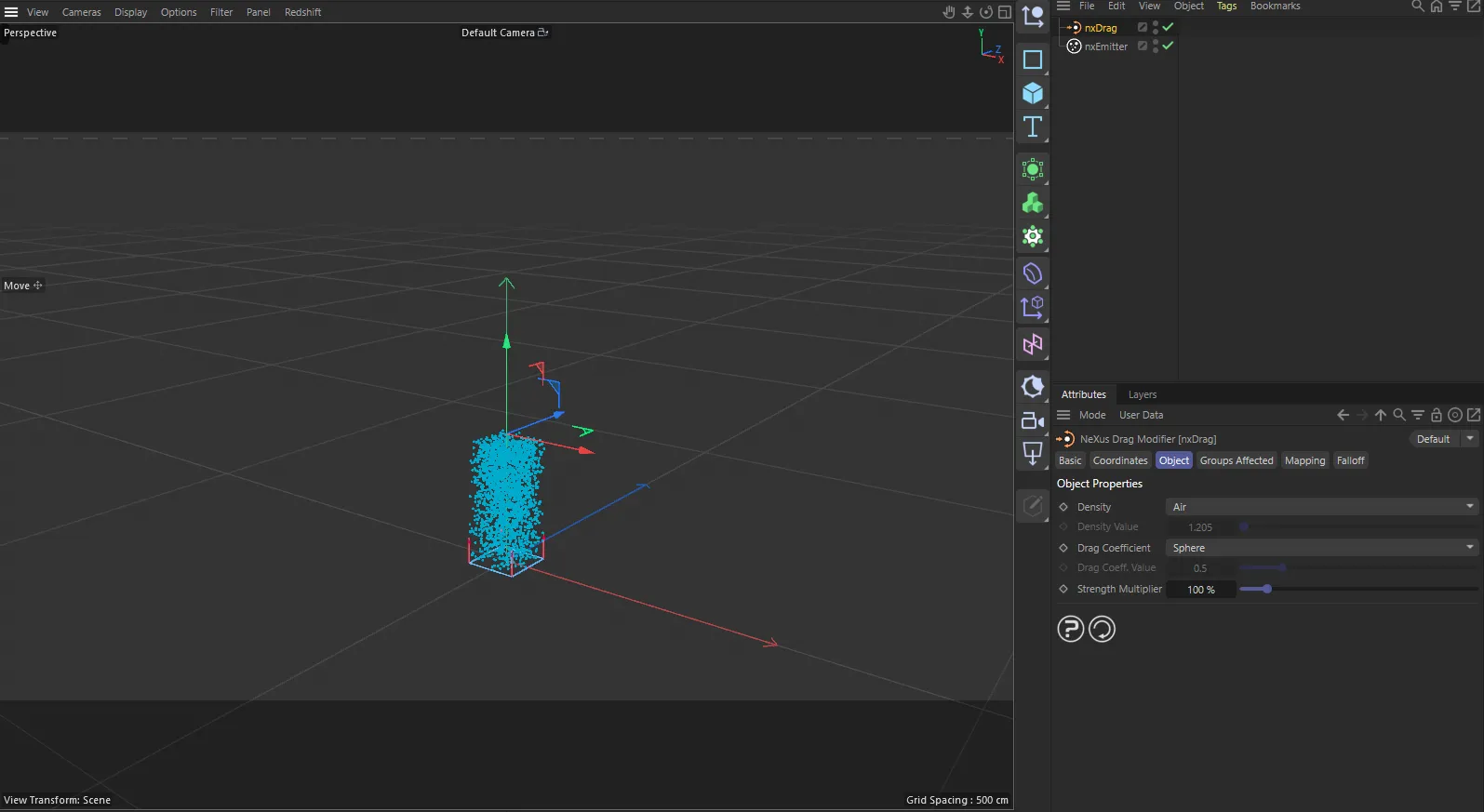
nxDrag in Cinema 4D. Its settings sit in the Attribute Manager.
Object Properties
Section titled “Object Properties”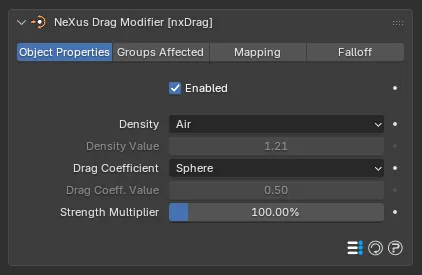
The nxDrag panel in Properties ▸ Physics, on the Object Properties tab.
Enabled
Section titled “Enabled”Turns nxDrag on or off. Disable it to switch off its force without deleting it.
Density
Section titled “Density”Sets the medium the particles move through. Set as Air, by default. The list runs from Vacuum (no drag), through the gases Air, Carbon Dioxide, Helium, Krypton and Xenon, then the liquids Propane (Liquefied), Naphtha, Gasoline (Petrol), Ethanol, Water, Glycerin, Sea Water, Heavy Water, Molasses, Bromine and Mercury. The last option is Custom.
Each preset sets the real-world density of that medium, in kg/m³. A denser medium puts up more resistance, so the particles lose speed faster.
Air
Water
Air on the left, Water on the right, with everything else the same. In air the stream barely slows and sails across the scene. Water is hundreds of times denser, so its drag stops the stream almost as soon as it forms.
Density Value
Section titled “Density Value”Only available when Density is set to Custom. Enter your own medium density here, in kg/m³. Defaults to 1.205, the density of air.
Drag Coefficient
Section titled “Drag Coefficient”Sets how streamlined the particles are, as a drag coefficient. Set as Sphere, by default. The other presets are Dolphin, Missile, Fighter Aircraft, Sedan, Bird, Cube, Bicycle, Bicycle and Rider, Human (Upright), Motorcycle and Rider, Rectangular Box, nxShatter Fragments and Custom.
A streamlined shape has a low coefficient and cuts through the medium with little drag. A bluff shape has a high one and meets much more resistance. nxShatter Fragments is a preset tuned for shatter fragment particles.
Missile
Rectangular Box
A streamlined Missile on the left, a bluff Rectangular Box on the right, in the same air. The missile shape has so little drag that the stream glides across. The box meets far more resistance, so the stream does not travel nearly as far.
Drag Coeff. Value
Section titled “Drag Coeff. Value”Only available when Drag Coefficient is set to Custom. Enter your own coefficient here. Defaults to 0.5.
Strength Multiplier
Section titled “Strength Multiplier”Scales the overall drag force, once the Density and Drag Coefficient are set. Defaults to 100%. Lower it to soften the effect or raise it to exaggerate it. At 0% the modifier applies no drag at all.
0%
100%
Here only the Strength Multiplier changes, with the medium fixed at Water: 0%, on the left, and 100%, on the right. At 0% the modifier is effectively off and the stream flows straight through. At 100% the full calculated drag acts and stops it. Use the multiplier to blend between the two.
Groups Affected
Section titled “Groups Affected”Use the Groups Affected tab to restrict nxDrag to particles in specific nxGroup groups, rather than affecting every particle.
Mapping
Section titled “Mapping”Use the Mapping tab to drive nxDrag’s settings from particle data instead of fixed values, so a particle’s own attributes can change the drag it feels. See Mapping for how this works.
Falloff
Section titled “Falloff”Use the Falloff tab to limit where nxDrag acts. Add one or more nxFalloff objects to the list and blend them, so drag only affects particles inside the falloff region.
Copyright © 2026 INSYDIUM LTD. All Rights Reserved.