

nxPush
nxPush pushes your NeXus particles apart from one another until they reach a set distance, spacing out a dense cloud so the particles no longer overlap.
It works between the particles themselves, not on any object. Each particle looks for neighbors that are too close, then pushes them away until they sit at least the target distance apart. Use it to relax a dense emission into an even spread or to keep instanced geometry from intersecting.
Add it from Add ▸ INSYDIUM NeXus ▸ Modifiers ▸ nxPush. It arrives as an empty. nxPush has no direction of its own, so you do not need to aim the empty. All of its settings live in Properties ▸ Physics.
A dense cloud of particles raining onto Suzanne, spread apart by nxPush into an even, non-overlapping coat over her.
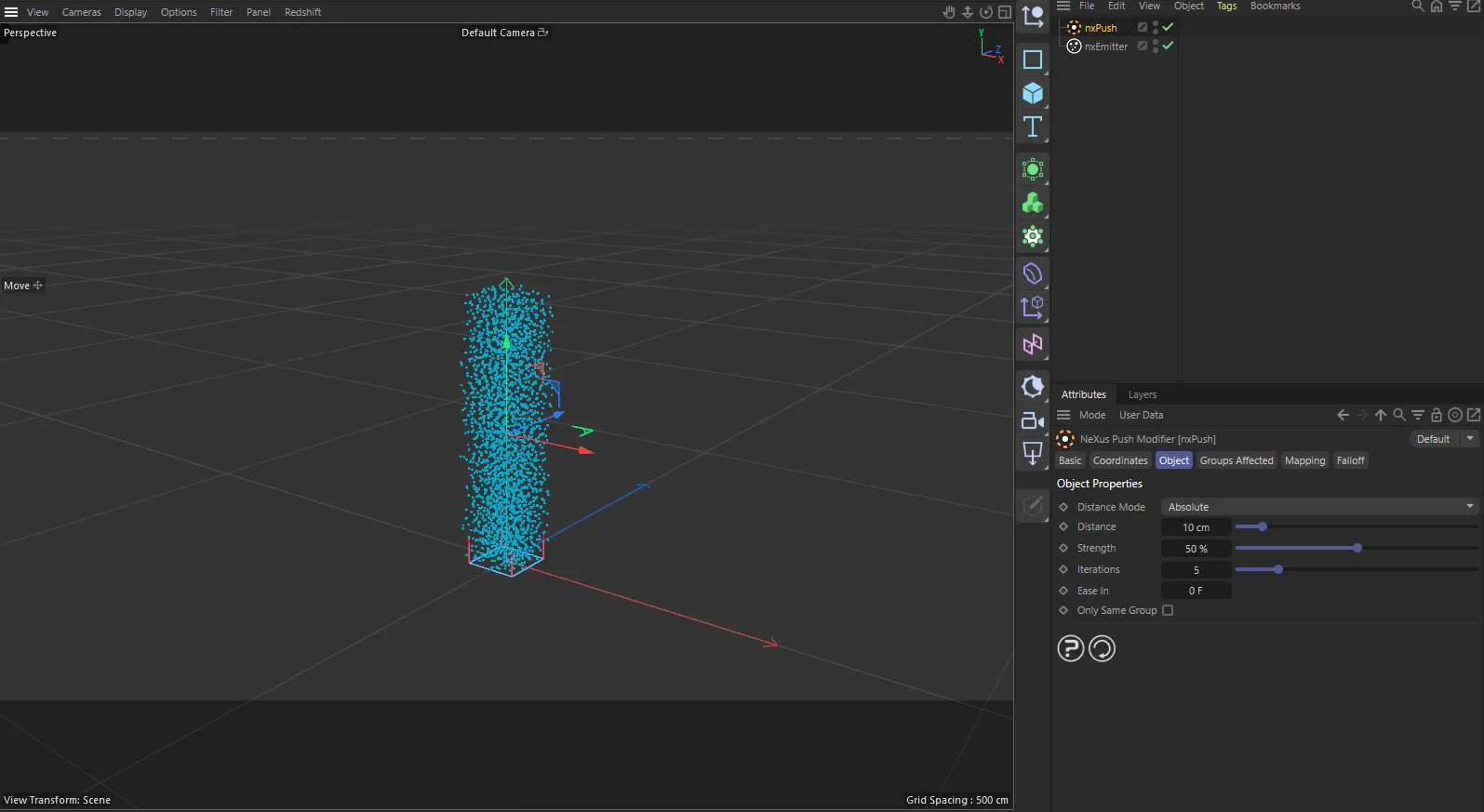
nxPush in Cinema 4D. Its settings sit in the Attribute Manager.
Object Properties
Section titled “Object Properties”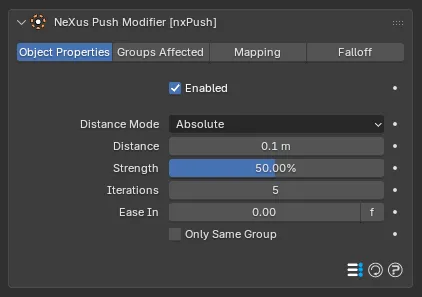
The nxPush panel in Properties ▸ Physics, on the Object Properties tab.
Enabled
Section titled “Enabled”Turns nxPush on or off. Disable it to switch off its force without deleting it.
Distance Mode
Section titled “Distance Mode”Sets how the target spacing between particles is measured. Set as Absolute, by default. The alternative is Particle Radius.
- Absolute: every particle is pushed to the same fixed spacing, set by Distance below.
- Particle Radius: the spacing is taken from each particle’s own radius, so larger particles keep more space around them. Add radius variation on the nxEmitter to get the most from this.
Distance
Section titled “Distance”Available only when Distance Mode is set to Absolute. Any particles closer together than this are pushed apart to this spacing. Defaults to 0.1m.
0.1m
0.5m
The same dense emission with only the Distance changed: 0.1m, on the left, and 0.5m, on the right. A small distance packs the particles into a tight, even cloud. A large one spaces them much farther apart, filling a wider volume.
Strength
Section titled “Strength”Sets how quickly the particles are pushed apart. Defaults to 50%. Raise it to spread a clump apart faster. Lower it for a slower, gentler relaxation. At 0% no push is applied.
5%
100%
Only the Strength changes here, at a matching Distance. At 5% the push is weak and the particles stay bunched near where they are born. At 100% they are driven apart to the full spacing almost at once.
Iterations
Section titled “Iterations”Sets how many times the push is solved each frame. Defaults to 5. The default suits most scenes. Raise it for a more accurate result where particles are densely packed.
Ease In
Section titled “Ease In”Sets a time over which the push builds up to full strength, so the effect comes in gradually rather than all at once. Defaults to 0, for an immediate push.
Only Same Group
Section titled “Only Same Group”Restricts each particle to being pushed apart only from particles in its own nxGroup group. Off by default, so every affected particle pushes against every other. Enable it to let separate groups pass through one another while still spacing out within each group.
Groups Affected
Section titled “Groups Affected”Use the Groups Affected tab to restrict nxPush to particles in specific nxGroup groups, rather than affecting every particle.
Mapping
Section titled “Mapping”Use the Mapping tab to drive nxPush’s settings from particle data instead of fixed values, so a particle’s own attributes can change the push it feels. See Mapping for how this works.
Falloff
Section titled “Falloff”Use the Falloff tab to limit where nxPush acts. Add one or more nxFalloff objects to the list and blend them, so the push only affects particles inside the falloff region.
Copyright © 2026 INSYDIUM LTD. All Rights Reserved.