

nxKill
nxKill removes unwanted particles from your NeXus simulation, by a volume, by scene objects, by the camera’s view or by a total count.
Add it from Add ▸ INSYDIUM NeXus ▸ Modifiers ▸ nxKill. It arrives as an empty. Pick how it decides which particles to remove in the Volume control, then set up that mode. All of its settings live in Properties ▸ Physics.
Suzanne, shown as a wireframe so you can see the particles through her, is added to the Objects list as a kill volume. A shower of particles rains down through her. Each one winks out the moment it crosses into her volume, so her shape is carved out of the falling sheet.
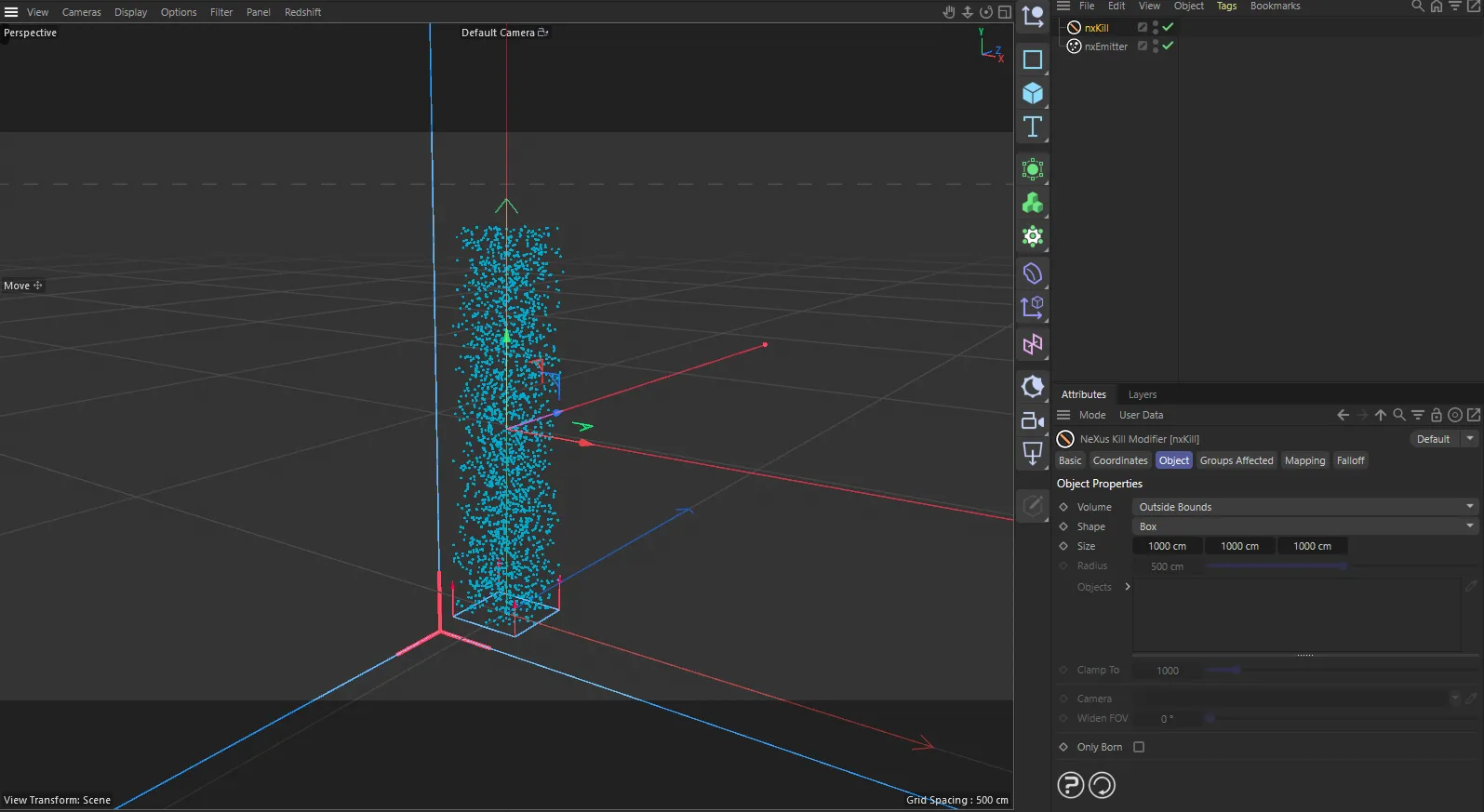
nxKill in Cinema 4D. Its settings sit in the Attribute Manager.
Object Properties
Section titled “Object Properties”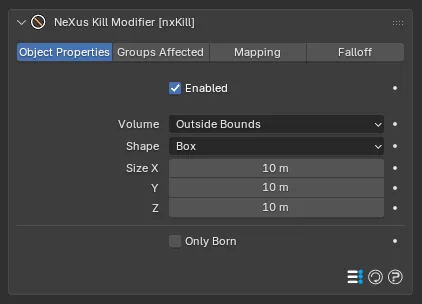
The nxKill panel in Properties ▸ Physics, with Volume set to Outside Bounds.
Enabled
Section titled “Enabled”Turns the whole nxKill on or off. Disable it to stop killing particles without deleting the modifier.
Volume
Section titled “Volume”Sets how nxKill decides which particles to kill. Set as Outside Bounds, by default. The other options are Inside Bounds, Objects, Outside Camera FOV and Clamp to Max Particles.
Each option reveals its own controls, described below.
Inside Bounds
Section titled “Inside Bounds”Kills particles that are inside the modifier’s own bounding volume.
Outside Bounds
Section titled “Outside Bounds”Kills particles that are outside the modifier’s own bounding volume. This is the default, so particles are removed once they leave the volume.
The shape of the bounding volume used by Inside Bounds and Outside Bounds. Set as Box, by default. The alternative is Sphere.
The size of the box volume in the X, Y and Z axes, shown when Shape is Box. Defaults to 10m on each axis. You can also set it by dragging the handles on the volume in the viewport.
Radius
Section titled “Radius”The radius of the sphere volume, shown when Shape is Sphere. Defaults to 5m. You can also set it by dragging the handle in the viewport.
Objects
Section titled “Objects”Shown when Volume is Objects. Uses one or more scene objects as kill volumes, instead of the modifier’s own box or sphere.
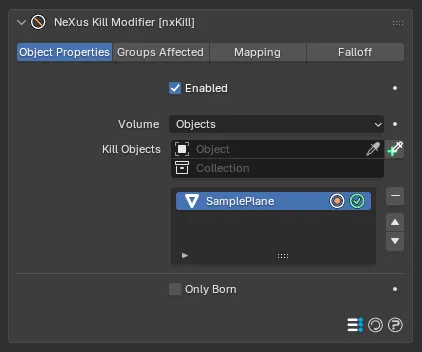
With Volume set to Objects, the panel replaces the Shape and Size controls with the Kill Objects list.
Add objects to the list, then select an entry to work with it. You can add Mesh and Curves objects.
Each entry has two icons on the right of its row.
The volume icon sets whether nxKill removes the particles inside or outside that object’s volume. By default it kills the particles inside the object. Clicking it switches to killing those outside instead.
The enable toggle switches an individual object on or off without removing it from the list.
A wireframe sphere added to the Objects list marks the kill volume, drawn as an outline so you can see the particles through it. With the volume icon set to kill inside, particles wink out as they cross into the sphere, hollowing out the falling stream inside it while the rest flows past. Switch the icon to kill outside and the reverse happens: only the particles inside the sphere survive.
Outside Camera FOV
Section titled “Outside Camera FOV”Shown when Volume is Outside Camera FOV. Kills particles that fall outside the field of view of a chosen camera. It is a quick way to cull particles you will never see, keeping the simulation light.
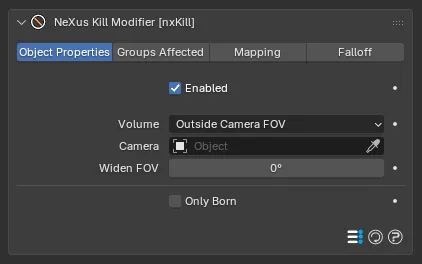
With Volume set to Outside Camera FOV, the panel shows the Camera and Widen FOV controls.
Camera
Section titled “Camera”The camera whose field of view defines the kill boundary. Shown when Volume is Outside Camera FOV.
Widen FOV
Section titled “Widen FOV”Widens the field of view used for the kill boundary, in degrees. Defaults to 0°. Raise it to keep particles alive a little beyond the edge of frame, so they are not culled right at the border.
Clamp to Max Particles
Section titled “Clamp to Max Particles”Shown when Volume is Clamp to Max Particles. Caps the total number of particles in the simulation. When the population goes above the limit, nxKill removes particles to hold the total at that number.
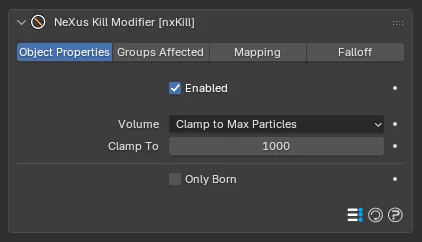
With Volume set to Clamp to Max Particles, the panel shows the Clamp To control.
Clamp To
Section titled “Clamp To”The maximum number of particles allowed, shown when Volume is Clamp to Max Particles. Defaults to 1000.
Clamp To 300
Clamp To 3000
The same emitter with a low and a high Clamp To. The cap holds the population steady, so a low value keeps the stream sparse and a high value lets it build up dense.
Only Born
Section titled “Only Born”Kills particles only at the moment they are born, rather than every frame. Off, by default.
A particle born inside the kill region is removed at birth, but one that is born elsewhere and later strays in is left alone. This is useful for cutting off unwanted emission from part of an object’s surface, without affecting particles that pass through the region later.
Groups Affected
Section titled “Groups Affected”Use the Groups Affected tab to restrict nxKill to particles in specific nxGroup groups, rather than affecting every particle. This is handy when you want to cull only some of your particles and leave the rest untouched.
Mapping
Section titled “Mapping”Use the Mapping tab to drive nxKill’s settings from particle data instead of fixed values, so a particle’s own attributes can change how it is affected. See Mapping for how this works.
Falloff
Section titled “Falloff”Use the Falloff tab to limit where nxKill acts. Add one or more nxFalloff objects to the list and blend them, so nxKill only removes particles inside the falloff region.
Copyright © 2026 INSYDIUM LTD. All Rights Reserved.