

nxBind Beta
nxBind holds your NeXus particles at their own place inside a mesh, so they ride along as the mesh moves and deforms, then lets them break away.
Add it from Add ▸ INSYDIUM NeXus ▸ Modifiers ▸ nxBind. It arrives as an empty. Add the meshes that should carry the particles to the Objects list. Each particle that is claimed remembers where it sits inside the mesh and follows that spot as the mesh animates, so a body of sand or debris walks, bends and squashes with it. The Break tab then sets what makes the particles let go. All of its settings live in Properties ▸ Physics.
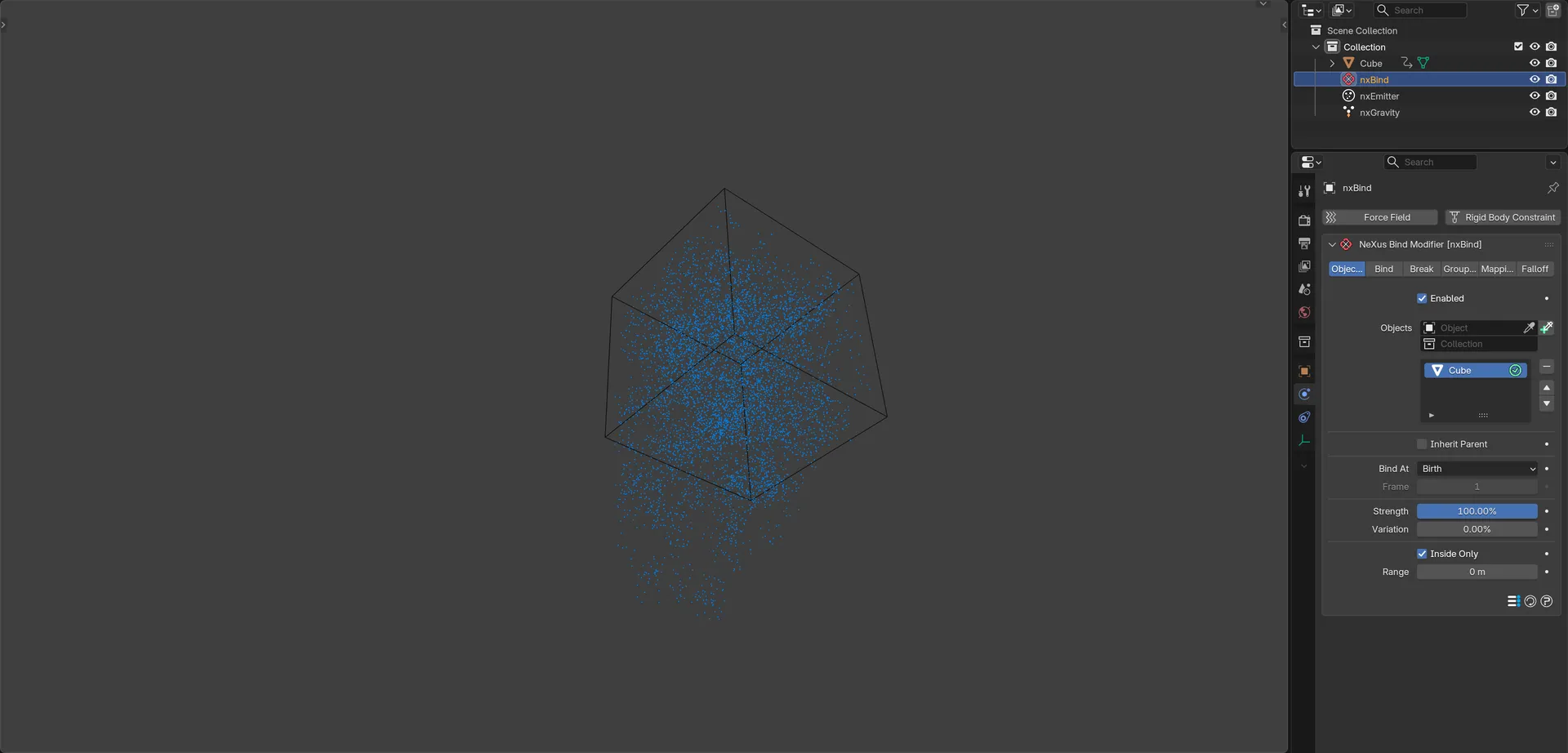
Particles held by nxBind inside a cube as it turns. The particles that start outside the cube are not held, so they fall away below it.
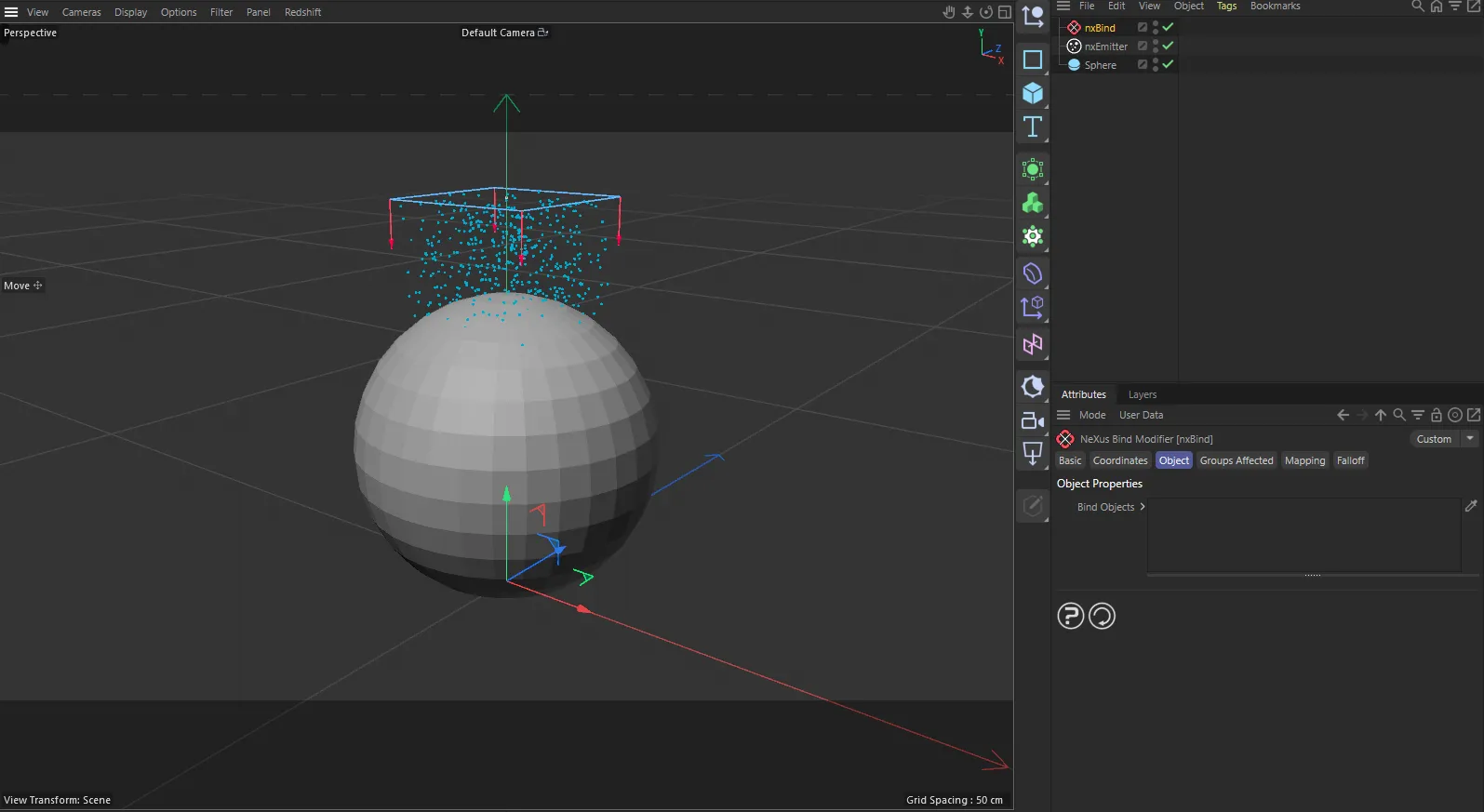
nxBind in Cinema 4D. The settings are the same and sit in the Attribute Manager.
Object Properties
Section titled “Object Properties”Enabled
Section titled “Enabled”Turns nxBind on or off. Disable it to release every particle without deleting the modifier.
Objects
Section titled “Objects”The list of objects that carry the particles. You can add Mesh and Collection Instance objects.
Add objects to the list, then select an entry to reveal its settings below. Each entry has an enable toggle on the right of its row, so you can switch individual objects on or off without removing them from the list.
The Bind tab shows this same list and settings.
Object settings
Section titled “Object settings”These settings apply to the currently selected object in the list.
Inherit Parent
Section titled “Inherit Parent”Takes the settings below from the first object in the list, so you do not have to set them again on every entry. Off by default. With it on, the rest of the object settings are hidden.
Bind At
Section titled “Bind At”Sets when particles are claimed by the object. Set as Birth, by default. The other options are Frame and Continuous.
- Birth: claim each particle the moment it is born. Use this when the emitter fills the body as it starts.
- Frame: claim every unclaimed particle on one chosen frame, so you can fill the body first and start the effect later.
- Continuous: claim any unclaimed particle at any time. This is what lets a body rebuild itself, because loose particles are adopted as they arrive.
Available when Bind At is set to Frame. The frame on which every unclaimed particle is captured. Defaults to 1.
Strength
Section titled “Strength”How hard a particle is held to its place in the object. Defaults to 100%, which rides the mesh exactly. Lower values lag and sag behind the mesh and 0% ignores it completely.
Variation
Section titled “Variation”Adds a random amount to the Strength per particle, so the body is not evenly stiff. Defaults to 0%.
Inside Only
Section titled “Inside Only”Claims only particles that are actually inside the mesh. On by default. Turn it off to gather nearby particles onto the shape as well.
How far a particle may be from the mesh and still be claimed. Defaults to 0 m, which means no limit. It matters most with Inside Only turned off.
The Break tab sets how particles let go of the body. It shows the settings of every object in the list at once, one after another, with each object’s name above its settings. With no object in the list it shows No bound object.
Release By
Section titled “Release By”Sets what decides when a particle lets go. Set as Falloff, by default.
- Falloff: release only through the Falloff and Mapping tabs, for example a field sweeping through the body.
- Age: how long the particle has existed.
- Life: how much life the particle has left, so it goes as it dies.
- Speed: how fast the particle is moving, so a hard swing sheds particles and a slow walk does not.
- Distance: how far the particle has traveled.
- Brightness: the particle’s color, so you can paint or project exactly where the body breaks.
- Group: the particle’s group, so anything that groups particles, such as nxInfectio or nxQuestion, can trigger the release.
- Mass: heavier particles hold on longest.
- Radius: the particle’s size.
- Scale: the particle’s scale.
- Density: how crowded the particle is, so thin edges give way before the solid core.
- Temperature: burn the body away with a fire sim.
- Smoke: release by the particle’s smoke value.
- Fuel: release by the particle’s fuel value.
- Height: world height, for a collapse that climbs or falls.
- Random: no pattern, for a light, constant shedding.
From, To
Section titled “From, To”Available when Release By is not Falloff. A particle is fully held at the From value and has fully let go at the To value. Set To below From to invert it. When you change Release By, both reset to a typical range for that source, for example 0.5 to 4 for Speed.
Sets how the release value turns into particles letting go. Set as Soften, by default. The alternative is Sharp.
- Soften: particles loosen gradually as the release value rises, sagging and lagging before they finally let go.
- Sharp: particles are either held or free with nothing in between, for a brittle, sudden break.
Stay Released
Section titled “Stay Released”When on, a particle that has let go is gone for good. On by default. Turn it off to rebuild the body: a released particle keeps its place, so when the release value falls back it flies home to exactly where it came from.
Chunks
Section titled “Chunks”Groups the particles into lumps that let go together, so the body comes apart in pieces instead of dissolving grain by grain. On by default.
Chunk Size
Section titled “Chunk Size”Available when Chunks is on. How big a lump is. Small values give crumbs and large values give slabs. Defaults to 0.15 m.
Chunk Variation
Section titled “Chunk Variation”Available when Chunks is on. How much the lumps differ in when they let go. Defaults to 60%. At 0% every chunk goes at the same moment and the break reads as a dissolve. Raise it and the edge becomes ragged as each lump waits its turn.
Available when Chunks is on. Shuffles where the chunk boundaries fall. Defaults to 0.
Groups Affected
Section titled “Groups Affected”Use the Groups Affected tab to restrict nxBind to particles in specific nxGroup groups, rather than affecting every particle.
Mapping
Section titled “Mapping”Use the Mapping tab to drive nxBind’s Strength and Variation from particle data instead of fixed values, so a particle’s own attributes change how firmly it is held. See Mapping for how this works.
Falloff
Section titled “Falloff”Use the Falloff tab to mark where the body breaks. Add one or more nxFalloff objects to the list and blend them. Particles inside the falloff region let go, so an animated falloff sweeping through the body releases it as it passes.
In Cinema 4D
Section titled “In Cinema 4D”In Cinema 4D, add it from INSYDIUM ▸ NeXus ▸ Modifiers ▸ nxBind. There are no Bind and Break tabs. Instead, every per-object setting (including the release and chunk settings) appears under the Bind Objects list on the Object tab for the selected rows. A change applies to every selected row. The list accepts any object and can be nested. Lengths are in centimeters, so Chunk Size defaults to 15cm. The From and To ranges for Speed, Distance, Radius and Height are 100 times larger.
Copyright © 2026 INSYDIUM LTD. All Rights Reserved.