

nxConstraints - Surface Tension
A layer that draws particles together into beads and blobs, like the surface tension of water.
Surface tension happens when water meets the air: the water particles are drawn together and the surface behaves like a thin elastic sheet. It is why droplets bead up and why insects can balance on the surface. This layer simulates that and is especially useful with an nxFluids modifier in PBD mode.
Add it from the + menu in the nxConstraints Layers list, then select the layer to show these settings.
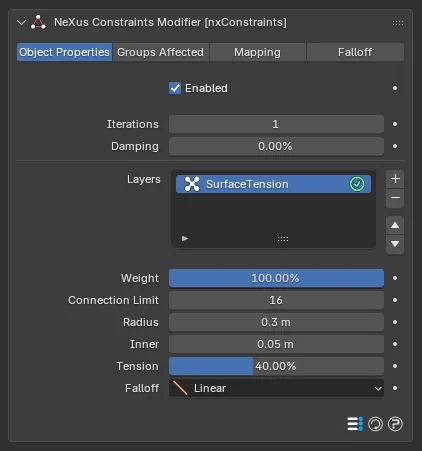
Weight
Section titled “Weight”Sets how much this layer contributes to the overall constraint solution. With a single layer this can be left at its default, 100%. When you combine several layers, lower it to blend the surface tension in more gently or raise it above 100% to give it more influence.
Connection Limit
Section titled “Connection Limit”The maximum number of connections each particle can make. Defaults to 16, up to a maximum of 64.
Radius
Section titled “Radius”Particles are only drawn to other particles within this radius. Increasing it forms bigger blobs. Defaults to 0.3m.
Negates the attraction force at close range, to stop particles from collapsing onto one another when they get close. Defaults to 0.05m.
Tension
Section titled “Tension”The strength of the surface tension. Defaults to 40%.
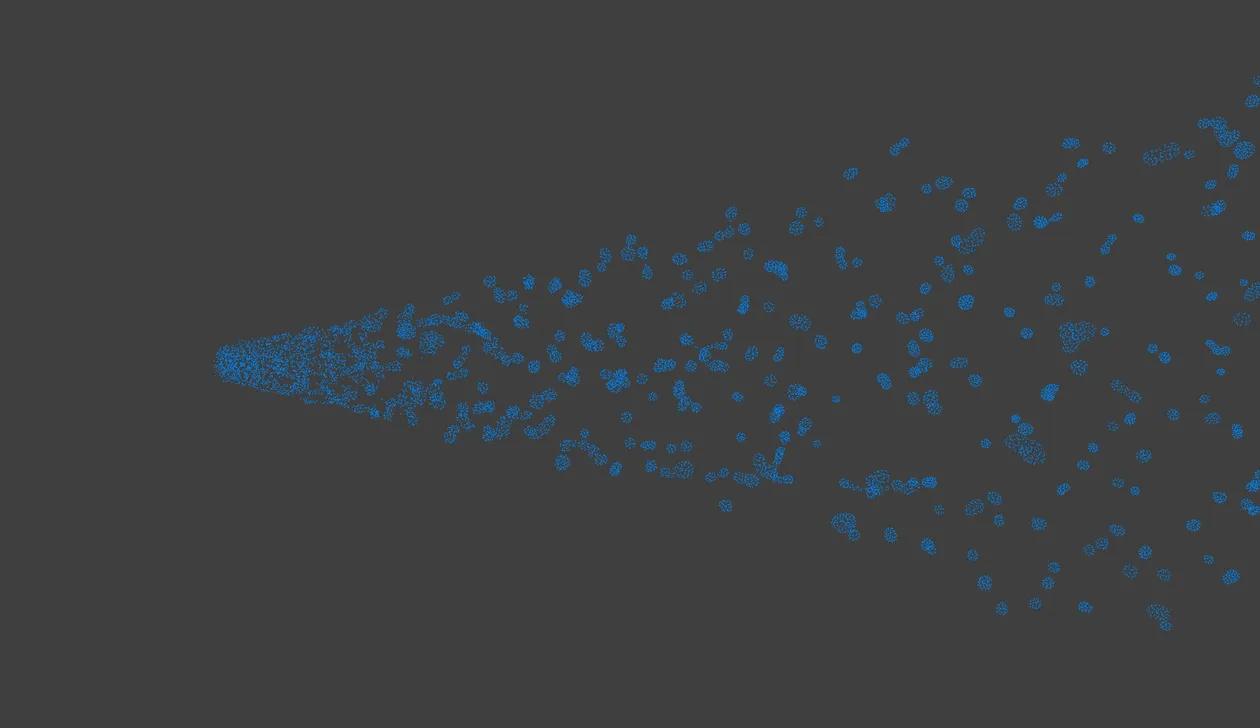
A zero-gravity PBD jet breaks up into round droplets as Surface Tension pulls each piece together.
For higher strengths, raise the Iterations value in the Object Properties.
Falloff
Section titled “Falloff”Sets how the surface tension effect falls off over the Radius. Set as Linear, by default. The other options are Flat, Quadratic and Cubic.
- Flat: no falloff, a constant force across the range.
- Linear: the force fades evenly with distance.
- Quadratic: the force fades with the square of the distance.
- Cubic: the force fades with the cube of the distance.
Copyright © 2026 INSYDIUM LTD. All Rights Reserved.