

nxGravity
nxGravity applies a gravity force to your NeXus particles, pulling them in a set direction.
Add it from Add ▸ INSYDIUM NeXus ▸ Modifiers ▸ nxGravity. It arrives as an empty with an arrow gizmo that shows the pull direction. By default gravity pulls straight down. Rotate the empty to aim it in any direction or point it at another object with Effect Toward. All of its settings live in Properties ▸ Physics.
A curtain of particles raining onto Suzanne. With Effect Toward aimed at the monkey, gravity pulls the falling stream inward so it gathers and bounces across her surface.
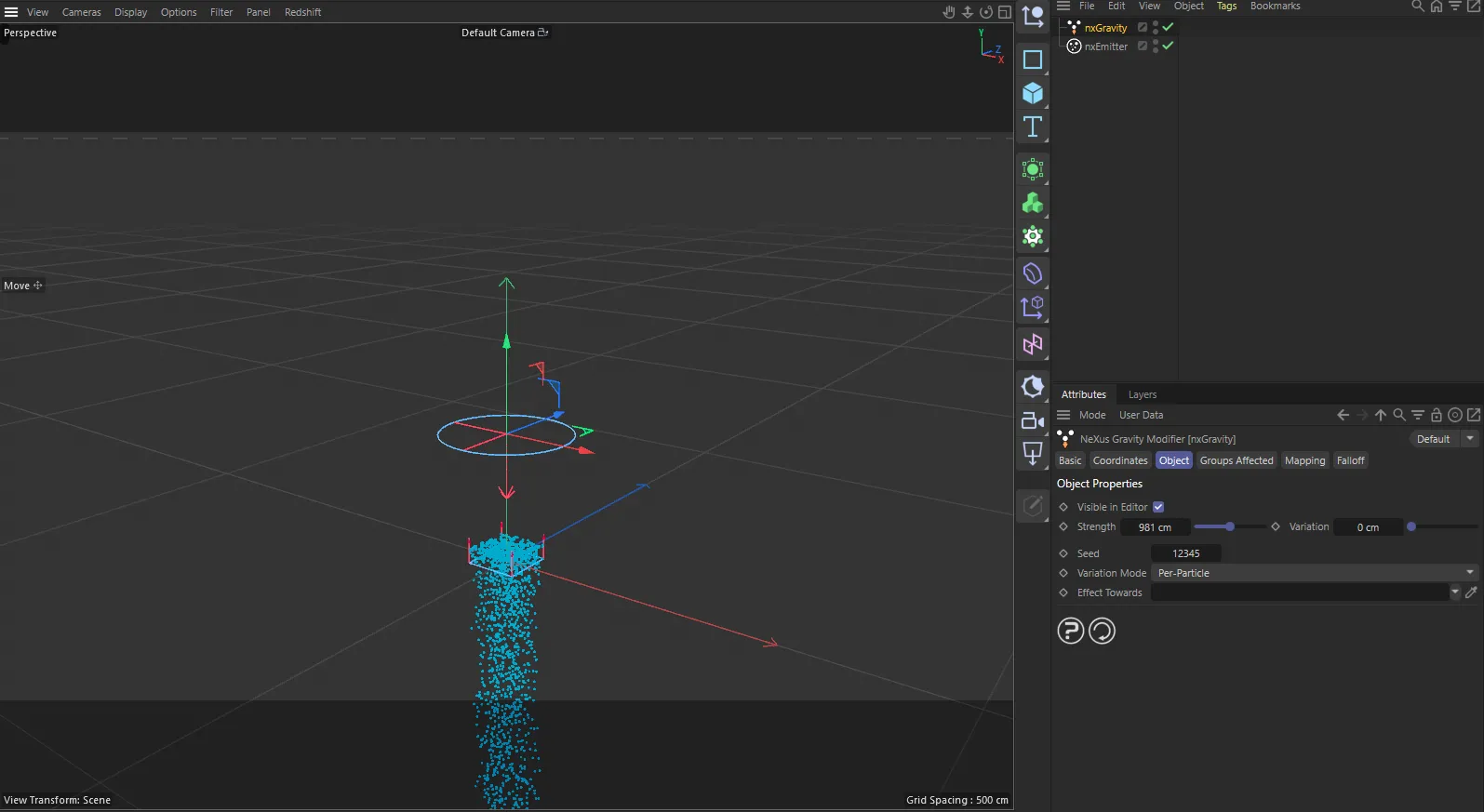
nxGravity in Cinema 4D. Its settings sit in the Attribute Manager.
Object Properties
Section titled “Object Properties”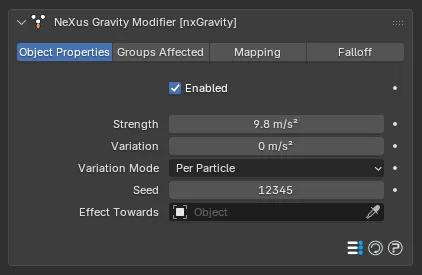
The nxGravity panel in Properties ▸ Physics, on the Object Properties tab.
Enabled
Section titled “Enabled”Turns nxGravity on or off. Disable it to switch off its pull without deleting it.
Strength
Section titled “Strength”The strength of the gravitational pull, as an acceleration. Defaults to 9.81 m/s², matching real-world gravity. Raise it for a heavier, faster pull. Lower it for a gentle drift.
The Strength value is raised partway through, from 6 to 16. At the low setting the particles arc far across the ground in a long, lazy curve. At the high setting gravity snatches them down into a short, steep drop.
Variation
Section titled “Variation”Adds a random amount to the Strength, so particles do not all fall at the same rate. Defaults to 0, which applies the same gravity to every particle. Raising it spreads the particles out as they fall. Variation Mode sets whether that random amount stays fixed per particle or changes each frame.
The Variation value is raised partway through, from 0 to 18, in Per Particle mode. At zero the curtain falls as one even sheet. Raising it gives each particle its own gravity, so they fall at different rates and the sheet smears into a ragged, varied descent.
Variation Mode
Section titled “Variation Mode”Sets how the Variation is applied. Set as Per Particle, by default. The other option is Per Frame.
- Per Particle: each particle gets its own random gravity when it first comes under nxGravity, fixed for the rest of its life. This spreads the particles out into a varied, uneven fall.
- Per Frame: the random amount is re-rolled every frame, so a particle’s gravity keeps changing as it falls.
Sets the random seed used by Variation. Change it to get a different random spread from the same settings. Defaults to 12345.
Effect Toward
Section titled “Effect Toward”Assign an object here and gravity always points at it, instead of following the modifier’s own arrow direction. Animate that object and the pull follows it, so you can drag a particle stream around the scene.
Effect Toward is assigned to the crystal partway through. Before, the particles fall straight to the ground. After, gravity points at the crystal instead, so the whole stream lifts and curves toward it.
Groups Affected
Section titled “Groups Affected”Use the Groups Affected tab to restrict nxGravity to particles in specific nxGroup groups, rather than affecting every particle.
Mapping
Section titled “Mapping”Use the Mapping tab to drive nxGravity’s settings from particle data instead of fixed values, so a particle’s own attributes can change the gravity it feels. See Mapping for how this works.
Falloff
Section titled “Falloff”Use the Falloff tab to limit where nxGravity acts. Add one or more nxFalloff objects to the list and blend them, so gravity only affects particles inside the falloff region.
Copyright © 2026 INSYDIUM LTD. All Rights Reserved.