

nxConstraints - Viscosity
A layer that simulates the internal friction of a fluid, for gloopy liquids like honey.
It resists relative motion between neighboring particles so the fluid flows thickly. Add it from the + menu in the nxConstraints Layers list, then select the layer to show these settings.
For high viscosity, raise the Iterations value in the Object Properties.
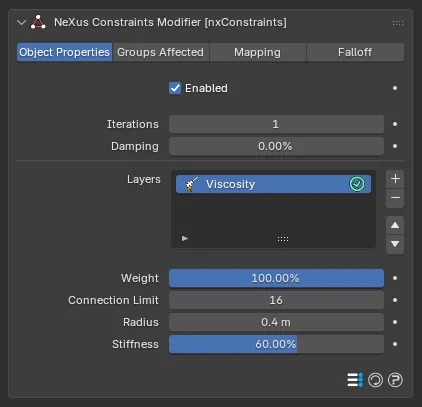
Weight
Section titled “Weight”Sets how much this layer contributes to the overall constraint solution. With a single layer this can be left at its default, 100%. When you combine several layers, lower it to blend the viscosity in more gently or raise it above 100% to give it more influence.
Connection Limit
Section titled “Connection Limit”The maximum number of surrounding particles included in the viscosity solution for each particle. Defaults to 16, up to a maximum of 64.
Radius
Section titled “Radius”The maximum distance to which surrounding particles are included in the viscosity solution. Defaults to 0.4m.
Stiffness
Section titled “Stiffness”How strong the viscosity is. Defaults to 60%.
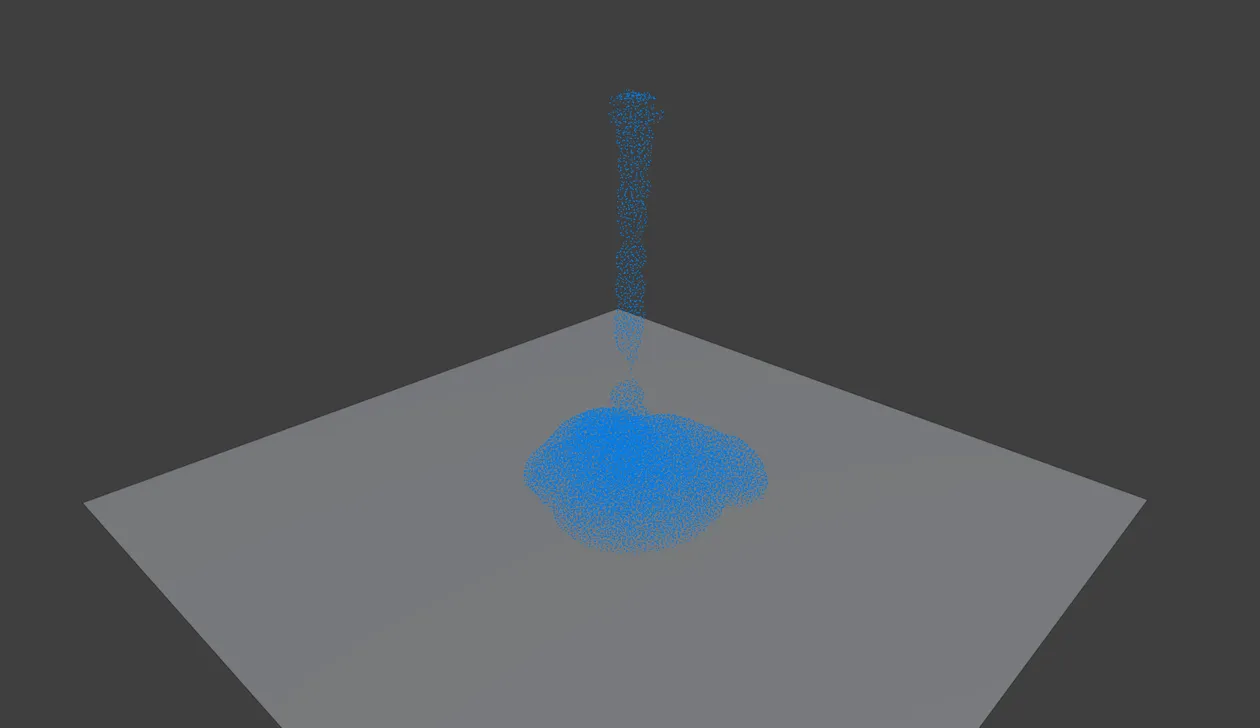
With a Viscosity layer and 20 Iterations, a thin PBD stream piles up into a thick mound like honey.
The actual viscosity depends on both this and the Iterations value. You get a higher and more stable result with a lower Stiffness combined with a higher Iterations setting: a softer constraint solved over more iterations lets the particles avoid the large, sudden changes that cause instability, especially when solving against other layers.
Copyright © 2026 INSYDIUM LTD. All Rights Reserved.