

nxDeformer Beta
nxDeformer drives a mesh or curve from particles: the particles move and the mesh follows.
Each vertex of the model binds to the particles nearest to it, then rides along with them as they move. It is designed to work with nxMPM: fill the model with MPM particles and simulate them. nxDeformer then carries the model’s own surface through the simulation, so it bends, squashes, tears or flows like the material underneath. It also works with any other particles.
Add it from Add ▸ INSYDIUM NeXus ▸ Generators ▸ nxDeformer. It arrives as an empty with a child object that holds the deformed result. Your model itself is never changed: it stays as the rest pose and is hidden while nxDeformer is enabled. All of nxDeformer’s settings live in Properties ▸ Physics.
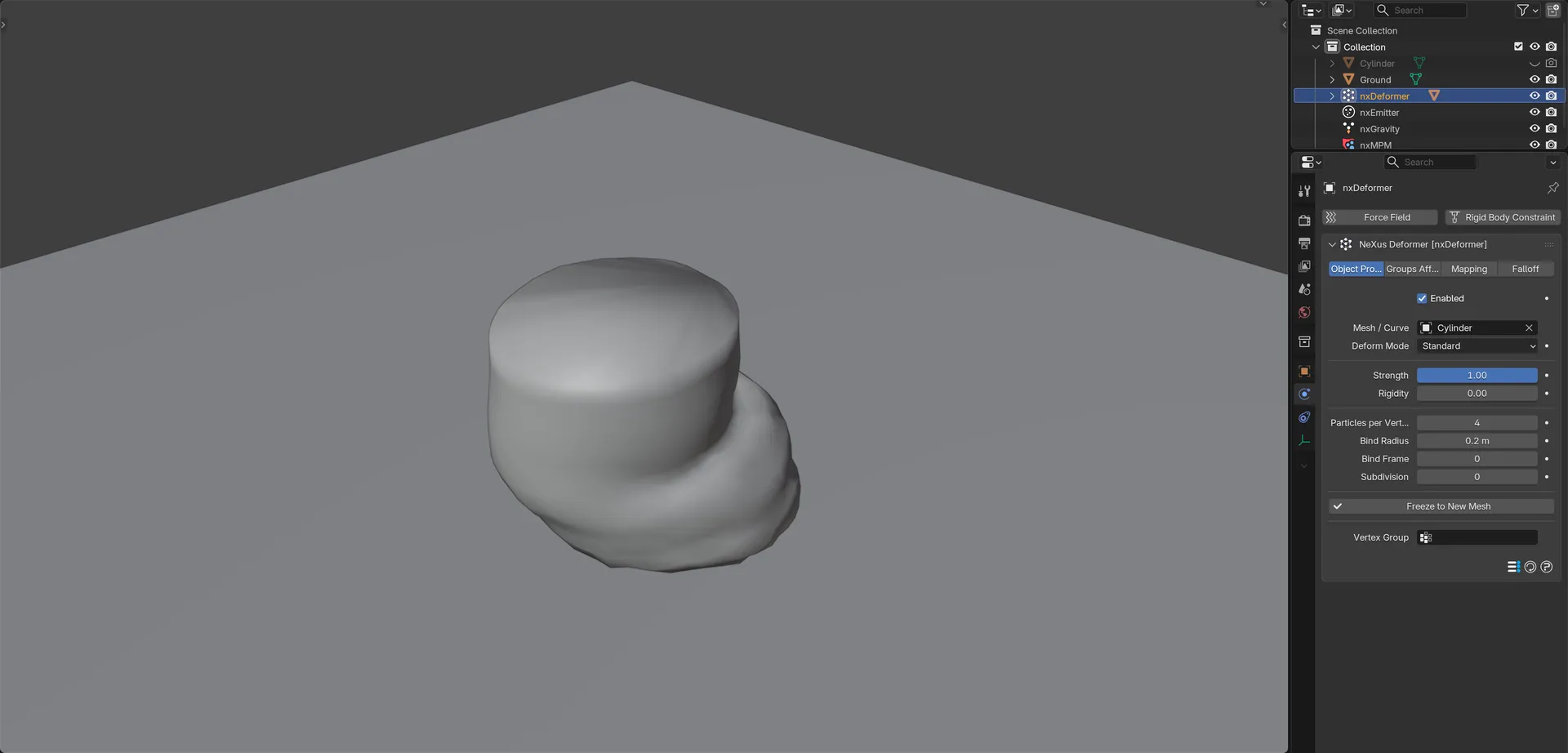
A cylinder filled with soft elastic nxMPM particles slumps under gravity. nxDeformer carries the cylinder’s own surface with the particles, so the mesh sags and bulges.
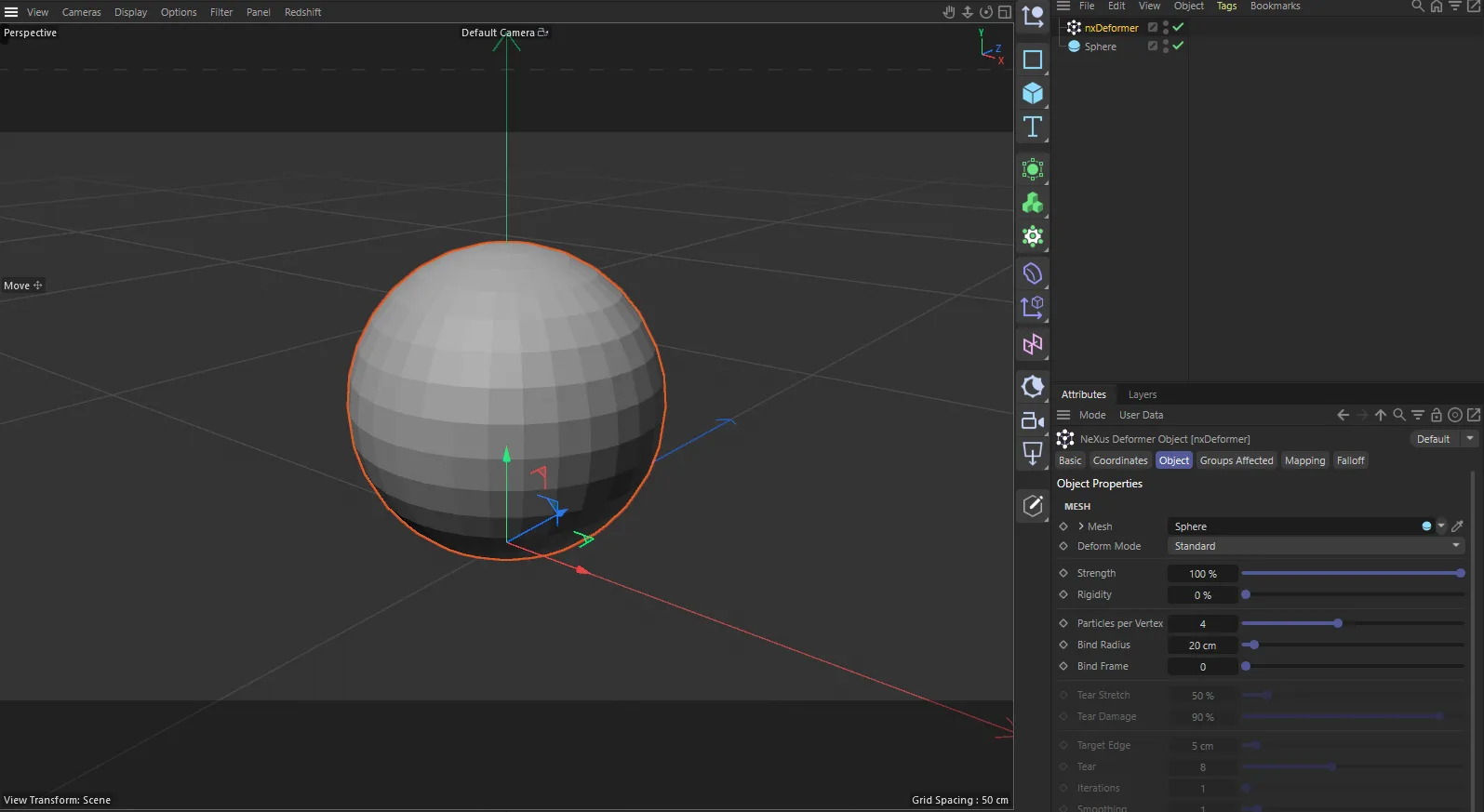
nxDeformer in Cinema 4D. The settings are the same and sit in the Attribute Manager.
Object Properties
Section titled “Object Properties”Enabled
Section titled “Enabled”Turns nxDeformer on or off. Disable it to show your original model again.
Mesh / Curve
Section titled “Mesh / Curve”The mesh or curve the particles drive. The deformed copy appears as the child of the nxDeformer.
When you pick a mesh, nxDeformer adds it to the first nxEmitter in the scene and sets that emitter’s Shape to Object, so the particles fill the model. It also sizes Bind Radius to eight times the largest emitter Radius in the scene.
A curve stays a curve. Its control points and handles are what move, so bevel, extrude and taper still work. Curves always use the Standard mode, since Breaking and Remesh need triangles.
Deform Mode
Section titled “Deform Mode”Sets how the mesh follows the particles. Set as Standard, by default. The other options are Breaking and Remesh.
- Standard: the model bends, squashes and dents but never comes apart. It keeps its own topology, so UVs, materials and vertex groups all survive. Use it for anything elastic.
- Breaking: the model comes apart where the material has failed. Cracks start where the solver reports the worst damage and spread from there. What is left splits into chunks. Every tear is capped, so each chunk stays solid.
- Remesh: the deformed result is rebuilt into even triangles every frame, so the model can flow and merge instead of stretching into slivers. Use it for turning a mesh into a liquid.
Strength
Section titled “Strength”How far the mesh follows the particles. Defaults to 1. At 0 the mesh stays in its rest pose.
Rigidity
Section titled “Rigidity”Sets how each vertex reads the particles it found. Defaults to 0.
At 0 the vertex averages all of them. The result is smooth and forgiving and resists stretching, so the model holds its shape. At 1 the vertex is glued to its single nearest particle. It tracks the material exactly, so fine motion and pulling apart come through in full, but it is noisier.
Try driving Rigidity from the nxMPM damage on the Mapping tab (with the nxMPM’s Write to Mapping on), so the model holds its shape where the material is intact and lets go where it failed.
Particles per Vertex
Section titled “Particles per Vertex”How many nearby particles carry each vertex. Defaults to 4, with a range of 1 to 8. More is smoother and more forgiving of gaps in the particle cloud. Fewer holds more detail.
Bind Radius
Section titled “Bind Radius”How far from a vertex a particle can be and still carry it. Defaults to 0.2m. Vertices that find no particle inside this radius stay where they are. Roughly one particle spacing is a good start.
Bind Frame
Section titled “Bind Frame”The bind is taken on every frame up to and including this one, then frozen. Defaults to 0, which binds as soon as particles exist. Raise it to let a pile of particles settle first.
Subdivision
Section titled “Subdivision”Subdivides the model before it is bound, without changing the model itself. Defaults to 0, with a range of 0 to 3. Each step gives roughly four times the faces. Raise it so a piece that breaks off carries enough vertices to keep its shape or so a flowing surface has detail to flow with.
Tear Damage
Section titled “Tear Damage”Shown in Breaking mode. How high the solver’s own damage reading must climb before the mesh over it comes apart. Defaults to 0.9. Because it reads what the material reports about itself, the break follows the crack instead of waiting for the triangles across it to stretch.
The damage reading is published by the nxMPM’s Write to Mapping option. When Tear Damage is above 0 in Breaking mode, nxDeformer switches Write to Mapping on for you. If no solver is publishing damage, the panel shows No solver is publishing damage and tearing falls back to Tear Stretch alone. Set Tear Damage to 0 to use Tear Stretch only.
Tear Stretch
Section titled “Tear Stretch”Shown in Breaking mode. A backstop under Tear Damage: how far a triangle can stretch past its size on the model before it tears out regardless. Defaults to 50%. At 100% an edge can double its length. This is the only tearing rule when nothing in the scene publishes damage.
Target Edge
Section titled “Target Edge”Shown in Remesh mode, like the three controls below it. How long each triangle edge should be. Defaults to 0.05m. Smaller holds finer detail and costs more. Around the particle radius is a sensible start.
How far a triangle can stretch before it counts as a hole and is deleted instead of rebuilt, measured against its size on the model. Defaults to 8, meaning eight times its original length. Lower values come apart sooner and higher values hold together longer. At 0 the surface never tears.
Iterations
Section titled “Iterations”How many full rebuild rounds run per frame. Defaults to 1, with a range of 1 to 10. One round keeps up with a moving surface. More rounds even the triangles out further, at a cost.
Smoothing
Section titled “Smoothing”How many relaxing steps run after each round. Defaults to 1, with a range of 0 to 20. Vertices only slide across the surface, so this evens out the triangles without sanding the shape away. At 0 it is off.
Freeze to New Mesh
Section titled “Freeze to New Mesh”Click Freeze to New Mesh to save the deformed shape at the current frame as a plain object you can keep modeling on. A curve source freezes to a curve. Play the simulation to a frame first, since there is nothing to freeze before then.
Vertex Group
Section titled “Vertex Group”A vertex group on the mesh whose weight scales the deformation per vertex. Paint 0 where the model should stay put. Leave it empty to move the whole mesh.
Groups Affected
Section titled “Groups Affected”Use the Groups Affected tab to choose which nxGroup groups of particles can carry the mesh, rather than every particle.
Mapping
Section titled “Mapping”Use the Mapping tab to drive Strength and Rigidity from particle data instead of fixed values. See Mapping for how this works.
Falloff
Section titled “Falloff”Use the Falloff tab to limit which particles carry the mesh. Add one or more nxFalloff objects to the list and blend them.
In Cinema 4D
Section titled “In Cinema 4D”The source field is called Mesh and takes any object, including generators and hierarchies, whose polygons are merged. Curves are not supported. There is no Subdivision control and no Freeze to New Mesh button. The weighting uses a Vertex Map tag instead of a vertex group. Linking a mesh does not set up an emitter or size Bind Radius for you. Breaking does not switch on the nxMPM’s Write to Mapping, so turn it on yourself. Lengths are in cm and factors are percentages.
Copyright © 2026 INSYDIUM LTD. All Rights Reserved.