

nxAttract
nxAttract pulls your NeXus particles toward a point, either the modifier’s own empty or one or more target objects in your scene.
Add it from Add ▸ INSYDIUM NeXus ▸ Modifiers ▸ nxAttract. It arrives as an empty. With no targets it pulls particles toward its own position, so you can move the empty to drag the particles around the scene. Add objects to the Attractors list and it pulls the particles toward those instead. All of its settings live in Properties ▸ Physics.
A stream of particles drawn in toward Suzanne, added to the Attractors list, so the flow gathers and wraps onto her instead of passing by.
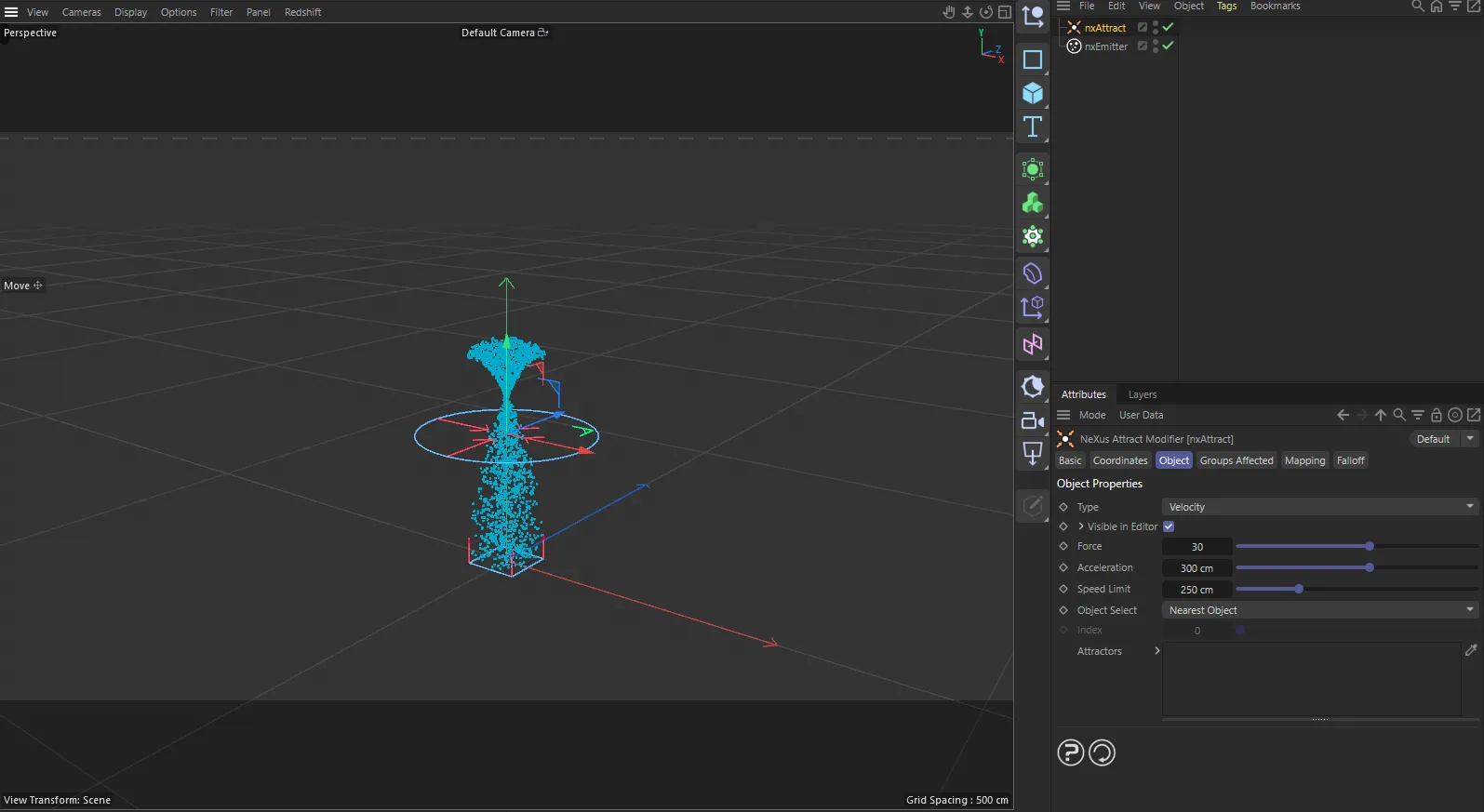
nxAttract in Cinema 4D. Its settings sit in the Attribute Manager.
Object Properties
Section titled “Object Properties”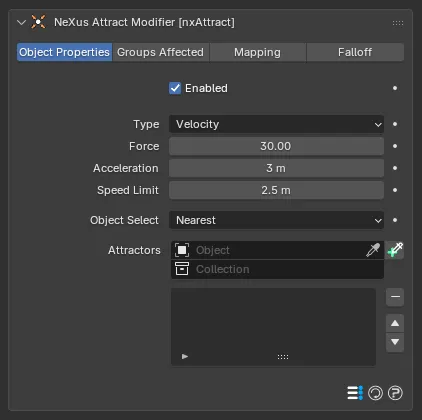
The nxAttract panel in Properties ▸ Physics, on the Object Properties tab.
Enabled
Section titled “Enabled”Turns nxAttract on or off. Disable it to switch off its pull without deleting it.
Sets how the attraction acts on the particles. Set as Velocity, by default. The alternative is Force.
- Velocity: takes direct control of each particle’s velocity, steering it toward the attractor.
- Force: applies the attraction as a force that adds to the particle’s existing motion, so it works alongside other modifiers rather than taking over the flow.
Velocity
Force
The same attractor in each mode. Velocity drives the particles straight in and holds them on target. Force pulls them in more loosely, letting their earlier motion carry through for a softer, more natural gather.
Controls the strength of the pull toward the attractor. Defaults to 30. Higher values pull the particles in harder. A negative value reverses the effect, pushing the particles away instead.
10
120
At a low Force the pull is gentle and the particles drift in on a long, loose curve. At a high value they are snatched straight in to the attractor.
Acceleration
Section titled “Acceleration”Speeds the particles up as they move toward the attractor. Defaults to 3 m. Raise it to give the particles more velocity as they are drawn in.
0.5 m
12 m
At a low Acceleration the particles ease toward the attractor. At a high value they build up speed as they approach and rush in.
Speed Limit
Section titled “Speed Limit”Sets the maximum speed the attracted particles can reach, so the Acceleration cannot run away with them. Defaults to 2.5 m.
0.8 m
8 m
A low Speed Limit holds the particles to a slow, controlled drift toward the attractor. A high one lets them reach full speed and arrive quickly.
Object Select
Section titled “Object Select”When you add more than one object to the Attractors list, this sets which one each particle is pulled toward. Set as Nearest, by default. The other options are Farthest, Average, Index and Random.
- Nearest: each particle is pulled toward whichever listed object is closest to it. As the particles move, the nearest object can change.
- Farthest: each particle is pulled toward the object farthest from it, which can also change during the animation.
- Average: the particles are pulled toward the averaged position of all the listed objects.
- Index: every particle is pulled toward one specific object, chosen by its position in the list with the Index value.
- Random: each particle is pulled toward a randomly chosen object from the list.
Available only when Object Select is set to Index. Sets which object in the Attractors list to pull the particles toward, counting from 0 for the first entry. Defaults to 0.
Attractors
Section titled “Attractors”The list of objects the particles are pulled toward.
Add objects to the list, then select an entry to work with it. Each entry has an enable toggle on the right of its row, so you can switch individual attractors on or off without removing them from the list. With the list empty, nxAttract pulls the particles toward its own empty instead.
Groups Affected
Section titled “Groups Affected”Use the Groups Affected tab to restrict nxAttract to particles in specific nxGroup groups, rather than affecting every particle.
Mapping
Section titled “Mapping”Use the Mapping tab to drive nxAttract’s settings from particle data instead of fixed values, so a particle’s own attributes can change the attraction it feels. See Mapping for how this works.
Falloff
Section titled “Falloff”Use the Falloff tab to limit where nxAttract acts. Add one or more nxFalloff objects to the list and blend them, so the attraction only affects particles inside the falloff region.
Copyright © 2026 INSYDIUM LTD. All Rights Reserved.