

Action
An Action changes a particle when its parent Question passes: set or add a property, spawn, kill or break out of a loop.
To fire only on a condition, nest the Action under a Question. Without a question parent, an action runs on every particle immediately.
Action
Section titled “Action”The kind of action to perform. The default is Set. The others are Add, Spawn, Kill and Break.
Weight
Section titled “Weight”The weight applied when the action changes a particle’s property, as a percentage. At 100% the change is immediate. Lower values ease the property toward the target over several frames, which is useful for scaling a radius or blending a color in gradually.
Sets the value of the chosen particle property.
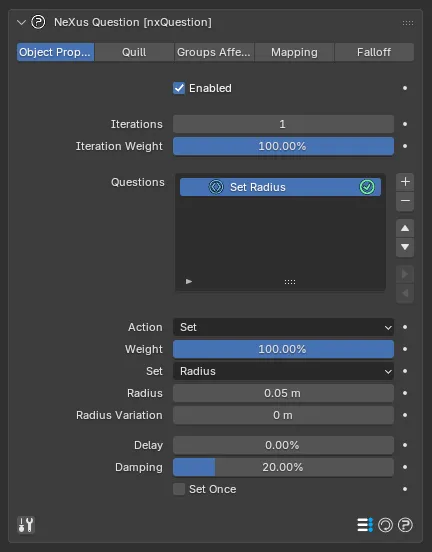
A Set action, here setting the particle Radius. The Action, Weight, Delay, Damping and Set Once controls are shared by the Set and Add kinds.
The particle property to set. The options are:
- Age: sets the particle’s age.
- Bind: binds the particle in nxBind. Turn the Bind checkbox off to unbind it instead. Beta
- Color: sets the particle’s color, with a Variation. A Channel menu picks which emitter Display Channel the action colors. Set as Viewport, by default, which colors the channel each emitter is showing. The other entries are the Display Channels set up on the nxEmitter Display tab, listed by name. Beta
- Display: sets how the particle is drawn. The options are Points, Square, Line, Box 3D, Box 3D Filled, Circle, Circle Filled, Pyramid, Pyramid Filled, Arrow, Arrow Filled, Axis, Sphere, Screen Space Fluid and None.
- Freeze: freezes the particle, stopping its motion.
- Group: sets the particle’s nxGroup.
- Life: sets the particle’s lifespan.
- Mass: sets the particle’s mass, with a Variation.
- Radius: sets the particle’s radius, with a Variation.
- Rotation: sets the particle’s rotation, with a Variation.
- Scale: sets the particle’s scale, with a Variation.
- Sleep: puts the particle to sleep in an nxMPM domain. Turn the Sleep checkbox off to wake it instead. Beta
- Speed: sets the particle’s speed, keeping its direction, with a Variation.
- Sticky: makes the particle sticky.
- User Data: sets a user-data value on the particle.
- Variable: sets a named Variable. Set to chooses the source: Constant uses a fixed value you enter. Question uses the value that was tested in the triggering question.
- Velocity: sets the particle’s velocity, with a Variation.
Selecting a property reveals its value fields, so Radius shows a Radius value and Velocity shows X, Y and Z components.
The Display property draws each particle in the chosen shape. The drawable types render like this:
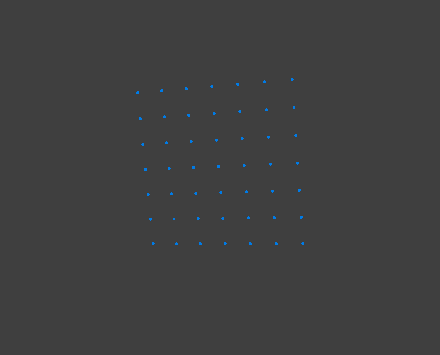
Points
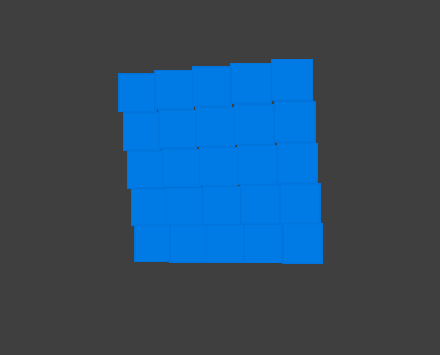
Square
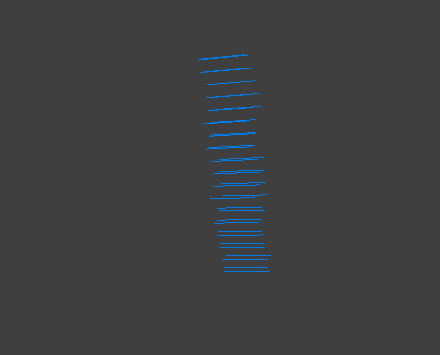
Line
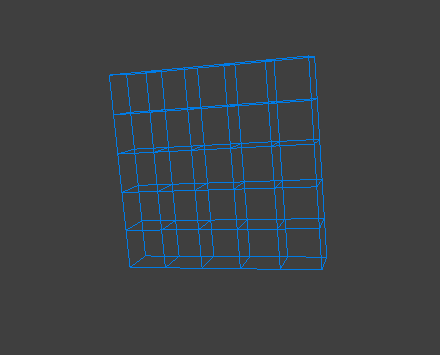
Box 3D
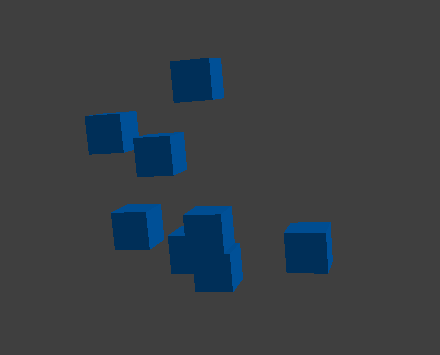
Box 3D Filled
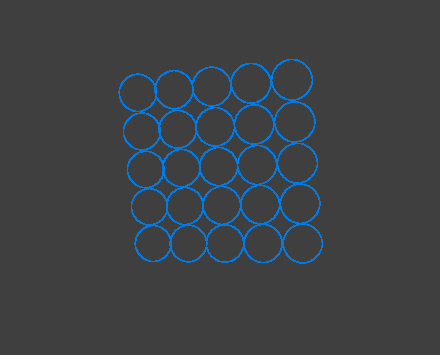
Circle
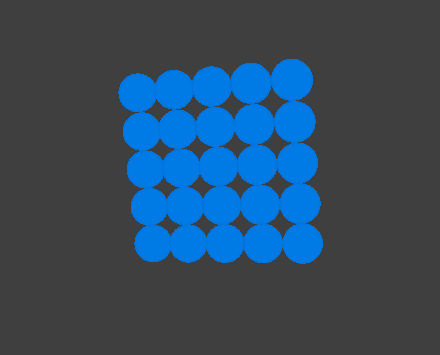
Circle Filled
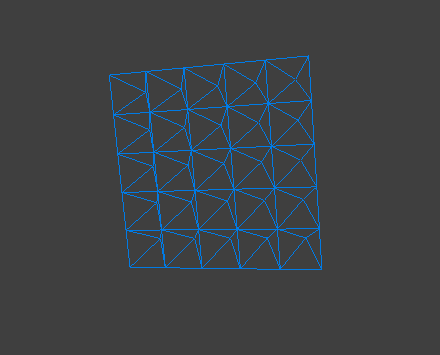
Pyramid
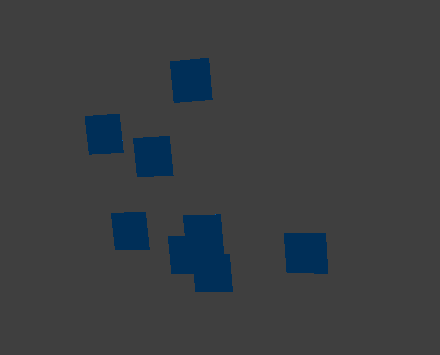
Pyramid Filled
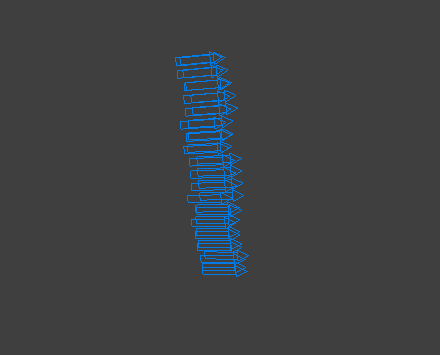
Arrow
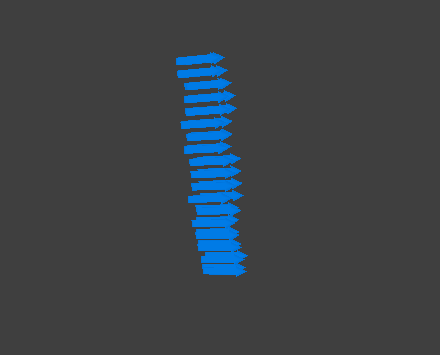
Arrow Filled
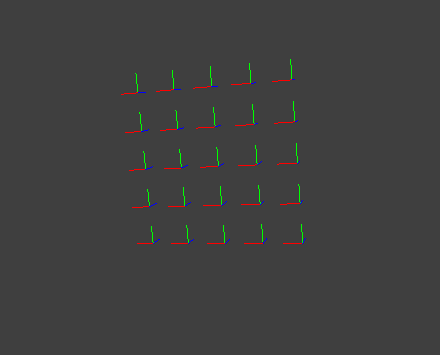
Axis
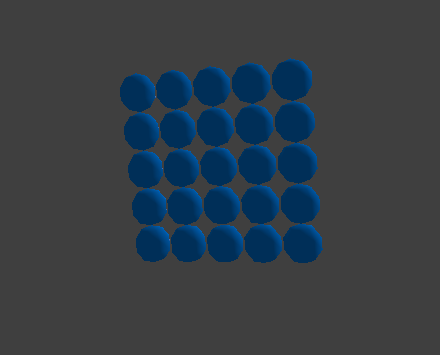
Sphere
The Line, Arrow and Arrow Filled types orient each particle along its velocity, shown here as a sideways stream. Screen Space Fluid renders the particles as a screen-space fluid surface and needs the accelerated OpenGL viewport, so it is not shown here. None hides the particle entirely.
Adds a spring-like response to the change instead of applying it instantly. It is most useful on the continuous properties such as Color, Mass, Radius and Speed.
Damping
Section titled “Damping”Reduces the spring-like response over time, so the change settles. Defaults to 20%.
Set Once
Section titled “Set Once”When enabled, the action is applied only once per particle.
Add works like Set, with the same value fields. The difference is that the value is added to the particle’s existing value each frame or iteration, rather than replacing it. Use it to grow a radius, accelerate or accumulate a property over time.
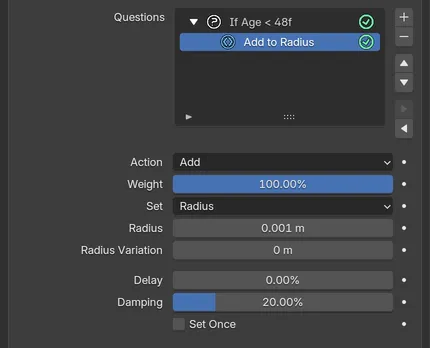
An Add action nested under an If Age question, adding 0.001m to the Radius each frame.
Spawns new particles from the source particle’s position. This requires a dedicated spawning emitter.
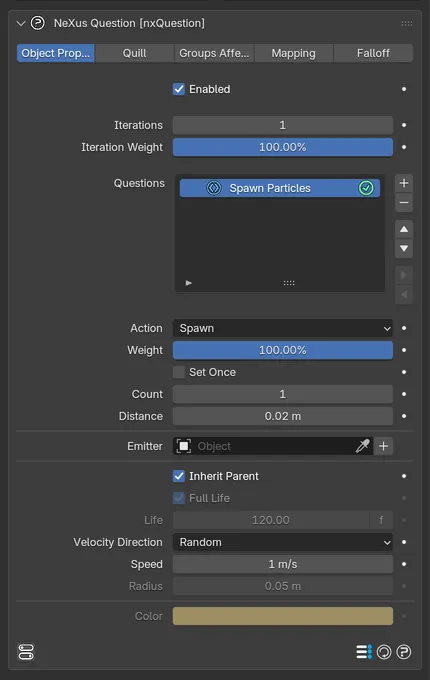
The Spawn action settings, with Inherit Parent enabled so the Life, Radius and Color fields are disabled.
Set Once
Section titled “Set Once”When enabled, each particle spawns only once.
How many new particles are spawned per source particle.
Distance
Section titled “Distance”Offsets the spawn position from the source particle’s origin, by this radius. Defaults to 0.02m. At 0 the new particles start exactly at the source position.
Spawn Emitter
Section titled “Spawn Emitter”The nxEmitter that the spawned particles belong to. Assign an existing emitter or use the + Add Emitter button next to the field to create a linked, non-emitting emitter automatically.
Inherit Parent
Section titled “Inherit Parent”When enabled, spawned particles take their Life, Radius and Color from the source particle. The matching fields below are disabled. Disable it to set those manually.
Full Life
Section titled “Full Life”Available when Inherit Parent is off. When enabled, spawned particles live for the entire scene.
Available when Inherit Parent and Full Life are both off. Sets how long spawned particles live.
Velocity Direction
Section titled “Velocity Direction”The direction of the spawned particles’ velocity. The options are Random and Source.
- Random: each spawned particle gets a random direction, giving a spherical burst from the source.
- Source: spawned particles inherit the source particle’s direction.
The speed of the spawned particles, used with the Random velocity direction. Defaults to 1m/s.
Radius
Section titled “Radius”Available when Inherit Parent is off. Sets the radius of spawned particles.
Available when Inherit Parent is off. Sets the color of spawned particles.
Kills the particle. Nest it under a question to remove particles when a condition is met, for example once they reach a certain age.
Breaks out of the enclosing Loop or script, stopping further iterations for that particle.
Copyright © 2026 INSYDIUM LTD. All Rights Reserved.